How to set an email reply-to address in Alibaba Mail
A reply-to address specifies the mailbox address that receives replies to the emails that you send from Alibaba Mail. This topic describes how to set a reply-to address in the Alibaba Mail web client and in third-party email clients.
How the reply-to address works
A reply-to address determines where replies to your emails are delivered. As the sender, you can use the Reply To setting to specify the mailbox address that receives these replies.
No reply-to address set — Replies are delivered to the mailbox address that sent the email.
Reply-to address set — Replies are delivered to the reply-to address that you specify.
Set the reply-to address
Where you set the reply-to address depends on the client that you send email from:
Alibaba Mail web client — Set the reply-to address in the settings of the web client.
Third-party email client — Set the reply-to address in the account settings of the client.
To stop using a custom reply-to address, leave the reply-to address blank in the same location. Replies are then delivered to the mailbox address that sent the email.
Alibaba Mail web client
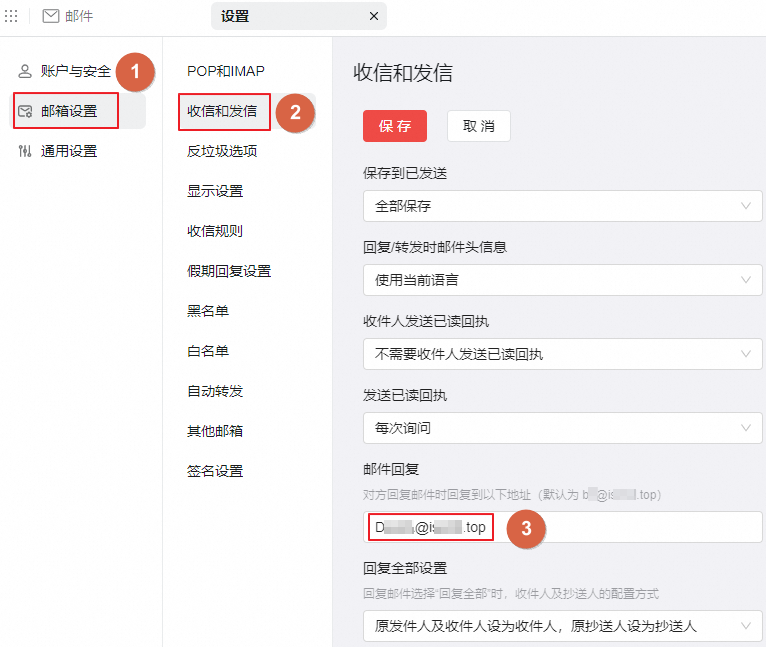
Log on to the Alibaba Mail web client and click the Settings icon in the upper-right corner.
Set the reply-to address.
Third-party email clients
The location of the reply-to setting varies among email clients. If you use a client that is not described in this section, look for a similar option in the settings of that client.
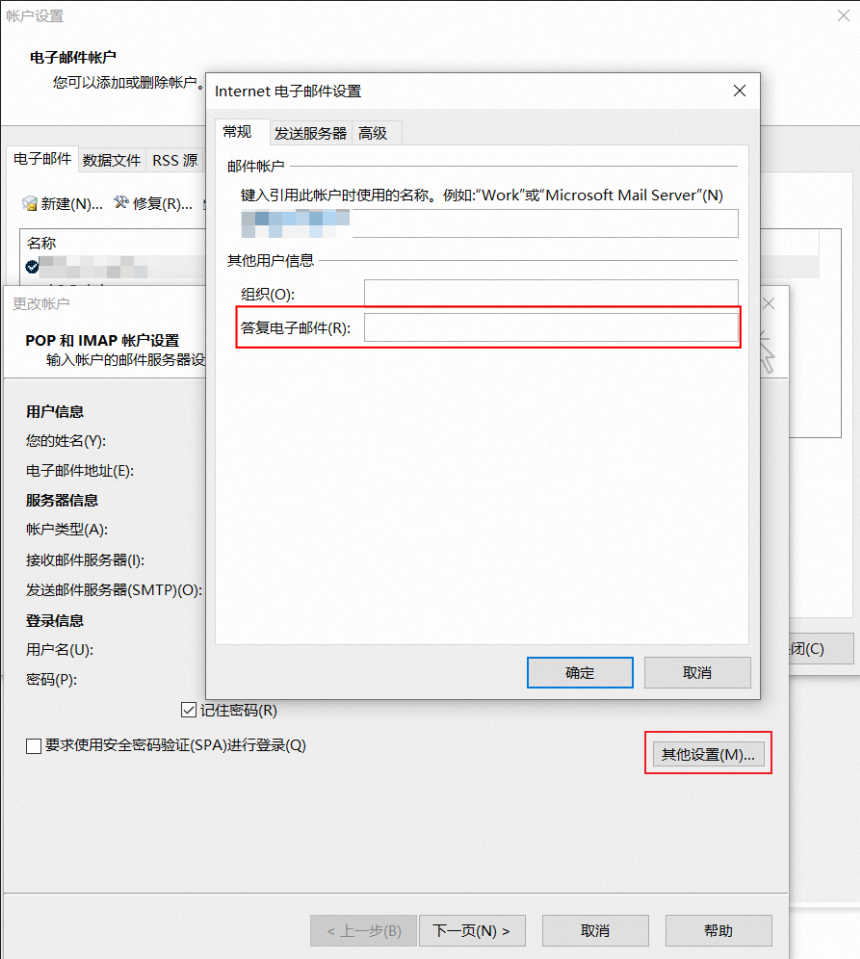
Outlook
Go to Account Settings > More Settings > General and set Reply E-mail.
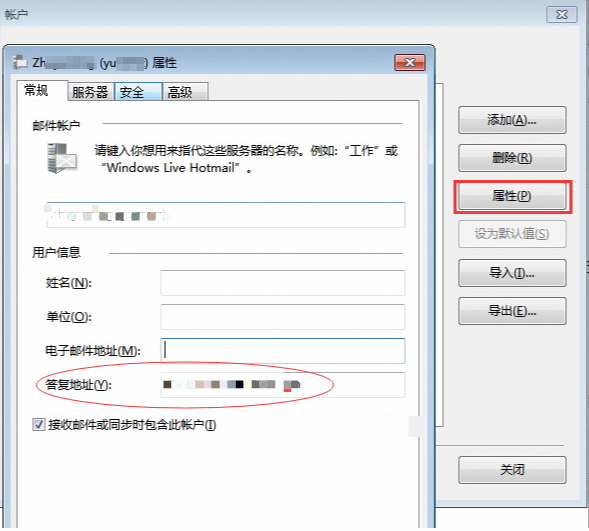
Windows Live Mail
In your email account settings, go to Accounts > Properties > General and set Reply address.
Troubleshooting
If you do not receive replies from recipients, or if a recipient's reply fails to be sent because the destination address is reported as invalid, the custom reply-to address is most likely incorrect. Use the method for your email client to correct the address or leave it blank, and then try again.