Auto-reply feature
You can set up an auto-reply in Alibaba Mail to automatically respond to incoming emails using the vacation reply feature or inbox rules.
Set up a vacation reply
Log in to the Alibaba Mail web client. Click the Settings icon in the upper-right corner. At the top of the Quick Settings panel, click View More Settings.
Select .
Select the Enable auto-reply during the following period checkbox. Then, choose a date range and enter your reply message.
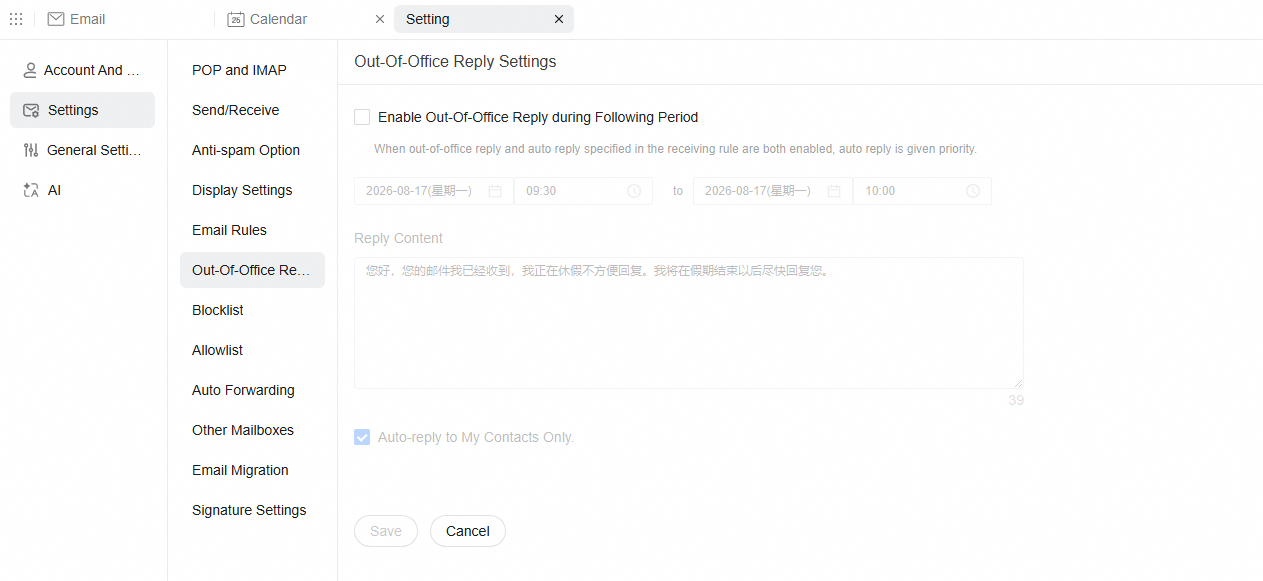
Click Save.
NoteTo send auto-replies only to your contacts, select the Auto-reply to my contacts only checkbox. Otherwise, an auto-reply is sent for all incoming emails.
If both the vacation reply and an auto-reply inbox rule are enabled, the auto-reply inbox rule takes precedence.
To prevent duplicate replies, the system sends a vacation reply to each sender only once per day, even if they send multiple emails.
Set up auto-reply via inbox rules
Log in to the Alibaba Mail web client. Click the Settings icon in the upper-right corner. At the top of the Quick Settings panel, click View More Settings.
Select .
On the Mail Filter page, click New Mail Filter.
Set a name for the rule. Then, select the Auto-reply checkbox and enter your reply message.
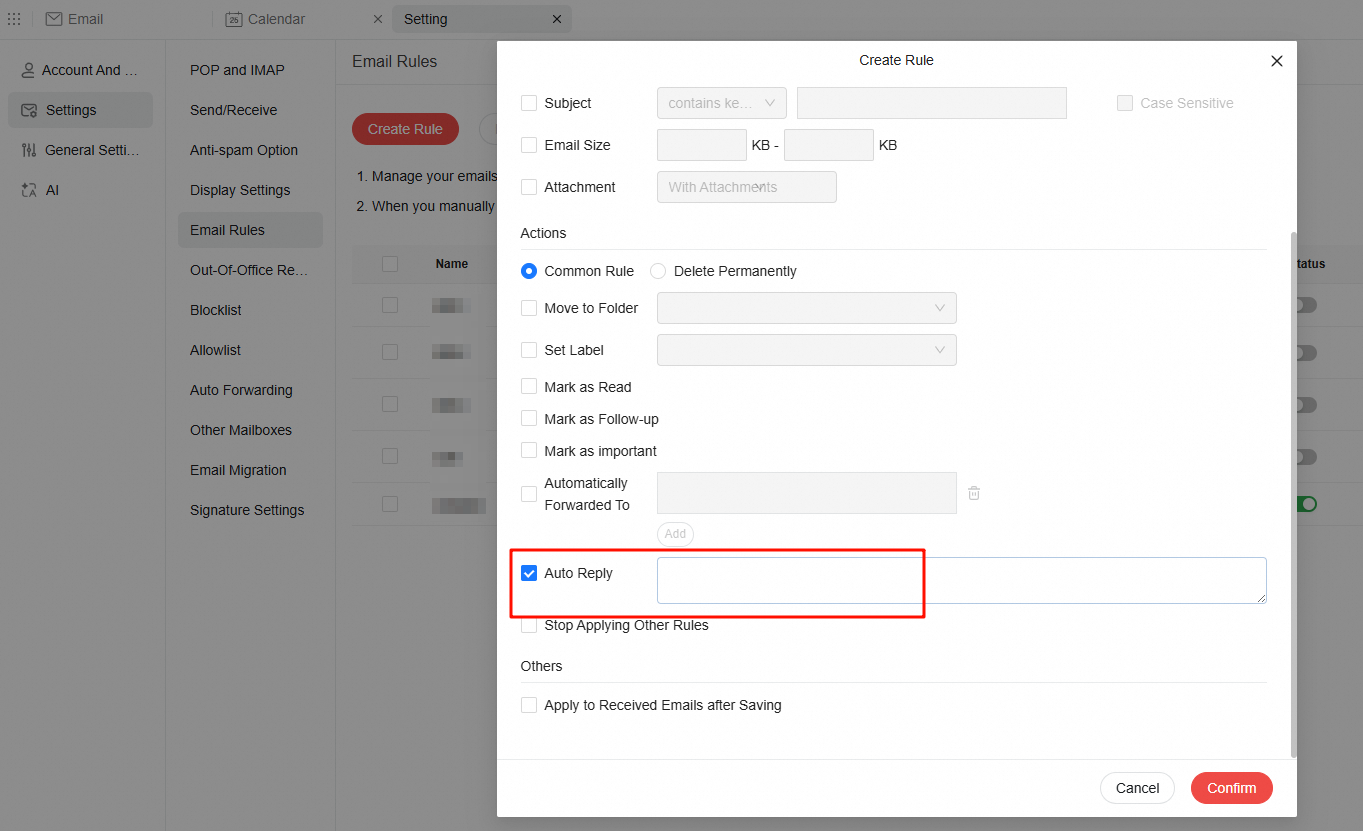
Click OK.
An auto-reply inbox rule responds to every incoming email that matches its conditions.
If the issue persists, click Feedback in the bottom-right corner of this page. Please describe the problem in detail and provide your email address so we can contact you.