ApsaraDB MyBase for MySQL Master-replica Edition supports three deployment architectures: single node, two nodes, and three nodes. Each architecture balances cost, availability, and read capacity differently. This topic describes when to use each architecture and how to create the corresponding instances.
Prerequisites
Before you begin, ensure that you have:
-
ApsaraDB MyBase for MySQL hosts. For more information, see Create a host in an ApsaraDB MyBase for MySQL dedicated cluster.
Choose an architecture
The following table compares the three architectures to help you select the one that fits your workload.
| Architecture | Composition | Cost | Availability | Read capacity | When to use | Not suitable for |
|---|---|---|---|---|---|---|
| Single node | 1 primary instance | Lowest | No automatic failover. Restarts, configuration changes, or failures cause downtime. | Low | Test environments; individual learning | Any production workload requiring uptime |
| Two nodes | 1 primary + 1 read-only instance | Medium | If the primary fails, the system automatically promotes the read-only instance. After failover, all read traffic shifts to the new primary. | Moderate | Production environments that require high availability but do not need to handle high read traffic; cross-zone dual-data center disaster recovery | High read traffic workloads — after failover, the new primary absorbs all reads and may become overloaded |
| Three nodes | 1 primary + 2 read-only instances | Medium | If the primary fails, the system automatically promotes one read-only instance. | High | Production environments that require high availability and need to handle high read traffic; cross-zone triple-data center disaster recovery | — |
You can create up to five read-only instances in three zones for a single Master-replica Edition instance.
Create an instance
-
In the left-side navigation pane, choose Instances > MySQL.
-
Click Create Instance.
-
Configure the instance based on the architecture you selected:
-
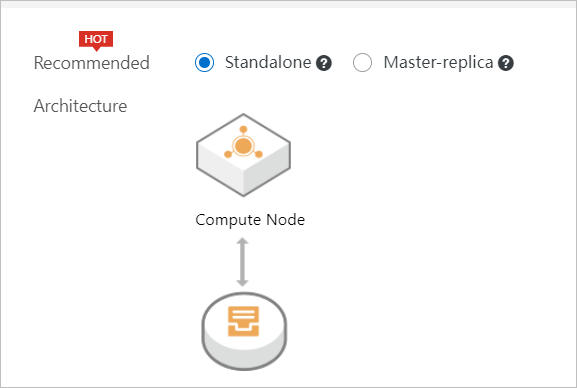
Single node: In the Create Instance panel, set the architecture type to Standalone.
-
Two nodes: Set Recommended Architecture to Master-replica, then configure one read-only instance.
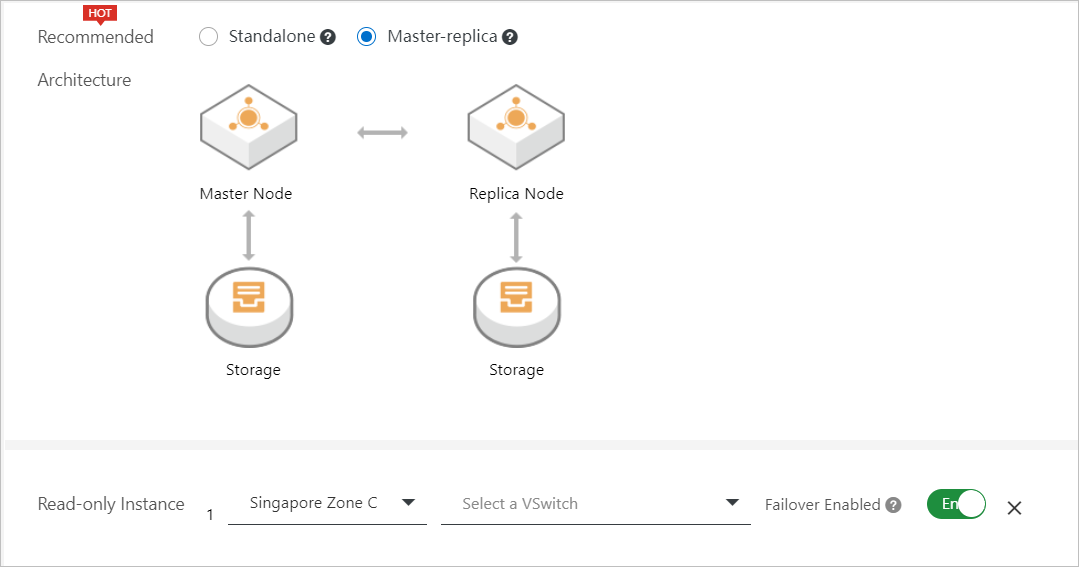
Parameter Description Recommended Architecture Select Master-replica. Read-only Instance Specify the zone, a vSwitch, and whether to enable failover. To support high availability and dual-data center disaster recovery, deploy the read-only instance in a different zone from the primary instance, and keep Failover enabled (default). -
Three nodes: Set Recommended Architecture to Master-replica, then create two read-only instances by clicking Create Read-Only Instance.
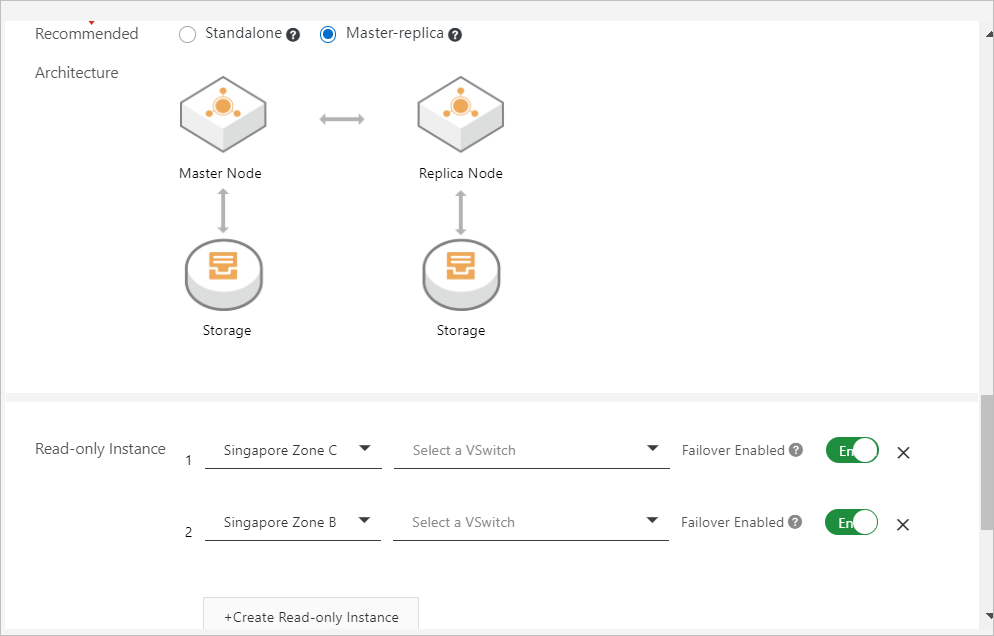
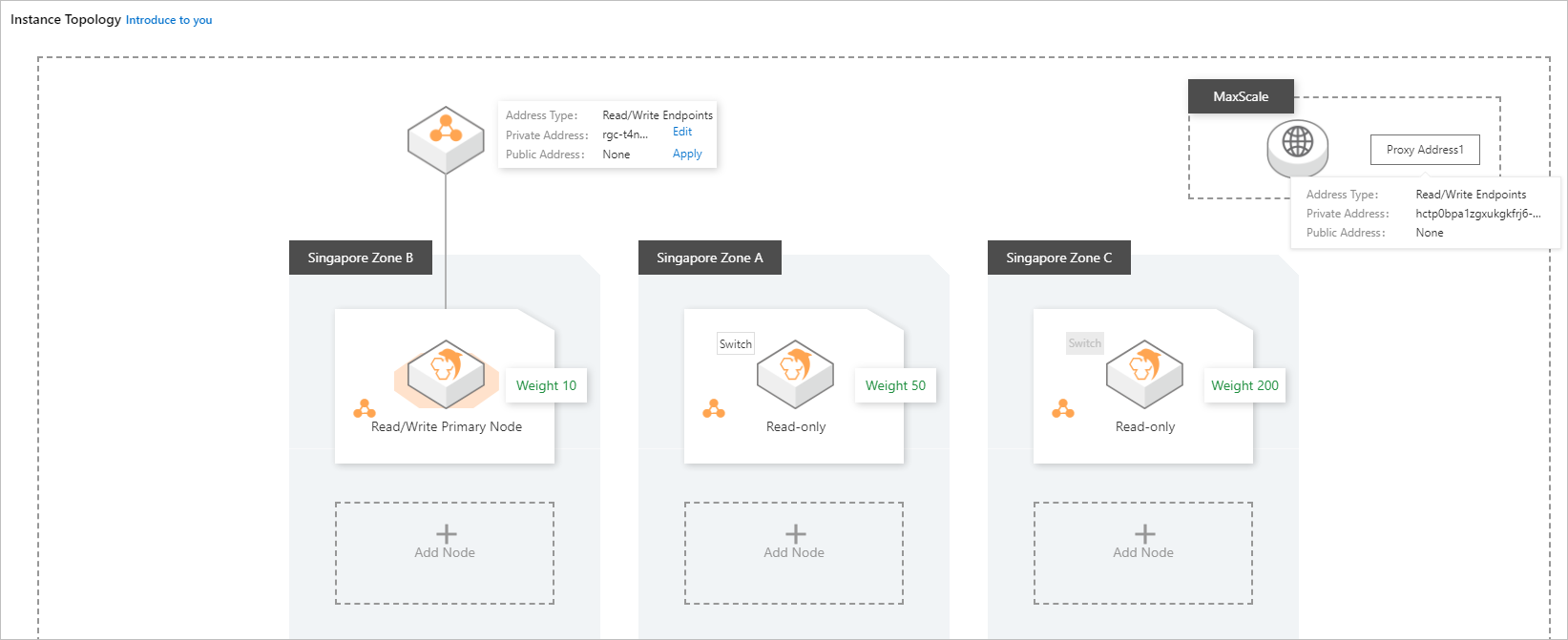
Parameter Description Recommended Architecture Select Master-replica. Read-only Instance Create two read-only instances. For each instance, specify a zone and a vSwitch. To support high availability and triple-data center disaster recovery, deploy each instance in a different zone. Enable Failover for one read-only instance and disable it for the other. After creating the instances, configure read and write weights as follows to distribute traffic efficiently:
Instance Recommended read traffic Failover-enabled read-only instance 20%–25% Failover-disabled read-only instance More than 75% Primary instance Less than 10%
-
-
Click Create.
After the instance is created, go to Instances > MySQL to check the instance status.
Verify the topology
After the instance is created, verify the topology on the instance details page:
-
On the instance details page, click Service Availability in the left-side navigation pane.
-
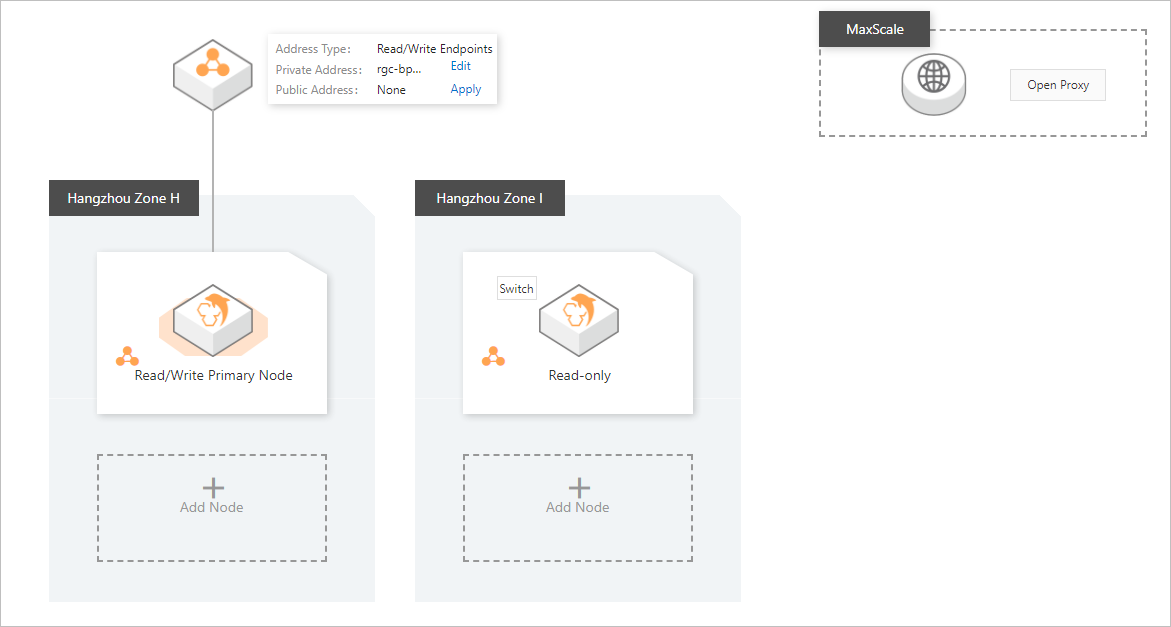
Confirm that the topology matches the architecture you selected.
-
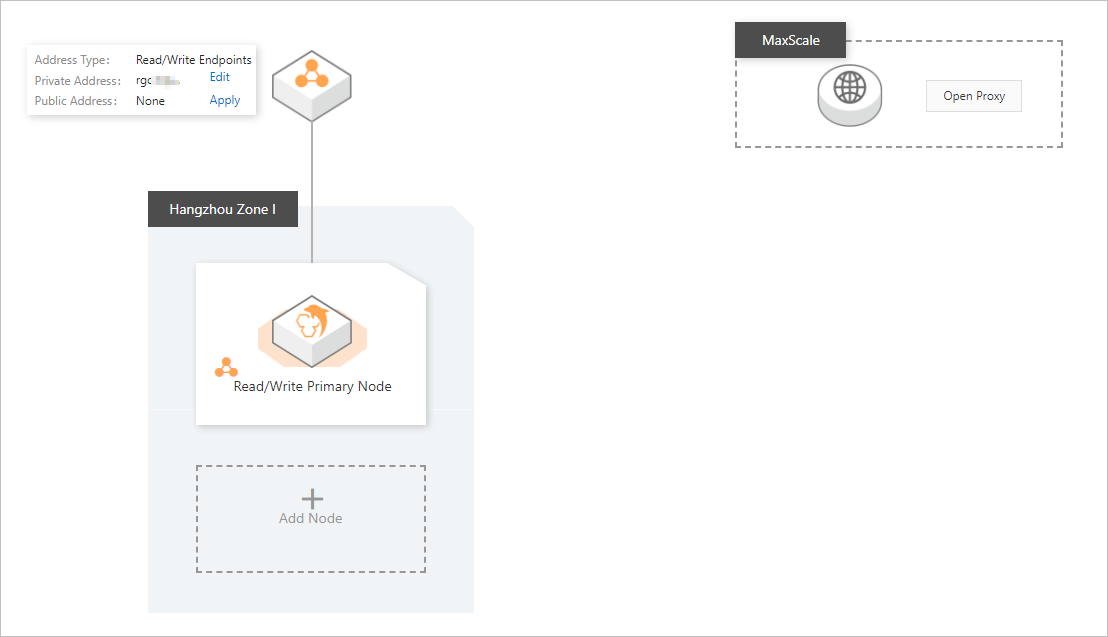
Sample topology of a single-node instance:
-
Sample topology of a dual-node instance:
-
Sample topology of a triple-node instance:

-
What's next
For information about the full set of parameters you can configure when creating an instance, see Create an ApsaraDB MyBase for MySQL instance.
For information about how to view the instance topology, see View the topology of an instance.