Configure security group policies for an FTP service in Alibaba Finance Cloud
Updated at:
Copy as MD
This topic describes how to configure security group policies to allow access to an FTP service in an Alibaba Finance Cloud environment.
Procedure
- Install and configure the FTP service on an ECS server in Alibaba Finance Cloud.
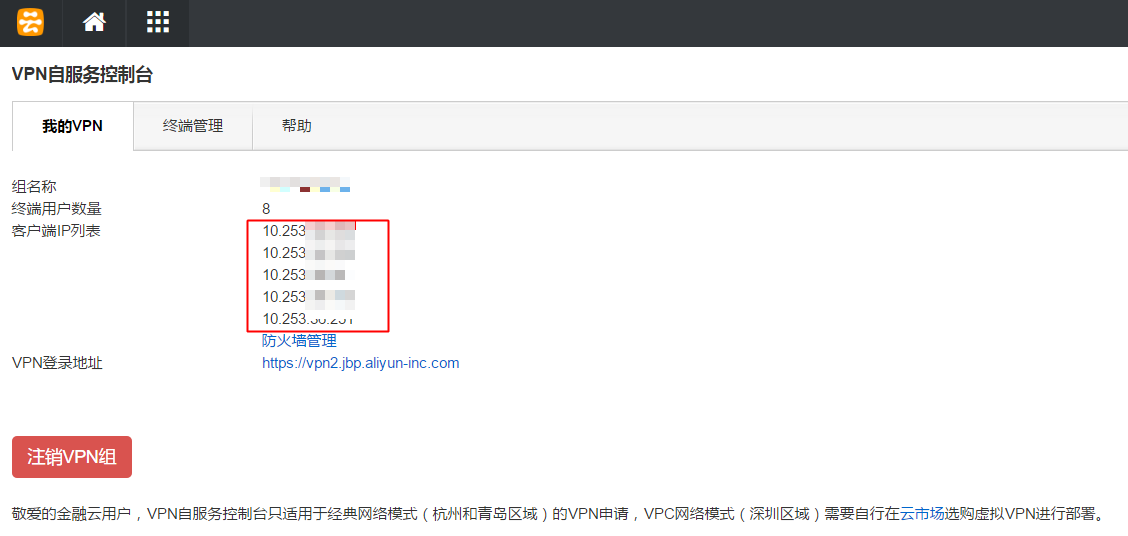
- Log on to the Alibaba Cloud website, open the VPN Self-Service console, and record the current list of client IP addresses.
- Return to the management console home page and open the ECS console. In the navigation pane on the left, choose Instances.
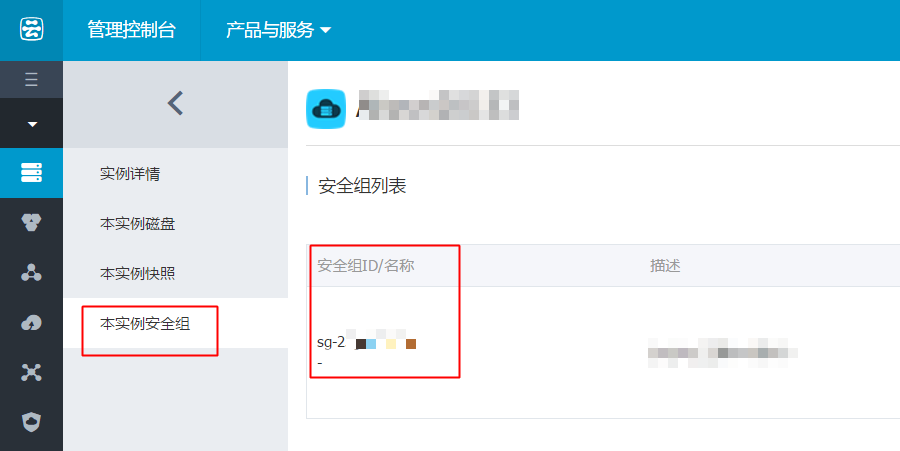
- Find the target instance and go to its management page. In the navigation pane on the left, choose Security Groups. Note the security group to which the instance belongs.
- In the navigation pane on the left of the ECS console, choose Security Groups.
- Find the security group that you noted in Step 4. In the Actions column, click Configure Rules.
- Configure the rules as follows. This example uses port 21, the default listening port for the FTP server.
If you use a custom port, replace 21 with your port number in the following instructions.
- Internal Network Inbound
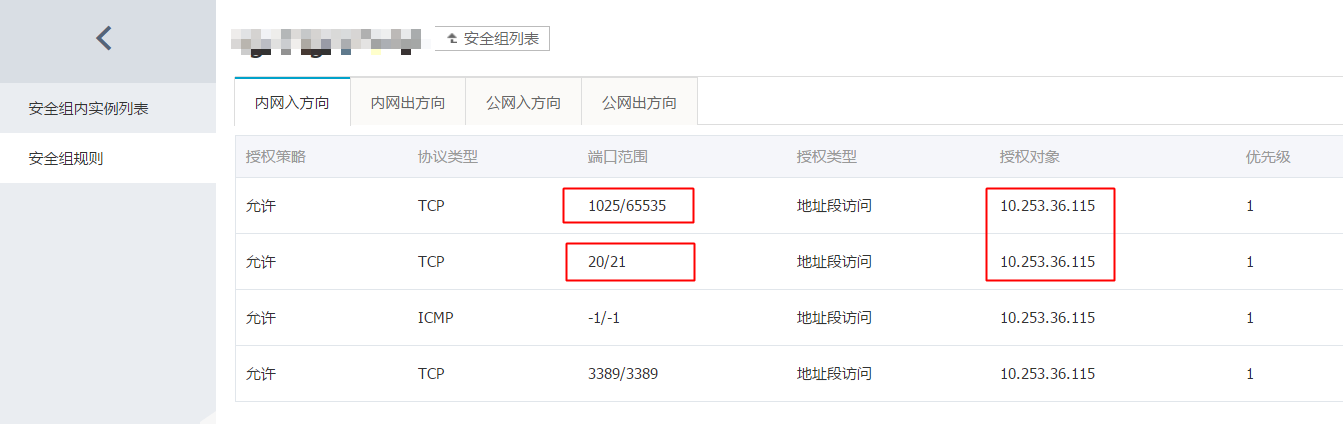
On the Internal Network Inbound tab, click Add Security Group Rule in the upper-right corner and add the following rules:
- Port Range: Add two rules to allow traffic on port ranges 1025/65535 and 20/21.
- Authorization Object: Enter the full range of client IP addresses from Step 2, or enter a specific client IP address.
- Internal Network Outbound
No configuration is required.
- Public Network Inbound
No configuration is required.
- Public Network Outbound
No configuration is required.
- Internal Network Inbound
Is this page helpful?