LHC Pod domain name configuration
This topic describes how to access a Pod using a domain name.
Step 1: Enable stateful mode
In the Basic Information step of creating or editing an application service, enable Stateful Mode.
After this mode is enabled, a numeric suffix such as -0 or -1 is added to the Pod name. After the application service is deployed, go to the application service details page. Verify that the Pod name has a numeric suffix, such as -0 or -1.
Step 2: Configure a Headless Service
In the Access Configuration step of creating or editing an application service, add a Headless Service name. In this example, enter svc. The Headless Service name is test0928jf-svc.
Step 3: Calculate the Pod domain name
The naming convention is as follows:
Service naming convention: <Headless Service name>-cell-<deployment unit name>
Example: test0928jf-svc-cell-rz00a
Hostname naming convention: <application service name>-<deployment unit name>-<Pod number>
NotePod Number: A number that starts at 0 and increments for each Pod in a cell.
After the application service is deployed, you can go to the application service details page to view the Pod name. The last number in the Pod name is the Pod Number.
Example: test0928jf-rz00a-0
Pod domain name rule: <hostname>.<service name>
Example: test0928jf-rz00a-0.test0928jf-svc-cell-rz00a
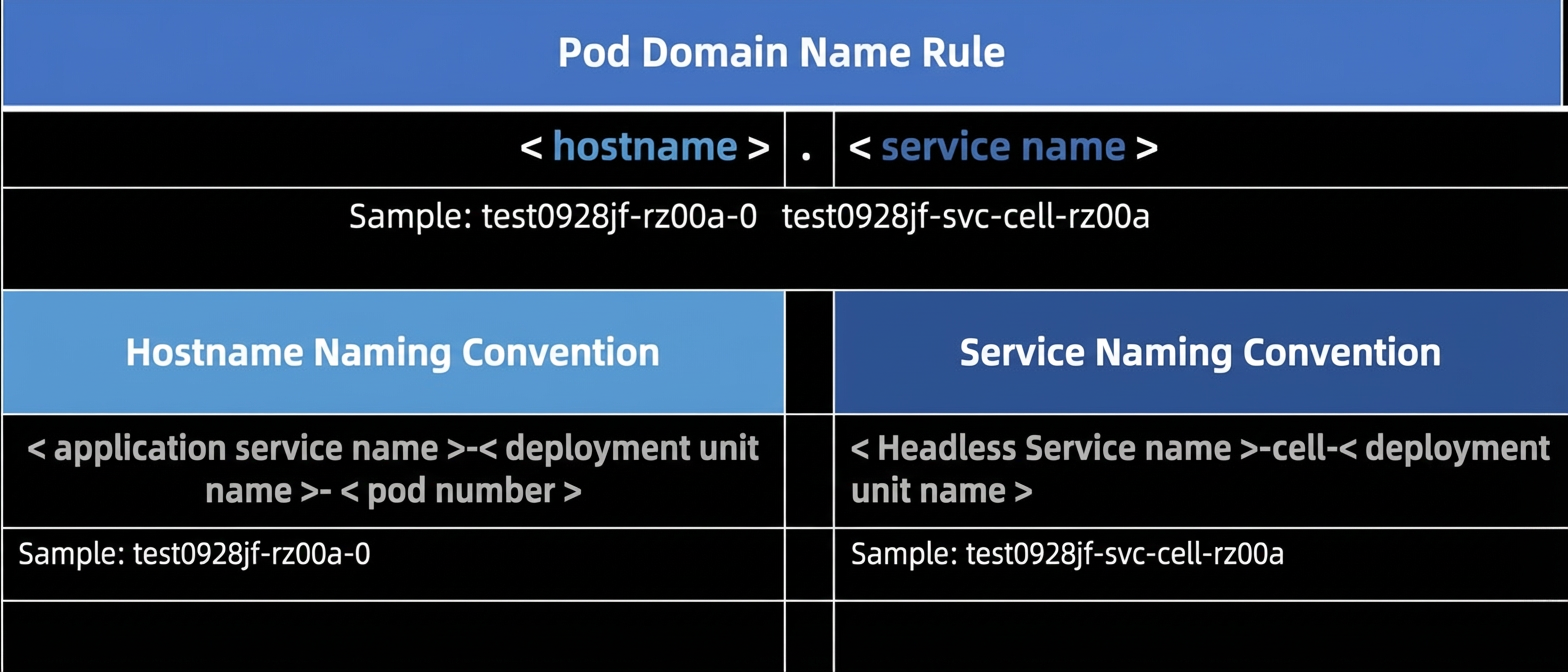
Assume that the deployment unit rz00a has two replicas. Based on the preceding rules, the results are as follows:
Item |
Result |
Service |
test0928jf-svc-cell-rz00a |
Hostname |
test0928jf-rz00a-0 test0928jf-rz00a-1 |
Pod domain name |
test0928jf-rz00a-0.test0928jf-svc-cell-rz00a test0928jf-rz00a-1.test0928jf-svc-cell-rz00a |
You can use the ping command to verify access to the Service: test0928jf-svc-cell-rz00a.

You can use the ping command to verify access to the Pod domain names: test0928jf-rz00a-0.test0928jf-svc-cell-rz00a and test0928jf-rz00a-1.test0928jf-svc-cell-rz00a.
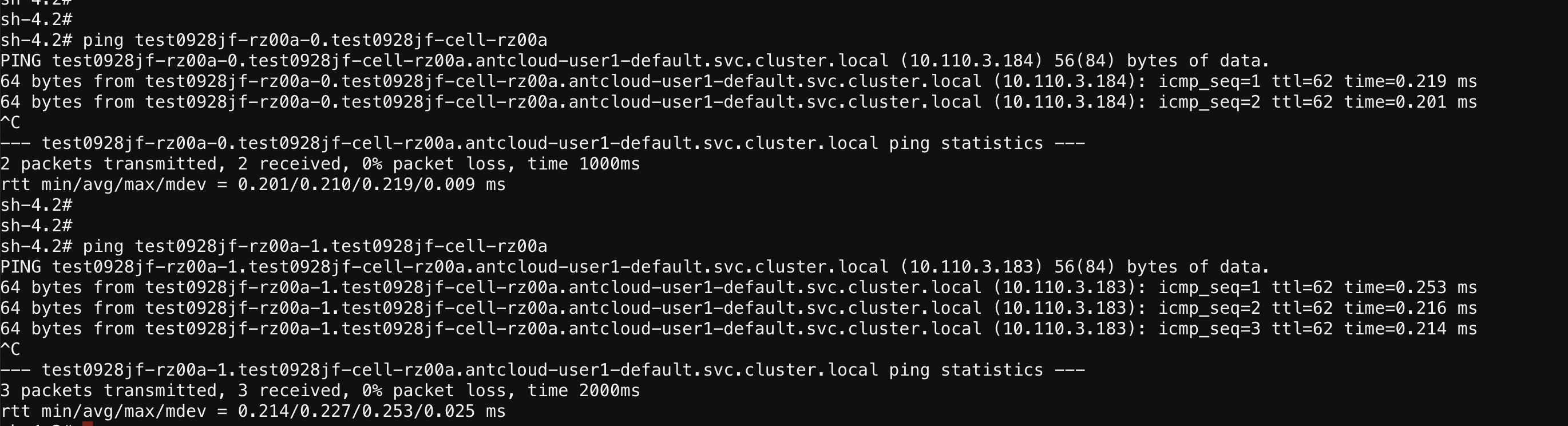
Pod domain names can be accessed only from within the cluster. If the deployment units of an application service belong to different clusters, they cannot access each other using Pod domain names.
Step 4: Add the POD_ENDPOINTS = <Pod domain name> environment variable
In the Pod Template Configuration step of editing the application service, enable Overwrite Configuration. Then, create a new environment variable and add the list of domain names from the previous step to it. You can customize the variable name:
POD_ENDPOINTS=test0928jf-rz00a-0.test0928jf-svc-cell-rz00a,test0928jf-rz00a-1.test0928jf-svc-cell-rz00a
After the application service is deployed, you can retrieve the list of all Pod domain names from the environment variable. You can define the environment variable name as needed.