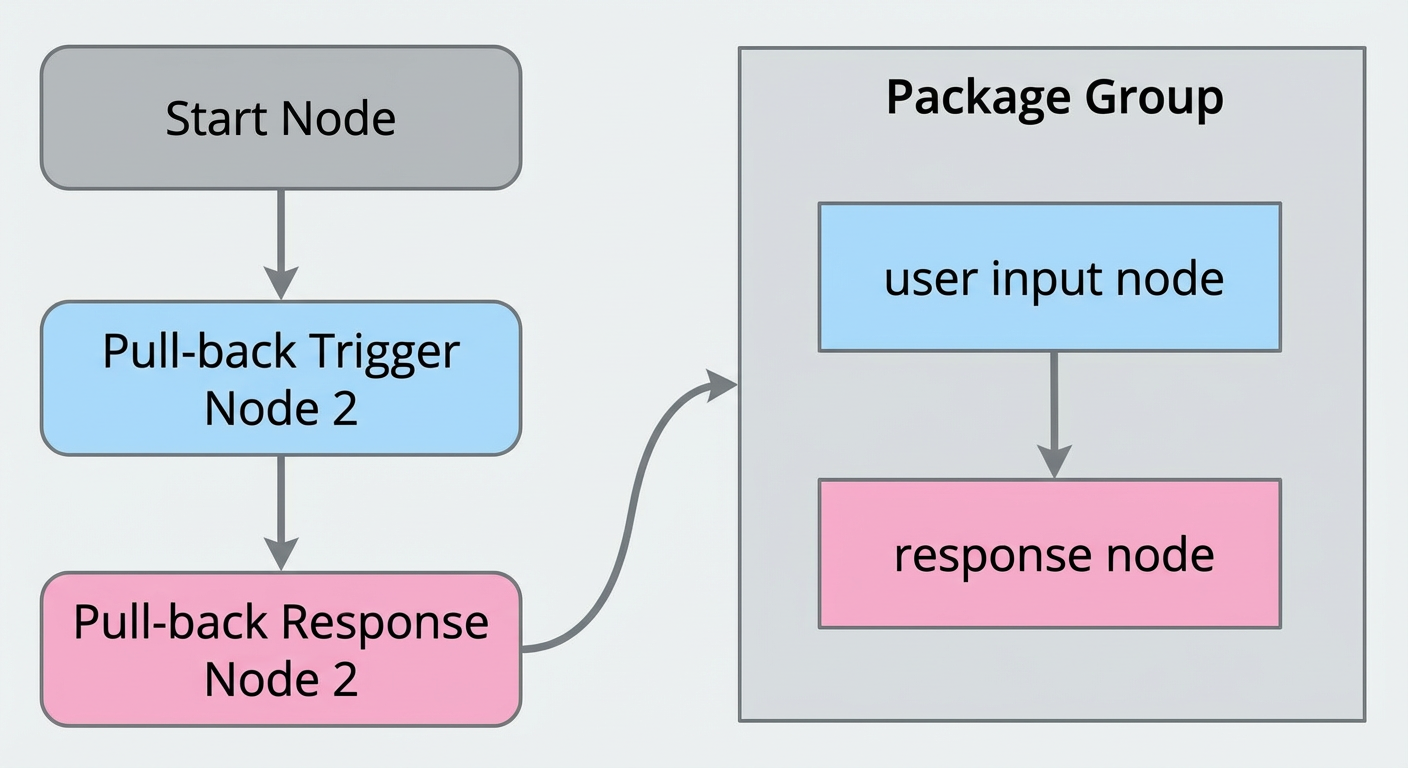
Components
In Dialog Studio, you often configure repetitive nodes and node flows. The component feature lets you group configured nodes and save them to the component library. This improves the efficiency of reusing node configurations and reduces configuration time.
Component marquee selection feature
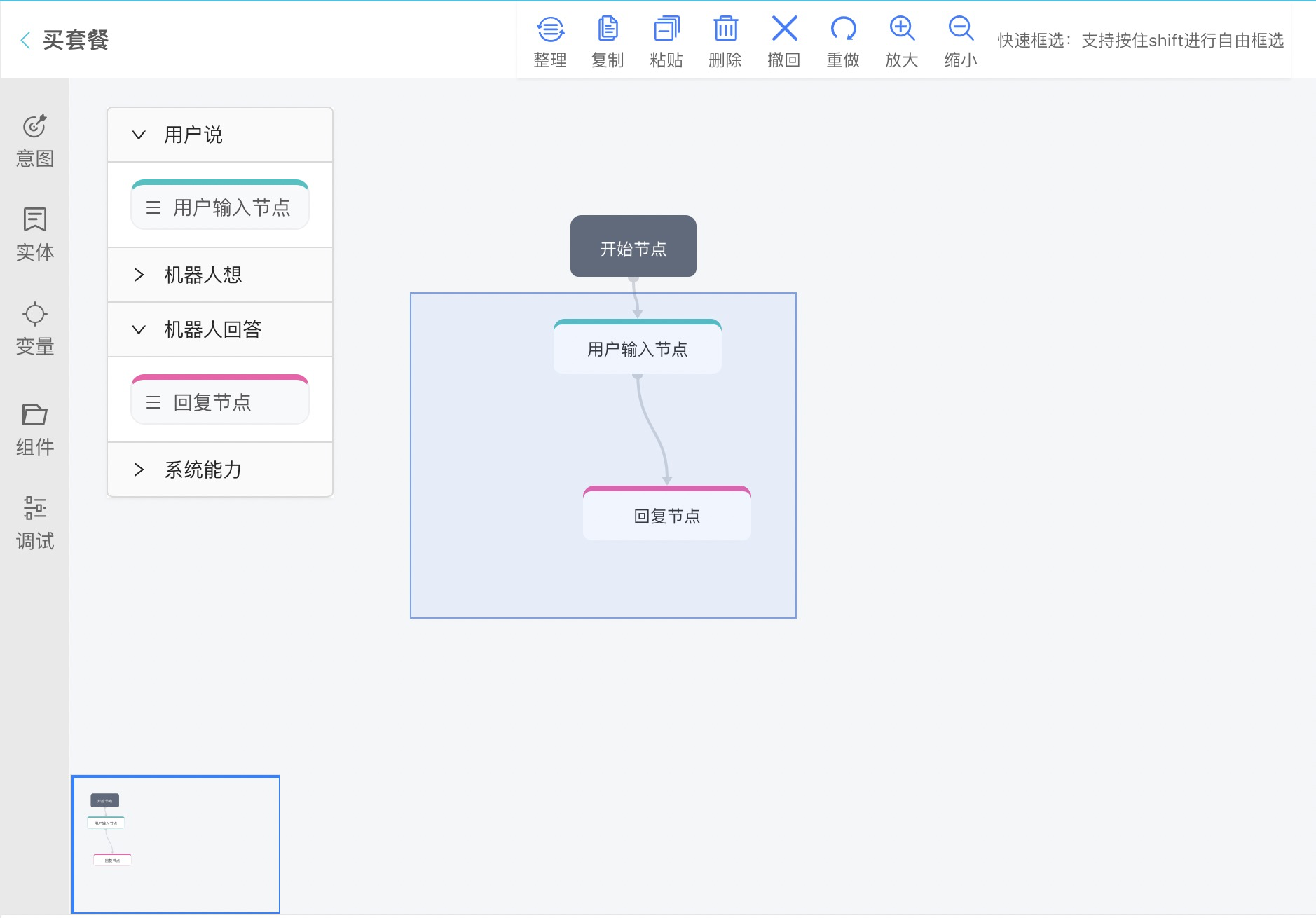
You can select multiple nodes with a selection box. The selected nodes are highlighted, and you can save them to the component library.
You can add reusable components from the component library to the canvas. The component's configuration information is preserved.
You can use components to copy intents, configurations, and entities across conversation flows.
You can import, export, and search for components.
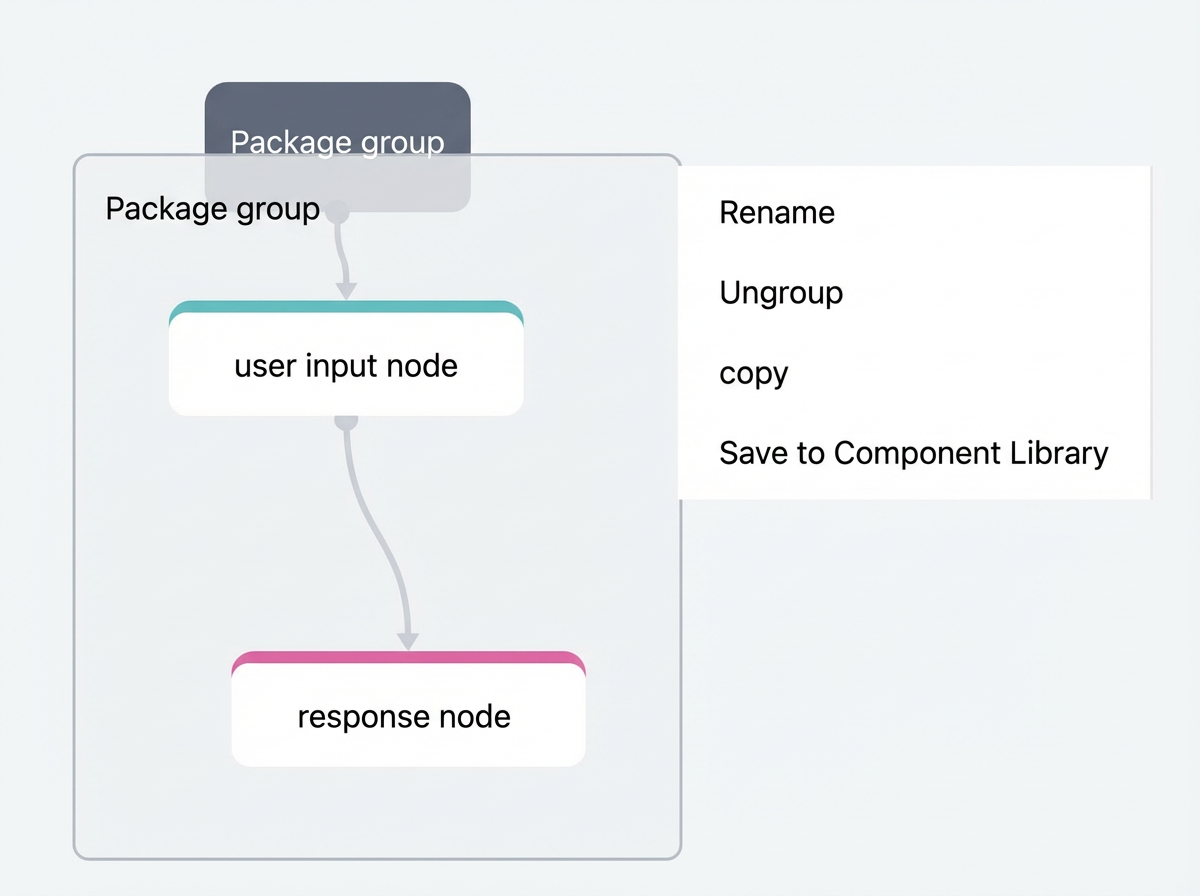
You can drag components as a single unit and ungroup them.
Quick selection: Hold down the Shift key to draw a free-form selection box.
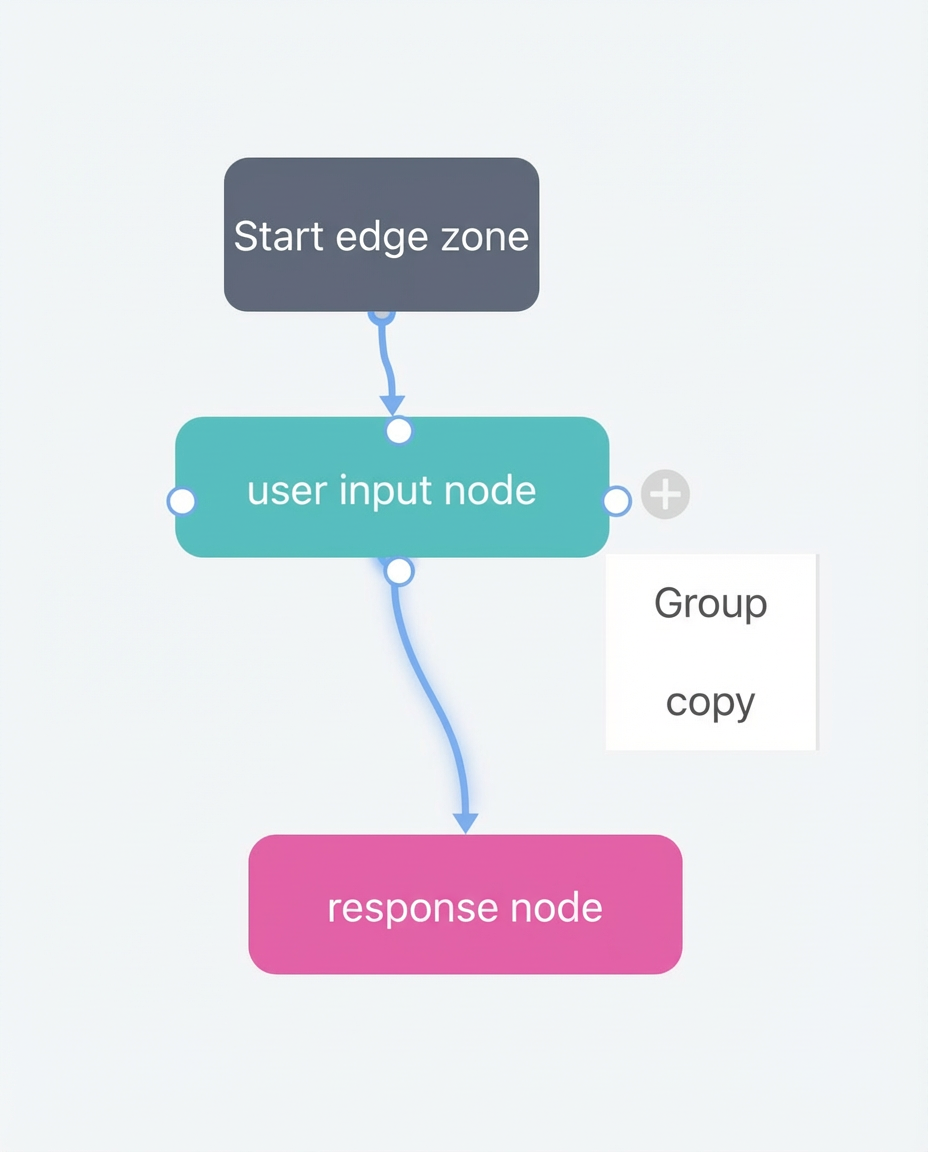
After selecting the nodes, right-click the selection to group or copy the nodes.
Select Group and follow the prompts to create a component. After the component is created, you can perform quick operations on it.
 When you save the component to the component library, you can view and reuse it from there.
Component library
The component library displays all components saved from conversation flows in your account. You can also import and export components from the library.
To use a component, click the + icon next to it in the component library to add the component to the canvas.