My number management-V2
Number management: To use Cloud Call Center for inbound and outbound calls, you must attach a phone number to an instance. This menu lets you manage all your numbers from a central location. You can view the details of your purchased numbers and organize them into groups.
Number menu
Query numbers: You can enter a number or carrier to find related information.
2. Number details:
Number: The phone number you purchased for Cloud Call Center.
Number information: Includes the number's location, monthly fee, and purchase date.
Carrier: The supply channel and carrier information for the purchased number.
Number type: The type of number you activated, such as a standard landline or a 400 number.
Number status: The status can be Normal or Released. Normal: The number is active and can be used. Released: The number has been released because it was not renewed within 7 days of its expiration date.
3. Number groups
Create a number group:
1) Click the New button. In the dialog box that appears, fill in the required information.
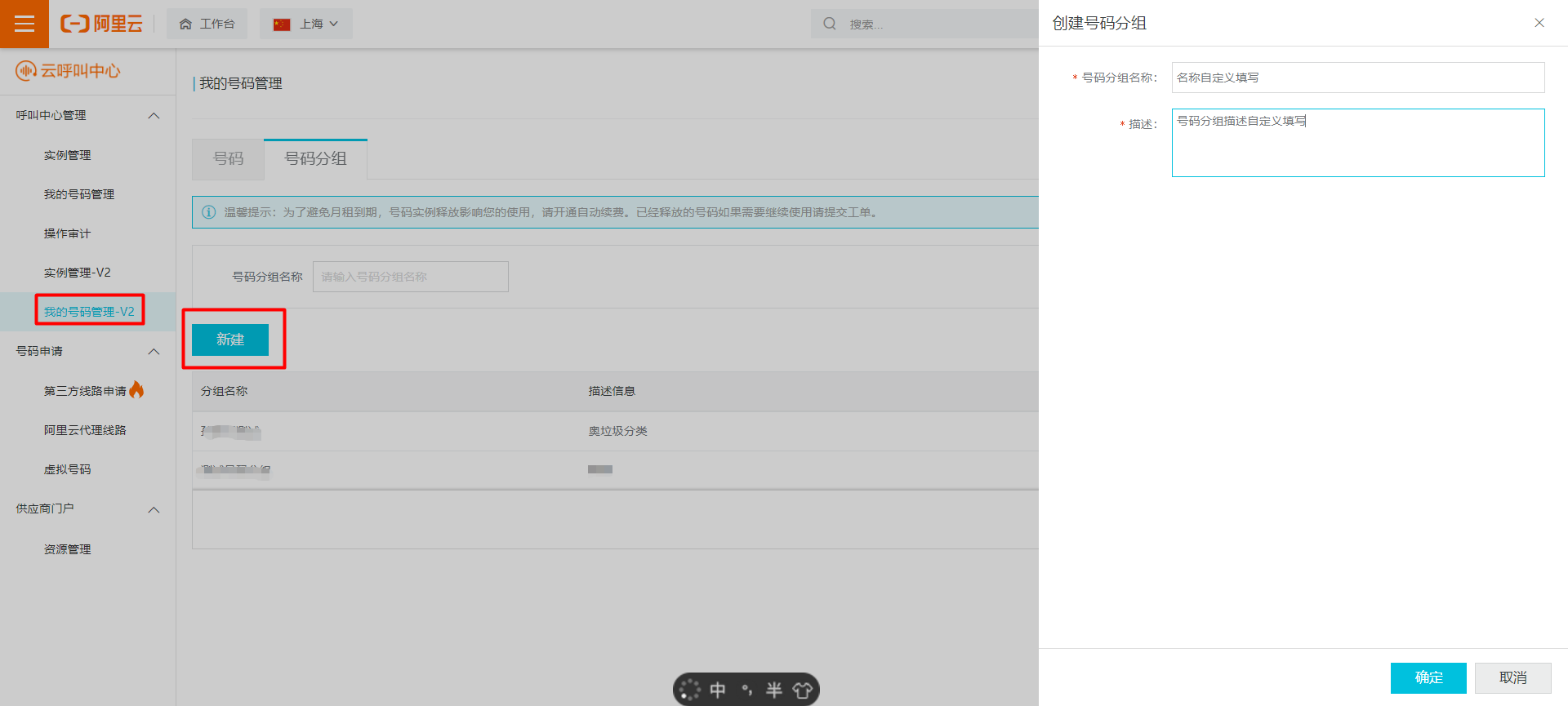
Number Group Name: A custom name for the number group. This field is required.
Description: A description of the number group. This field is required.
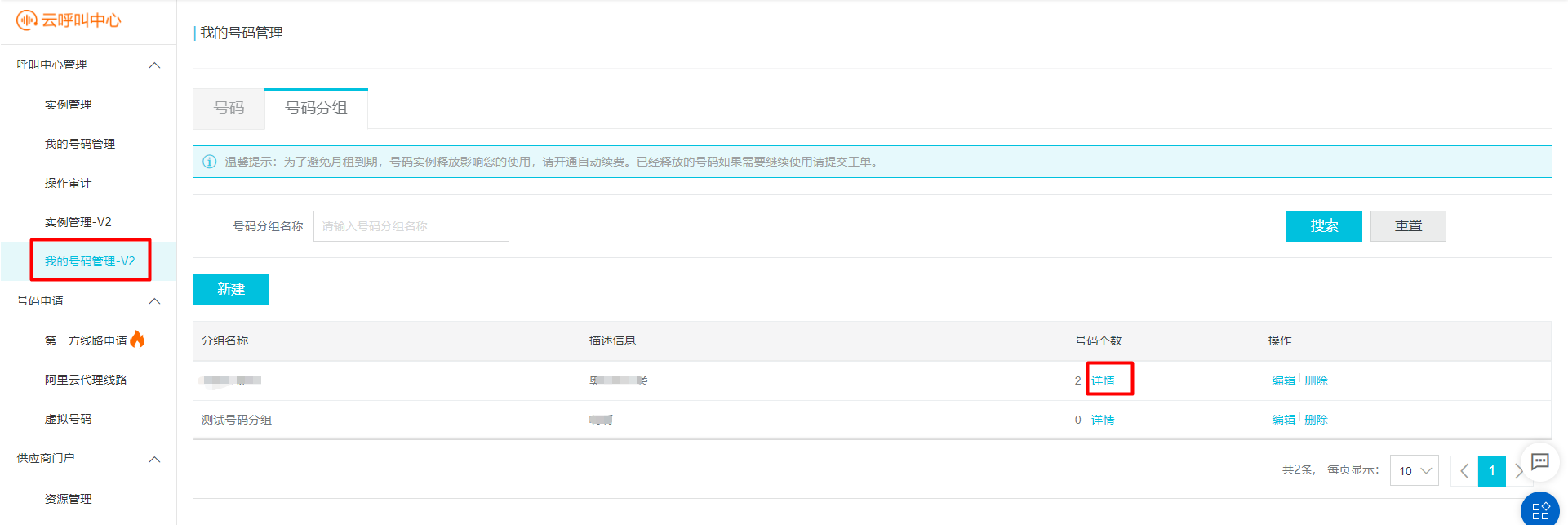
2) Click the Details button to open the Add Number interface.
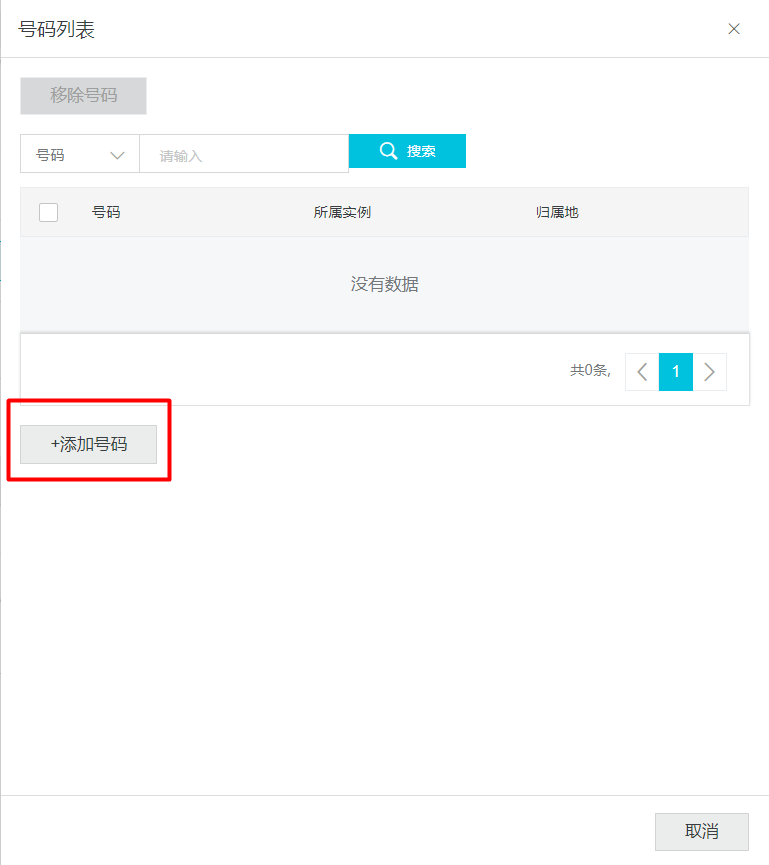
3) Click the Add Number button and select the numbers to add to the group.
Add to an instance:
1) Click the endpoint link to go to the workbench for the corresponding instance.

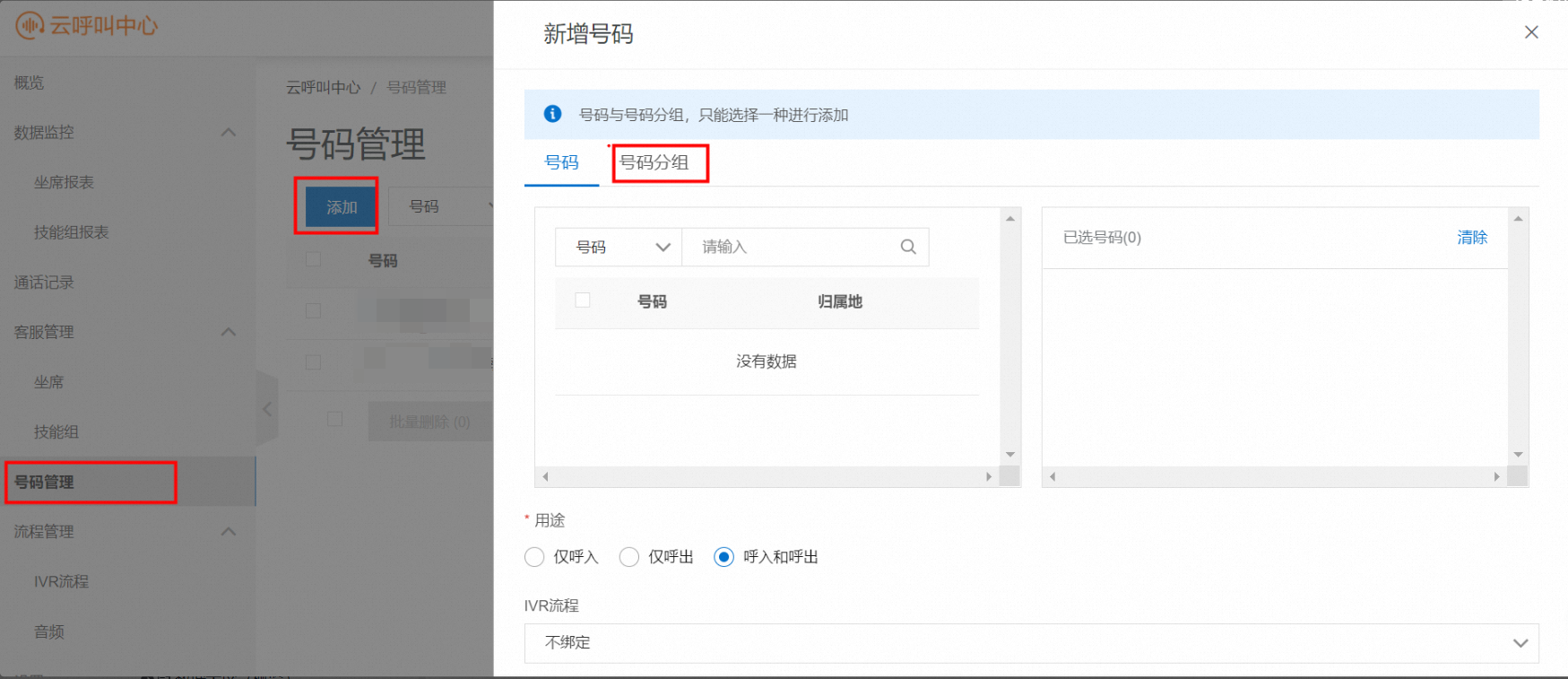
2) In Number Management, click the Add button and select the number group.