Delete a pipeline
Updated at:
You can delete pipelines as needed.
Prerequisites
You have created an application pipeline. For more information, see Create a pipeline or Clone a pipeline.
Procedure
On the console page for your application, open the Pipeline List tab.
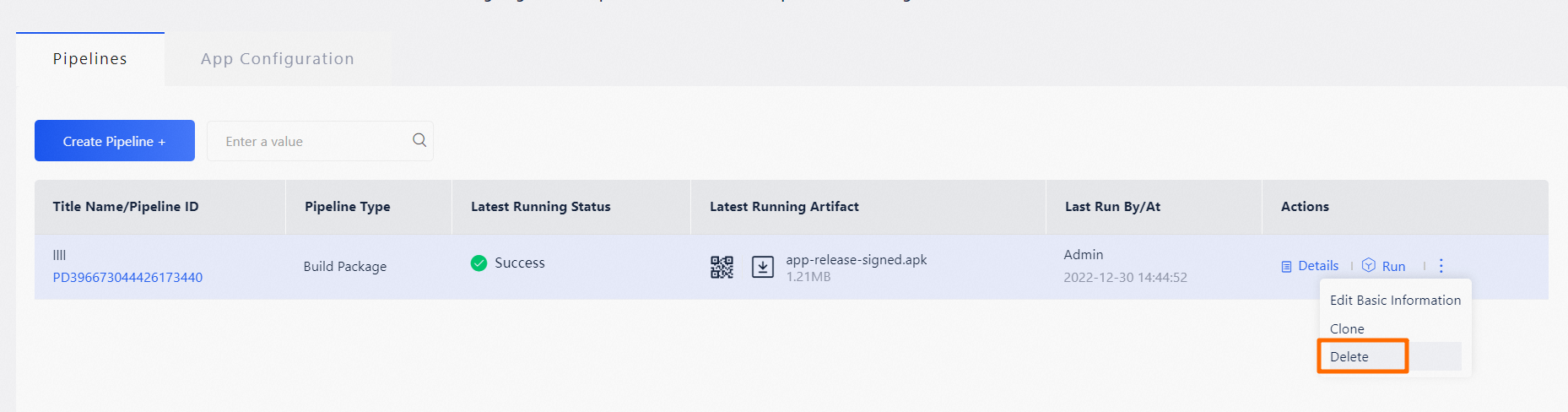
In the pipeline list, find the pipeline that you want to delete. In the Related Operations column, click the
 icon and select Delete. In the message that appears, confirm the deletion.
Important
Deleting a pipeline also deletes its execution history and build artifacts. This action is irreversible. Proceed with caution.
You cannot delete a pipeline if it is associated with an open release order in the cloud publishing service.
Is this page helpful?