Configure the native mail client on an iPhone
This topic explains how to configure your Alibaba Mail account on your iPhone's native Mail app, using iOS 16.3.1 as an example.
Procedure
1. Go to Settings > Mail > Mail Accounts.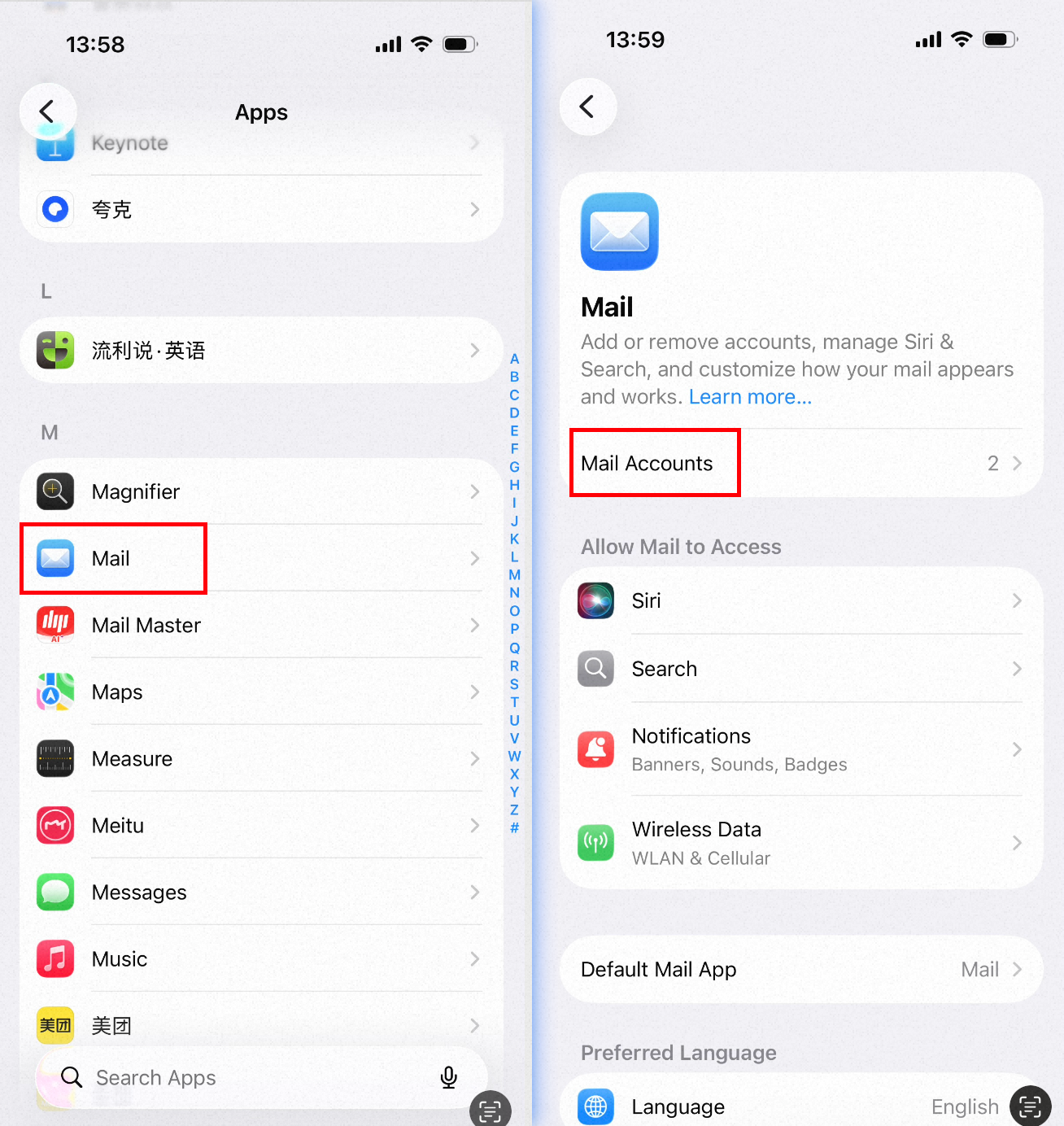
2. Tap Add Account > Add Other Account. 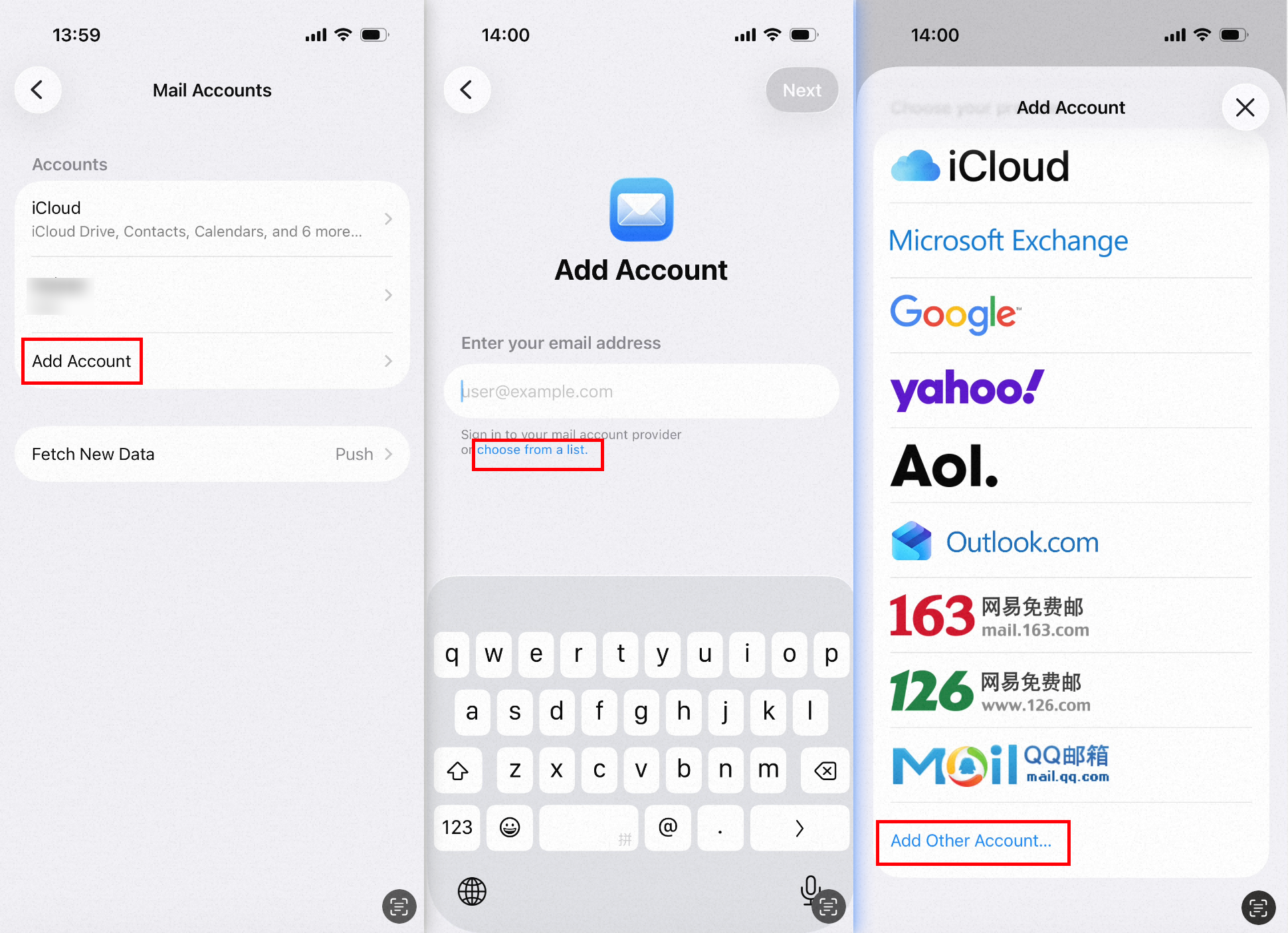
3. On the New Account page, enter your email address, password, and other details. Then, tap Next.Select the IMAP or POP3 protocol.
IMAP settings (Recommended)
Incoming mail server: imap.qiye.aliyun.com, port 143 (unencrypted) or 993 (SSL).
Outgoing mail server: smtp.qiye.aliyun.com, port 25 (unencrypted) or 465 (SSL).
For more details, see IMAP/POP3/SMTP Server Address and Port Configuration.
POP3 settings
Incoming mail server: pop.qiye.aliyun.com, port 110 (unencrypted) or 995 (SSL). Outgoing mail server: smtp.qiye.aliyun.com, port 25 (unencrypted) or 465 (SSL).
After entering the settings, tap Next.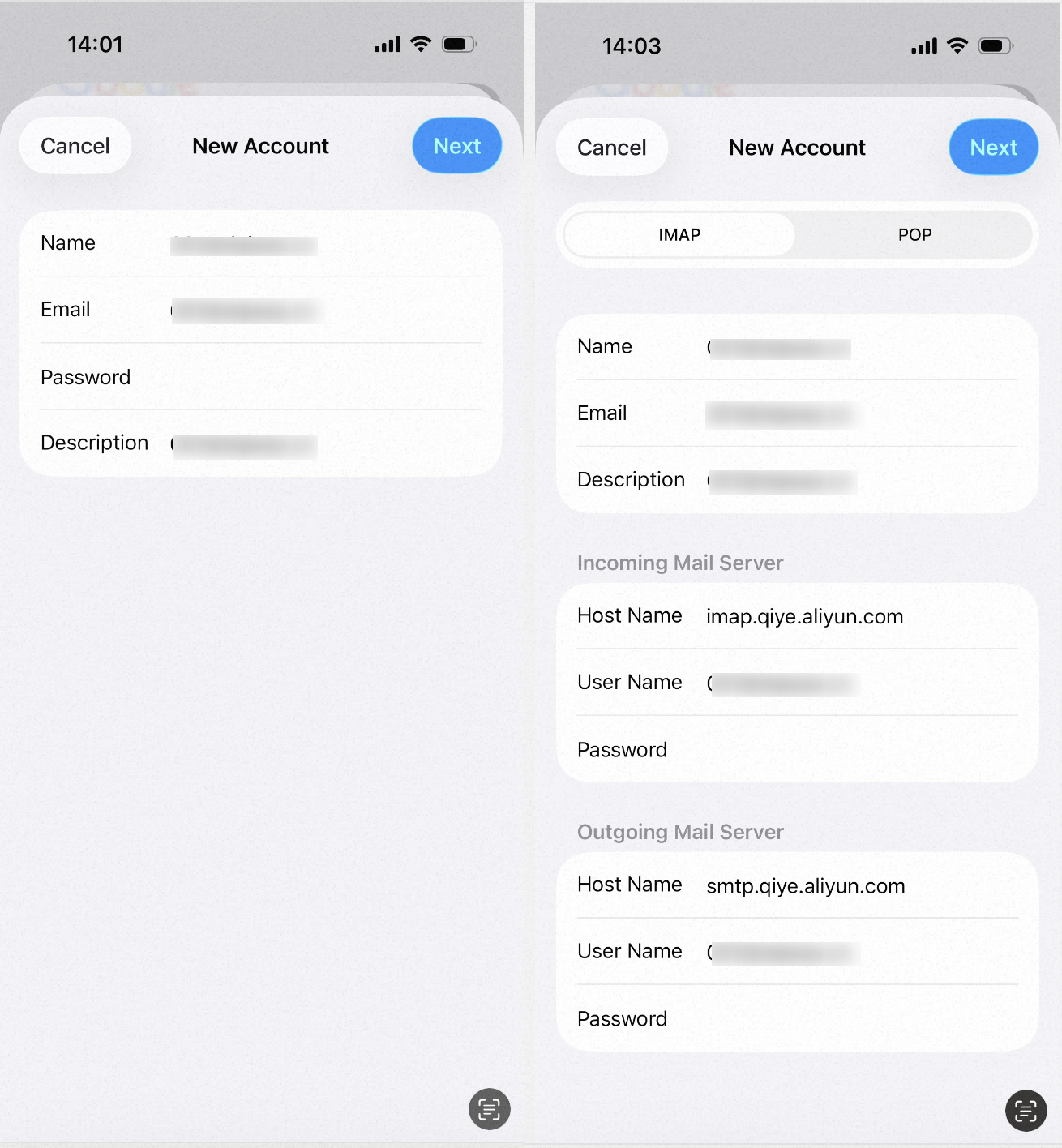
The fields marked in red are required. In the User Name field, enter your full email address.
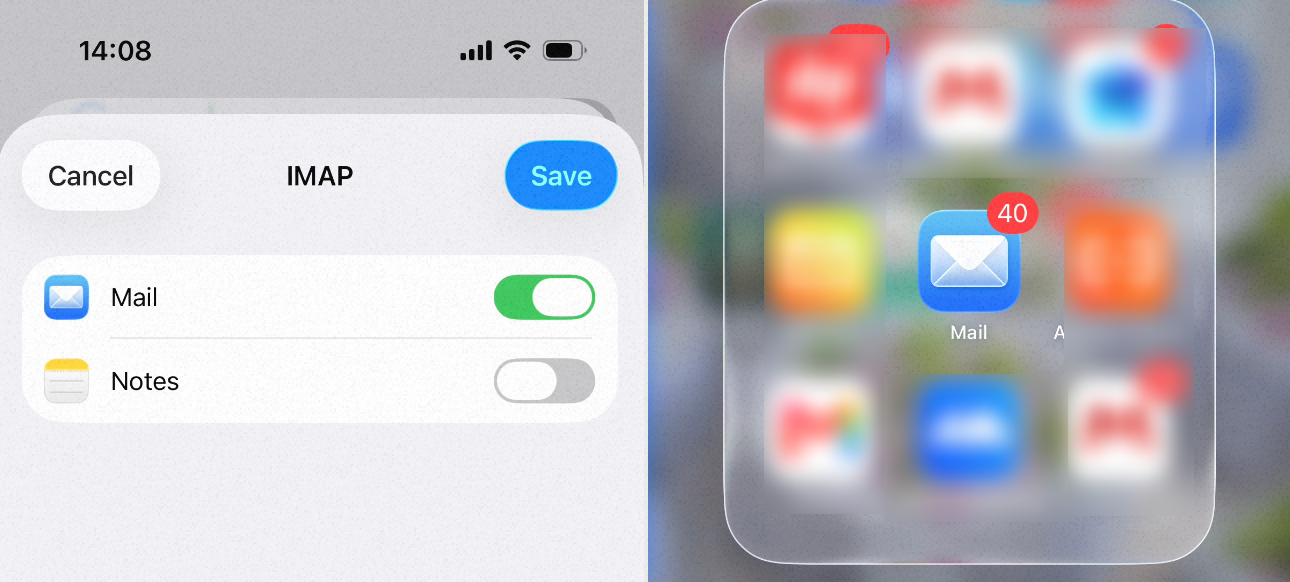
4. Tap Save. Your mailbox is now configured and ready to use.