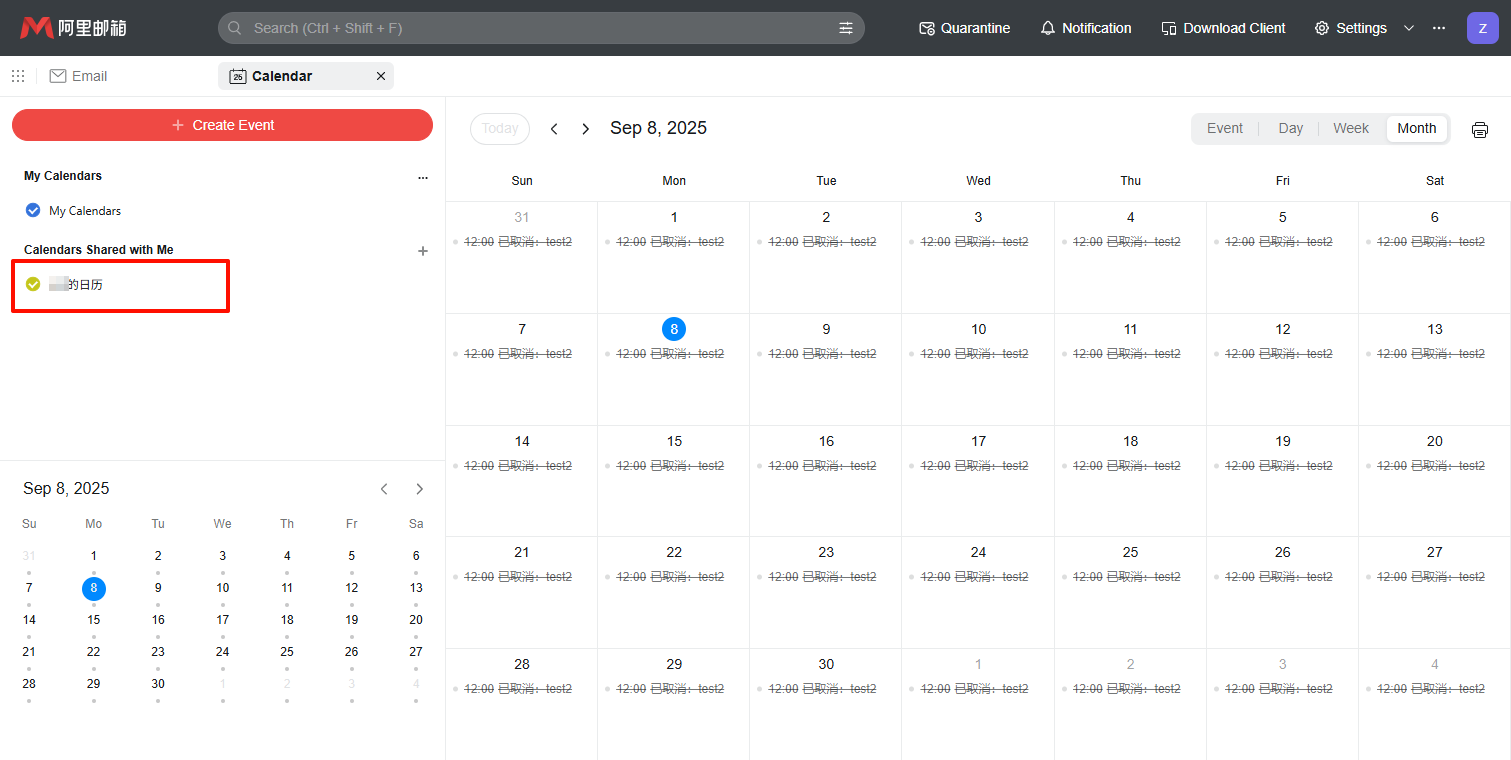
Mail Secretary
Mail Secretary is a feature in Alibaba Mail that lets a designated delegate send emails, schedule meetings, and perform other actions on behalf of a mailbox owner.
On the employee edit page, the delegation feature is configured using the "send on behalf" option (formerly the Mail Secretary feature).
Assign permissions as an administrator
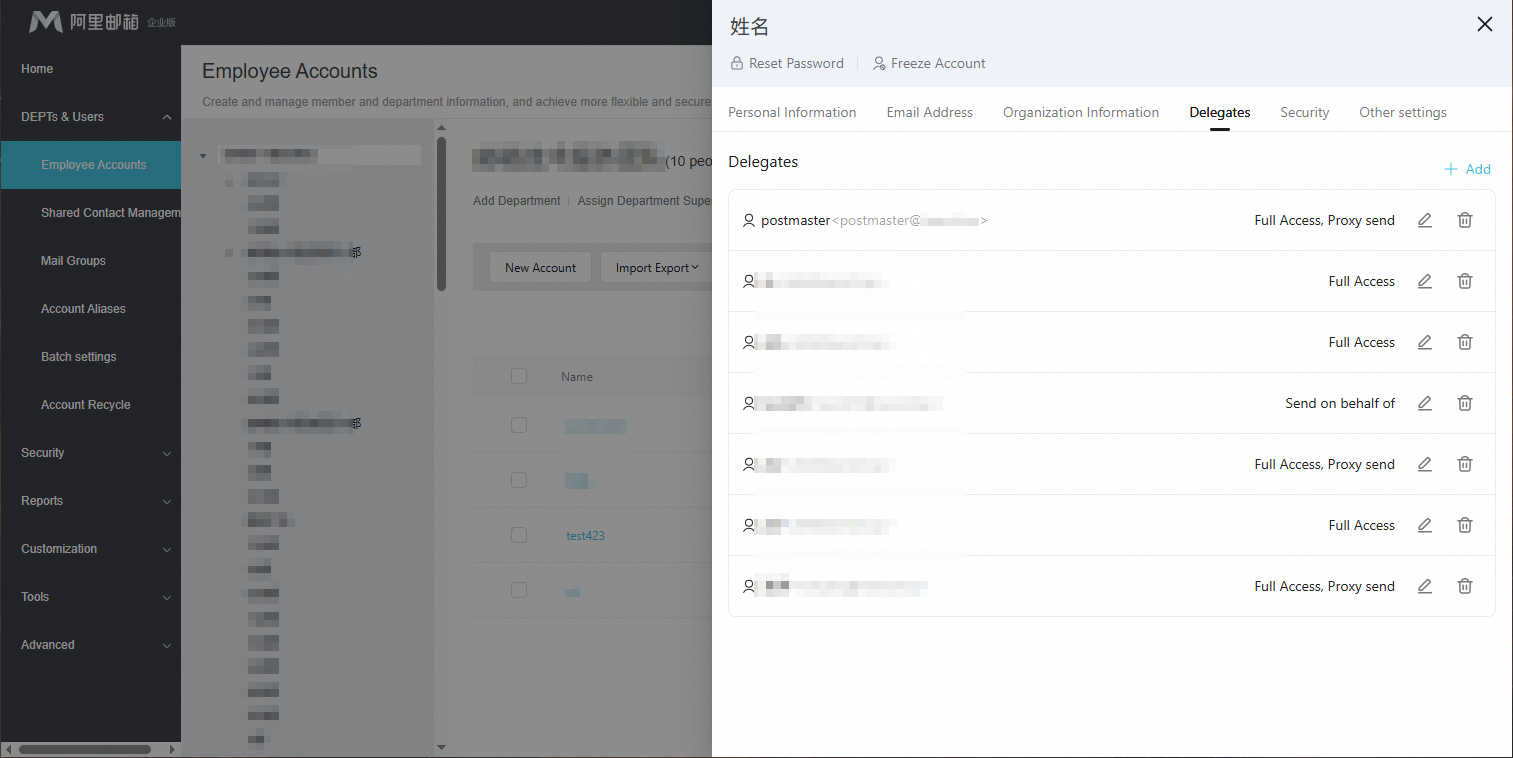
Sign in to Alibaba Mail as an administrator. Go to domain management > organization and users > employee account management, search for the target mailbox, click the user's name to open the edit page, and then switch to the delegation tab.
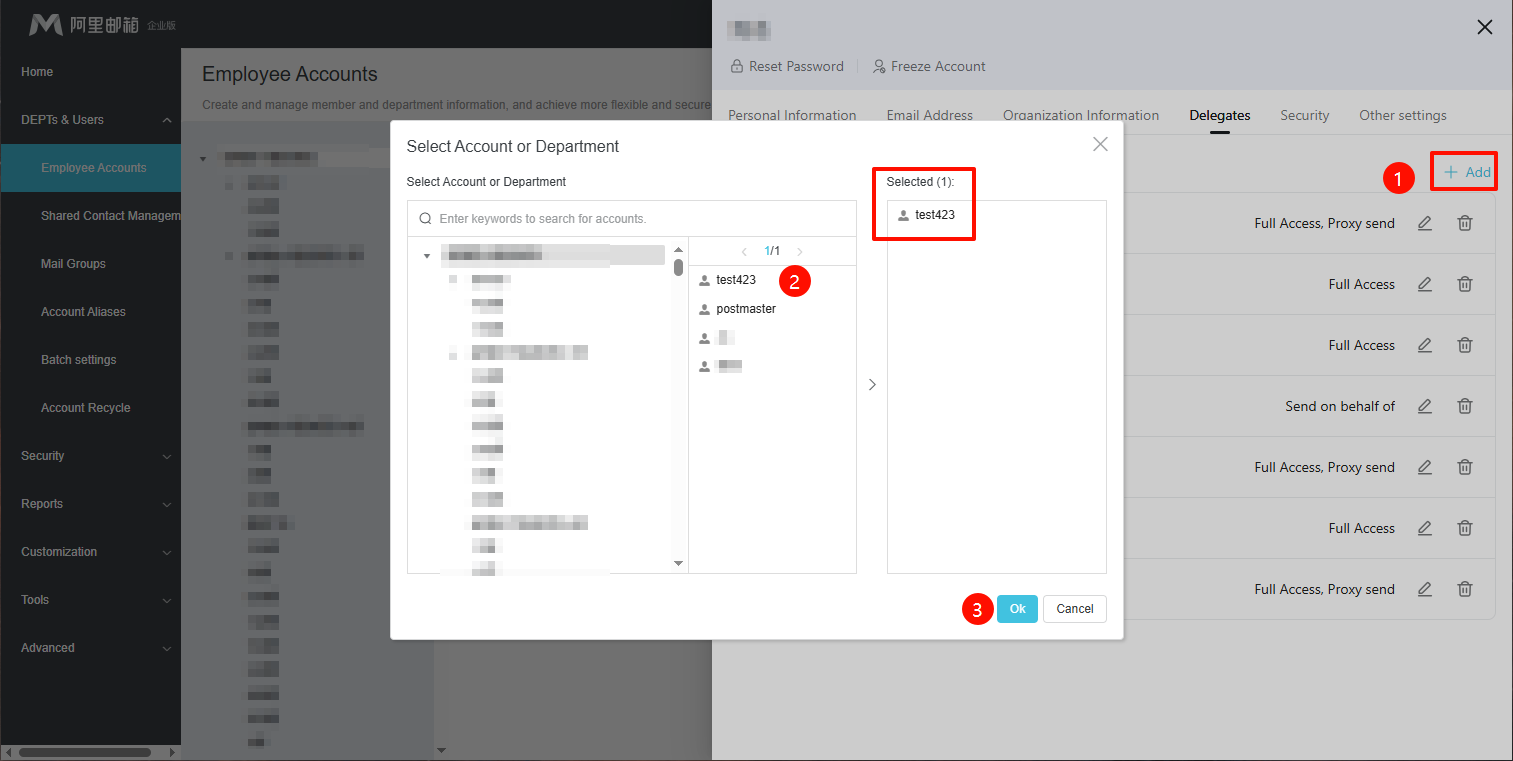
Click Add and select the delegate.
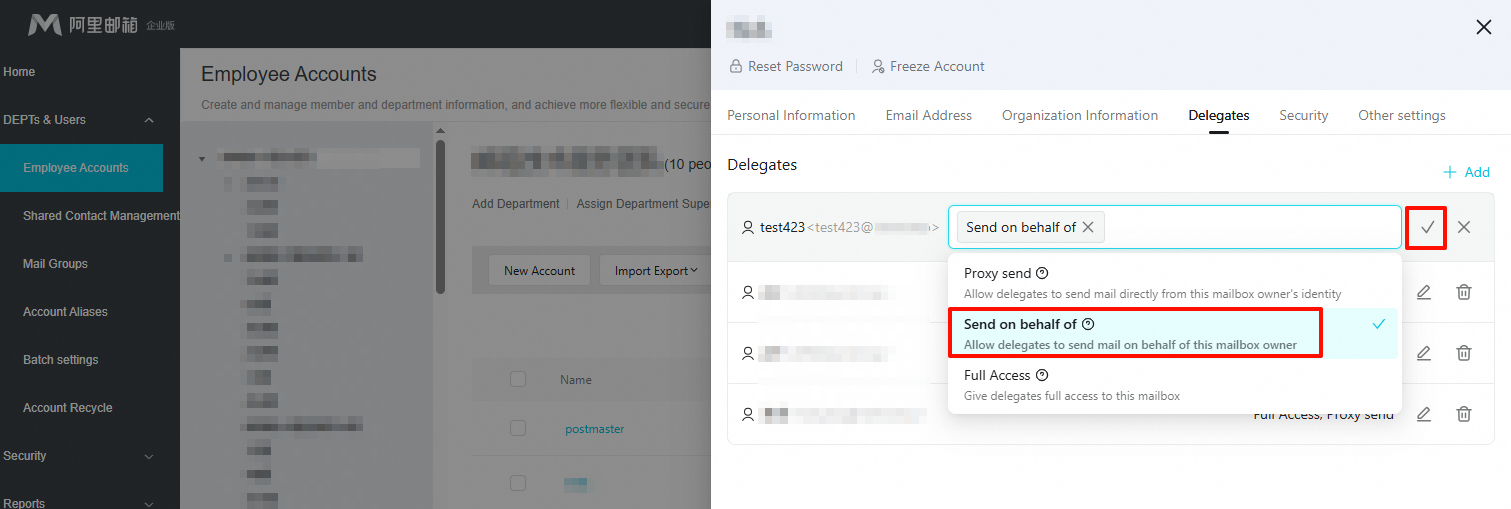
Select send on behalf.
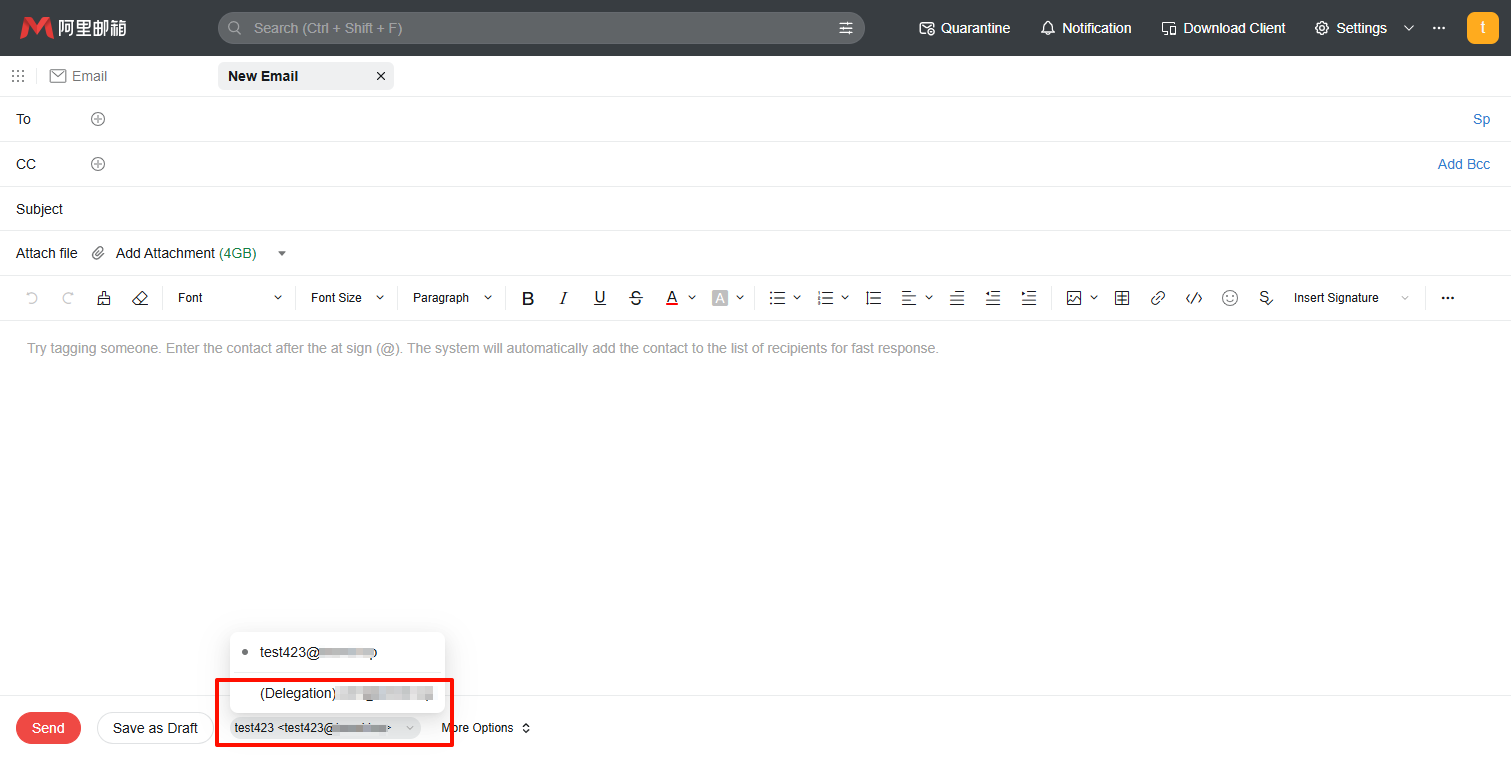
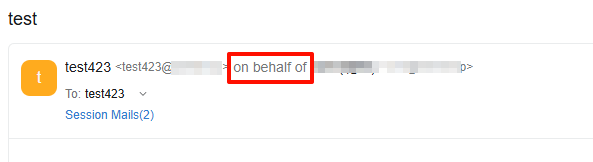
This provides transparency by showing the recipient that a delegate handled the email, while still representing the original mailbox owner. The recipient sees a sender line that clearly indicates the message was sent by the delegate, for example: Sent by [Delegate's Name] on behalf of [Mailbox Owner's Email Address]. For example, a secretary can reply to routine emails on behalf of a CEO.
Delegate actions
Send an email on behalf of the owner
How the email appears to the recipient in Alibaba Mail
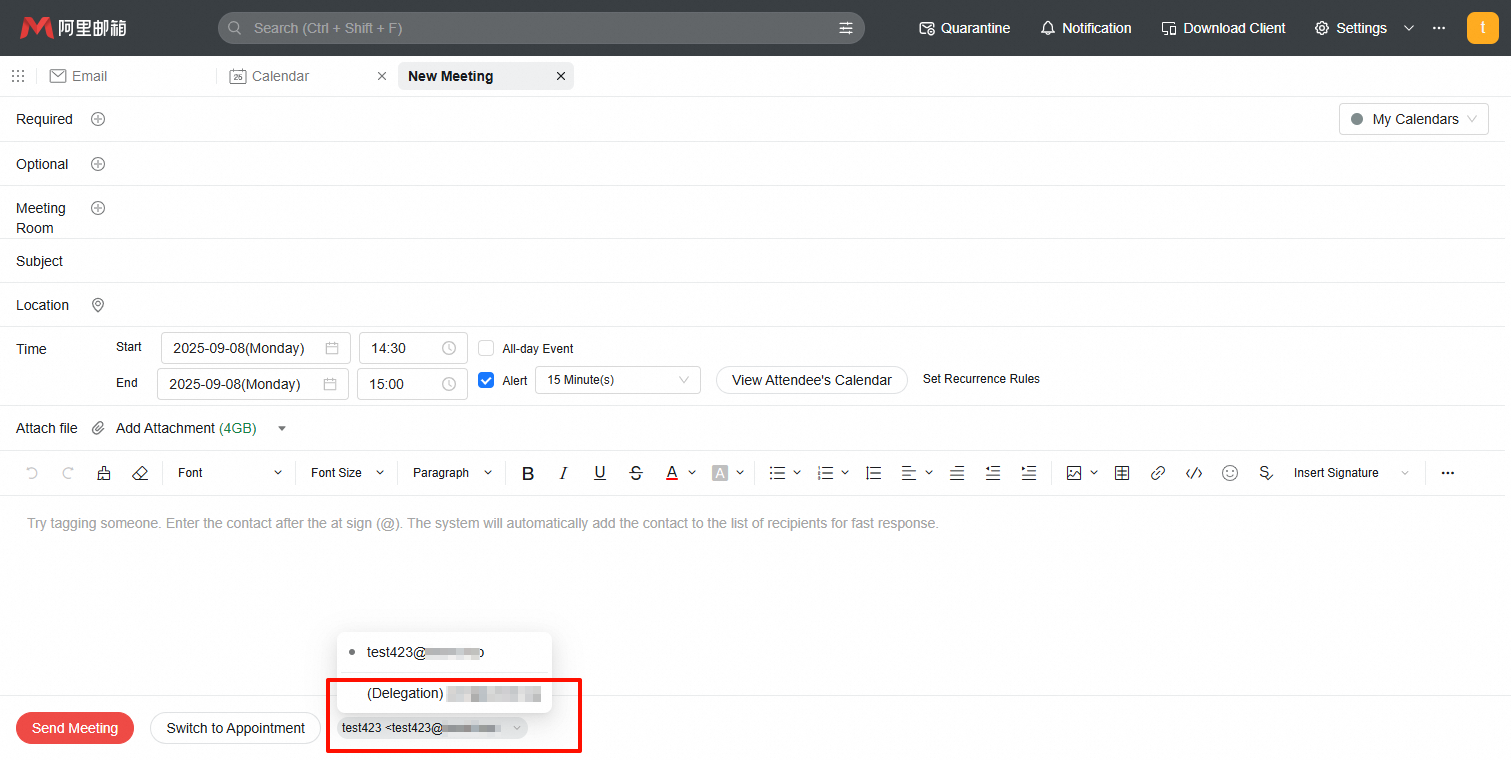
Schedule a meeting on behalf of the owner
Manage the calendar on behalf of the owner