Lingyang SuperSMS template style guide
Create templates for text messages, digital messages, and card messages. After a template passes review, use it as the message content in a sending task.
Card message templates
1. Card message template types
The following table lists the available card message template types and the supported mobile phone models.
|
No. |
Template type |
Huawei |
Xiaomi |
OPPO |
vivo |
SAMSUNG |
Honor |
|
1 |
Single image and text template |
Support |
Support |
Supported |
Support |
Support |
Supported |
|
2 |
E-commerce image and text template |
Supported |
/ |
Support |
Support |
Support |
Support |
|
3 |
Multiple images and text template |
Supported |
Support |
Support |
Support |
Support |
/ |
|
4 |
1:1 image carousel template |
Support |
/ |
Support |
Supported |
Supported |
Support |
|
5 |
Horizontal scroll template |
Supported |
/ |
Support |
/ |
Support |
/ |
|
6 |
Red packet template |
Support |
Support |
Support |
Support |
Support |
Support |
|
7 |
Personalized red packet template |
Support |
/ |
/ |
/ |
/ |
/ |
|
8 |
16:9 image carousel template |
Supported |
/ |
Support |
Support |
Support |
Supported |
|
9 |
48:65 image carousel template (Recommended) |
Support |
/ |
Supported |
Support |
Support |
Support |
|
10 |
Video template |
Support |
/ |
Support |
Supported/ |
Support |
/ |
|
11 |
Horizontal scroll template - Title only |
Support |
/ |
/ |
/ |
Support |
/ |
|
12 |
Long-text class |
Support |
/ |
Support |
Supported |
Support |
Support |
|
13 |
E-commerce multiple products template |
Support |
/ |
/ |
/ |
/ |
Supported |
|
14 |
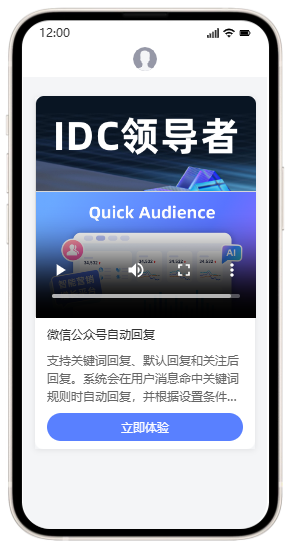
Image, text, and video template |
Support |
/ |
/ |
/ |
Support |
/ |
|
15 |
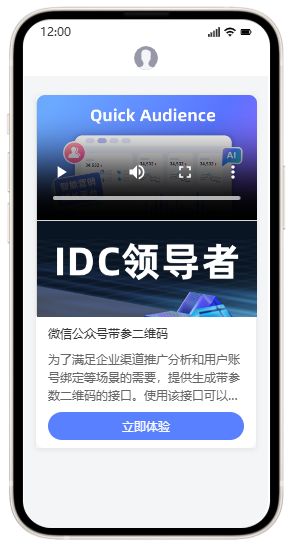
Video, image, and text template |
Support |
/ |
/ |
/ |
Support |
/ |
|
16 |
Single coupon template |
Support |
/ |
Support |
/ |
/ |
/ |
|
17 |
Multiple coupons template |
Supported |
/ |
/ |
/ |
/ |
/ |
|
18 |
Poster template |
Support |
/ |
/ |
/ |
/ |
/ |
2. Card message preview
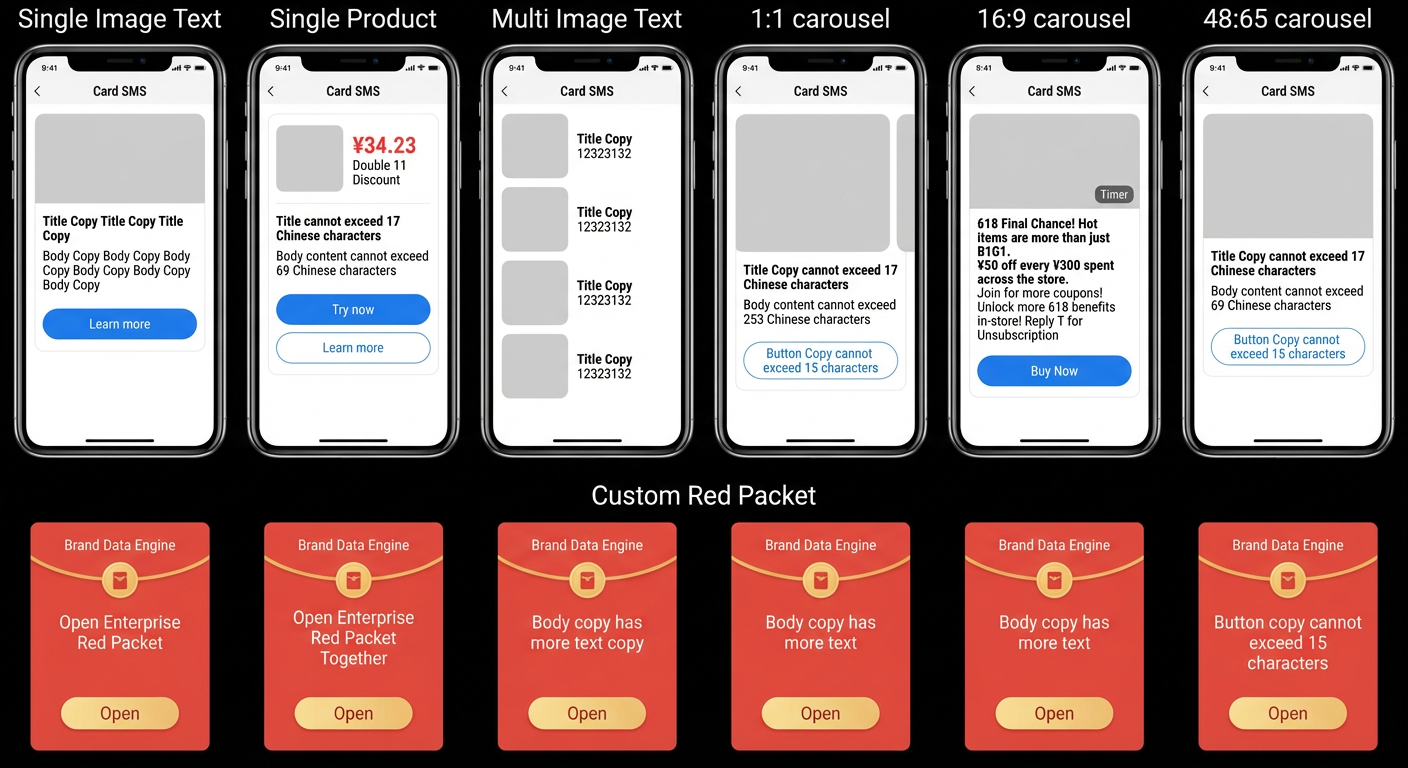
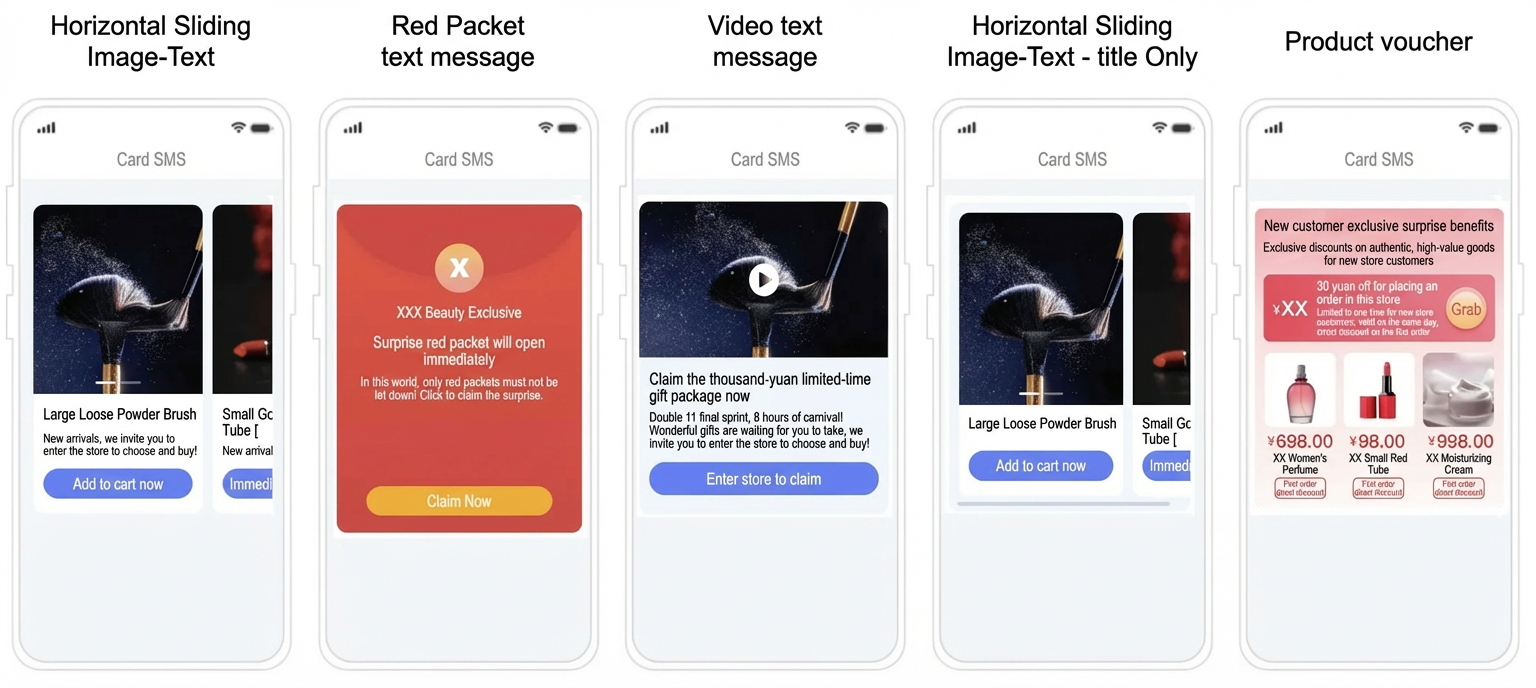
The term "single product" refers to the E-commerce image and text template.
3. Card message content configuration
3.1 Single image and text
|
Configuration instructions |
Preview |
|
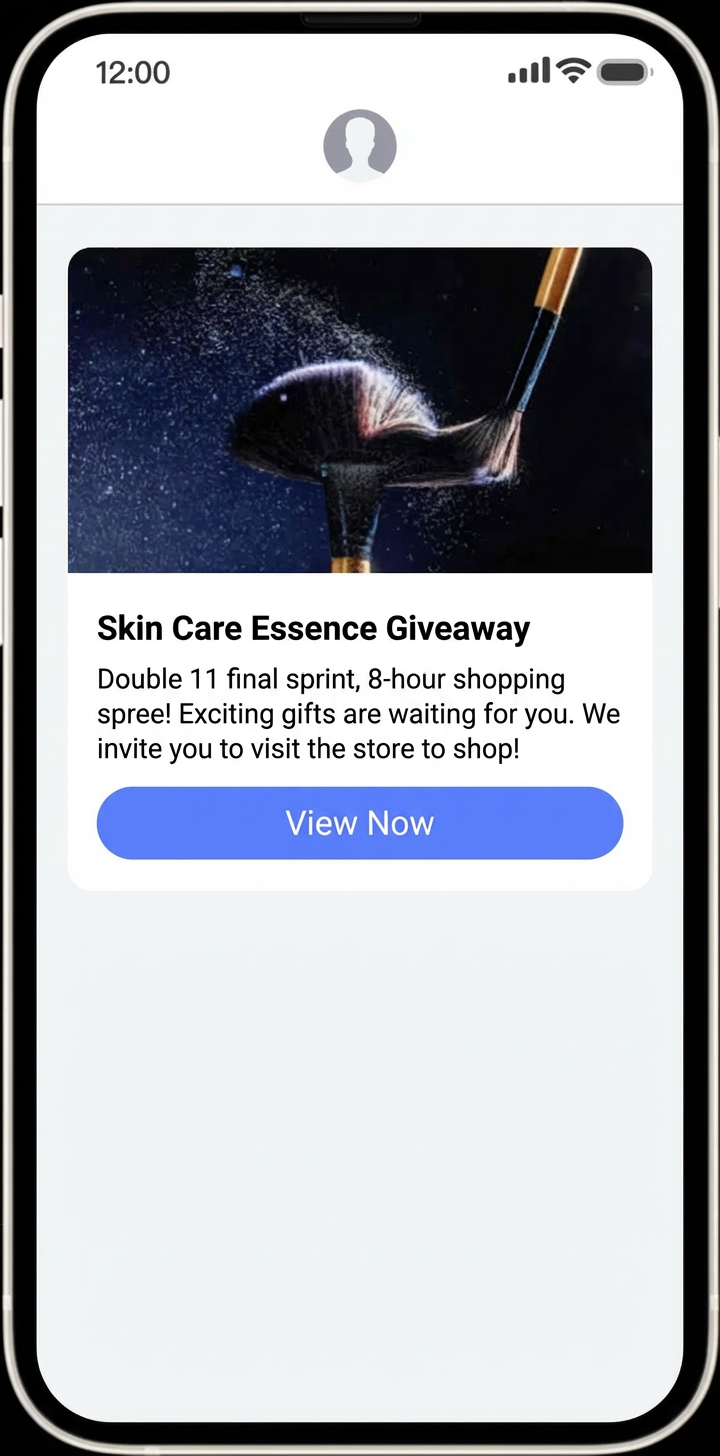
Main title (Message title): Up to 17 characters Body: Up to 69 characters. Up to 3 lines with a maximum of 23 characters per line. A line feed counts as one character. Call-to-action text (Button name): Up to 15 characters. Image material:
Notes:
|
|
3.2 E-commerce image and text (Single product)
|
Configuration instructions |
Preview |
|
Main title (Message title): Up to 17 characters Body: Up to 69 characters. Up to 3 lines with a maximum of 23 characters per line. A line feed counts as one character. Call-to-action text (Button name): You can set up to 2 call-to-action buttons.
Image material:
Video material:
Notes:
|
|
3.3 Multiple images and text
|
Configuration instructions |
Preview |
|
Title (Template name): Up to 17 characters Body: Up to 69 characters. Up to 3 lines with a maximum of 23 characters per line. A line feed counts as one character. Call-to-action text (Button name): You can set up to 2 call-to-action buttons.
Image material:
Notes:
|
|
3.4 1:1 image carousel template
|
Configuration instructions |
Preview |
|
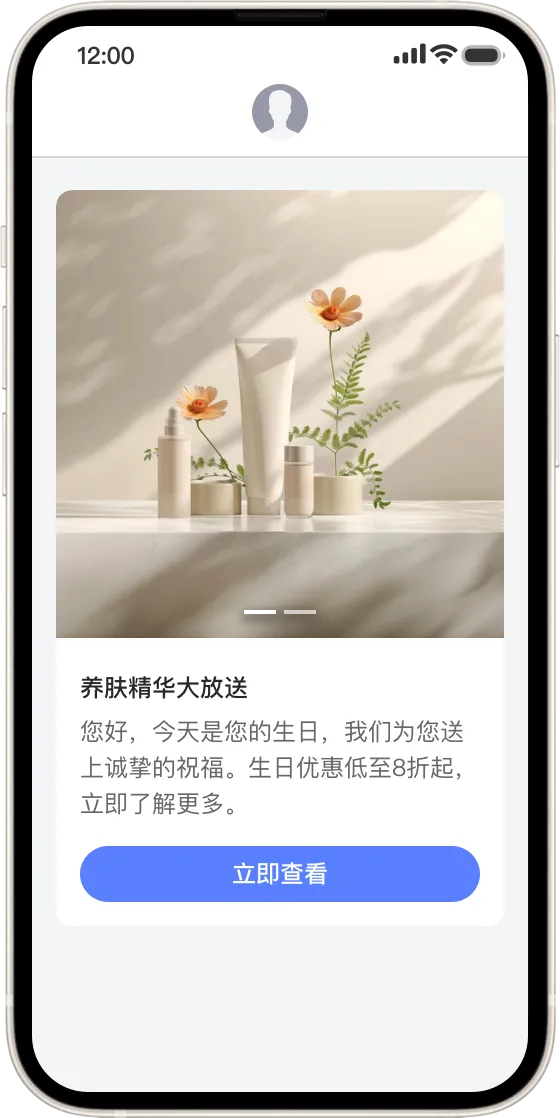
Title: Up to 17 characters Body: Up to 253 characters. Up to 11 lines with a maximum of 23 characters per line. A line feed counts as one character. Button text: Up to 15 characters Image requirements: JPG, JPEG, or PNG format. A minimum of 1 and a maximum of 4 images. Image size up to 100 KB. 1:1 aspect ratio. Recommended dimensions: 960 × 960 px. Notes:
|
|
3.5 Horizontal scroll template
|
Configuration instructions |
Preview |
|
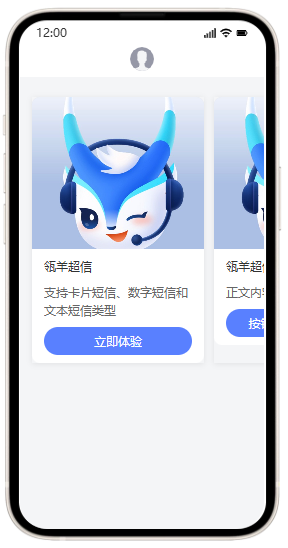
Company information: Up to 13 characters Title: Up to 11 characters Body: Up to 36 characters. Manual line breaks are not supported. Red packet thumbnail requirements: JPG, JPEG, or PNG format. Image size up to 100 KB. 3:4 aspect ratio. Company logo requirements: JPG, JPEG, or PNG format. Image size up to 100 KB. 1:1 aspect ratio (Recommended dimensions: 640 × 640 px). Notes:
|
|
3.6 Red packet template
|
Configuration instructions |
Preview |
|
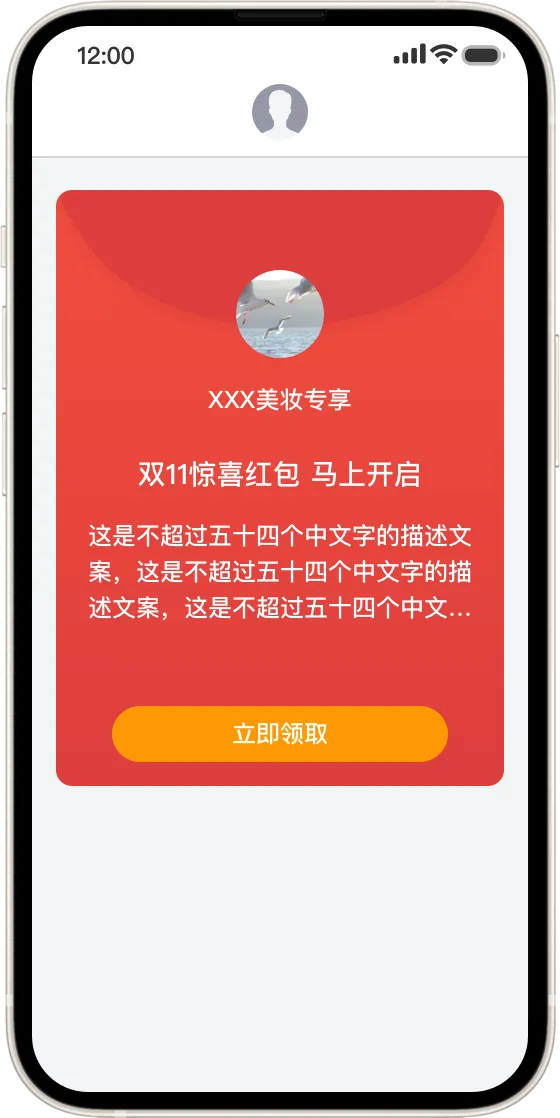
Company Logo: Format: JPG, JPEG, PNG Size: Up to 2 MB. 100 KB is recommended. Aspect ratio: 1:1. Recommended dimensions: 640 × 640 px. Before you upload an image, select the store in the form on the page. Title: Up to 12 characters Body: Up to 54 characters. Manual line breaks are not supported. Red packet thumbnail requirements: JPG, JPEG, or PNG format. Image size up to 100 KB. 3:4 aspect ratio. Notes:
|
|
3.7 Personalized red packet
|
Configuration instructions |
Preview |
|
Company information: Up to 13 characters Title: Up to 11 characters Body: Up to 36 characters. Manual line breaks are not supported. Red packet thumbnail requirements: JPG, JPEG, or PNG format. Image size up to 100 KB. 3:4 aspect ratio. Company logo requirements: JPG, JPEG, or PNG format. Image size up to 100 KB. 1:1 aspect ratio (Recommended dimensions: 640 × 640 px). Notes:
|
|
3.8 16:9 image carousel
|
Configuration instructions |
Preview |
|
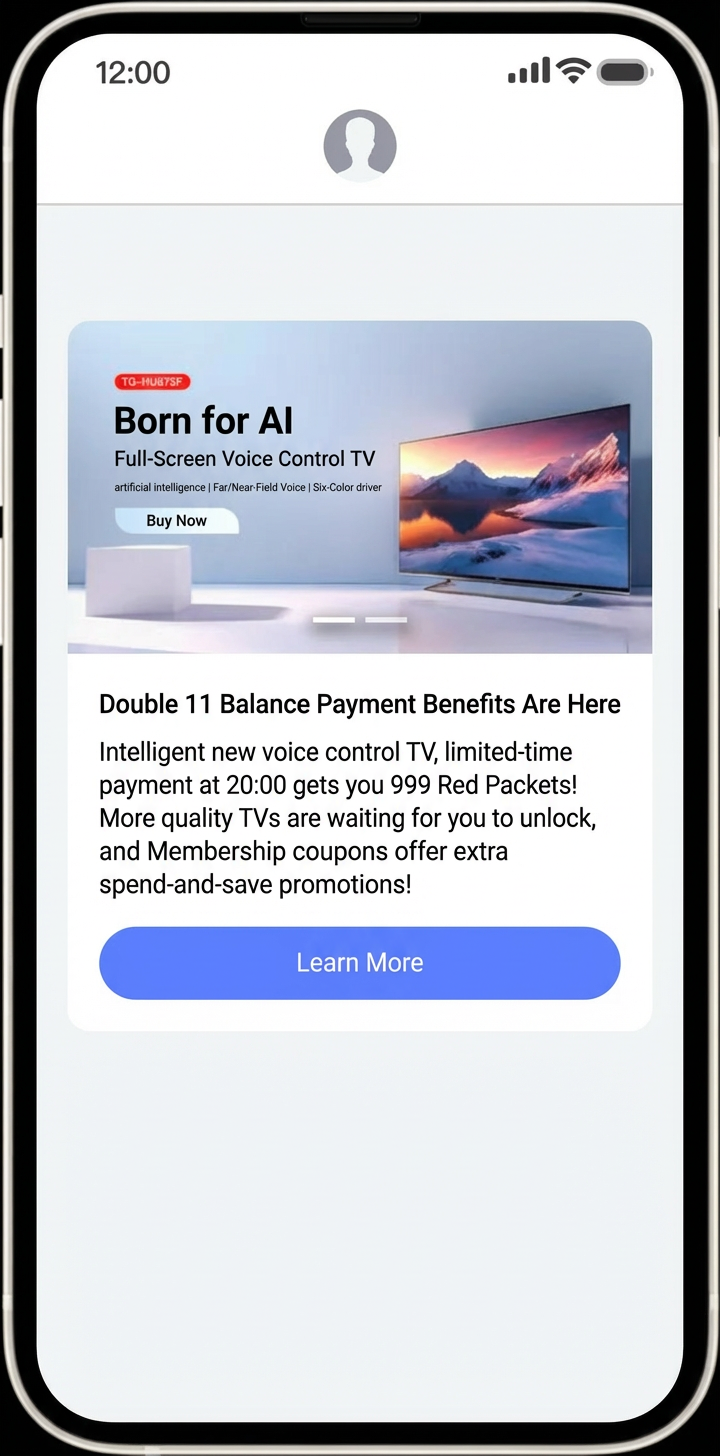
Title: Up to 17 characters Button text: Up to 15 characters Image requirements:
Notes:
|
|
3.9 48:65 image carousel
|
Configuration instructions |
Preview |
|
Image requirements:
Notes:
|
|
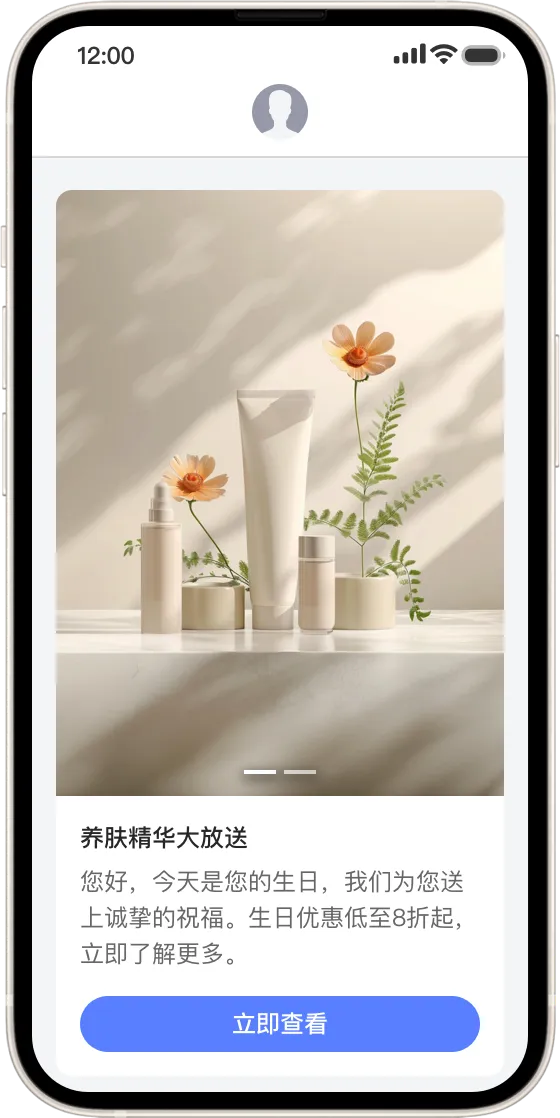
3.10 Video template
|
Configuration instructions |
Preview |
|
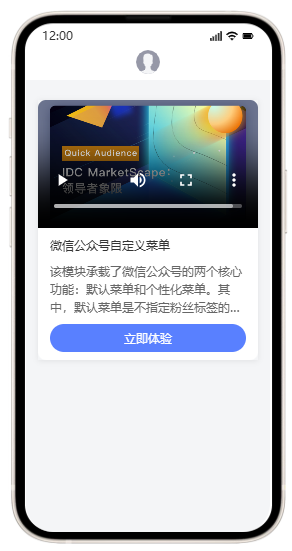
Title: Up to 17 characters Button text: Up to 15 characters Image requirements:
Before you upload an image, select the store in the form on the page. Video material: Supports MP4. Size up to 7 MB. 1080p is recommended. Notes:
|
|
3.11 Horizontal scroll with multiple images and text - Title only
|
Configuration instructions |
Preview |
|
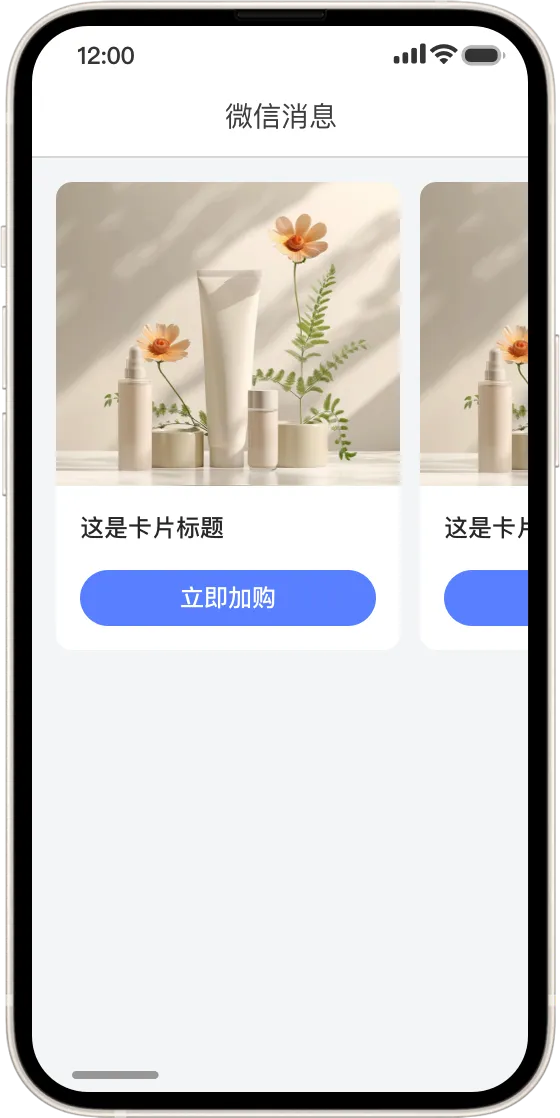
Title: Up to 26 characters Button text: Up to 9 characters Image requirements:
Before you upload an image, select the store in the form on the page. Notes:
|
|
3.11 Long Text Template
|
Configuration instructions |
Preview |
|
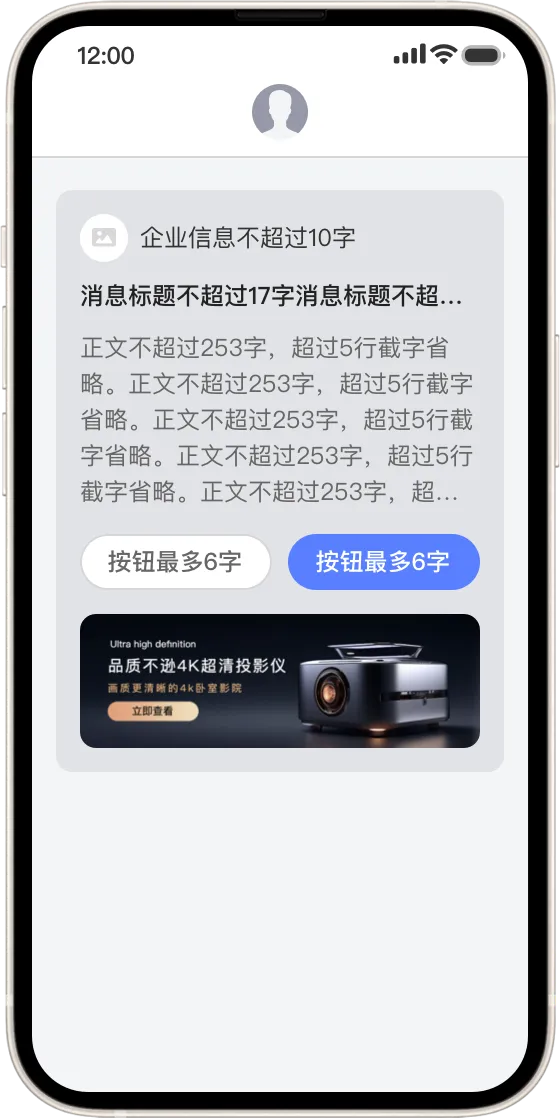
Company Logo:
Image material:
Notes:
|
|
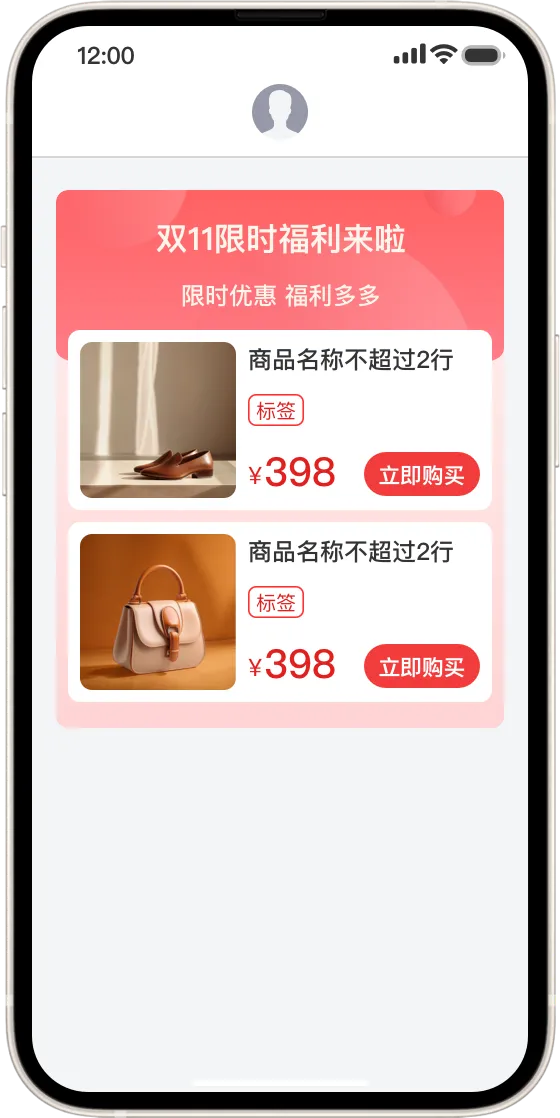
3.12 E-commerce multi-product template
|
Configuration instructions |
Preview |
|
Number of products: Up to 3 products Product image:
Notes:
|
|
3.13 Image, text, and video template
|
Configuration instructions |
Preview |
|
Video thumbnail:
Video material:
Image material:
Notes:
|
|
3.14 Video, Image, and Text Template
|
Configuration instructions |
Preview |
|
Video thumbnail:
Video material:
Image material:
Notes:
|
|
3.15 E-commerce video template
|
Configuration instructions |
Preview |
|
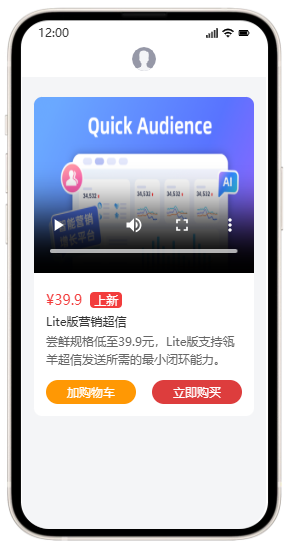
Video thumbnail:
Video material:
Notes:
|
|
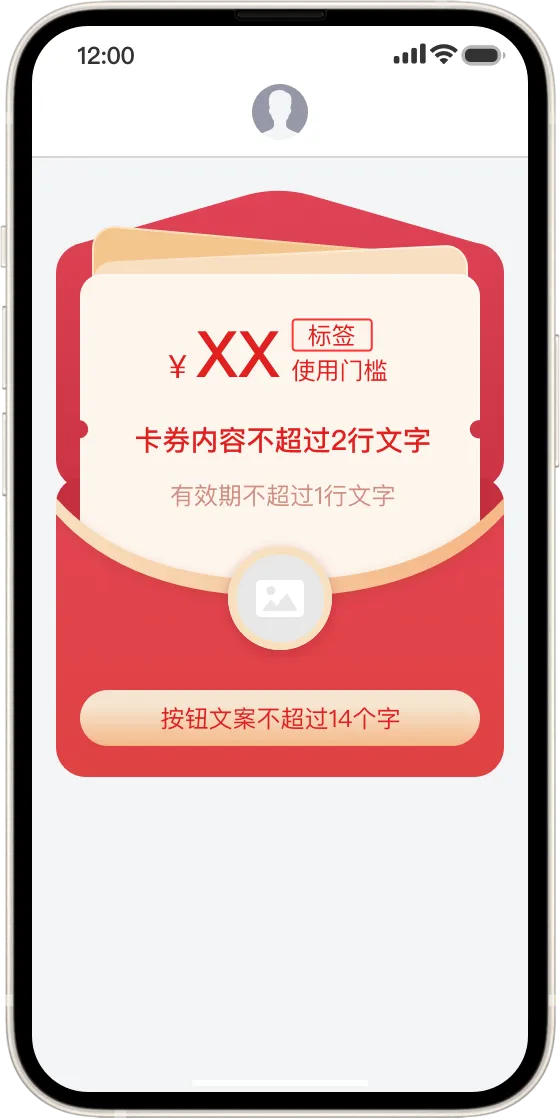
3.16 Single Coupon Template
|
Configuration instructions |
Preview |
|
Company Logo:
Notes:
|
|
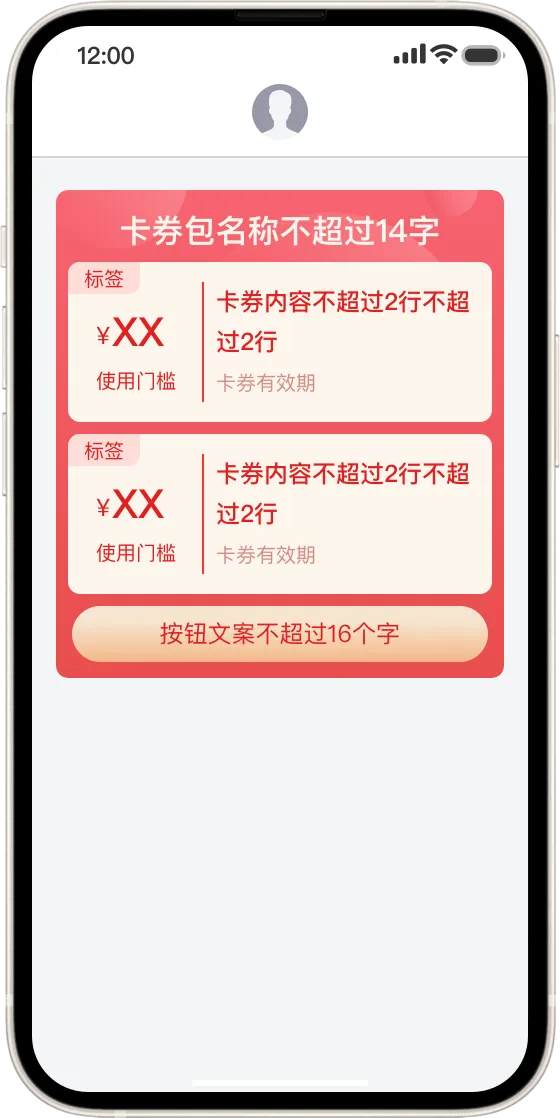
3.17 Multi-coupon template
|
Configuration instructions |
Preview |
|
Number of coupons: Up to 4 Call-to-action text (Button name):
Notes:
|
|
3.18 Poster template
|
Configuration instructions |
Preview |
|
Image material:
Notes:
|
|
Digital message templates
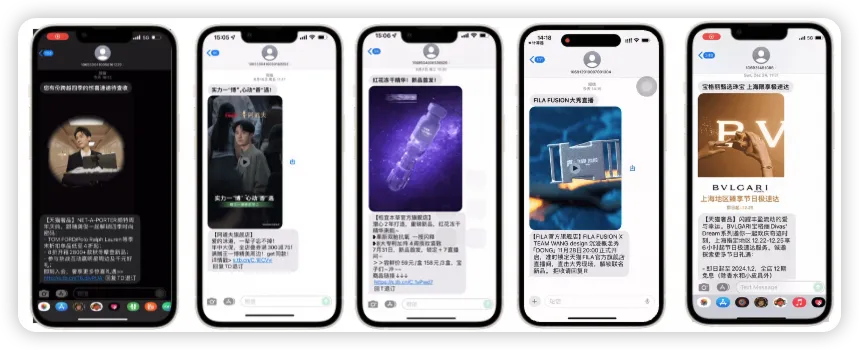
1. Digital message preview
2. Digital message material design
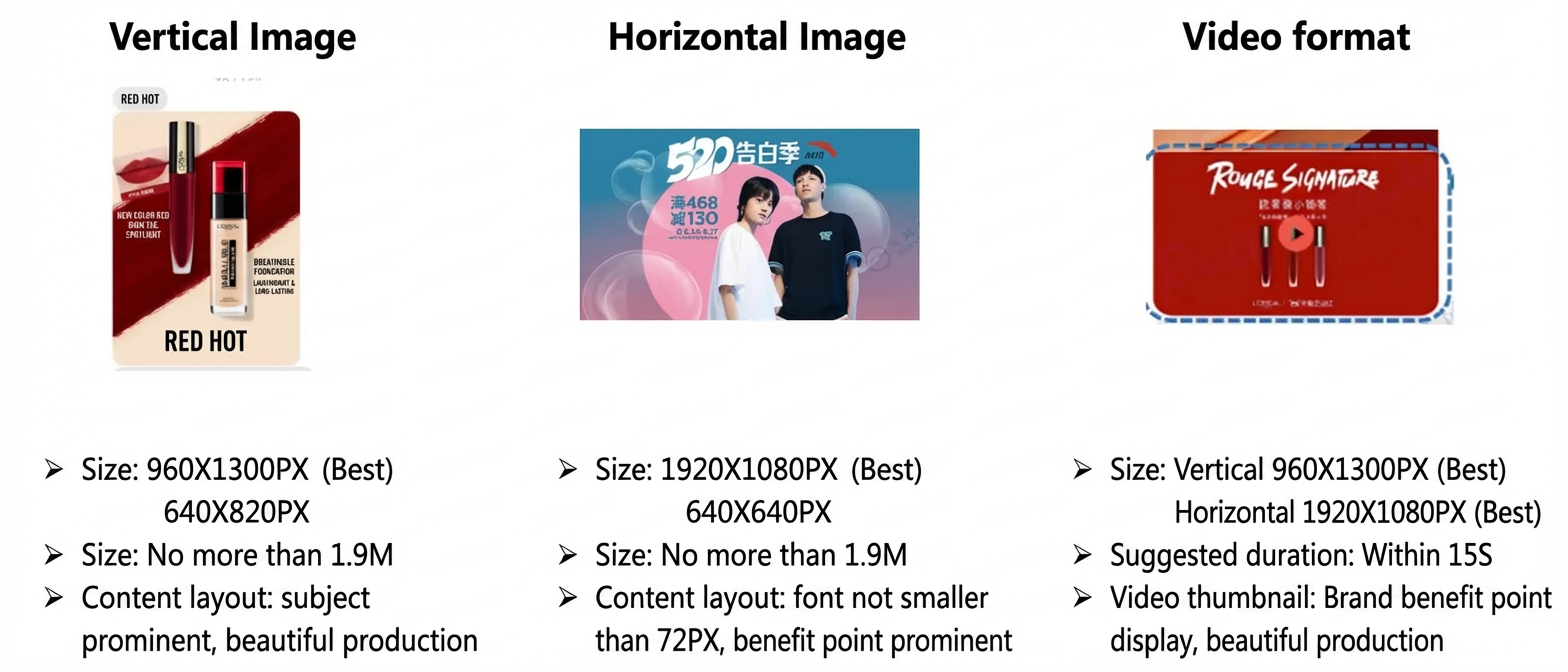
3. Digital message content configuration
-
Digital message title: Up to 15 characters.
-
Template content: Supports the text, image and text, video, and audio content types. You can upload only one video. The total number of content items of all types cannot exceed nine. The total content size must be between 660 KB and 1900 KB. If the size limit is exceeded, you must reduce the content size. We recommend uploading only one image to ensure optimal display on the frontend.
-
Content requirements: The body must contain an image or video plus text. We recommend placing the image first, followed by the text. The template, including text, video, and images, cannot contain any personal contact information, such as mobile phone numbers or personal WeChat QR codes. You cannot send messages related to marketing, loans, borrowing, winning prizes, or lotteries. Messages for financial management and real estate notifications are not supported, except for those containing captchas.
-
Material requirements: PNG, GIF, and JPG image formats are supported. The recommended dimensions are 960 × 1300 pixels. The MP4 format is supported for videos. If you submit multiple images, we recommend using the GIF format.
-
To avoid confusion with the SMS signature, do not use square brackets `【】` anywhere else in the message. Do not use sensitive words, such as those related to pornography, violence, or cash incentives.
-
Unsubscribe: The text "Reply T to unsubscribe" is automatically added to the end of the last text content block. Do not add any characters after it.
FAQ
Q1: Can I add special characters to digital messages?
A: Yes, you can. Unicode symbols are supported, but emoji are not. For example, symbols such as  ①②③④⑤⑥⑦⑧⑨ are not supported.
Q2: My digital message template has been under review for more than three days. What should I do?
A: If a digital message template is not approved within three days, the submission fails by default. You must resubmit the template for review.
Q3: My card template was rejected for missing entity information. How can I fix this?
A: This error indicates that the brand logo is missing. You can add your brand logo to fix this issue.
Q4: My card template was rejected due to a truncated image. What does that mean?
A: This error means that an image in the template is cut off. For example, a portrait may be incomplete or a logo may be cut off.
Q5: My card template was rejected because the text was not fully displayed. How can I fix this?
A: For image and text templates, the body supports a maximum of 69 characters. If you exceed this limit, you must remove any line feeds and resubmit the template.
Q6: How long are SMS templates valid?
A: Text and card templates do not expire. Digital message templates are valid for one month and must be renewed periodically.
Q7: What is the maximum length for a long link?
780 characters.
Q8: What does a failed card message parsing look like? Is it billed? What is the failure rate?
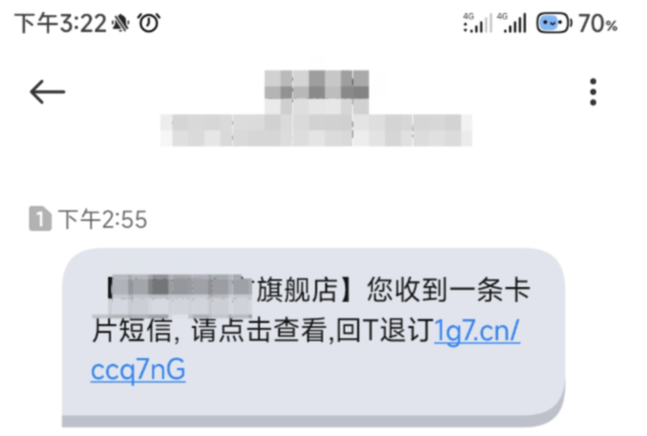
The following is an example of a card text message that failed to parse: