Why can't I send or receive emails when I use a server IP address?
Updated at:
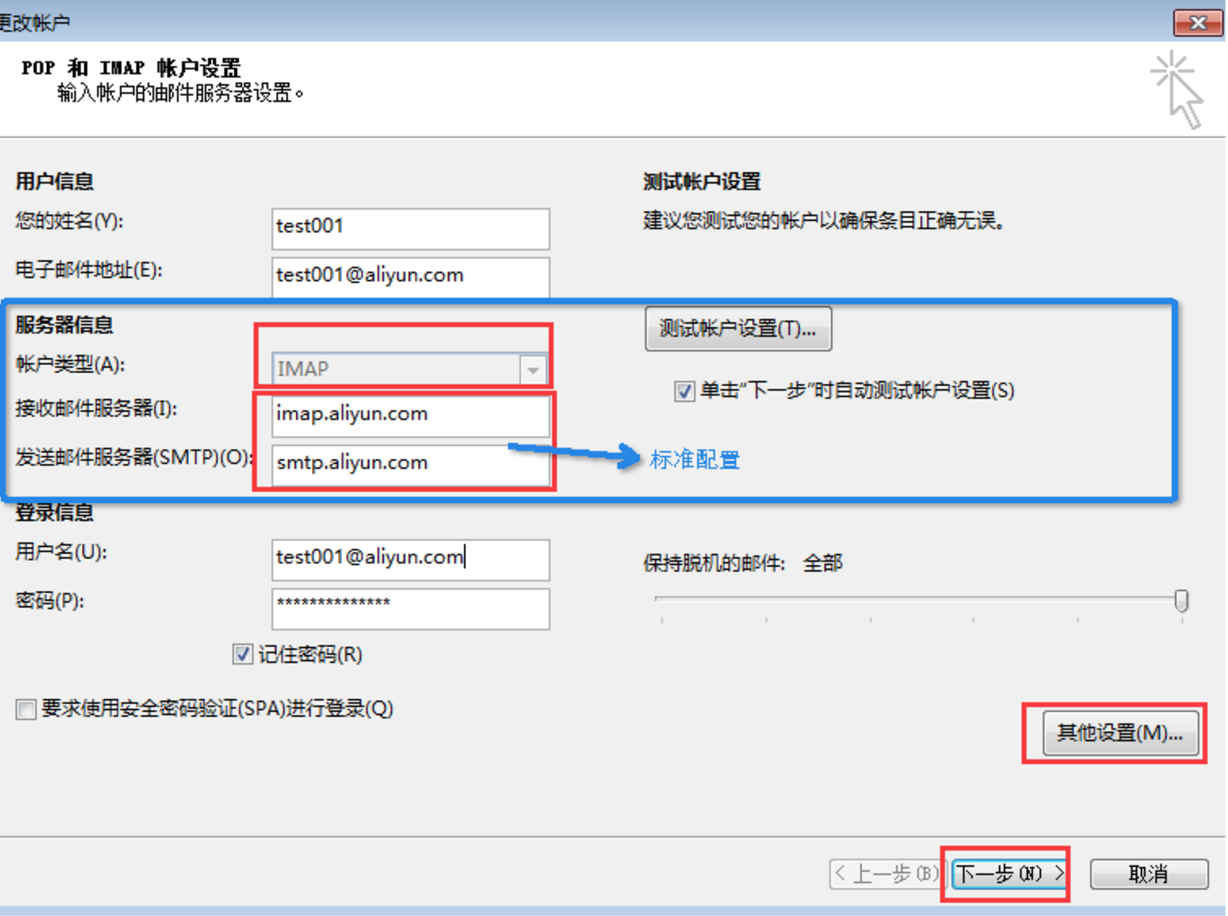
You cannot send or receive emails if you use a server IP address instead of a domain name. This can happen when you configure your free personal Alibaba Cloud mailbox in Outlook using the POP3 or SMTP protocol. To resolve this, change the IP address to the correct domain name in your configuration.
Configuration reference
Server name | Server address (Server domain name) | Server Port (unencrypted) | Server Port (Secure Sockets Layer (SSL) encryption) |
POP3 | pop3.aliyun.com | 110 | 995 |
SMTP | smtp.aliyun.com | 25 | 465 |
IMAP | imap.aliyun.com | 143 | 993 |
Change your configuration to use the corresponding domain name. You cannot send or receive emails if you use an IP address.
Is this page helpful?