Tenant instance workbench
The Tenant Instance Workbench page displays basic information, performance monitoring data, and agent and zone information for your tenant instance.
Background information
A tenant instance is a compute resource created by virtually isolating a portion of a large cluster using OceanBase's unique tenant isolation technology. You can use a tenant instance as an independent database instance where you can create databases and tables to serve your applications.
Procedure
Log on to the OceanBase Management Console .
In the navigation pane on the left, click Instance List.
In the instance list, click the name of the target tenant instance to open the Tenant Instance Workbench.
Click the buttons in the upper-right corner to create an account, log on to a database, or create a new database.
For subscription tenant instances, click the More icon in the upper-right corner to renew the instance.
For pay-as-you-go tenant instances, click the More icon in the upper-right corner to change the billing method to subscription. You can also click Release to release the tenant instance.
In the Basic Information section, view information such as the billing method, instance type, series, deployment mode, zone, and creation time.
Parameter | Description |
Mode | The mode of the current tenant instance. |
Deployment mode | The deployment mode of the current tenant instance. Only the single-data-center deployment solution is supported. |
Zone | The zone that you selected when you created the tenant instance. |
Storage class | The storage class of the current tenant instance. Currently, only ESSD PL1 cloud disks are supported. |
Creation time | The time when the current tenant instance was created. |
Time zone | The time zone set for the current tenant instance. |
Case sensitivity for table names | Indicates whether table names are case-sensitive for the current tenant. Note This field is supported only for tenants in MySQL mode. |
Transaction log service | Indicates whether the transaction log service is enabled for the current tenant instance. |
Binlog service | The Binlog service collects OceanBase transaction logs and transforms them into MySQL binary logs (binlogs). This service is mainly used for incremental data subscription. You can enable this service as needed. Note The Binlog service is available only to users on the whitelist. To enable this service, contact OceanBase technical support. |
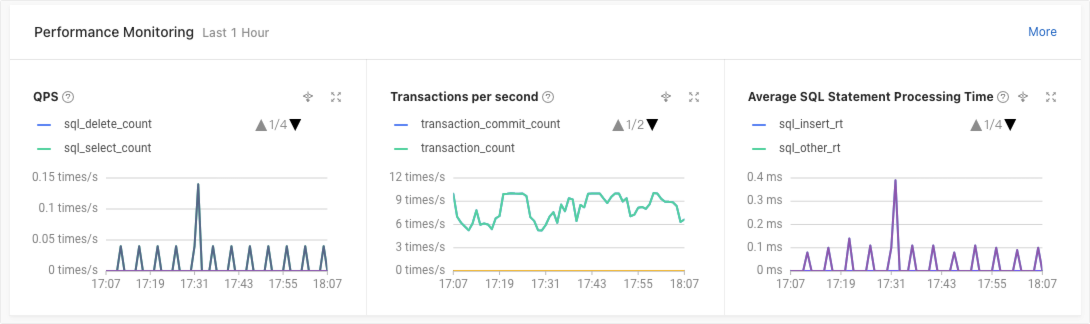
In the Performance Monitoring section, view the number of SQL statements processed per second, transactions processed per second, and the average SQL statement processing time over the last hour. Click More Monitoring to view complete performance monitoring information. For more information, see Overview of tenant performance monitoring.
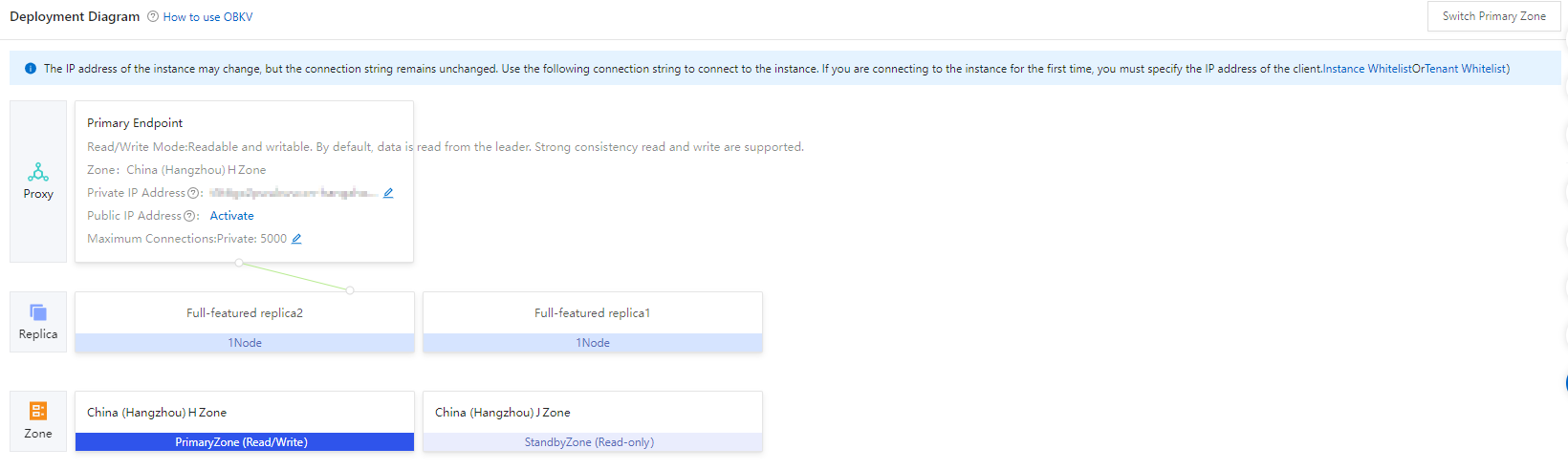
In the Deployment Diagram section, view the agent and zone information for the current tenant instance.
Click How to connect to a database. For more information, see Connect to an OceanBase database.
Before you connect to an instance for the first time, you must add your client's IP address to the cluster whitelist. Click Instance Whitelist to open the whitelist settings page.
Click the edit icon next to the private endpoint or public endpoint to modify the address. If a public endpoint is not available, click Enable to request one.
Click the edit icon next to Maximum Connections to modify the maximum number of connections for the private or public endpoint. For more information, see Modify the maximum connections for an agent endpoint.