Modify the name of a data migration task
This topic describes how to modify the name of a data migration task.
Limits
In Data Transmission Service, you can modify the name of a task that is in the Not Started, Running, Paused, or Failed state.
You cannot edit the name of a subtask created to modify migration objects. For more information about modifying migration objects, see View and modify migration objects and their filter conditions.
Task names must be unique for each user.
Procedure
Log on to the OceanBase Management Console .
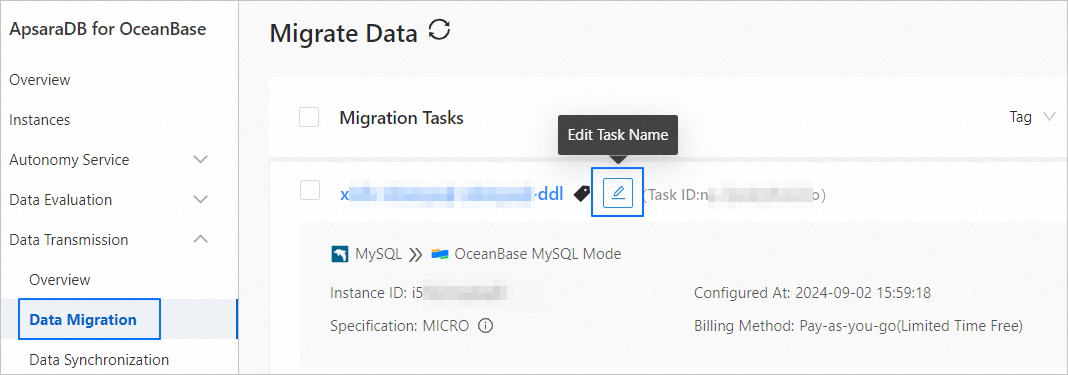
In the navigation pane on the left, click Data Transmission > Data Migration.
On the Data Migration page, hover over the name of the target task and click the Edit icon that appears.
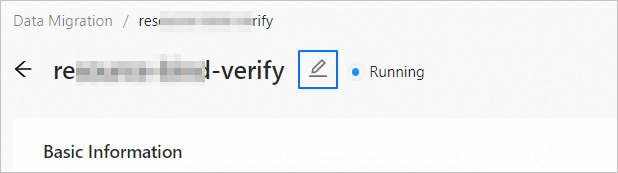
Alternatively, click the name of the target task to go to the task details page, and click the Edit icon to the right of the task name.
In the Edit Task Name dialog box, enter a new task name.
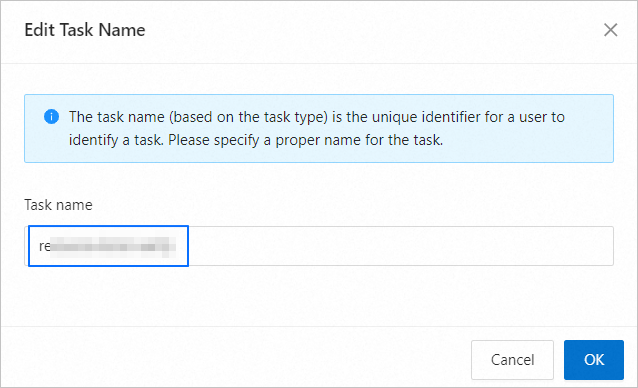
Click OK.