How to adjust the priority of incoming mail rules in Alibaba Mail
Updated at:
Incoming mail rules are evaluated from top to bottom. If an email matches multiple rules, the topmost matching rule takes precedence for any conflicting actions. To control which rule runs first, reorder your rules by adjusting their priority.
Adjust rule priority
Web client
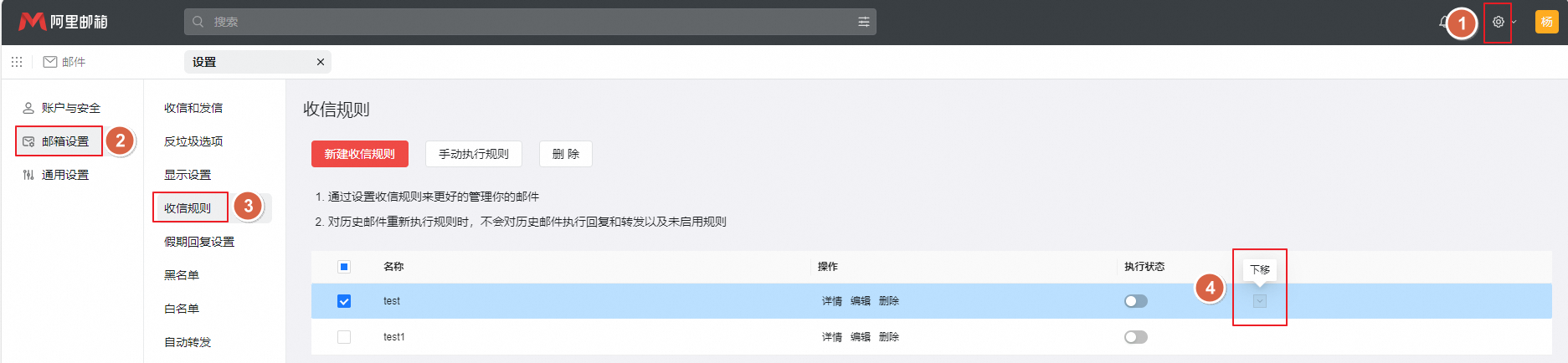
Hover over an incoming mail rule. The Move up and Move down icons appear on the right. Click Move up or Move down to reorder the rule.
Is this page helpful?