Message dialog box
Updated at:
AUNoticeDialog (formerly APNoticePopDialog) provides a dialog box that contains a title, body text, and Confirm and Cancel buttons. This dialog box is used to display common business messages.
Preview
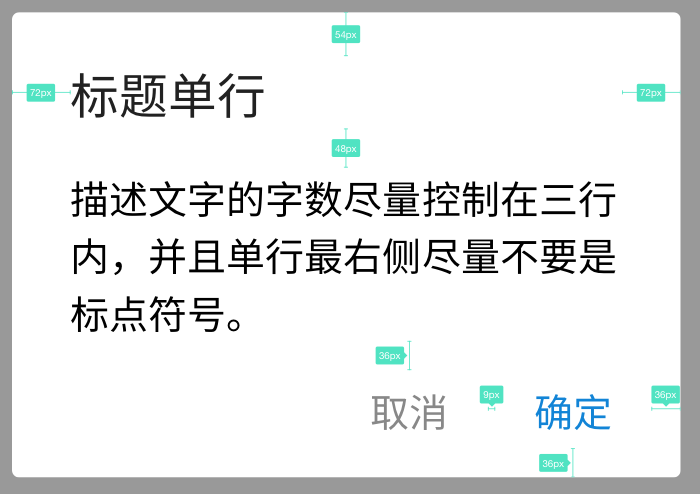
AUNoticeDialog dialog = new AUNoticeDialog(this, "Single-line title",
    "Keep the description within three lines. Avoid ending a line with a punctuation mark.",
    "Confirm", "Cancel", true);
dialog.show();
Basic rules
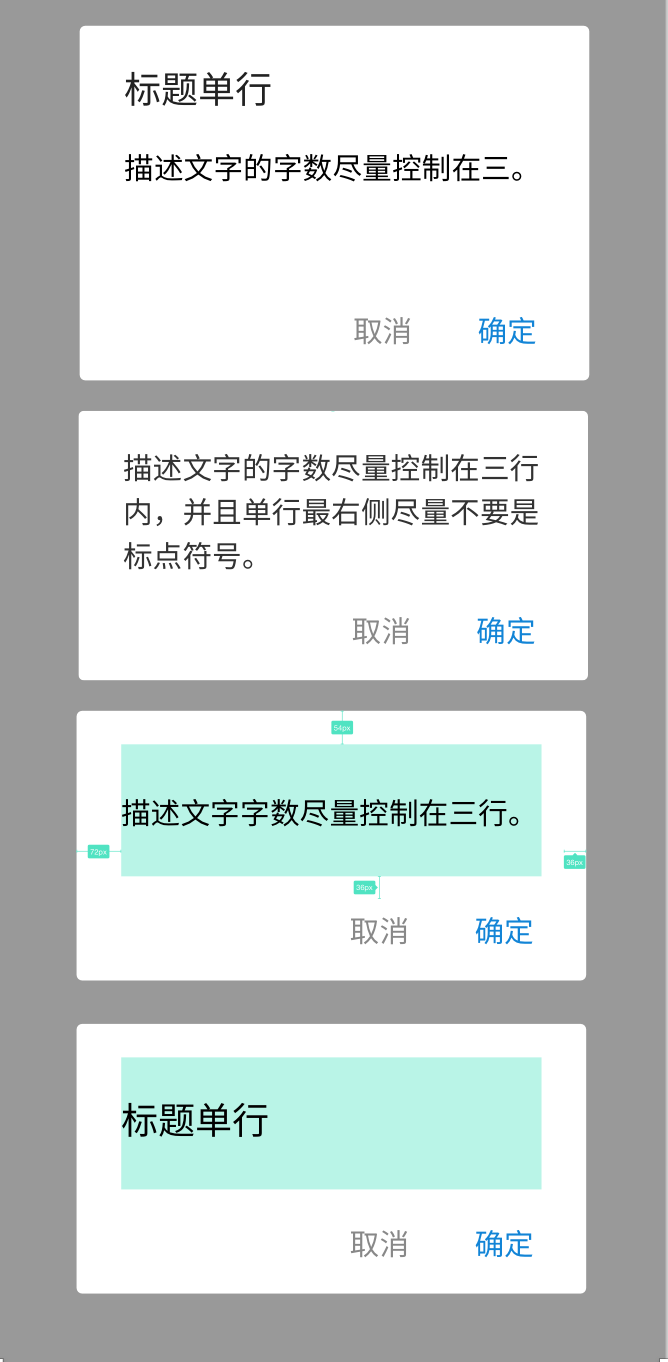
The dialog box has a minimum height.
If the dialog box contains only a title or only body text, the content is vertically centered.
Keep the text for the Confirm and Cancel buttons short. Long text may not display correctly on small-screen phones, such as the VIVO Y23L.
API
public AUNoticeDialog(Context context, CharSequence title, CharSequence msg,
        String positiveString, String negativeString);

public AUNoticeDialog(Context context, CharSequence title, CharSequence msg,
        String positiveString, String negativeString, boolean isAutoCancel) ;

/**
 * Creates an AUNoticeDialog based on the input parameters.
 *
 * @param context The context object.
 * @param title The title.
 * @param msg The message.
 * @param positiveString The text for the confirm button.
 * @param negativeString The text for the cancel button.
 * @param isAutoCancel Specifies whether to automatically close the dialog box when a user taps outside of it.
 */
public AUNoticeDialog(Context context, CharSequence title, CharSequence msg, String positiveString, String negativeString, boolean isAutoCancel);

/**
 * Sets the text color of the confirm button.
 *
 * @param c The color value.
 */
public void setPositiveTextColor(ColorStateList c);

/**
 * Sets the text color of the cancel button.
 *
 * @param c The color value.
 */
public void setNegativeTextColor(ColorStateList c);

/**
 * Gets the cancel button.
 */
public Button getCancelBtn();

/**
 * Gets the confirm button.
 */
public Button getEnsureBtn();

/**
 * Gets the title TextView.
 */
public TextView getTitle();

/**
 * Gets the message TextView.
 */
public TextView getMsg();

/**
 * Sets the click listener for the confirm button.
 *
 * @param listener The listener.
 */
public void setPositiveListener(OnClickPositiveListener listener);

/**
 * Sets the click listener for the cancel button.
 *
 * @param listener The listener.
 */
public void setNegativeListener(OnClickNegativeListener listener);

/**
 * Gets the root RelativeLayout of the dialog box layout.
 */
public RelativeLayout getDialogBg();

/**
 * Start the dialog and display it on screen.
 */
public void show();
Code examples
// Without a title
AUNoticeDialog dialog = new AUNoticeDialog(this, "",
            "Keep the description within three lines. Avoid ending a line with a punctuation mark.",
            "Confirm", "Cancel", true);
dialog.show();

// Without a description
AUNoticeDialog dialog = new AUNoticeDialog(this, "Single-line title",
            "",
            "Confirm", null, true);
dialog.show();Is this page helpful?