During daily development, developers or testers often need to call online services to debug deployed services or query online data. The service testing feature lets you enter call parameters, initiate service calls, and view the call results in the console.
Background information
- The service testing feature is in public preview and is free of charge.
- If you use a RAM user to test services, you must grant the required permissions to the RAM user. For more information, see Configure permissions for service testing in RAM.
Procedure
-
Log on to the EDAS consoleEDAS console.
-
In the left-side navigation pane, choose .
In the left-side navigation tree of the Dubbo page, click Service Testing.
In the top navigation bar, select the region where the service that you want to manage resides. On the Service Testing - Select Service page, select the microservices namespace to which the service belongs from the Microservices Namespace drop-down list. Then, click the name of the service.
In the Select a test method. panel, configure the test parameters and click Execute.
The following table describes the parameters.
Parameter
Description
Call IP Address
The IP address of an instance on which the service is deployed. The instance can be an Elastic Compute Service (ECS) instance or a pod. You can select only one instance IP address even if the service is deployed on multiple instances and multiple IP addresses are available.
Test Method
The test method. In the Test Parameters code editor, specify parameters based on your service code.
Check the test result
In the Result section, check whether the test is successful. You may obtain the following results:
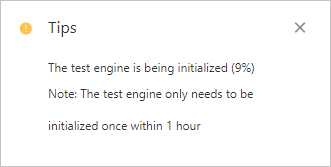
The test failed and the "The test engine is being initialized" message appears. When you perform a service test, the test engine takes 30 seconds to 50 seconds to initialize. In this case, wait 30 seconds to 50 seconds before you perform the test again.
The test is successful, and the response from the service is displayed.
The test failed, and the response from the service is displayed. You can troubleshoot issues in the port, network, and code of the service based on the response.