Announcement on adjustments to domain name offline rules
You can disable an accelerated domain name that is added to Dynamic Route for CDN (DCDN). In some scenarios, accelerated domain names are disabled by DCDN due to violations of Terms of Service, overdue payments, or invalid Internet Content Provider (ICP) numbers. This topic describes why accelerated domain names are disabled and the impacts that may arise, and provides solutions.
Suspensions for violations
Issue: Your account is suspended due to a violation of Alibaba Cloud Limits. The service is immediately paused, and you are notified by text message or email.
Impacts: DCDN deletes the CNAME that is assigned to the accelerated domain name and stops resolving the accelerated domain name to a valid IP address. In this case, the accelerated domain name is inaccessible and added to the blacklist. You cannot add the accelerated domain name to DCDN again.
How to restore service: If your accelerated domain name does not fall under any of the scenarios described in the Limits, you can submit a ticket to appeal.
Overdue payments
Issue: If the available credit in your account—including your Alibaba Cloud account balance, cash coupons, coupons, and requested service suspension protection—is insufficient to cover your outstanding bills, your account will immediately have an overdue payment. The system will then send you a text message or email reminding you to pay the bill as soon as possible.
Offline process:
Normal case: The accelerated domain name is resolved to the IP address of an Alibaba Cloud DCDN point of presence (POP) through its CNAME.
After a payment becomes overdue: The rules vary based on when the account's payment became overdue. For more information, see the following table:
Rule for overdue payments before 00:00:00 on April 11, 2022
Rule for overdue payments on or after 00:00:00 on April 11, 2022 (30-day grace period removed)
Within 30 days of the overdue payment (within 30 × 24 hours from when the domain name is taken offline): After a payment becomes overdue, Alibaba Cloud DCDN immediately stops the acceleration service and takes the accelerated domain name offline. For 30 days after the domain name is taken offline, its CNAME resolves to the addresses of the origin server. This increases the load on your origin server.
More than 30 days after the overdue payment (more than 30 × 24 hours from when the domain name is taken offline): Origin-pull parsing is stopped. The CNAME of the accelerated domain name resolves to the invalid address "offline.***.com" and the domain name becomes inaccessible.
After a payment becomes overdue: Alibaba Cloud DCDN immediately stops the acceleration service and takes the accelerated domain name offline. After the domain name is taken offline, if a client continues to access a DCDN POP, for example, by binding the client to the IP address of the DCDN POP, the DCDN POP returns an empty message and closes the connection.
Solution: Complete overdue payments. Then, the accelerated domain names are automatically enabled.
Invalid ICP numbers
Issue: If your domain name's ICP filing becomes invalid, the system notifies you by text message or email to complete the ICP filing as soon as possible.
An ICP filing becomes invalid if the information about the filing entity changes. This can include changes to the filing owner, contact information, domain name service provider, website, or website services. If you query the filing status, it shows as "Not filed".
If the acceleration region includes the Chinese mainland, the accelerated domain name must have an ICP filing.
Offline process:
Normal case: The accelerated domain name is resolved to the IP address of an Alibaba Cloud DCDN POP through its CNAME.
After the ICP filing becomes invalid: The rules vary based on when the ICP filing became invalid. For more information, see the following table:
Rule for invalid ICP filings before 00:00:00 on April 11, 2022
Rule for invalid ICP filings on or after 00:00:00 on April 11, 2022 (30-day grace period removed)
Within 30 days of the ICP filing becoming invalid (within 30 × 24 hours from when the domain name is taken offline): If your domain name's ICP filing becomes invalid, Alibaba Cloud DCDN immediately stops the acceleration service and takes the accelerated domain name offline. For 30 days after the domain name is taken offline, its CNAME resolves to the addresses of the origin server. This increases the load on your origin server.
More than 30 days after the ICP filing becomes invalid (more than 30 × 24 hours from when the domain name is taken offline): Origin-pull parsing is stopped. The CNAME of the accelerated domain name resolves to the invalid address "offline.***.com" and the domain name becomes inaccessible.
After the ICP filing becomes invalid: If your domain name's ICP filing becomes invalid, Alibaba Cloud DCDN immediately stops the acceleration service and takes the accelerated domain name offline. After the domain name is taken offline, if a client continues to access a DCDN POP, for example, by binding the client to the IP address of the DCDN POP, the DCDN POP returns an empty message and closes the connection.
Recovery method: If your domain name has an ICP filing, you can re-enable or add the accelerated domain name in the console.
Manually disable an accelerated domain name
Issue: You can manually disable an accelerated domain name. After an accelerated domain name is disabled, the status of the accelerated domain name changes to Offline. To disable an accelerated domain name, perform the following operation:
On the Domain Names page, select the domain name and click Disable.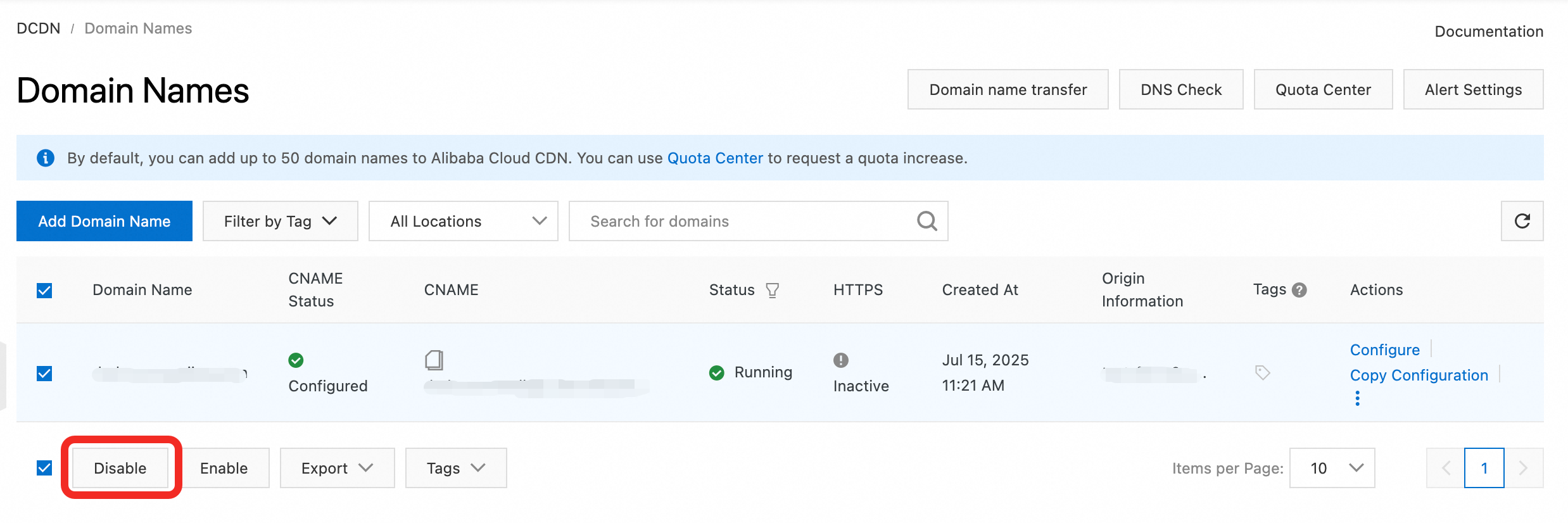
Offline process:
Normal state: The accelerated domain name resolves to the IP address of an Alibaba Cloud DCDN point of presence (POP) through its CNAME.
After the domain name is disabled: DCDN immediately stops the acceleration service. The CNAME of the accelerated domain name is resolved to the invalid address `offline.***.com`, and the domain name becomes inaccessible.
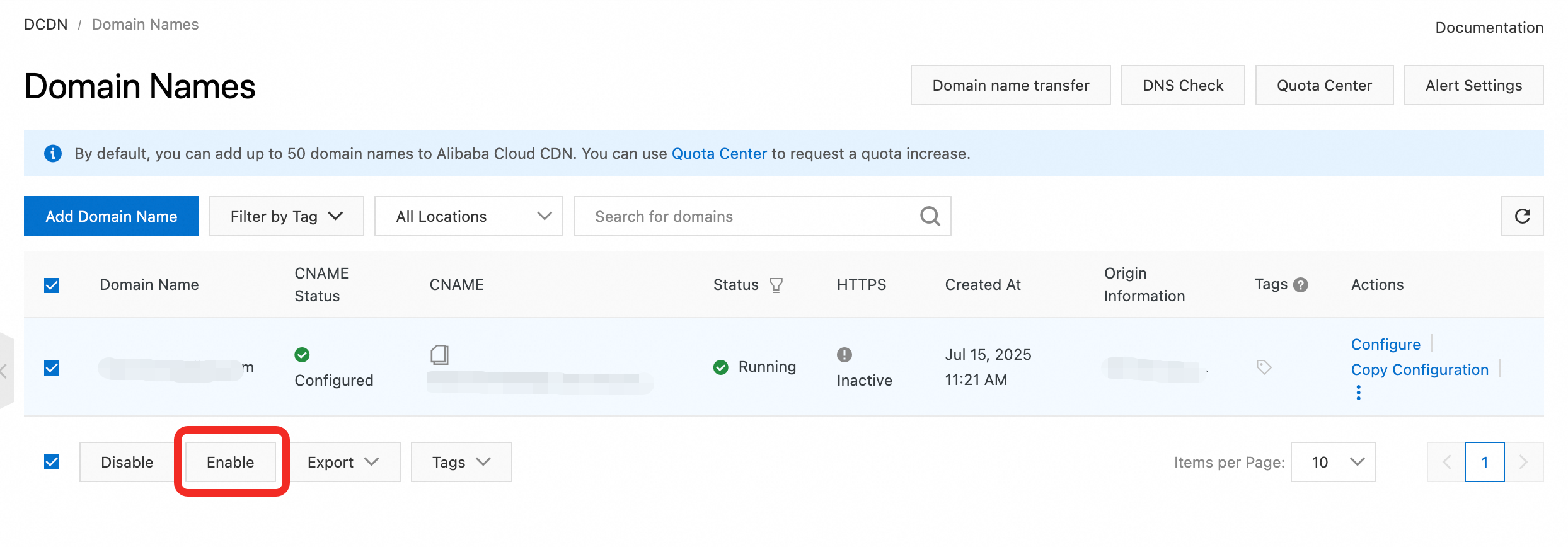
How to restore service: To enable a domain name that is in the Offline state, log on to the DCDN console. On the Domain Names page, select the domain name and click Enable.