Serve stale content
When your origin server is unreachable or returns HTTP 4xx or 5xx status codes, DCDN continues serving expired static content from its POPs to keep your website available. This feature does not apply to dynamic requests.
How it works

Scenarios
The origin server is unreachable due to server downtime, network interruptions, or application errors. DCDN points of presence (POPs) cannot fetch fresh content from the origin.
-
Serve Stale Content not enabled: The POP attempts to fetch fresh content from the origin. The request fails because the origin is unreachable, and users cannot access your website.
-
Serve Stale Content enabled: DCDN serves stale content to users when the origin is unreachable, keeping your website available.
Procedure
-
Log on to the DCDN console.
-
In the left-side navigation pane, click Domain Names.
-
On the Domain Names page, find the target domain name and click Configure.
-
In the left-side navigation tree of the domain name, click Caching.
-
Click the Serve Stale Content tab and click Modify Configuration.
-
In the Serve Stale Content dialog box, set the parameters as needed.
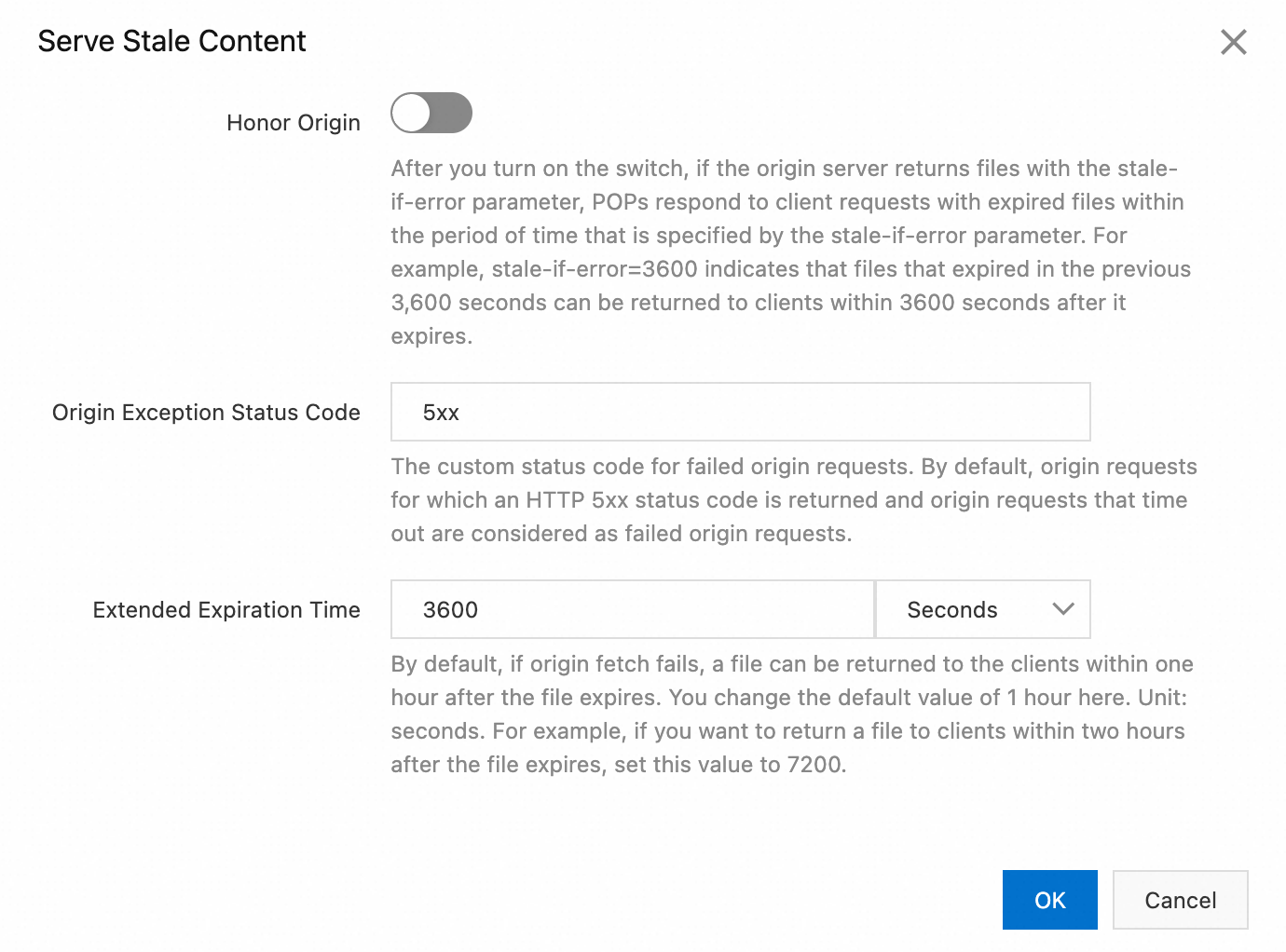
Parameter
Required
Default value
Description
Honor Origin
No
Disabled. In this case, DCDN serves the stale content for the time specified by Stale TTL.
If you enable Honor Origin, and Cache-Control: stale-if-error=xx is included in the response from the origin server, DCDN serves the stale content for the time specified by stale-if-error.
HTTP Status Code on Origin Failure
No
5xx
The status code returned when the origin is unreachable. You can enter 4xx or 5xx for fuzzy match, or exact status codes such as 502 or 504.
Separate multiple status codes with commas (,).
Stale TTL
No
3600 (1 hour)
How long DCDN can serve the stale content if the origin is unreachable. Unit: seconds. Minimum value: 1.
-
Click OK.