Monitoring reports
After you enable DDoS mitigation for your domain name in Dynamic Content Delivery Network (DCDN), you can query the records and details of attack events that occurred in the last 30 days to learn about the types and queries per second (QPS) distribution of attacks. This feature visualizes the protection process, improves the protection analysis experience, and allows you to configure custom protection settings.
Procedure
Log on to the DCDN console.
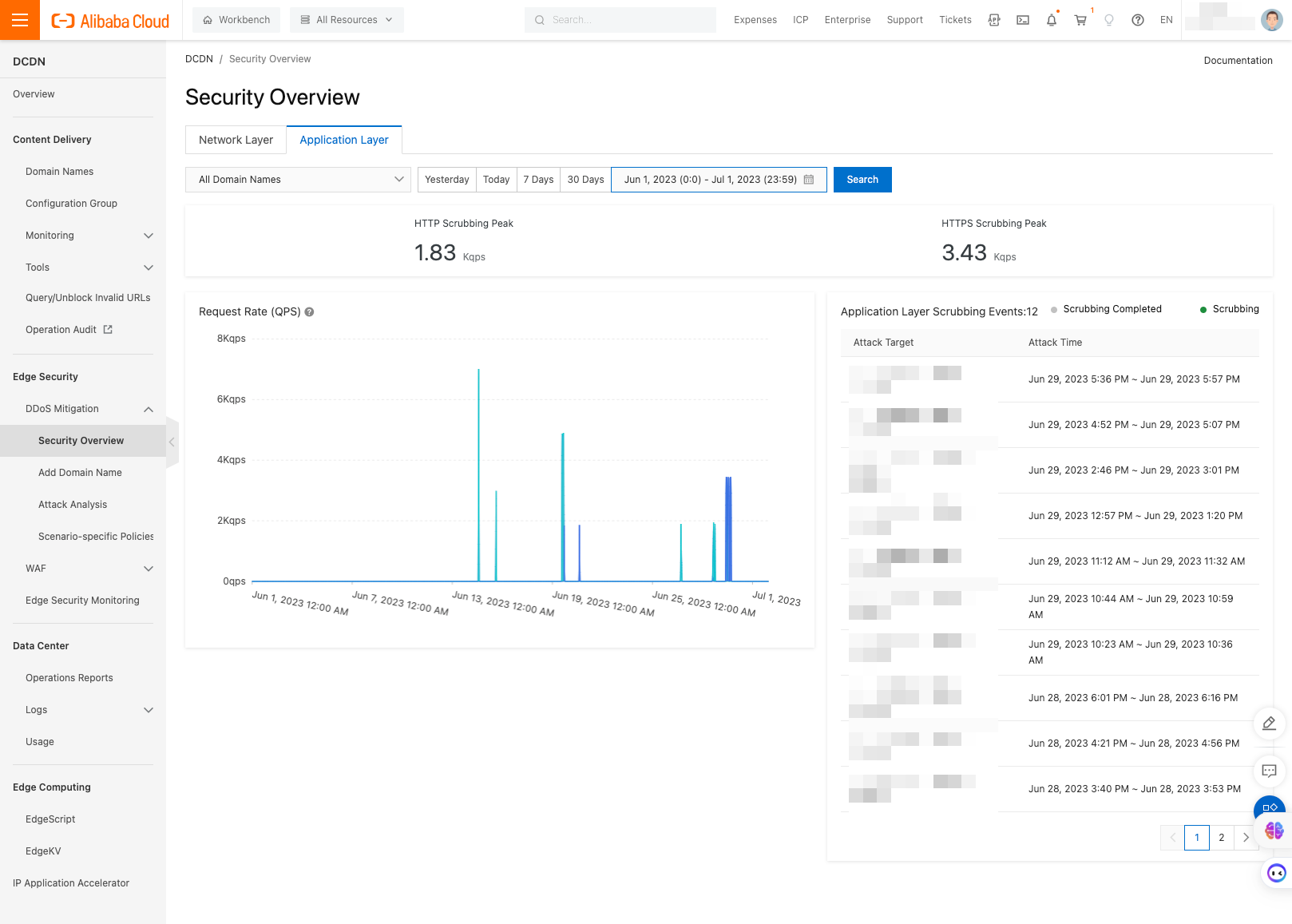
In the left-side navigation pane, choose DDoS Mitigation > Security Overview.
On the Security Overview page, view attacks at the network layer and application layer, and ongoing or completed traffic scrubbing events.
In the left-side navigation pane, choose DDoS Mitigation > Attack Analysis.
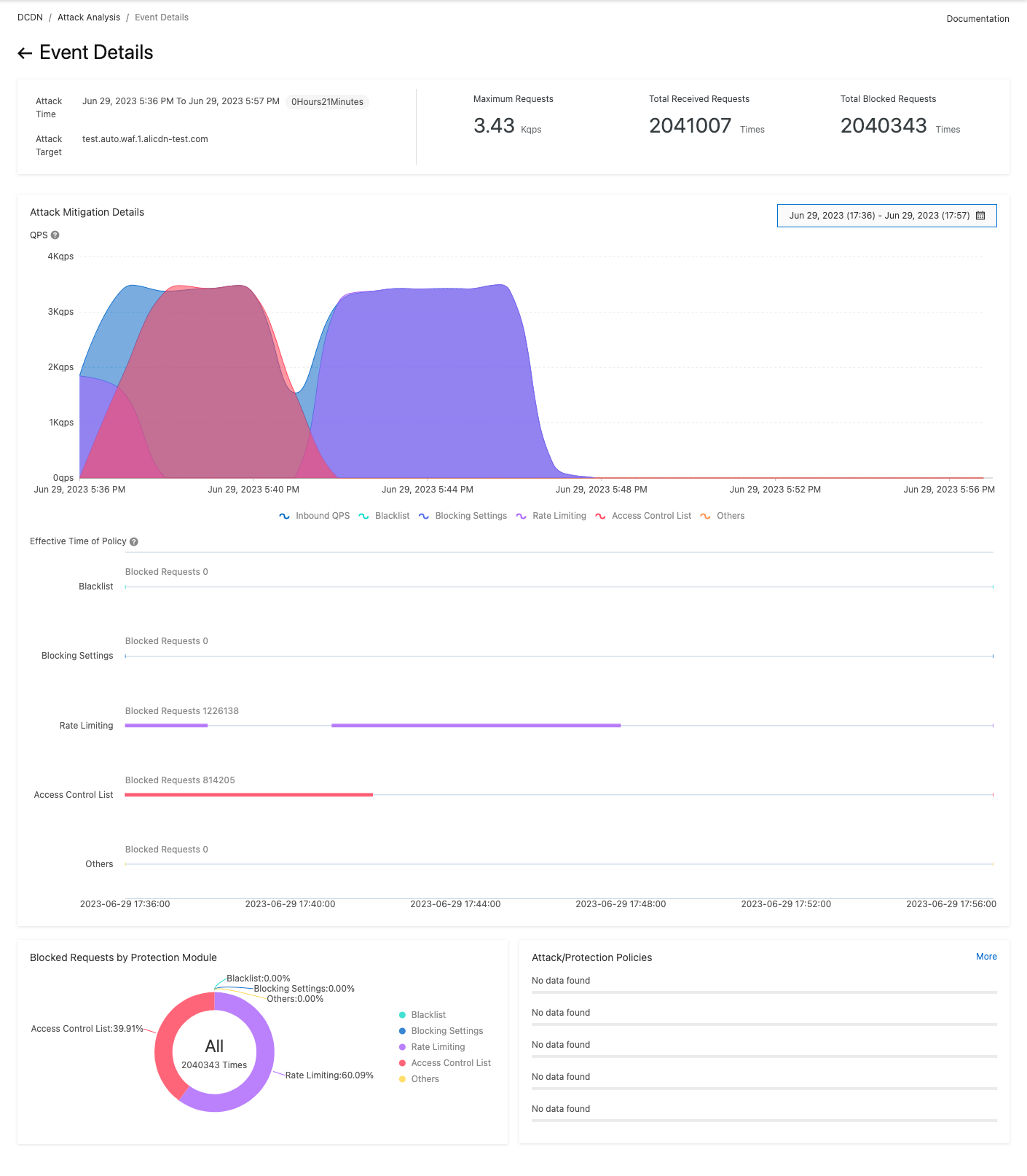
On the Attack Analysis page, click an attack event to view the distribution of different attack types and QPS, and the number of attacks that are blocked based on different rules.