QUIC protocol
If the link between a client and a DCDN point of presence (POP) uses the QUIC protocol, data transmission is secured and resource access efficiency improves. This topic describes what QUIC is, how to enable QUIC, and how QUIC is billed.
What is QUIC
QUIC (Quick UDP Internet Connections) is an experimental transport-layer network protocol. QUIC provides security comparable to TLS/SSL while reducing connection delay and transmission delay. Built on UDP, QUIC delivers strong weak-network performance and remains available under severe packet loss and network delay. QUIC supports different congestion control algorithms at the application layer without operating system or kernel support. Compared with TCP, QUIC offers greater flexibility for optimization and suits services that have reached the limits of TCP optimization.
Alibaba Cloud DCDN currently supports QUIC for Layer 7 protocols.
QUIC types
- IETF QUIC is the Internet standard version.
- IETF QUIC is compatible with Google QUIC versions Q39, Q43, and Q46. We strongly recommend that you use IETF QUIC.
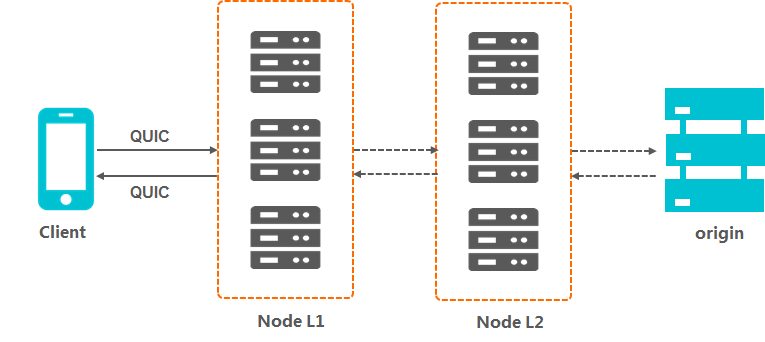
How it works
Client requirements
- If you use Google Chrome, DCDN already supports the standard HTTP/3 protocol, and Chrome can send QUIC requests directly to Alibaba Cloud DCDN.
- If you use a self-developed app, the app must integrate a network library that supports the QUIC protocol, such as lsquic-client, Cronet, ngtcp2, or quiche.
QUIC billing rules
- A request is identified as a QUIC request based on whether it uses the UDP protocol.
- The billing rule for QUIC requests whose protocol header is HTTPS is as follows: QUIC requests are billed by the number of QUIC requests, and other requests are billed by the number of HTTPS requests.
How to identify QUIC requests
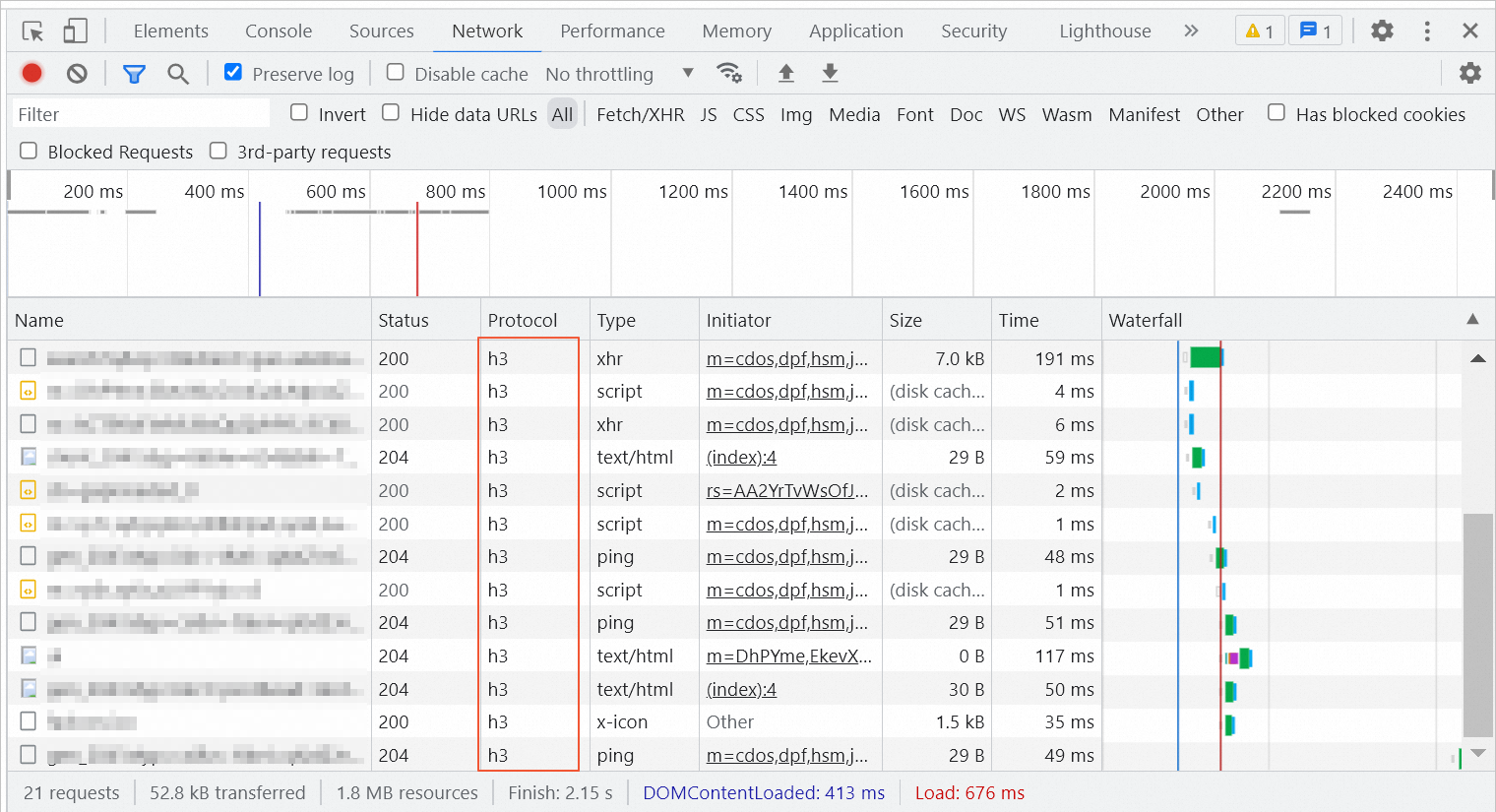
The following example uses Google Chrome to show you how to check QUIC requests.
In the following figure, "h3" indicates a QUIC request.