Edge cache TTL
Edge cache TTL controls how long Edge Security Acceleration (ESA) PoPs cache origin resources. When a client requests a stale resource, the ESA PoP retrieves the latest version from the origin and caches it again. Set TTL for static resources by directory or file extension to reduce origin load and speed up delivery.
Procedure
In the ESA console, select Websites. In the Website column, click the target website.
In the left-side navigation pane, select .
In the Edge Cache TTL section, click Configure, select a cache policy, and click OK.
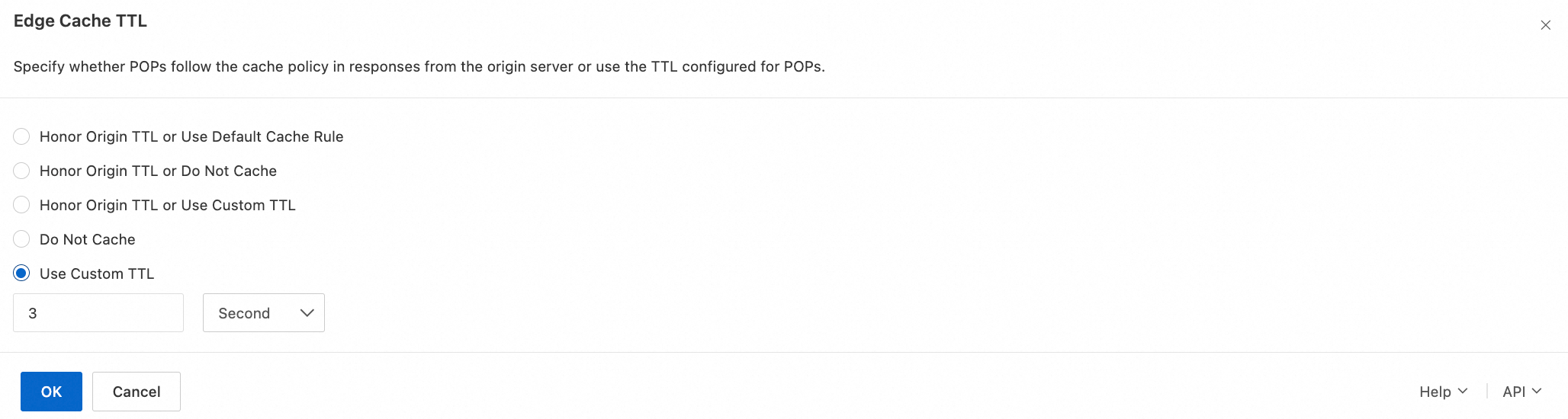
Honor Origin TTL or Use Default Cache Rule: ESA honors origin cache directives. If none exist, ESA applies the default cache rule.
Honor Origin TTL or Do Not Cache: ESA honors origin cache directives. If none exist, ESA does not cache the resource.
Honor Origin TTL or Use Custom TTL: ESA honors origin cache directives. If none exist, PoPs use the TTL configured in ESA.
Do Not Cache: ESA does not cache origin resources, regardless of origin cache directives.
Use Custom TTL: ESA ignores origin cache directives and always applies your custom edge cache TTL. ESA also lets you set browser cache TTL (minimum 1 second) with configurable time units.
Global and rule-based settings
Global settings apply to all requests. To target specific requests, create a rule that matches conditions against request parameters. The rule-based equivalent is Edge cache TTL.