SSL/TLS rules
SSL/TLS rules let you apply different encryption policies per hostname.
Configure SSL/TLS rules
-
In the ESA console, choose Websites. In the Website column, click the target site.
-
In the left navigation pane, choose .
-
Click Create Rule. Enter a Rule Name.
-
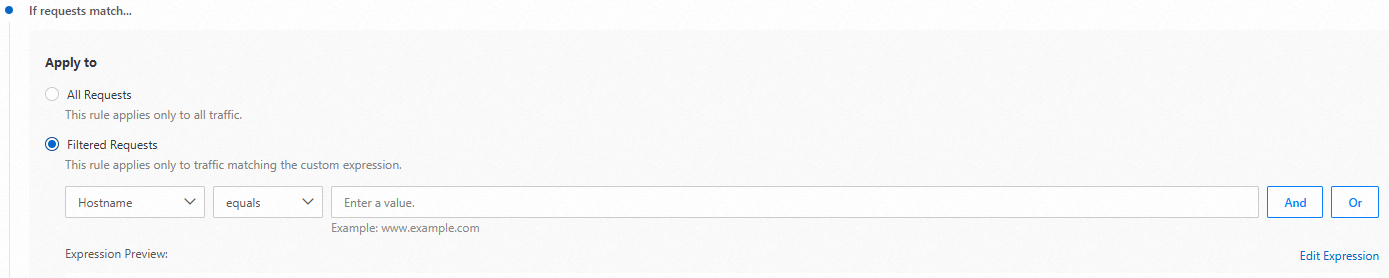
In the If requests match... section, specify the user request attributes to match. For details, see How rule expressions are built.
-
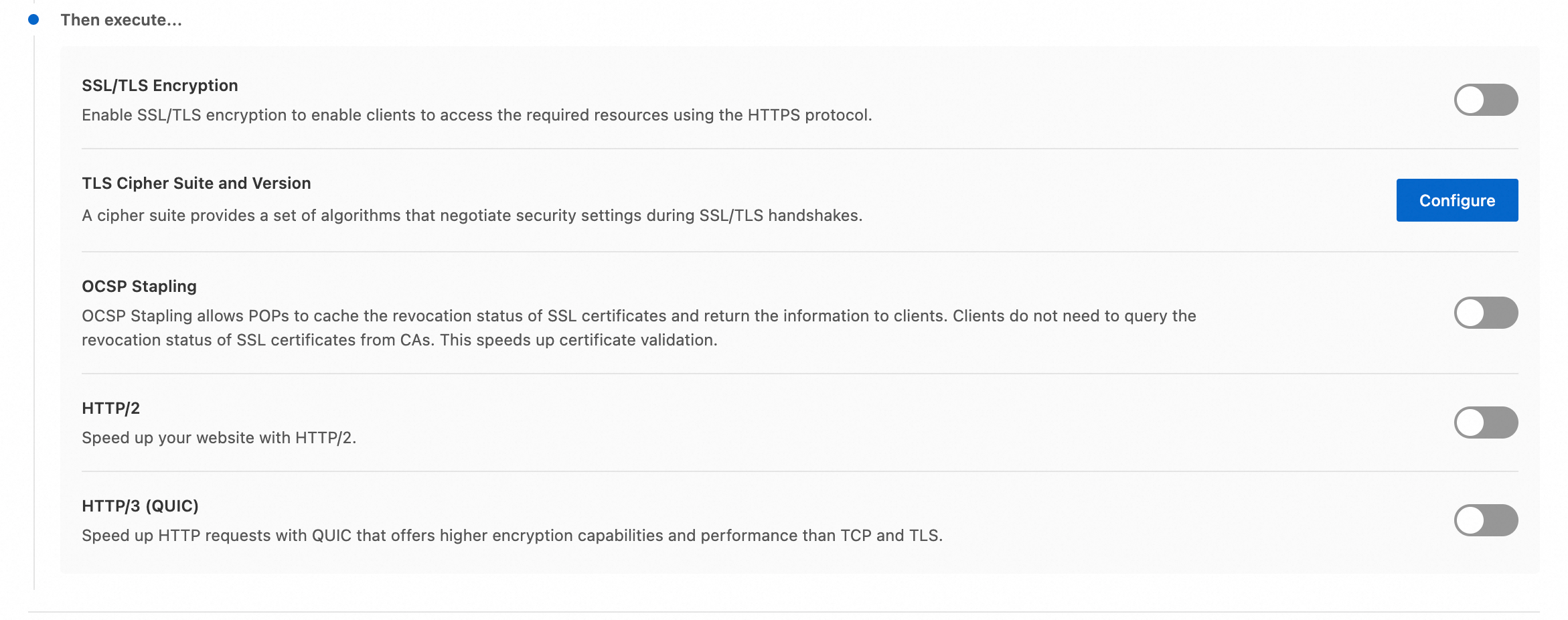
Choose an action:
-
SSL/TLS Encryption: Enable SSL/TLS encryption so clients can access resources over HTTPS.
-
TLS Cipher Suite and Version: Adjust TLS cipher suites and protocol versions. Supported versions: TLS 1.0, 1.1, 1.2, and 1.3.
-
OCSP Stapling: ESA pre-caches certificate validation results and delivers them to clients, so browsers do not need to query the certificate authority directly. This reduces validation time.
-
HTTP/2: Use HTTP/2 to improve website performance.
-
HTTP/3 (QUIC): Use QUIC to accelerate HTTP requests. QUIC provides stronger encryption and better performance than TCP and TLS.
-
Related documentation
Rule-related features vary in effective priority, reentrancy, and effective granularity. For details, see Characteristics of rule-based features.