Delta Query rewriting optimization
This topic describes the optimization principles and the related parameters of Delta Query.
What is Delta Query
Delta Query is a category of stateless rewriting for streaming queries. To maintain results incrementally, a traditional streaming operator usually keeps intermediate data in Flink state, and the size of that data grows in proportion to the volume of historical data. Typical examples are aggregation accumulators and the full input of both sides of a join. The longer a deployment runs, the larger the state size, the resource usage, and the checkpoint duration become, which also affects the stability of the deployment.
Delta Query offloads this intermediate data to the storage layer, so that the streaming operator keeps almost no state. Each time a record arrives, the operator retrieves the required detail records from the source table by using an asynchronous lookup, recalculates the result, and writes the result to the downstream table in an idempotent manner. If the source table is Fluss, a high-performance columnar streaming storage service that supports millisecond-level lookups, a Delta Query deployment can deliver both high throughput and low latency.
Benefits
Compared with a stateful streaming deployment, a streaming deployment rewritten by Delta Query provides the following benefits:
-
State is offloaded to the source table. The Flink deployment no longer stores redundant state, the checkpoint size and the recovery time decrease accordingly, and the deployment becomes more stable.
-
Performance bottlenecks caused by state expansion are avoided, which saves Flink memory and CPU resources.
-
The same set of source table detail records can be shared by multiple downstream deployments, which eliminates redundant storage.
-
When you troubleshoot unexpected results, you can query the detail records in the source table directly, which makes it easier to verify results and locate issues.
-
After the table schema or the query changes, you can use the same query to first run a batch deployment that processes historical data, and then start a streaming deployment from a specified offset. This shortens the interruption of the data stream and improves development efficiency.
Limits
-
The number of detail records that a lookup returns from the source table by using an index must be controllable.
Each time Delta Query receives a change, it uses an index to look up the detail records in the source table. The more detail records to be queried, the larger the data volume returned by a single lookup and the higher the recomputation overhead.
For example, when you aggregate all historical detail records by a high-cardinality dimension such as large merchants or super users, a single group may contain hundreds of thousands of rows. In this case, the overhead after the query is rewritten into a Delta Aggregate is higher than that of a regular group aggregation, and the rewriting is not recommended. Similarly, in join scenarios, performance is also affected if a single index hit by the join key returns too many rows from the other side.
Therefore, evaluate the matching scale of a single index before you enable Delta Query.
-
Different types of Delta Query have different limits. Delta Query can be enabled and return the expected results only if the prerequisites of the corresponding Delta Query are met.
For more information, see the Limits section of Delta Join and the Limits section of Delta Aggregate.
Query types that support rewriting
Only the following queries support rewriting optimization:
|
Delta operator type |
Target query |
Minimum engine version |
|
Delta Join |
Streaming regular join |
VVR 8.0.11 |
|
Delta Aggregate |
Streaming non-windowed group aggregation |
VVR 11.8 |
Requirements on source tables and result tables
Requirements on source tables
-
Only Fluss primary key tables are supported as source tables.
Delta Query requires the source table to provide millisecond-level lookup capabilities. Currently, only Fluss primary key tables are supported as source tables. Before you use Delta Query, purchase a Fluss cluster and create a catalog. For more information, see Activate Streaming Storage Fluss and Register a Fluss Catalog.
-
The lookup key must fully match an index of the source table.
The rewritten operator looks up the detail records in the source table by the lookup key. The lookup key that each query depends on is described in the following table.
|
Delta operator type |
Lookup key |
|
Delta Join |
The equality condition of the join, that is, the join key. |
|
Delta Aggregate |
The grouping fields of the aggregation, that is, the group key. |
The lookup key must contain all fields of a single index. The fields do not need to be in the same order as the index.
Fluss primary key tables currently support the following two types of indexes:
-
Primary key index: available after the primary key (
Primary Key) is declared in the CREATE TABLE statement. No extra configuration is required. -
Prefix index: if the bucket key (
bucket.key) of a Fluss primary key table is a prefix of the primary key (Primary Key), the bucket key is the prefix index key. If the primary key table is a partitioned table, the combination of the bucket key and the partition key is the prefix index key.
For example, a Fluss primary key table is defined with PRIMARY KEY (user_id, order_id, order_data) and 'bucket.key' = 'user_id'.
-
If the table is a non-partitioned table, the indexes that the table provides are the primary key index
user_id, order_id, order_dataand the prefix indexuser_id. -
If the table is a partitioned table and
order_datais the partition key, the indexes that the table provides are the primary key indexuser_id, order_id, order_dataand the prefix indexuser_id, order_data.
Requirements on result tables
Delta Query requires the result table to update results idempotently by primary key. The result table must define a primary key, and the connector must support updates by primary key.
The primary key of the result table must also uniquely identify a query result:
-
Delta Join: the primary key must uniquely identify a join result. If a one-to-many or many-to-many relationship exists between the two sides, the primary key usually must contain the primary key fields of both source tables. Otherwise, multiple join results overwrite each other.
-
Delta Aggregate: the primary key must be the same as the GROUP BY fields. Otherwise, the results of different groups are written to the same row.
The optimizer does not verify the primary key of the result table. Confirm the primary key when you create the table.
Delta Join
A regular streaming join stores the upstream data of both sides in Flink state and builds an index on the join key. Delta Join does not store this data. Instead, it uses the indexes on the source table side: when a change arrives on either side, Delta Join looks up the current detail records on the other side by the join key and outputs the join result. Multiple changes on the same join key are processed serially in arrival order, and different join keys are processed in parallel. Therefore, an earlier lookup result never overwrites a later one.
You can think of Delta Join as a dimension table join that is driven from both sides: when data arrives on the left side, the right table is queried; when data arrives on the right side, the left table is queried. The results are then written to the result table by idempotent updates.
If your business can tolerate that data cannot be physically deleted from the result table, and if the relationship between the primary key and the join key of the source table remains unchanged, Delta Join returns the same results as a regular streaming join. For more information, see Business logic.
Limits
Engine version
-
Only Realtime Compute for Apache Flink that uses VVR 8.0.11 or later supports Delta Join.
-
VVR 8.0.11 or later supports INNER JOIN, VVR 11.3 or later supports LEFT, RIGHT, and FULL OUTER JOIN, and VVR 11.4 or later supports cascading Delta Joins.
Query structure
-
Only regular join operators in streaming deployments can be rewritten. Window joins, interval joins, temporal joins, and lookup joins cannot be rewritten.
-
The join condition must contain at least one equality condition, and the columns covered by the equality conditions must match a single index of the source table on both sides.
-
The index columns that correspond to the join key cannot participate in any computation between the source and the join, or between cascading joins.
-
Non-deterministic functions such as
Rand()cannot be used between the source and the join, or between cascading joins. Otherwise, the same result cannot be reproduced during a lookup. -
The nodes allowed in a Delta Join deployment are restricted. Nodes that are not in the whitelist are not supported.
-
Only Project and Filter nodes are allowed between the source and the join, and between cascading joins. Watermarks cannot be defined on the source table. A watermark introduces a WatermarkAssigner node after the source, which is not in the current whitelist.
-
Only Project, Filter, Lookup (supported in VVR 11.6 or later), and Union (supported in VVR 11.8 or later) nodes are allowed between the join and the sink.
-
If you use
BEGIN STATEMENT SETto write to multiple sinks:-
In versions earlier than VVR 11.8, each write path must contain a join node.
-
In VVR 11.8 or later, one of the write paths can omit the join node, but that path can contain only Project, Filter, Lookup, and Union nodes.
-
-
Business logic
-
Your business can tolerate that data cannot be physically deleted from the result table.
Delta Join sends only +I and +U to the downstream, and does not send -U or -D. Take the filter condition WHERE l.amount + r.amount >= 100 as an example. When the value of a join record drops from 120 to 80:
+U(..., 120) → The condition is met and the record is written to the result table.
+U(..., 80)  → The condition is not met and the record is filtered out.
Because no -U is sent to retract the previous result, the record whose amount=120 remains in the result table.
By default, a query that contains a filter condition on non-unique keys cannot be converted into a Delta Join. If your business can tolerate residual data, you can set 'table.optimizer.delta-join.ignore-non-unique-key-filter' = 'true' to skip the check.
For scenarios in which data must be deleted, we recommend that you use logical deletion and rewrite the filter condition into a flag column. In the following query, each upstream change overwrites the record in the result table, and is_delete always reflects the latest state. A downstream query only needs to add WHERE is_delete = 0.
INSERT INTO order_item_wide
SELECT
  o.merchant_id, o.order_id, o.item_id, i.item_name, o.amount,
  CASE WHEN o.amount >= 100 THEN 0 ELSE 1 END AS is_delete
FROM orders AS o
JOIN items AS i
  ON o.merchant_id = i.merchant_id AND o.item_id = i.item_id;
The same applies when a record is deleted from the source table. The delete message is not propagated to the result table, and the join results that were written earlier are retained. If the downstream must be aware of the deletion, use the preceding logical deletion solution and let the upstream express the deletion state by using a flag column.
-
The relationship between the primary key and the join key must remain unchanged to avoid disorder in distributed processing.
For example, the primary key of a source table is the user_id column, and the join key on the table is user_name. After a record whose user_id is 1 and whose user_name is Jim is generated, no matter how the data whose user_id is 1 changes later, user_name cannot be changed to another value, such as Sam.
Example
An e-commerce platform must join an order stream and an item stream into a wide table for downstream queries.
Step 1: Create the source tables and the result table
The join key must match an index on both source tables. In this example, the join key is (merchant_id, item_id). In the orders table, the join key is a prefix of the primary key and must be declared as the bucket key to serve as an available prefix index. In the items table, the join key is the primary key, so no extra configuration is required.
CREATE TABLE `my-catalog`.`my_db`.`orders` (
  merchant_id BIGINT,                    -- Merchant ID
  item_id BIGINT,                        -- Item ID
  order_id BIGINT,                       -- Order ID
  amount DECIMAL(18, 2),                 -- Current order amount
  PRIMARY KEY (merchant_id, item_id, order_id) NOT ENFORCED
) WITH (
  'bucket.key' = 'merchant_id,item_id'
);

CREATE TABLE `my-catalog`.`my_db`.`items` (
  merchant_id BIGINT,                    -- Merchant ID
  item_id BIGINT,                        -- Item ID
  item_name STRING,                      -- Item name
  PRIMARY KEY (merchant_id, item_id) NOT ENFORCED   -- The join key is the same as the primary key.
);

CREATE TABLE `my-catalog`.`my_db`.`order_item_wide` (
  merchant_id BIGINT,
  order_id BIGINT,
  item_id BIGINT,
  item_name STRING,
  amount DECIMAL(18, 2),
  PRIMARY KEY (merchant_id, order_id, item_id) NOT ENFORCED
);
Step 2: Write the join deployment
USE CATALOG `my-catalog`;
USE `my_db`;

-- Enable Delta Join rewriting.
SET 'table.optimizer.delta-join.strategy' = 'EVENTUAL';

-- A Delta Join statement does not require dedicated syntax.
INSERT INTO order_item_wide
SELECT
  o.merchant_id,
  o.order_id,
  o.item_id,
  i.item_name,
  o.amount
FROM orders AS o
JOIN items AS i
  ON o.merchant_id = i.merchant_id AND o.item_id = i.item_id;
Step 3: Verify that the optimization takes effect
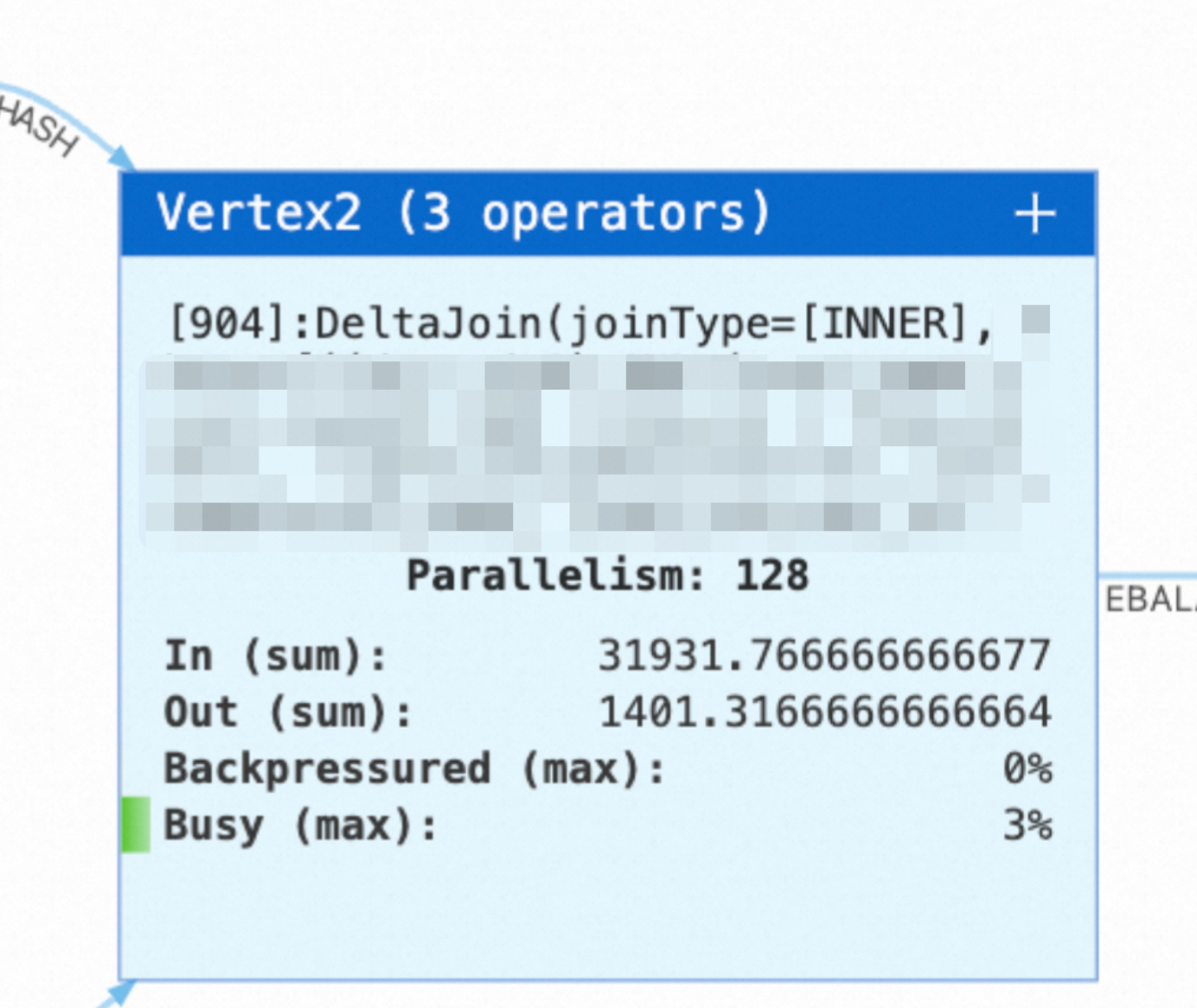
After the deployment is published and started, check the deployment topology on the Status page. If you see the following Delta Join node, the streaming join is rewritten into a Delta Join.
Parameters
Flink deployment parameters
|
Parameter |
Default value |
Description |
Tuning suggestion |
|
|
|
Specifies whether to rewrite the query into a Delta Join. Note
In versions earlier than VVR 11.5, use |
We recommend |
|
|
|
Specifies whether to skip the check on filter conditions that are applied to non-unique keys of the join result. |
Set this parameter to |
|
|
|
Specifies whether to enable the local memory cache. Fluss is not requested when a lookup hits the cache. |
We recommend that you set this parameter to |
|
|
|
The number of keys whose lookup results on the left table are cached. This parameter takes effect only when the cache is enabled. |
Each record that arrives on the right side triggers a lookup on the left table by its join key, and the returned result enters this cache. Therefore, the required capacity depends on the number of hot join keys that drive lookups from the right side. This parameter consumes memory. When you configure it, also consider the size of each record and the memory size of the TaskManager. When memory pressure is low, start with the default value. Decrease the value if garbage collection is frequent. Increase the value if the lookup pressure on the Fluss cluster is high. |
|
|
|
The number of keys whose lookup results on the right table are cached. This parameter takes effect only when the cache is enabled. |
Each record that arrives on the left side triggers a lookup on the right table. Configure this parameter in the same way as the left table cache. |
|
|
|
The number of asynchronous lookup requests that each parallel instance of a Delta operator can process at the same time. |
Increase the value when the pressure on the Fluss cluster and the CPU and memory pressure on the TaskManager are both low. A value of about one thousand is recommended. This parameter takes effect for each parallel instance of each Delta operator. The total number of in-flight requests of a deployment is approximately the parallelism multiplied by the number of Delta operators multiplied by this value. Evaluate the capacity of the Fluss cluster based on the total number before you increase the value. Decrease the value if memory becomes tight or the Fluss cluster is overloaded. |
|
|
|
The timeout period of a single asynchronous lookup request. |
Increase the value if occasional lookup timeouts cause the deployment to fail. A larger value covers normal tail latency. If the Fluss cluster is already overloaded, do not increase this value. Timed-out requests occupy concurrency slots for a longer time and aggravate backpressure. In this case, reduce the lookup pressure or scale out the Fluss cluster first. |
Fluss table parameters
The following parameters are configured in the WITH clause when you create a Fluss table. You can also use SQL hints to adjust them for a single deployment.
|
Parameter |
Default value |
Description |
Tuning suggestion |
|
|
|
The maximum number of pending lookup requests on the client. |
Increase the value if the deployment processes a large volume of data and lookup requests queue up noticeably. Decrease the value if the memory of the TaskManager is tight. |
|
|
|
The maximum number of lookups that are merged into one request. |
Increase the value if the request volume is large and you want to reduce network overhead. Decrease the value if you are sensitive to latency. |
|
|
|
The maximum number of lookup requests that are processed at the same time. |
Increase the value to raise lookup concurrency. Monitor the load of the Fluss cluster at the same time. |
|
|
|
The maximum time to wait for a batch to fill up. The batch is sent immediately after the timeout period elapses. |
Decrease the value if you are sensitive to end-to-end latency. Increase the value if you want a higher batch fill rate. |
When you use hints to adjust these parameters, place the hints after the table that is looked up:
INSERT INTO order_item_wide
SELECT o.merchant_id, o.order_id, o.item_id, i.item_name, o.amount
FROM orders /*+ OPTIONS('client.lookup.queue-size' = '51200') */ AS o
JOIN items /*+ OPTIONS('client.lookup.queue-size' = '51200') */ AS i
  ON o.merchant_id = i.merchant_id AND o.item_id = i.item_id;
Delta Aggregate
A regular group aggregation continuously maintains an aggregation accumulator for each group in Flink state. Delta Aggregate does not maintain the accumulators of the groups over the long term. Instead, when a change arrives, it uses the group key to asynchronously look up the source table, obtains the current detail records of the group, and recalculates the aggregation result based on these records. As a result, the aggregation state no longer grows with the number of groups. Multiple changes on the same group key are processed serially in arrival order, and different group keys are processed in parallel.
If your business can tolerate that data cannot be physically deleted from the result table, and if the relationship between the primary key and the group key remains unchanged, Delta Aggregate returns the same results as a regular group aggregation. For more information, see Business logic.
Limits
Engine version
-
Only Realtime Compute for Apache Flink that uses VVR 11.8 or later supports Delta Aggregate.
Query structure
-
Query structure
-
Only single-level non-windowed group aggregations in streaming deployments can be rewritten. Window aggregations and cascading aggregations cannot be rewritten.
-
The group key must contain a single index of the source table.
-
The index columns that correspond to the group key cannot participate in any computation between the source and the aggregation.
-
Non-deterministic functions such as
Rand()cannot be used between the source and the aggregation. Otherwise, the same result cannot be reproduced during a lookup. -
The nodes allowed in a Delta Aggregate deployment are restricted. Nodes that are not in the whitelist are not supported.
-
Only Project, Filter, and MiniBatchAssigner nodes are allowed between the source and the aggregation. Watermarks cannot be defined on the source table.
-
Only Project and Filter nodes are allowed between the aggregation and the sink.
-
If you use
BEGIN STATEMENT SETto write to multiple sinks, each write path must contain an aggregation node.
-
-
-
Aggregate functions
-
SUM,COUNT,AVG,MIN,MAX,LISTAGG,FIRST_VALUE, andLAST_VALUEare supported. -
DISTINCT, aggregations with aFILTERclause, UDAFs, Python aggregate functions, and other aggregate functions that are not listed are not supported.
-
For aggregate functions that depend on the input order, such as LISTAGG, FIRST_VALUE, and LAST_VALUE, Delta Aggregate recalculates the result based on the detail records returned by the lookup. Therefore, the accumulation order is different from that of a regular group aggregation, which accumulates records in event arrival order. Use these functions with caution if you require deterministic result order.
Business logic
-
Your business can tolerate that data cannot be physically deleted from the result table.
Delta Aggregate sends only +U and -D to the downstream, and does not send -U. Take the filter condition HAVING SUM(amount) >= 100 as an example. When the SUM(amount) value of a group is updated from 120 to 80:
+U(..., 120) → The condition is met and the record is written to the result table.
+U(..., 80)  → The condition is not met and the record is filtered out.
Because no -U is sent to retract the previous result, the record whose SUM(amount)=120 remains in the result table.
By default, a query that contains a filter condition on non-unique keys cannot be converted into a Delta Aggregate. If your business can tolerate residual data, you can set 'table.optimizer.delta-agg.ignore-non-unique-key-filter' = 'true' to skip the check.
For scenarios in which data must be deleted, we also recommend logical deletion. For more information about how to write the statement, see the corresponding description of Delta Join.
Unlike Delta Join, Delta Aggregate does not discard delete messages when records are deleted from the source table. It generates the correct aggregation result and sends the result to the downstream. When all detail records in a group are deleted, Delta Aggregate sends a -D message to the downstream.
-
The relationship between the primary key and the group key must remain unchanged to avoid disorder in distributed processing.
For example, the primary key of a source table is the user_id column, and the group key on the table is user_name. After a record whose user_id is 1 and whose user_name is Jim is generated, no matter how the data whose user_id is 1 changes later, user_name cannot be changed to another value, such as Sam.
Example
An e-commerce platform must count the number of orders and the transaction amount by merchant and write the results to a summary table for merchant dashboards to read directly.
Step 1: Create the source table and the result table
In this example, GROUP BY merchant_id does not cover the primary key (merchant_id, order_id) of the source table, but it is a prefix of the primary key. Therefore, it is declared as the bucket key to serve as an available prefix index.
CREATE TABLE `my-catalog`.`my_db`.`orders` (
  merchant_id BIGINT,                    -- Merchant ID
  order_id BIGINT,                       -- Order ID
  amount DECIMAL(18, 2),                 -- Current order amount
  PRIMARY KEY (merchant_id, order_id) NOT ENFORCED
) WITH (
  'bucket.key' = 'merchant_id'           -- Look up all orders of a merchant by merchant_id.
);

CREATE TABLE `my-catalog`.`my_db`.`merchant_summary` (
  merchant_id BIGINT,
  order_count BIGINT,                    -- The current number of orders of the merchant.
  total_amount DECIMAL(38, 2),           -- The current total transaction amount of the merchant. The precision must be higher than that of the source table field to avoid overflow during accumulation.
  PRIMARY KEY (merchant_id) NOT ENFORCED
);
Step 2: Write the aggregation deployment
USE CATALOG `my-catalog`;
USE `my_db`;

-- Enable Delta Aggregate rewriting.
SET 'table.optimizer.delta-agg.strategy' = 'EVENTUAL';

-- A Delta Aggregate statement does not require dedicated syntax.
INSERT INTO merchant_summary
SELECT
  merchant_id,
  COUNT(*) AS order_count,
  SUM(amount) AS total_amount
FROM orders
GROUP BY merchant_id;
Step 3: Verify that the optimization takes effect
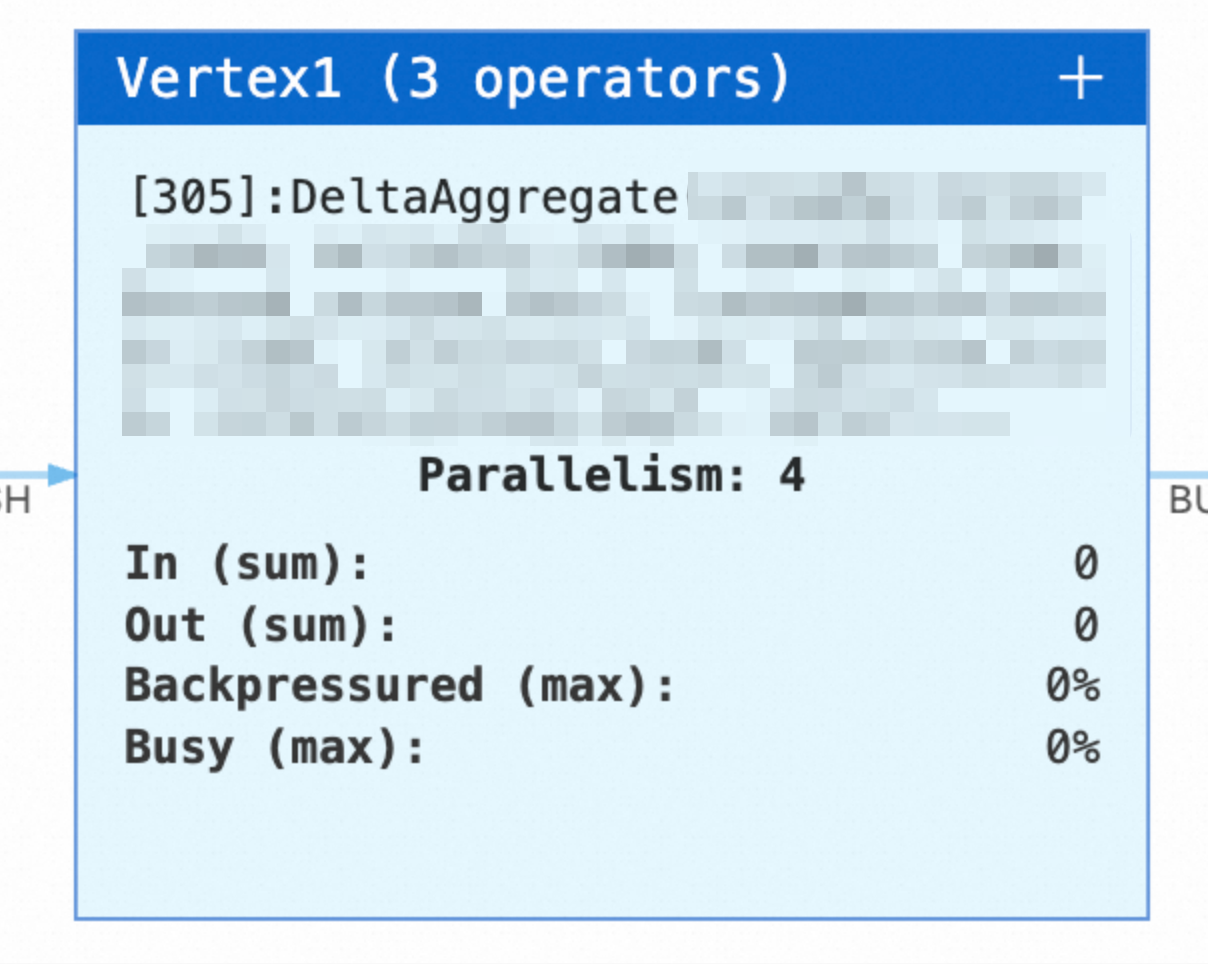
After the deployment is published and started, check the deployment topology on the Status page. If you see the following Delta Aggregate node, the aggregation is rewritten into a Delta Aggregate.
Parameters
Flink deployment parameters
|
Parameter |
Default value |
Description |
Tuning suggestion |
|
|
|
Specifies whether to rewrite the query into a Delta Aggregate. |
We recommend |
|
|
|
Specifies whether to skip the check on filter conditions that are applied to non-unique keys of the aggregation result. |
Set this parameter to |
|
|
|
Specifies whether to enable the local memory cache. Fluss is not requested when a lookup hits the cache. |
We recommend that you set this parameter to The benefit is obvious when the same group key is updated repeatedly. |
|
|
|
The number of keys whose lookup results on the source table are cached. This parameter takes effect only when the cache is enabled. |
This parameter consumes memory. When you configure it, also consider the size of each record, the memory size of the TaskManager, and the number of active group keys. When memory pressure is low, start with the default value. Decrease the value if garbage collection is frequent. Increase the value if the lookup pressure on the Fluss cluster is high. |
|
|
|
Specifies whether to enable mini-batch processing. After mini-batch processing is enabled, changes on the same group key within a batch are merged, and each group key triggers at most one lookup in a batch. |
Enable this parameter if the number of lookups on the source table is high. End-to-end latency increases after it is enabled. |
|
|
|
The maximum wait time for mini-batch processing. This parameter takes effect only when mini-batch processing is enabled. |
This parameter must be set to a value greater than 0 when mini-batch processing is enabled. A larger value merges more changes and reduces the number of lookups on the source table. |
|
|
|
The maximum number of records in a mini-batch. A value of This parameter takes effect only when mini-batch processing is enabled. |
Keep the default value |
|
|
|
The buffer size for accumulating a mini-batch. This parameter takes effect only when mini-batch processing is enabled and the mini-batch size is |
Keep the default value |
|
|
|
The number of asynchronous lookup requests that each parallel instance of a Delta operator can process at the same time. |
Increase the value when the pressure on the Fluss cluster and the CPU and memory pressure on the TaskManager are both low. A value of about one thousand is recommended. This parameter takes effect for each parallel instance of each Delta operator. The total number of in-flight requests of a deployment is approximately the parallelism multiplied by the number of Delta operators multiplied by this value. Evaluate the capacity of the Fluss cluster based on the total number before you increase the value. Decrease the value if memory becomes tight or the Fluss cluster is overloaded. |
|
|
|
The timeout period of a single asynchronous lookup request. |
Increase the value if occasional lookup timeouts cause the deployment to fail. A larger value covers normal tail latency. If the Fluss cluster is already overloaded, do not increase this value. Timed-out requests occupy concurrency slots for a longer time and aggravate backpressure. In this case, reduce the lookup pressure or scale out the Fluss cluster first. |
Fluss table parameters
Lookups of Delta Aggregate also go through the Fluss client. The configurable parameters and the tuning suggestions are exactly the same as those of Delta Join. For more information, see the Fluss table parameters section of Delta Join.
FAQ
The error message Failed to perform delta-query optimization on the plan is reported
This error message indicates that the forced rewriting failed. The error message shows the corresponding strategy parameter, and the cause in the exception stack describes the specific reason. Common causes are described in the following table.
|
Error message fragment |
Cause |
|
|
The query does not contain a join, but |
|
|
The query does not contain a group aggregation, but |
|
|
The join key does not match the primary key or any index of the source table on that side. |
|
|
The |
|
|
The source table has neither a primary key nor an index. |
|
|
A node that is not in the whitelist appears in the pipeline. The error message prints the node and its inputs. Note that a WatermarkAssigner node is generated when a watermark is defined on the source table, which may also trigger this error. |
|
|
An unsupported aggregate function is used. |
|
|
The source table does not support asynchronous lookups. |
|
|
The filter condition references non-unique key fields. If your business can tolerate that data cannot be physically deleted from the result table, you can set |
Error messages may vary between VVR versions of the Realtime Compute engine. The actual output prevails.