Calculate account age using a time function
In Fraud Detection, account age is a key factor in assessing account quality. It is a dynamic value calculated in real time based on the registration time and the current time. This topic shows how to use a time function in the decision engine to dynamically calculate account age.
Create an event
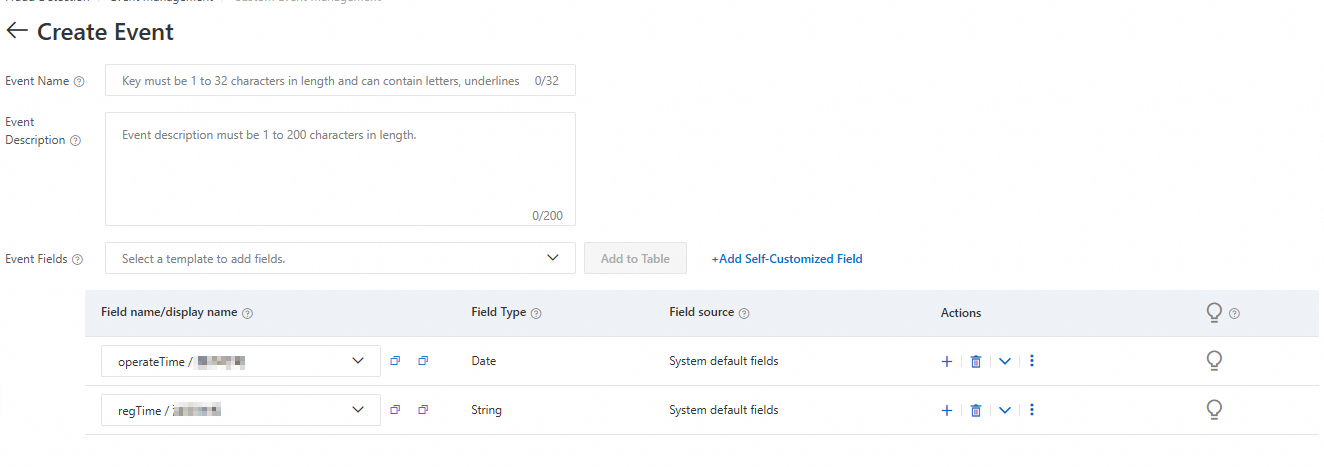
Create an event and add registration time and operation time fields.
Create a variable
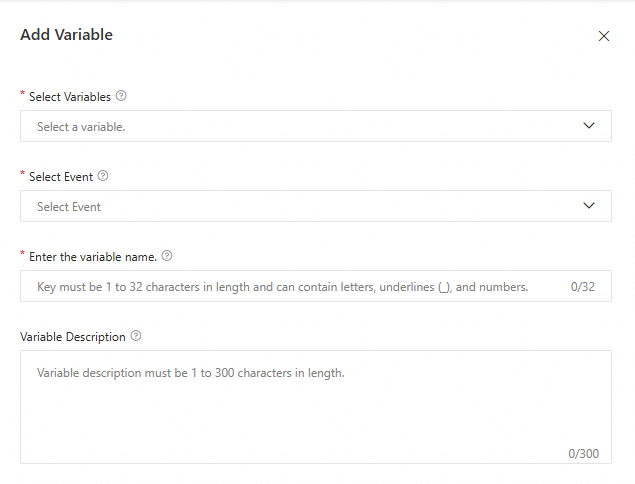
Go to and click Add Variable.

Configure the associated variable.
Select the built-in function variable
Get the number of days difference based on the timestamp in seconds.Select the associated event.
Enter a name for the function variable.
Configure the parameters for the function variable. Map the
time1parameter to theoperateTimefield and thetime2parameter to theregTimefield.
Use the variable
Go to the Policy Management page and click Create Policy.
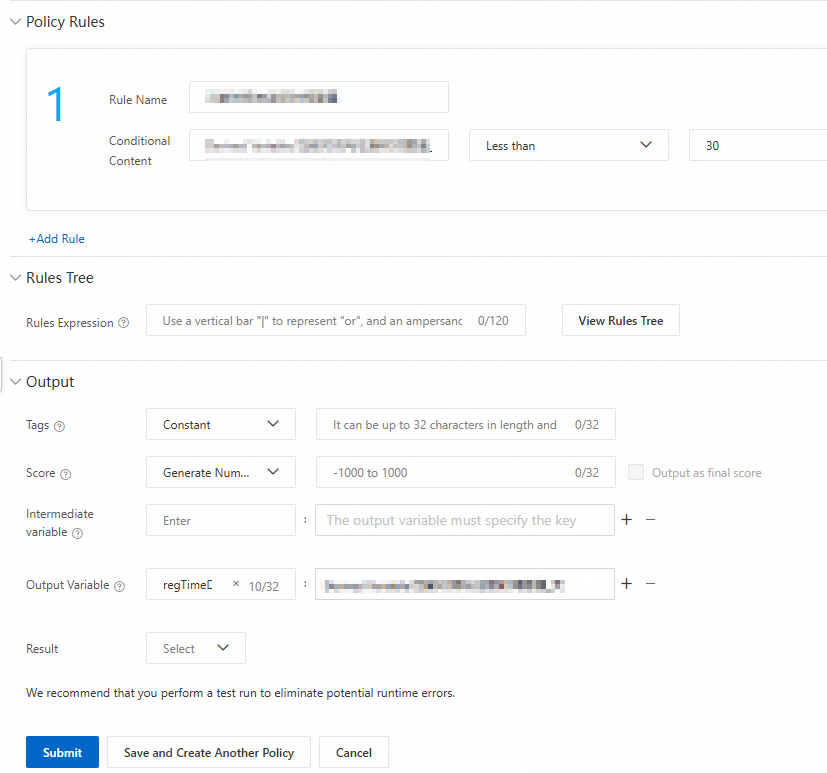
For the left variable, select the function variable you created. This variable calculates the difference in days between the current time and the registration time.

Select an operator and enter a value for the right variable. For example, a condition of
> 30triggers the policy if the account is more than 30 days old.Define the output variable. In this example, this variable represents the account age in days.
Verification
To verify the configured event, use the Fraud Detection API in OpenAPI Explorer. The following example shows a test request.
Input parameters:
{"eventCode":"de_example","regTime":"1642649703","operateTime":"1671507303"}Output parameter: The response returns a
regTimeDifvalue of 334, indicating an account age of 334 days.
