Best practices for fraud detection and response
After you detect a threat, respond to it based on its threat level. This topic describes the best practices for threat detection and response.
Prerequisites
You have activated the Fraud Detection service.
You have activated and integrated the Captcha or ID Verification service.
Solution overview 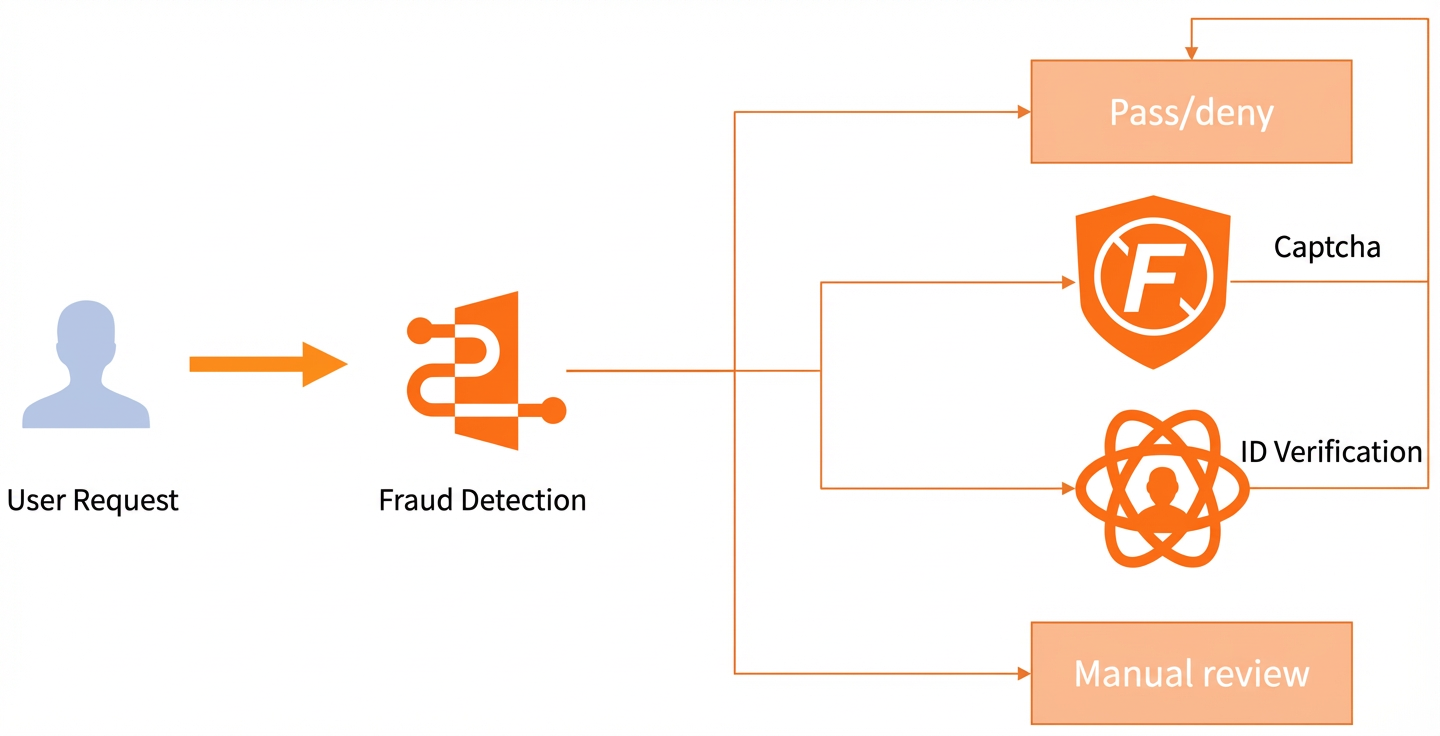
Fraud Detection returns assessment results as a score and tags. You can respond to requests based on the score. Common responses include passing or rejecting the request, manual review, Captcha, and ID Verification.
The score is based on the input parameter dimensions. The following table shows the score ranges, corresponding threat levels, and suggested responses.
Phone number | Phone number + IP | Phone number + IP + device token | Suggested response | |
High risk | [65,100] | [75,100] | [85,100] | Reject |
Medium- and high-risk items | [50,65) | [55,75) | [70,85) | Reject or Captcha, ID Verification, etc. |
Medium threat | [30,50) | [30,55) | [40,70) | Captcha, ID Verification, etc. |
Low risk | [0,30) | [0,30) | [0,40) | Pass |
Scenarios
Marketing fraud prevention: Dual protection with risk control and Captcha
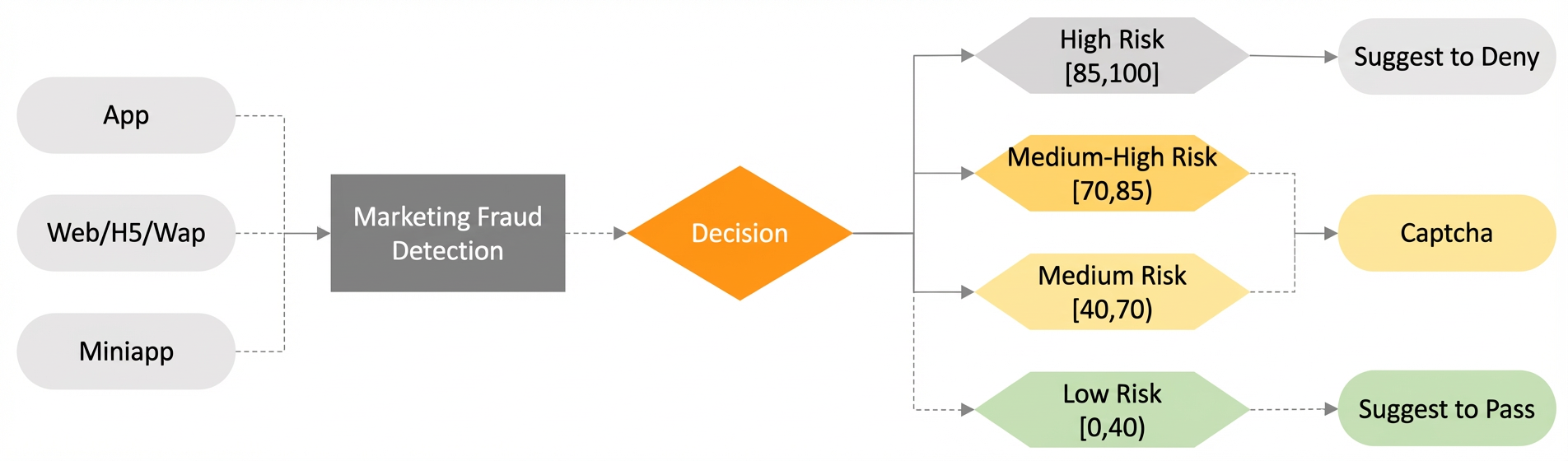
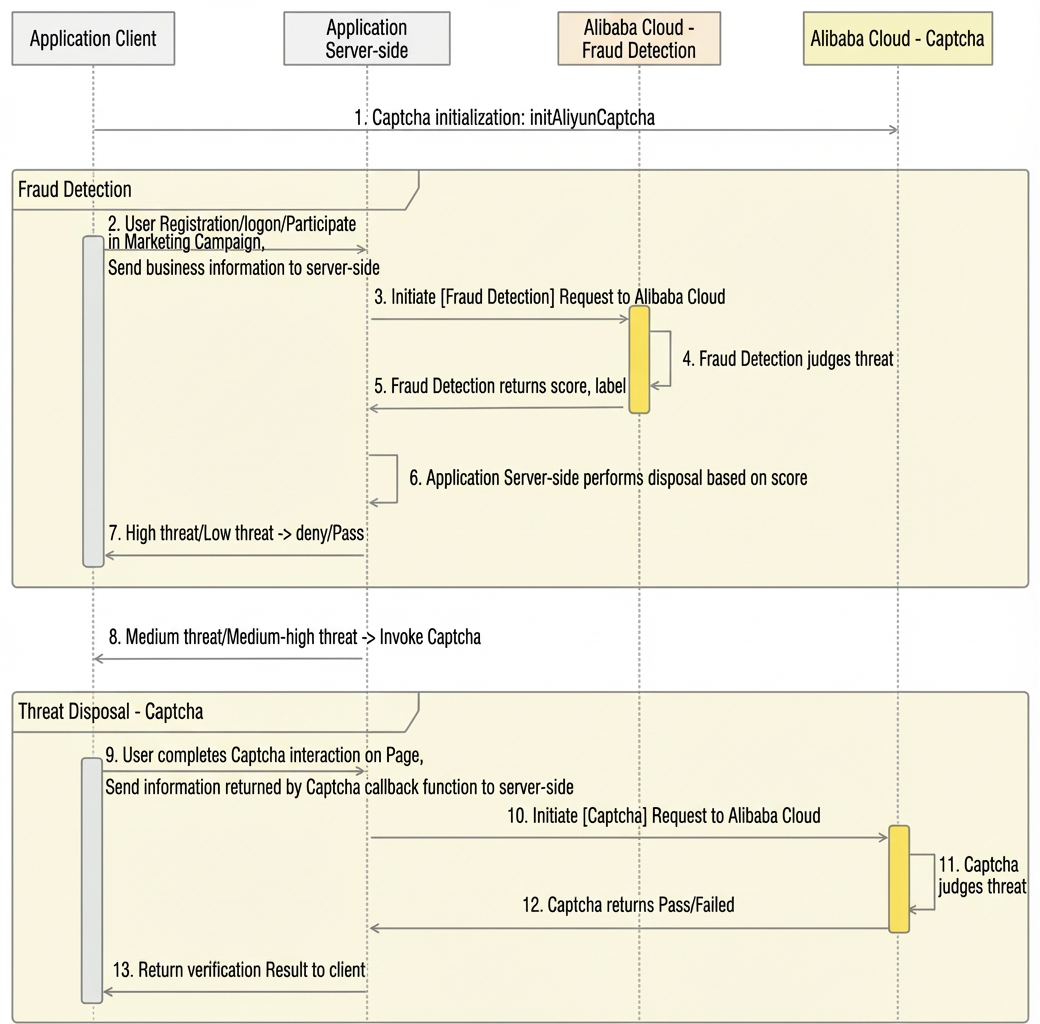
In a marketing fraud prevention scenario, you can use a Captcha to verify requests that are identified as a medium or medium-high threat. If the Captcha verification is successful, the request is passed. Otherwise, the request is rejected:
Score [85,100] - High threat: Reject.
Score [40,85] - Medium and medium-high threat: Trigger Captcha.
If Captcha verification passes: Pass.
If Captcha verification fails: Reject.
Score [0,40] - Low threat: Pass.
Flow sequence diagram