Fraud Detection provides a self-service testing feature in the console. This feature lets you test batch samples to evaluate the concentration of threats. For example, to find the percentage of attackers among users in a marketing campaign, you can compile the campaign information into a sample file and upload it to the console for testing.
Prerequisites
You must have an Alibaba Cloud account to access the Fraud Detection console.Go to the console.
You need to prepare test samples and format them according to the test file template, which you can download from the console.
Steps
Each user receives one free test by default. Subsequent test tasks may be denied.
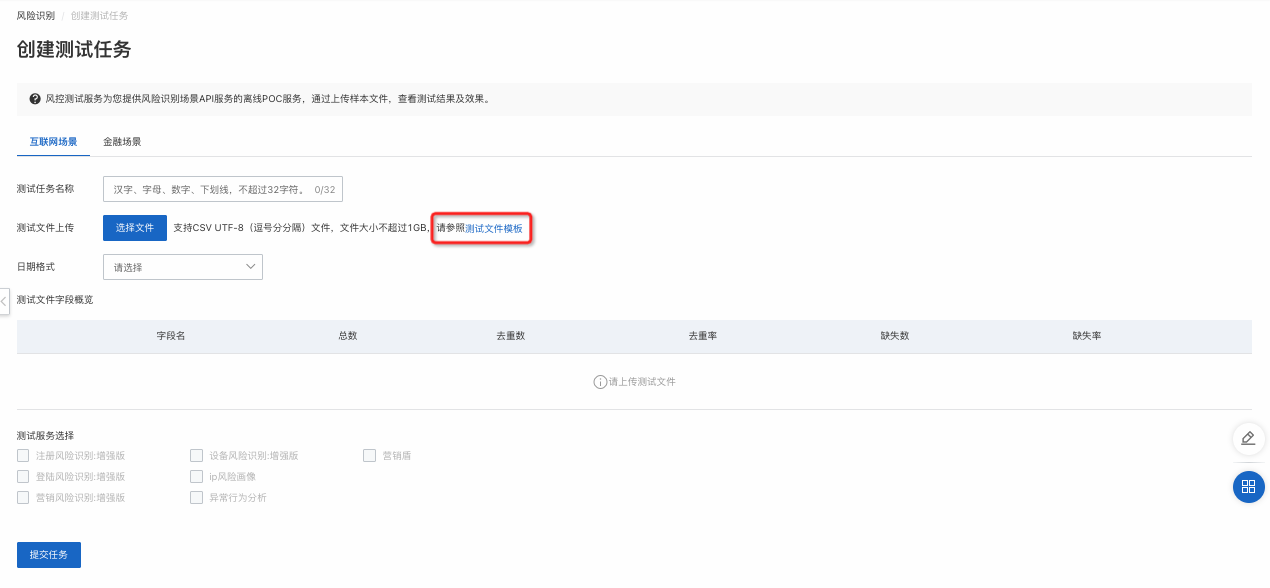
Go to the Fraud Detection console and choose Sample Test Service > Create Test Task.
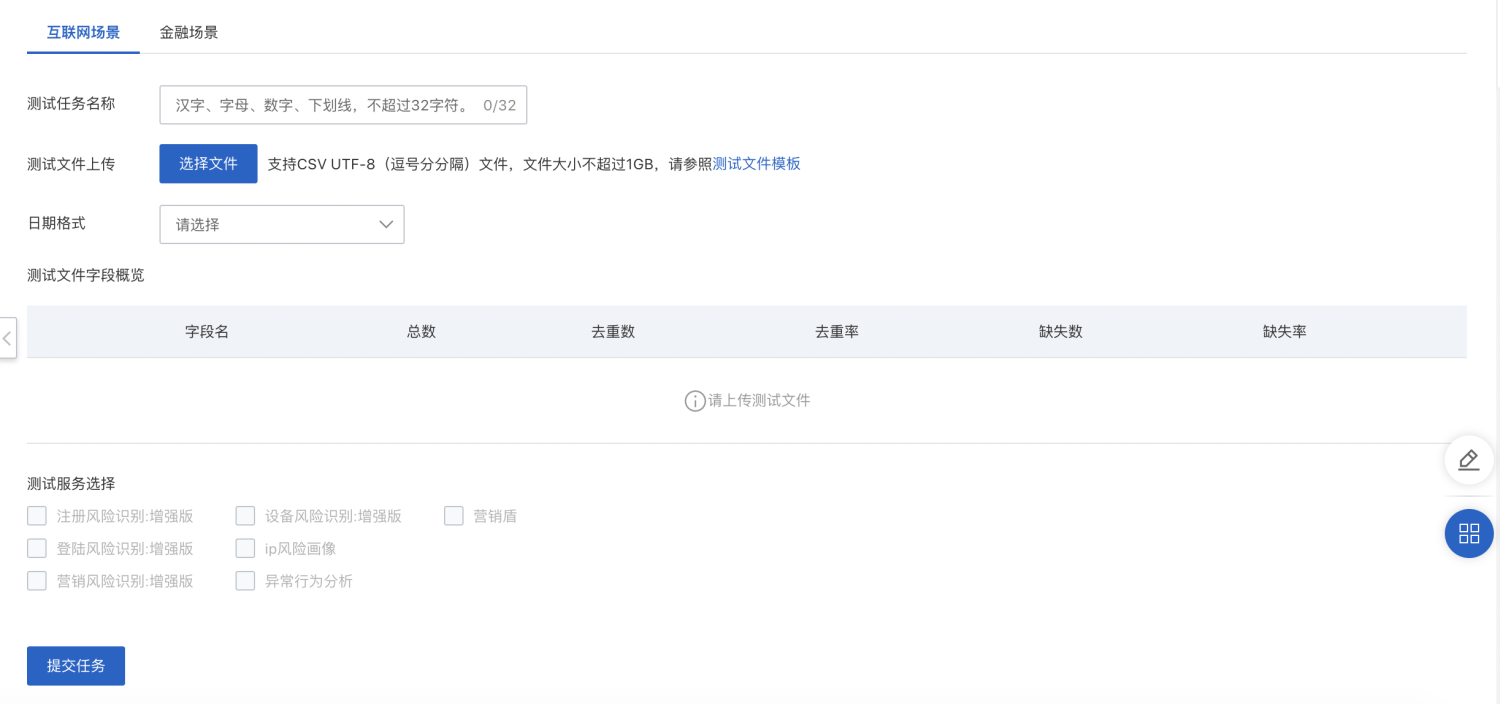
Enter the test task information.
Enter a name for the test task.
Download the test file template. Prepare the test file based on the template and upload it.
Select a date format (optional). The recommended format is yyyyMMdd.
Select the test services. Choose the services that correspond to the threat scenarios you want to prevent. For example, to address spam registration issues, select "Registration Fraud Detection - Enhanced Edition". You can test one sample file with multiple services at the same time.
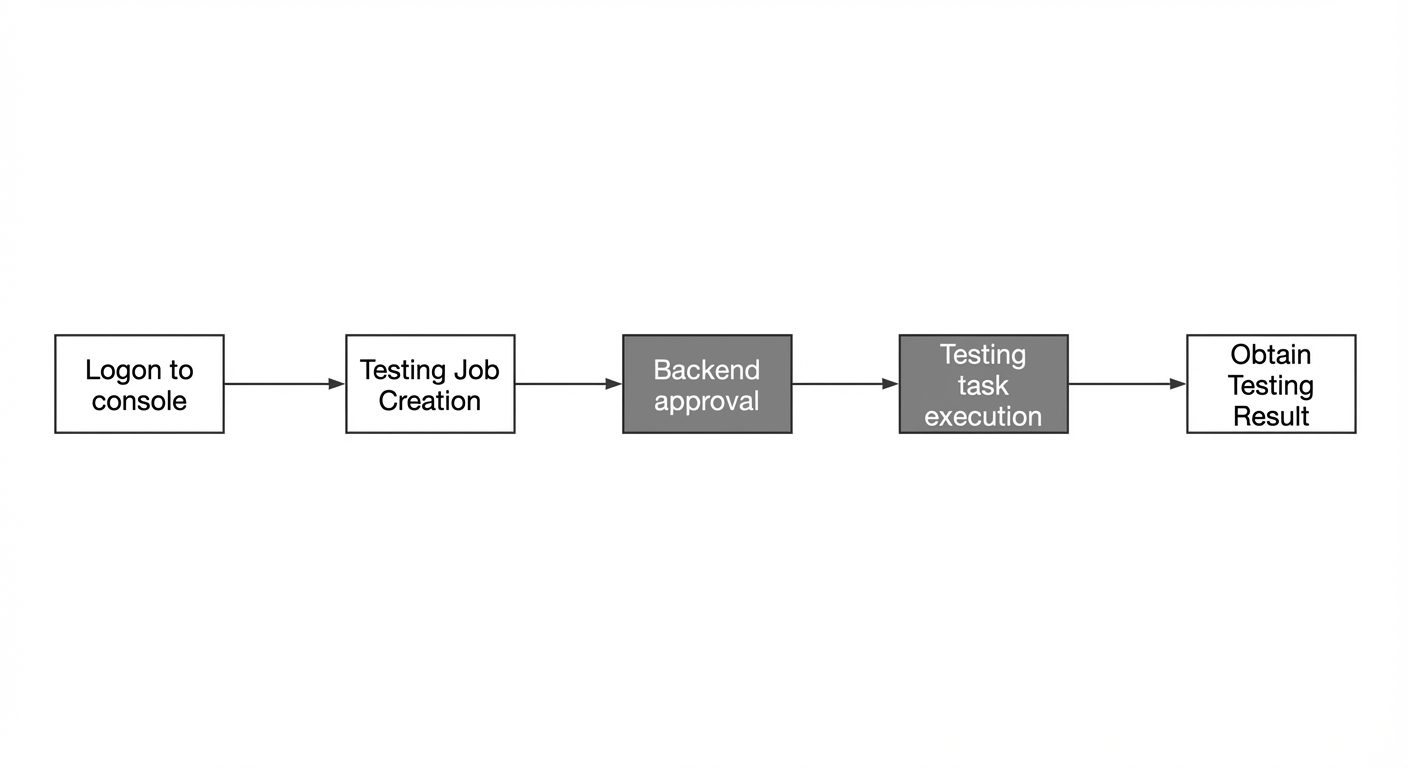
Wait for Fraud Detection engineers to review the test task until its status changes from Pending Approval to Running.
Engineers typically review test tasks within one business day. For additional support, you can join the test support DingTalk group by searching for its ID: 31350039.
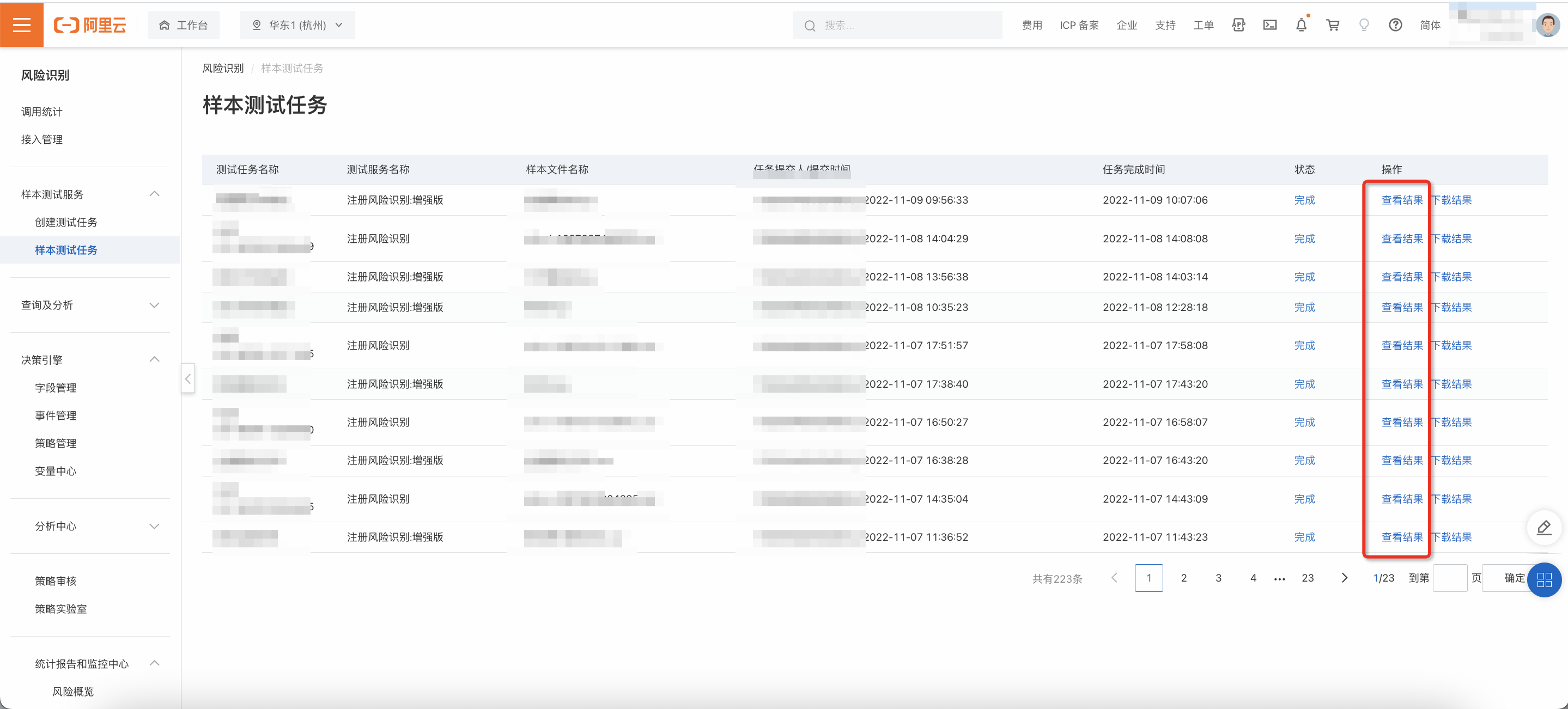
When the test task is complete, its status automatically changes to "Completed". You can then download the test result file.

View test results
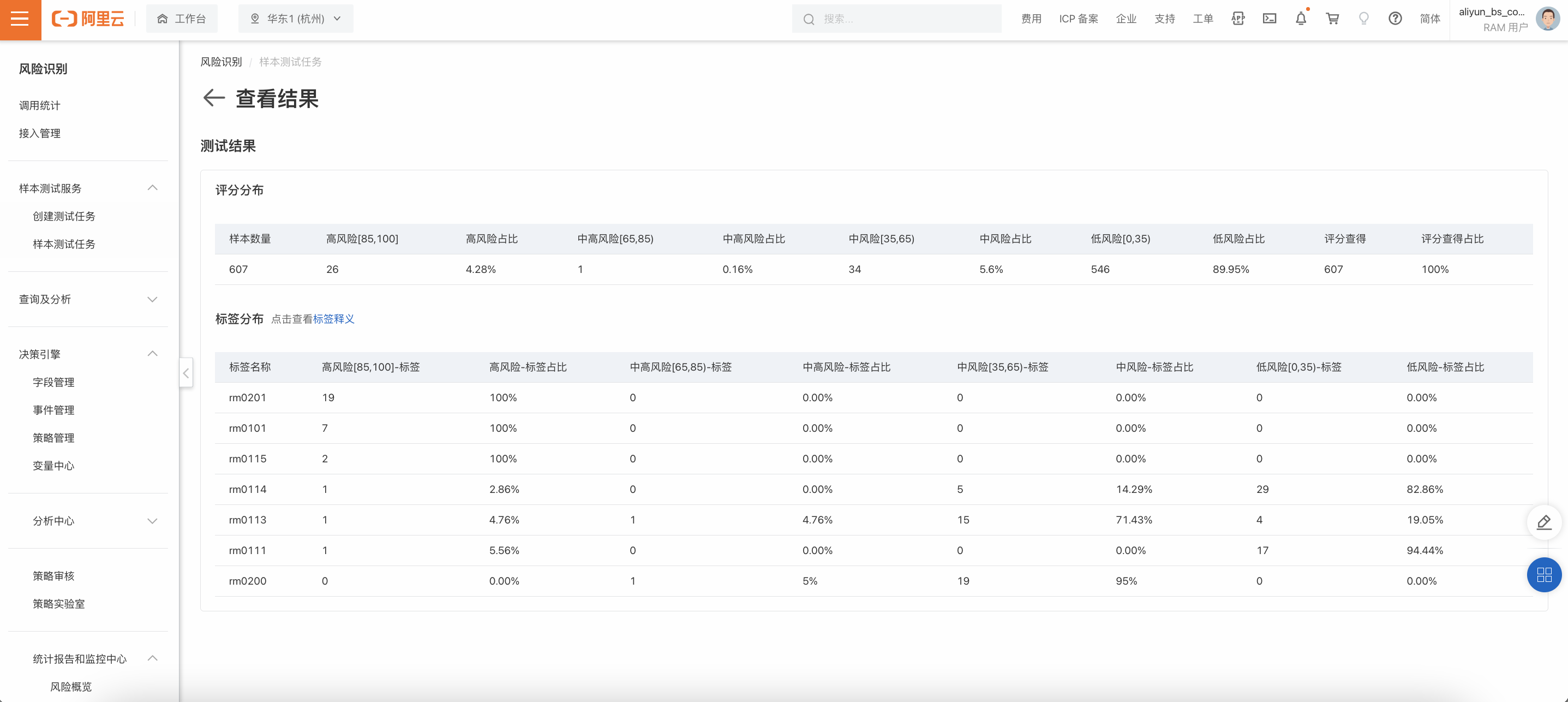
After the test task is complete, click View Results in the list of sample test tasks.
The test results are displayed in two main sections: Score Distribution and Label Distribution. These sections provide a quick overview of the results.