As the capabilities of large language models (LLMs) advance, AI applications are evolving from simple chatbots into complex agents. However, building an enterprise-grade agent system that can handle complex business processes with high maintainability and extensibility remains a significant challenge. This topic uses the open-source "Xixi Coffee Shop" project as an example to show you how to build an efficient, collaborative multi-agent system with clearly defined roles using the AgentRun service of Function Compute and the Agent-to-Agent (A2A) protocol.
Get started
Preparations
Before you begin, make sure that you have completed the following preparations:
Activate Alibaba Cloud services and grant permissions:
Make sure that you have an Alibaba Cloud account.
Access and activate the following services. The first time you access these services, follow the on-screen instructions to activate them and grant the required RAM role permissions.
Obtain model access credentials (an API key):
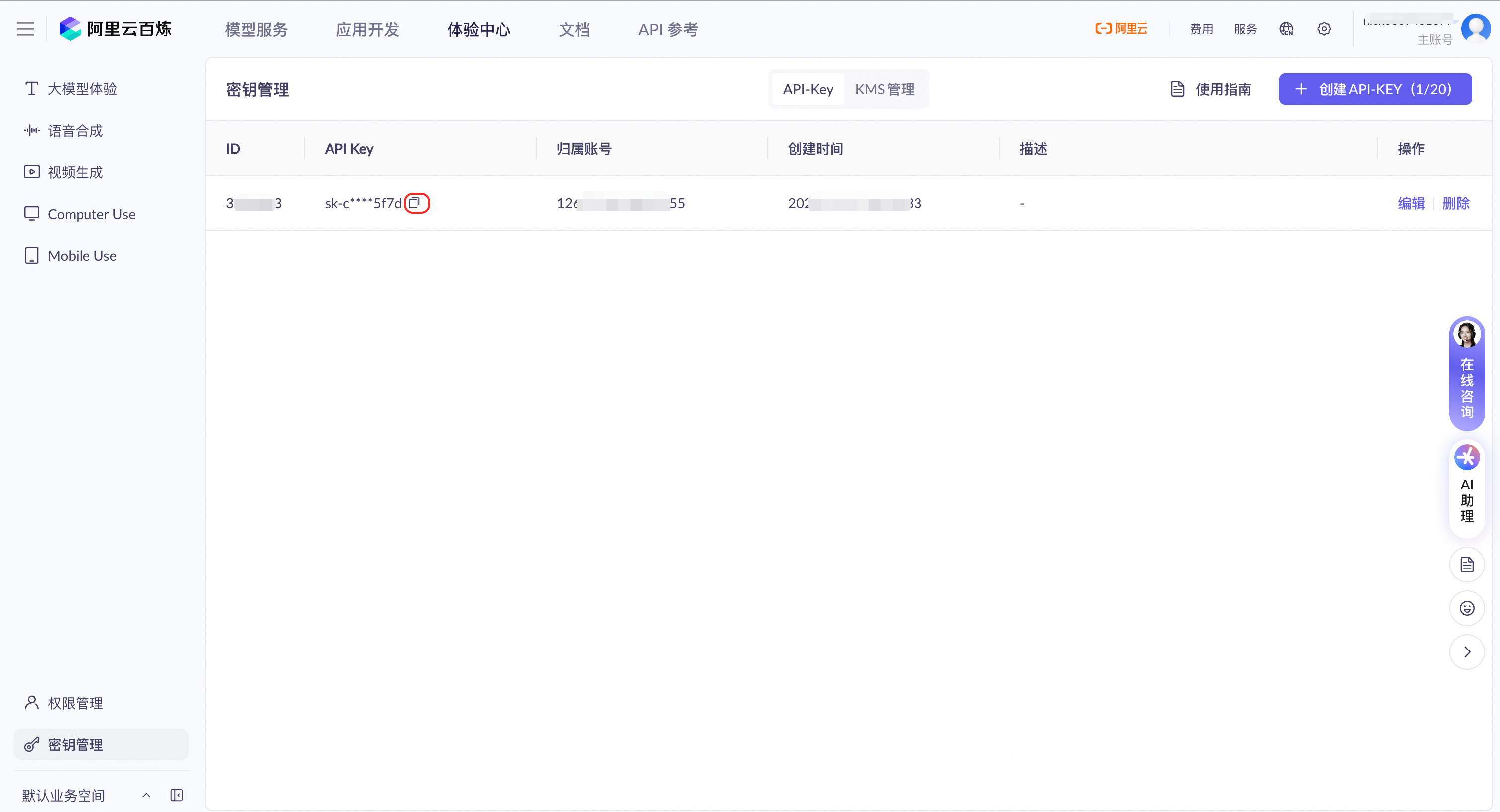
This application relies on an LLM for conversational understanding. Log on to the Model Studio console. On the Key Management page, create or copy an API key. You will use this key in a later step.
Create an LLM in Model Management
The following steps use the
qwen3-maxmodel from Model Studio as an example. If you want to configure other models or a custom model, for more information, see Large language models.Go to the Model Management page and click Add Model.
Select API Model and configure the following parameters:
Name:
qwen3-model.From the Service Provider drop-down list, select Alibaba Cloud.
For API Destination, keep the default value.
For Configure Specific Model, search for and select qwen3-max.
For Credential Management, select API Key and paste the Model Studio API key that you obtained in Step 2 of the Preparations section. Alternatively, select Use Existing Credential and choose a pre-configured credential from the drop-down list. For more information, see Credential management.
Select a template and deploy
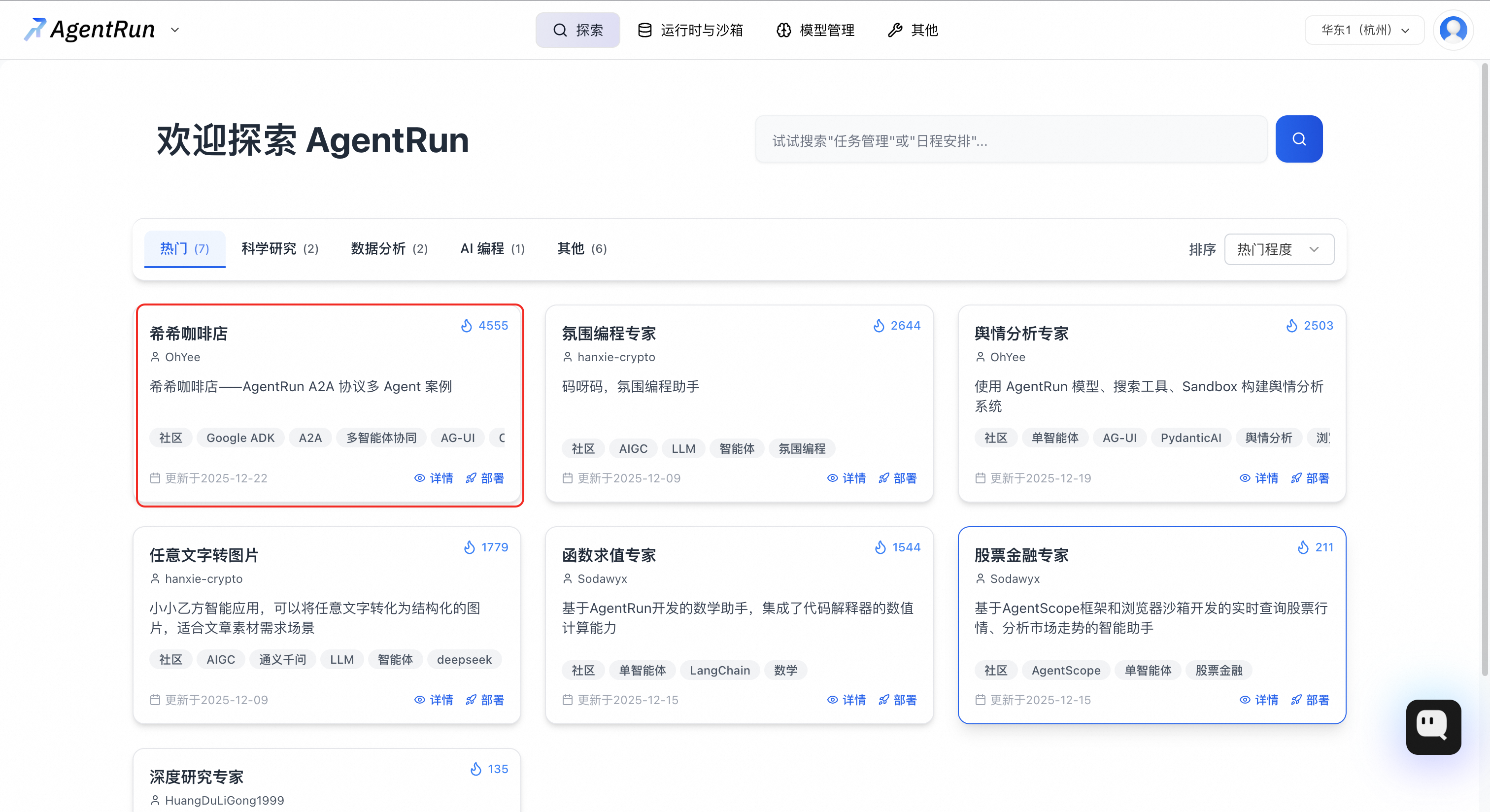
In the AgentRun console, click the Agent Template button at the top. In the popular Agent project templates section, find the Xixi Coffee Shop template and click Quick Deploy. You can also click Details on the card to view the template overview.
On the deployment page, configure the following parameters:
For Application Name, enter a recognizable name for your application, such as
buy-me-a-coffee, for easier management.For Enter an Agent description, enter a brief description of the application's function, such as
Agent created from the Xixi Coffee Shop template.Authorization Configuration: Grant permissions to the AgentRun application to allow it to access cloud resources, such as models and tools.
(Recommended) Click Quick Create. The system guides you through creating a default role named
AliyunAgentRunDefaultRolethat has the required permissions.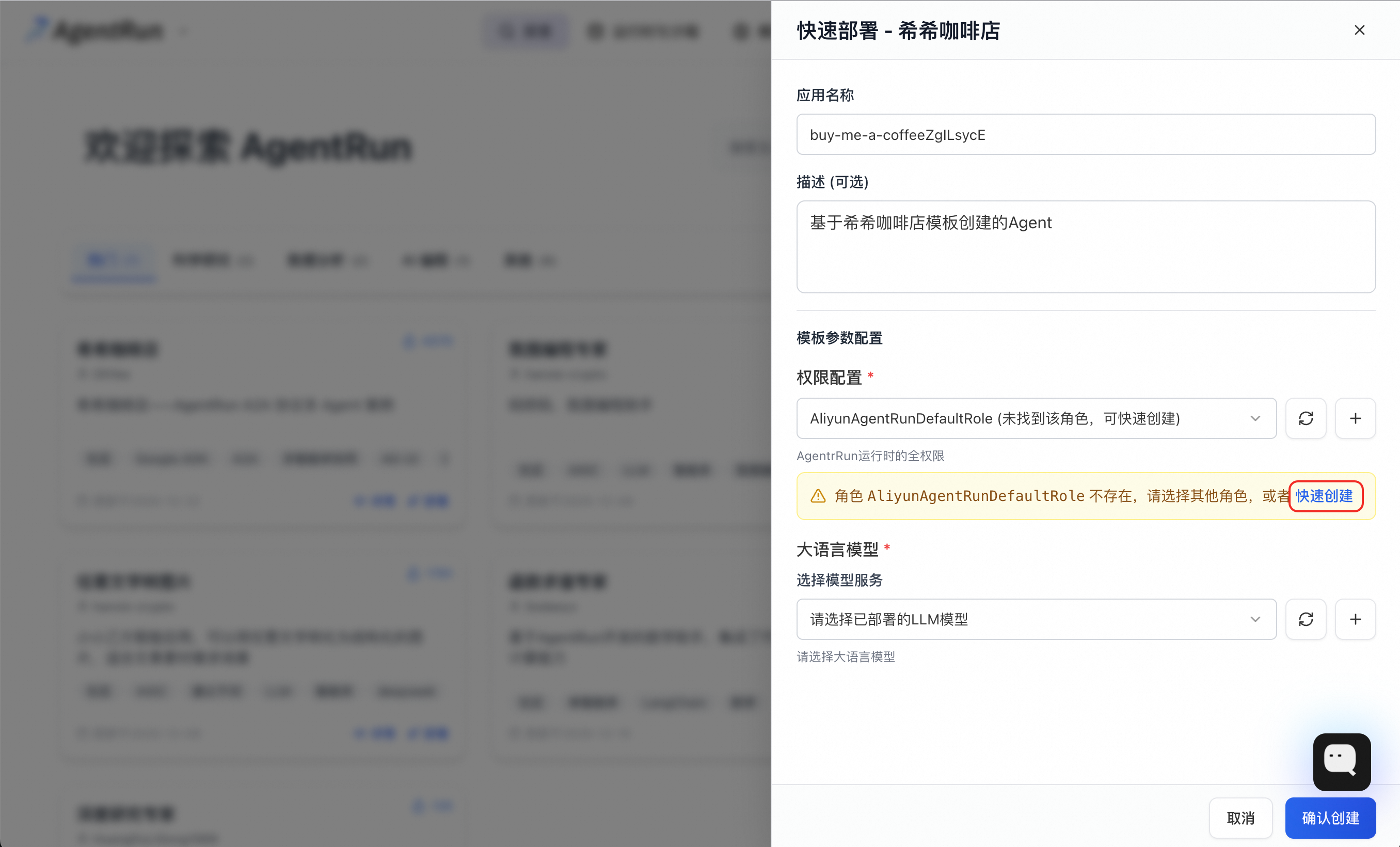
To customize permissions, you can also click the add button
 next to the drop-down list, manually configure a role by clicking Create Role, and then add the corresponding access policies. For more information, see Configure execution roles as needed.
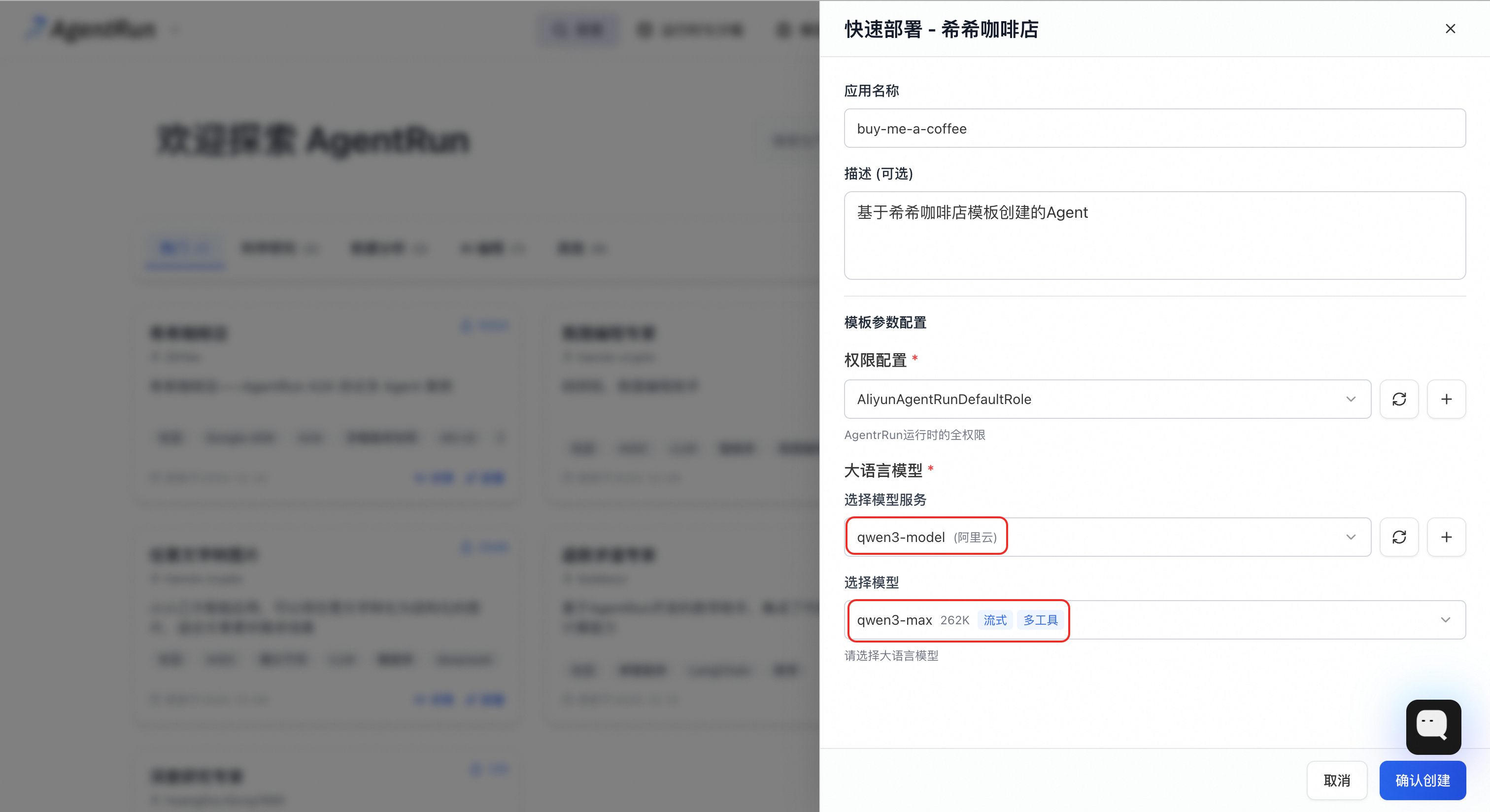
Large Language Model: From the drop-down list, select the qwen3-model that you just configured, and then select the qwen3-max model. If you have not configured it yet, click the add button
next to the drop-down list and follow the instructions in the Preparations section.
Click Confirm Creation and wait for the application to be deployed.
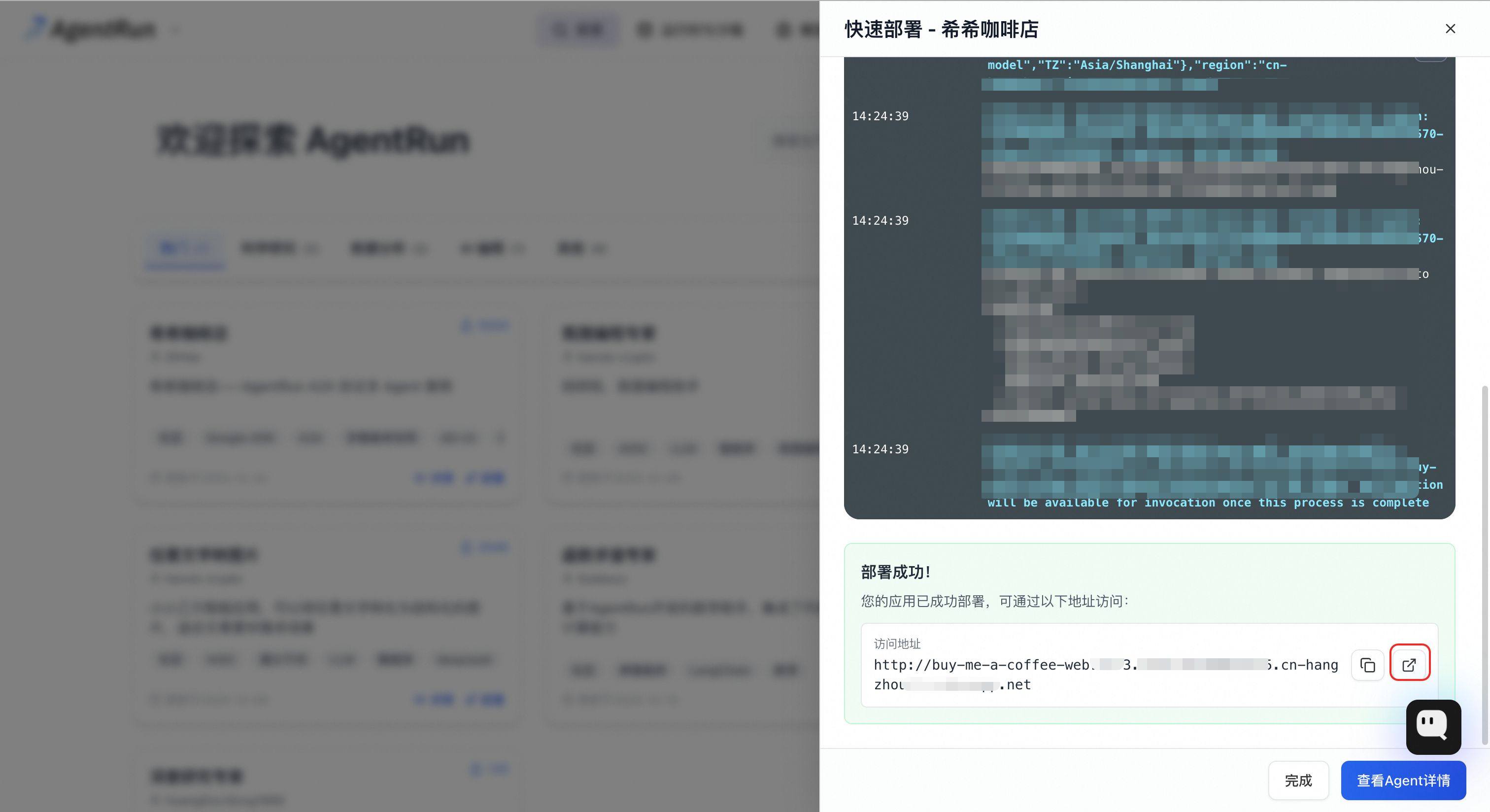
After the deployment is complete, the page displays an access link for the application. Click the link to go to the web UI.
Application experience
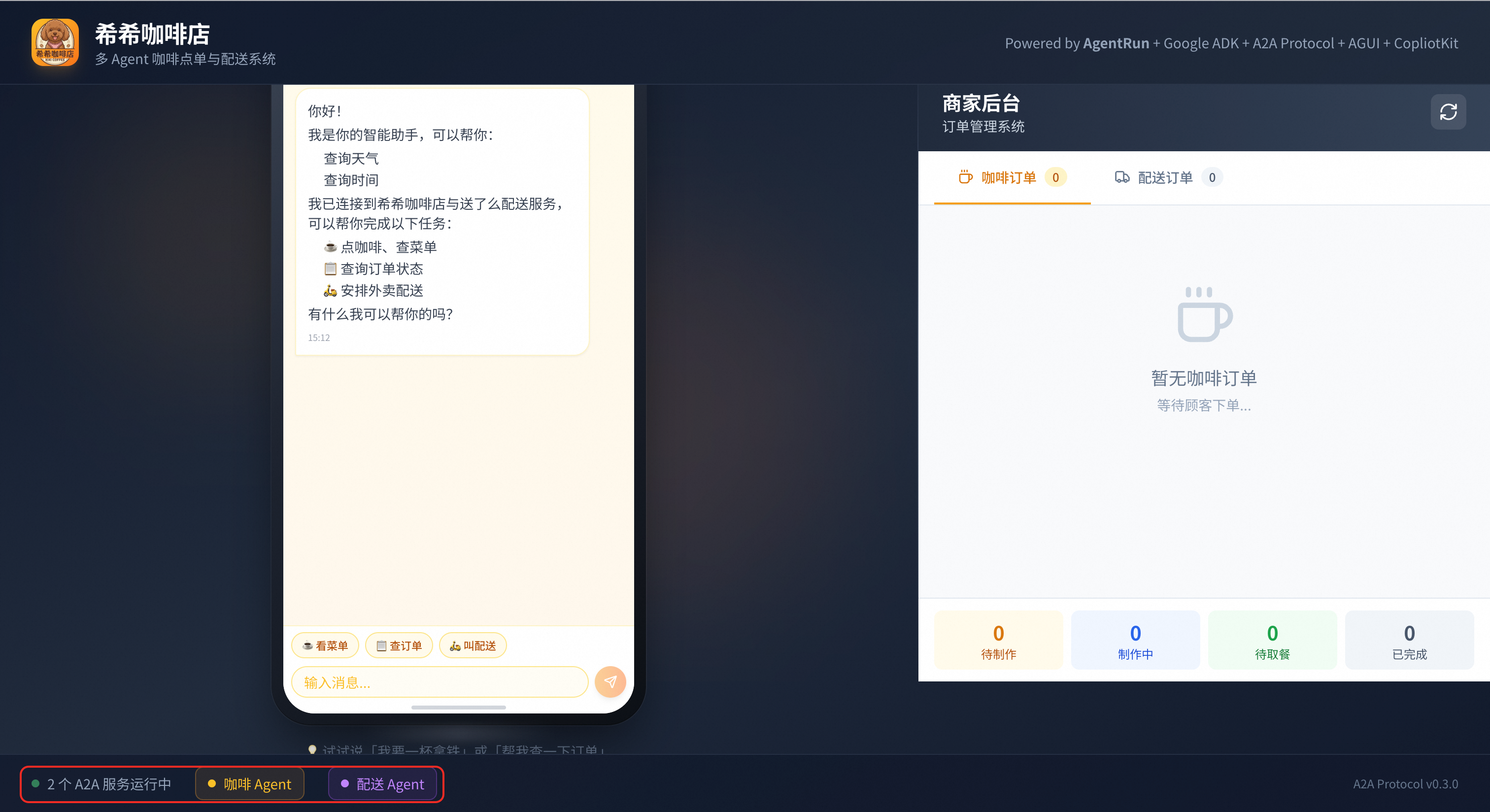
After you open the web UI, check the status indicators in the lower-left corner:
No A2A service or Loading A2A service: The frontend is searching for deployed agents. Please wait a moment.
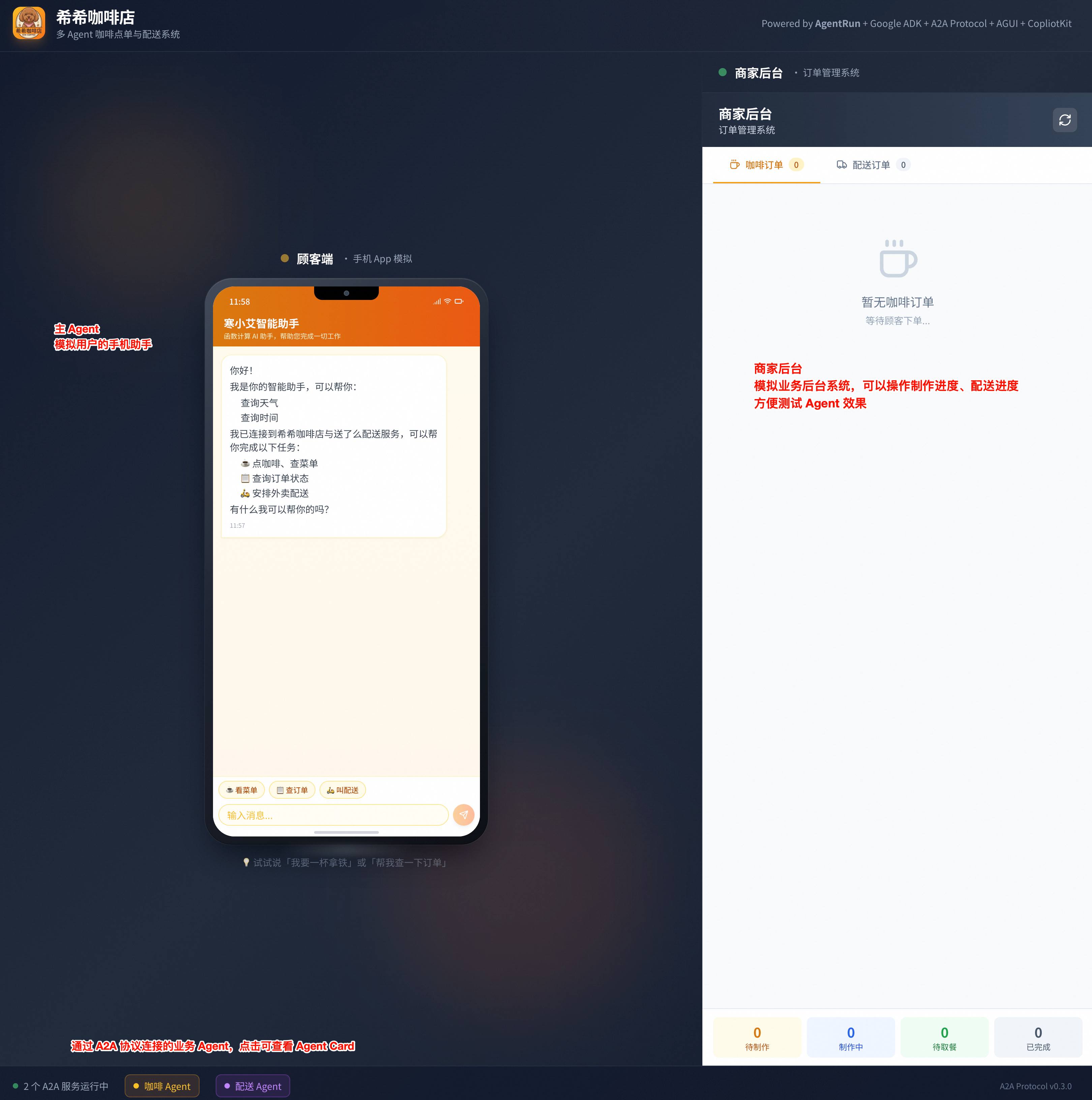
2 A2A services running: The "order" and "delivery" business agents have loaded successfully. You can click their cards to view details or interact with them. The root agent, which acts as the entry point for the frontend, is not displayed here.
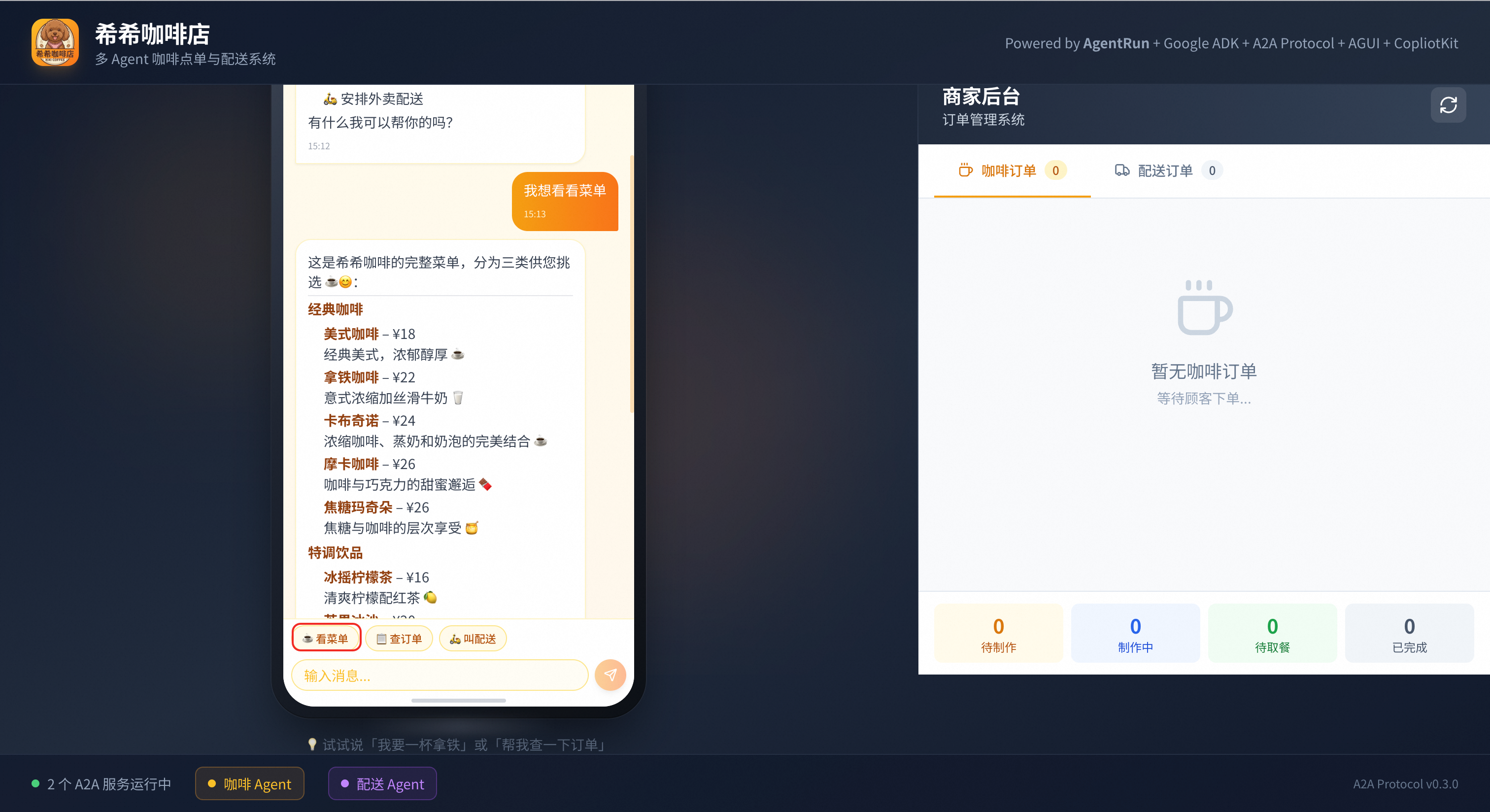
Converse using text:
View menu: Enter or click View Menu.
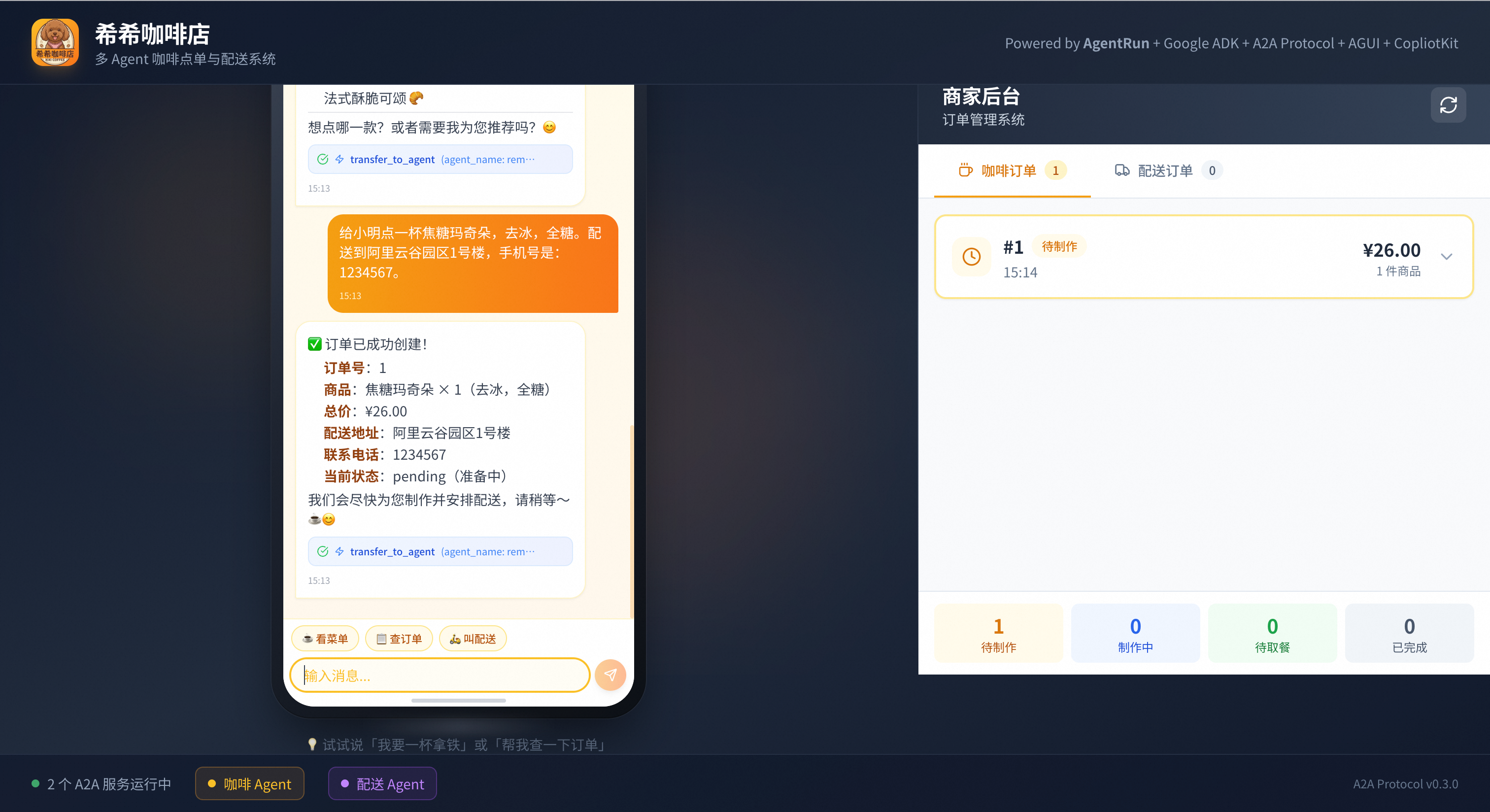
Place an order
Example input: Order a caramel macchiato for Xiaoming, no ice, full sugar. Deliver to Building 1, Alibaba Cloud Valley Park, phone number 1234567.
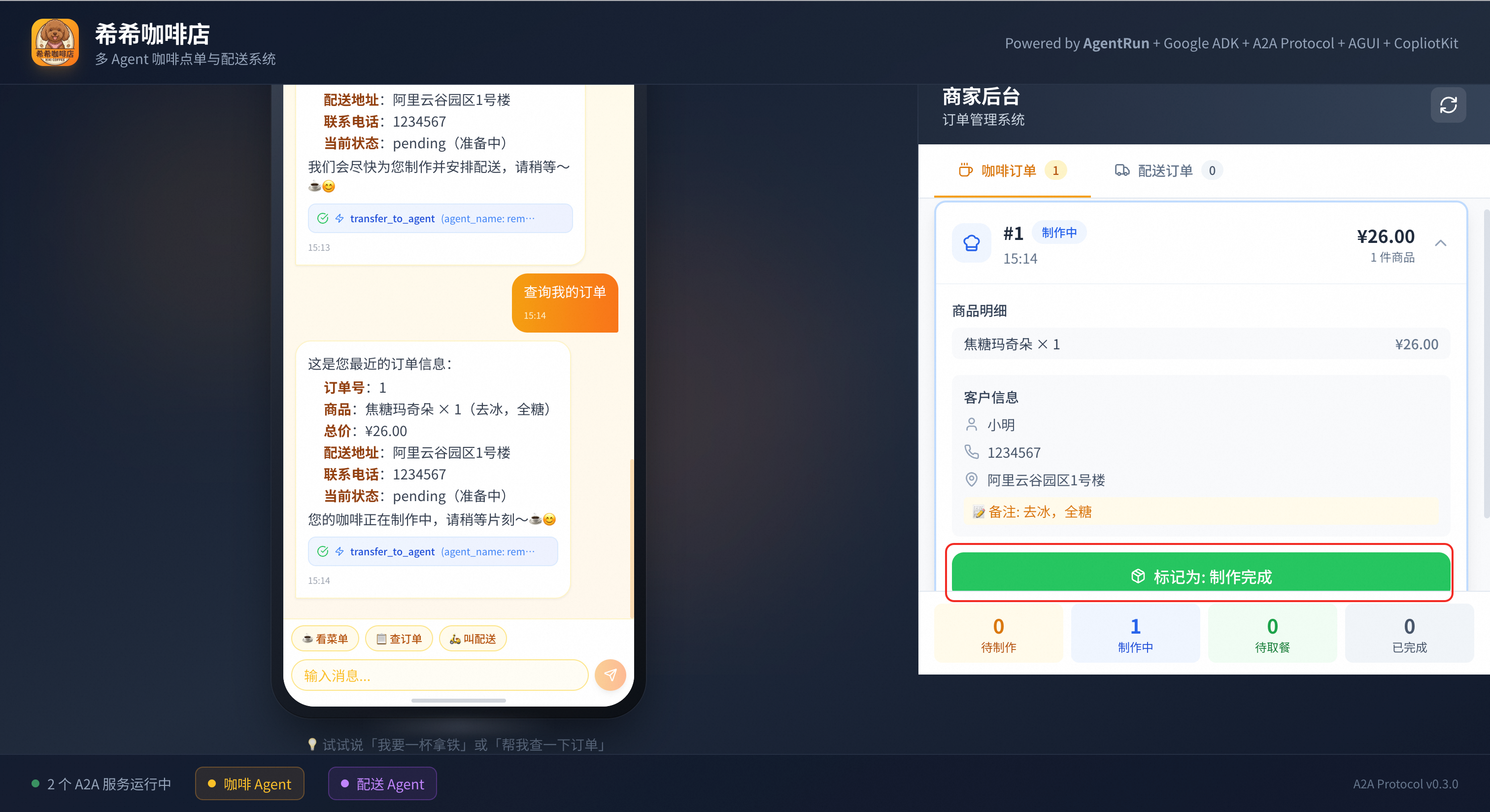
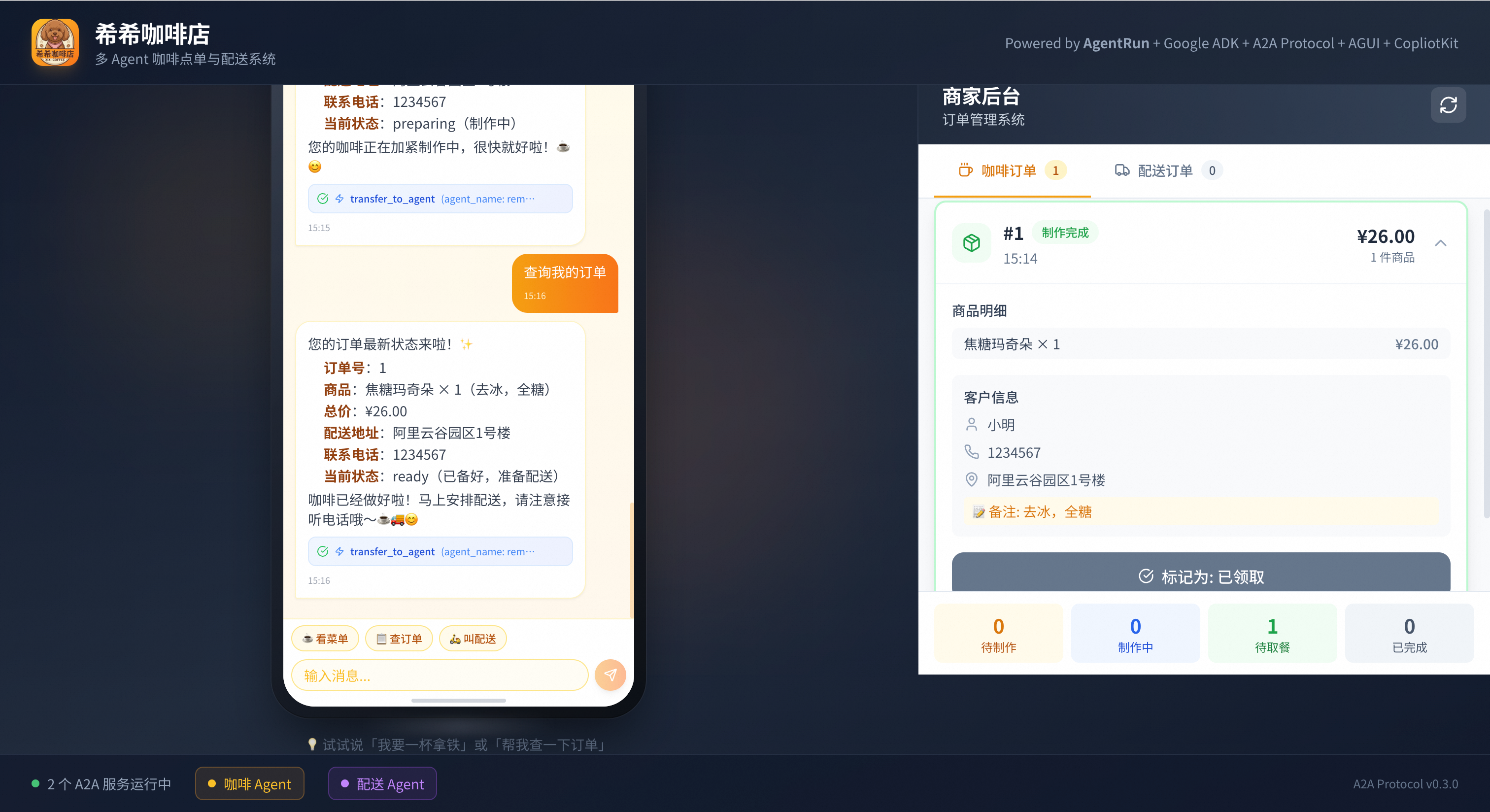
Mark an order
Query an order
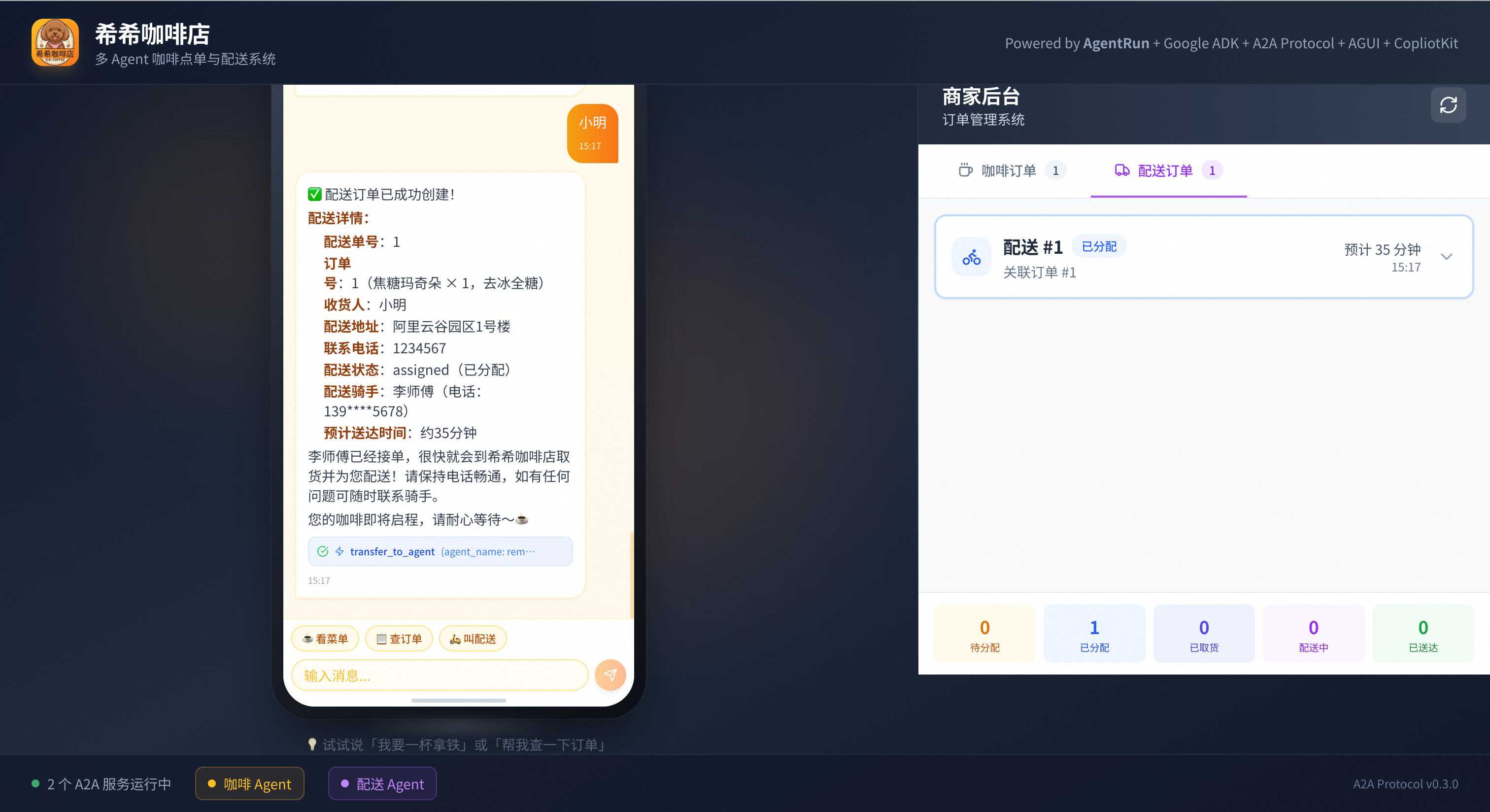
Delivery
View application details
After the application is deployed, you can manage and perform operations and maintenance (O&M) on it in the AgentRun console. In the application list, find the application that you created and click its name to go to the Details page. The navigation pane on the left provides the following core features:
Overview and Configuration: View basic application information and runtime configurations, such as models and memory specifications. You can also manage environment variables on this page.
Code and Debugging: View, edit, and debug code online. You can also perform custom development online.
Versions and Phased Releases: Use version control features. You can use a phased release to switch a small amount of traffic to a new version for testing before a full release. Each version has a temporary domain name for testing.
Integration and Publishing: Integrate the developed agent into your frontend webpage, backend application, or other services. For more information, see Agent integration and publishing.
Elasticity and Instances: View the list and status of currently running instances. You can configure flexible Auto Scaling policies to automatically add or remove instances based on the business workload.
Observability: Integrate with Alibaba Cloud Application Real-Time Monitoring Service (ARMS) to obtain code-level performance diagnostics, request tracing, exception monitoring, and alerting capabilities to ensure application stability.
Delete resources
To avoid unnecessary charges, delete the resources after you complete the tutorial.
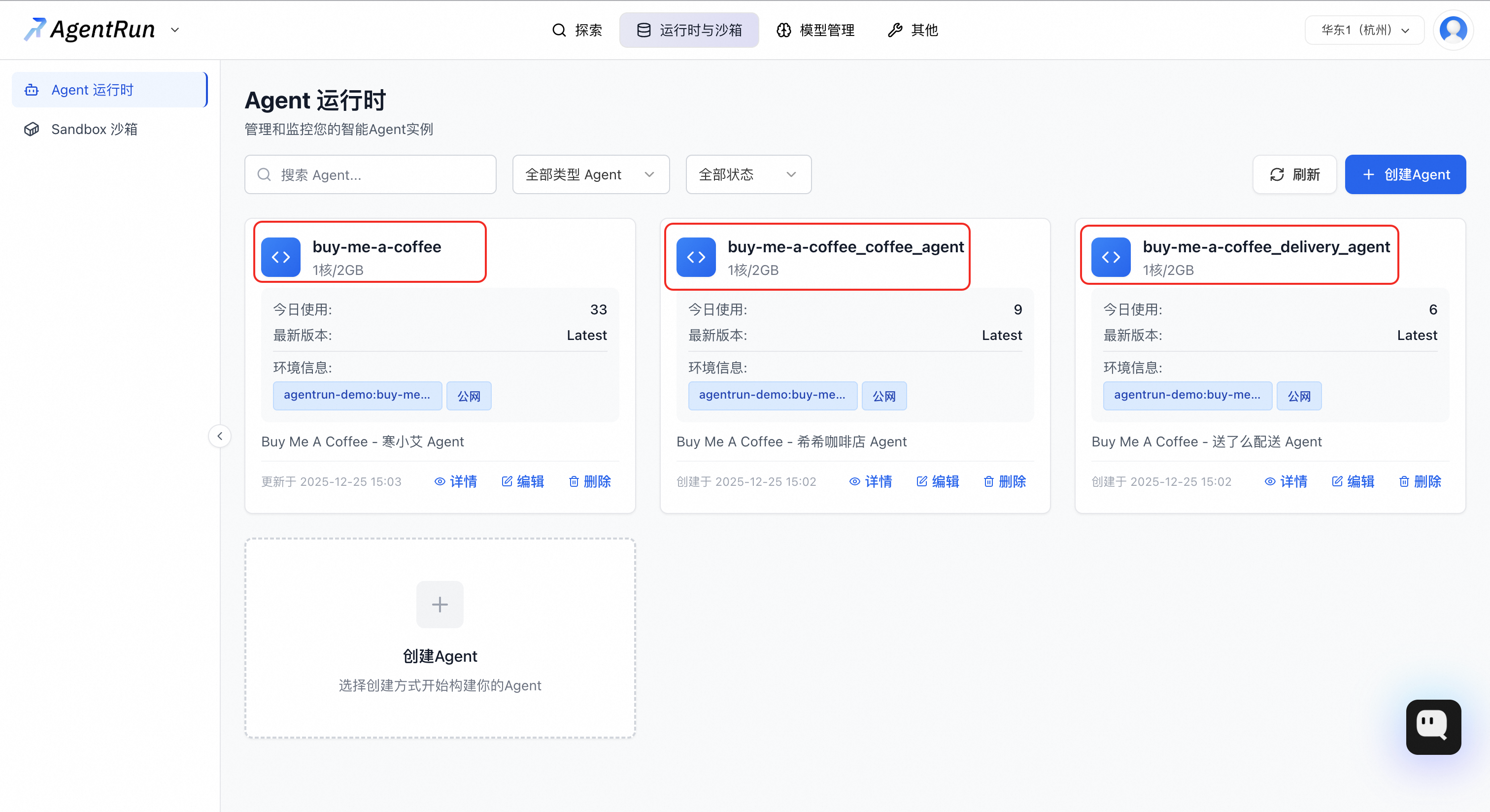
In the application list in the AgentRun console, find the "Xixi Coffee Shop" applications that you created. This template creates multiple agent applications (root, order, and delivery). Delete them one by one to clean up all resources.
Billing
Deploying the "Xixi Coffee Shop" application creates and uses the following paid Alibaba Cloud services. The final cost is subject to your Alibaba Cloud bill.
Agent Service / Function Compute (FC)
Description: The three agent instances in the application are deployed on Alibaba Cloud Function Compute (FC). FC is billed based on your actual number of calls and resource usage.
Billing information: For more information, see Function Compute Billing overview.
Large Language Model / Alibaba Cloud Model Studio
Description: The LLM service that the application depends on is provided by the Alibaba Cloud Model Studio platform. Model calls are billed based on the number of input and output tokens.
Billing information: For more information, see Model Studio model call billing.
Logs and Monitoring / Simple Log Service (SLS) and Application Real-Time Monitoring Service (ARMS)
Description: For application O&M, the system automatically activates Simple Log Service (SLS) and Application Real-Time Monitoring Service (ARMS). Both services offer a free quota. Usage that exceeds the free quota is billed on a pay-as-you-go basis.
Billing information: For more information, see SLS Billing overview and ARMS Product Billing.
Cost management tip: Read the billing documents for each service before deployment. You can set spending alerts in the Alibaba Cloud Management Console based on your business needs to effectively manage costs.
Application architecture
1. Business challenges
In complex interactive scenarios, a simple user instruction often requires cross-domain task collaboration.
For example, consider the instruction: "Get me a hot latte, full sugar, delivered to Alibaba Cloud Valley Park."
The system must complete the following tasks in order:
Intent recognition: Understand that the user wants to "purchase a product."
Product handling: Query product information and parse specifications.
Order generation: Create an order that includes the product, specifications, and price.
Logistics scheduling: Parse the address and call the delivery service.
Status synchronization: Provide feedback to the user on the status of key processes.
Traditional monolithic applications struggle to handle such cross-domain workflows effectively. This solution uses a multi-agent architecture to decouple complex tasks. A group of specialized agents then work together to complete the tasks.
2. Architectural design
In the "Xixi Coffee Shop" example, the business process is broken down into three independent agents that communicate using the standardized Agent-to-Agent (A2A) protocol. The following figure shows the "Xixi Coffee Shop" user interface on the left and the AgentRun application management console on the right.
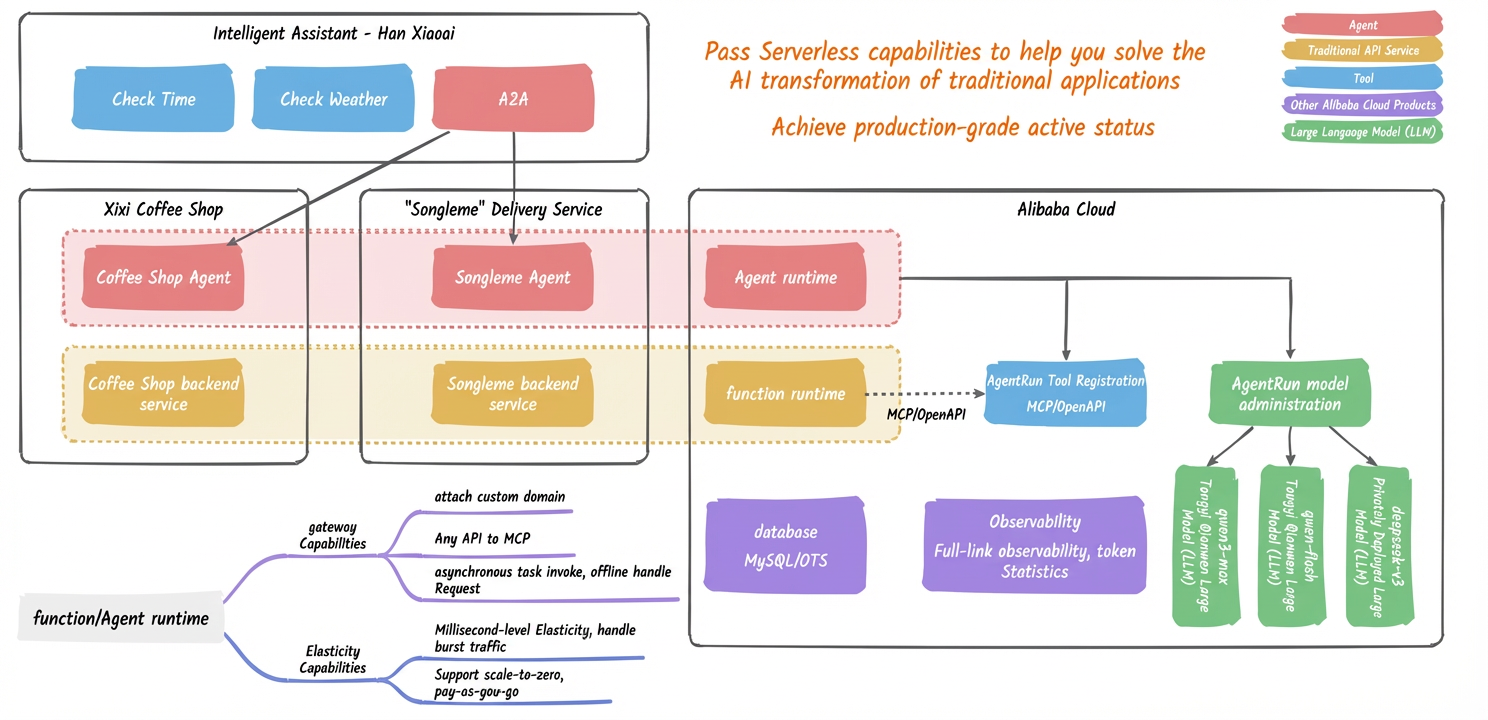
The following figure shows the technical architecture of this application example. It illustrates how the various agents work together with the underlying services:
3. Agent roles and responsibilities
Han Xiaoai (Root Agent): The main entry point and task router
As the unified entry point for the system, this agent is responsible for parsing user intent and distributing tasks to specialized downstream agents. It does not execute specific business logic but acts as a "scheduling center."
Core responsibilities:
Intent recognition: Determine the business type of the user's instruction, such as shopping, querying, or casual chat.
Task routing: Route the task to the appropriate business agent, such as the Coffee Agent, based on the intent.
Context management: Maintain and pass context information during multi-turn conversations.
Xixi (Coffee Agent): The domain-specific business agent
This agent encapsulates all the logic and capabilities of a specific business domain, in this case, coffee sales.
Core responsibilities:
Provide product menu queries (
get_menu).Handle semantic product searches (
search_product).Create and manage orders (
create_order).
Design principles:
Provide standard services through APIs to achieve encapsulation of business logic and data fencing.
Xiao Qishou (Delivery Agent): The general-purpose service agent
This agent provides independent, general-purpose capabilities that are not tied to a specific business, such as logistics and delivery in this case.
Core responsibilities:
Accept delivery requests and schedule capacity (
create_delivery).Provide real-time queries for delivery status (
query_delivery).
Design principles:
High decoupling and reusability: This agent does not care about the specific product being delivered. It only handles the "pickup location" and "delivery location". Therefore, it can be seamlessly reused in any business scenario that requires a delivery service, such as for flowers or takeout.