You can use the WebIDE of Function Compute to convert file formats. This topic shows you how to change the format of the bootstrap startup file as an example.
Prerequisites
Before you begin, ensure that you have:
Access to the Function Compute console
Change the line ending format
Log on to the Function Compute console. In the left-side navigation pane, click Functions.
In the top navigation bar, select a region. On the Functions page, click the function you want to manage.
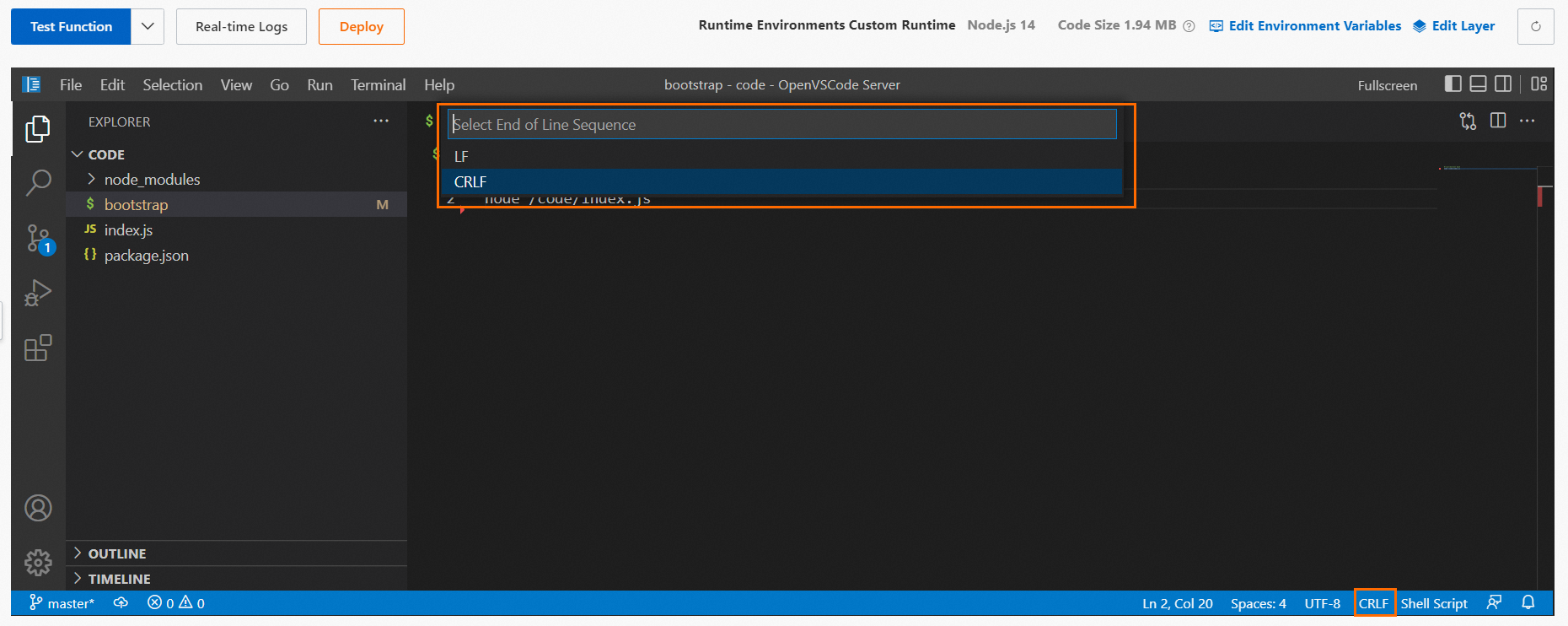
On the function details page, click the Code tab. In the navigation pane on the left, click the file you want to modify — for example, the
bootstrapstartup file.In the lower-right corner, click the name of the current line ending format, then select the target format from the drop-down list. The following figure shows the format selector in the editor.
LF — Unix/Linux line endings. Use this for files that run in Function Compute (Linux environment).
CRLF — Windows line endings. Use this if you need the file to be compatible with Windows tooling.
Click Deploy.