This topic describes how to call the EntRiskQuery API to retrieve information about an enterprise's business anomalies.
Basic information
API name: EntRiskQuery
Service address: cloudauth.aliyuncs.com
Request method: POST and GET
Transport protocol: HTTPS
Description: Queries the business anomaly status of an enterprise.
This API has a dedicated queries-per-second (QPS) limit. For more information, see QPS Limits for Enterprise Identity Verification APIs.
Request parameters
Parameter | Type | Required | Description | Example value |
SceneCode | String | Yes | A custom scene code to differentiate business scenarios. The value can contain letters, digits, and underscores (_) and can be up to 32 characters long. | 1000000006 |
MerchantBizId | String | Yes | A custom, unique business identifier for troubleshooting. This 32-character string of letters and digits must be unique for each request. | e0c34a77f5ac40a5aa5e6ed20c35**** |
MerchantUserId | String | Yes | A custom user ID from your business system, used for troubleshooting and issue tracking. | mch7x9a2b4c8d3e5f6g1h2i3j4k5**** |
UserAuthorization | String | Yes | Specifies whether you have obtained authorization from the end user.
| 1 |
ParamType | String | Yes | The type of the identifier to be queried. Valid values:
| 02 |
ParamValue | String | Yes | The value of the identifier specified by ParamType. This value must match the specified identifier type. | 91330106673959**** |
Response parameters
Parameter | Type | Description | ||
HTTP status code | Integer | The HTTP status code. | ||
HTTP Body | RequestId | String | The request ID. | |
Code | String | The return code. For more information, see Return codes. | ||
Message | String | The detailed message of the response. | ||
Result | BizCode | String | The business result code. Valid values:
| |
Status | String | The business operational status of the enterprise. Valid values:
| ||
RiskList | Array[Object] | A list of anomaly records. Important The fields in the objects of the | ||
CreditCode | String | The Unified Social Credit Code. | ||
EntName | String | The enterprise name. | ||
RegNo | String | The Business Registration Number. | ||
ListedReason | String | The reason the enterprise was added to the business anomaly list. | ||
ListedDate | String | The date when the enterprise was added to the business anomaly list. Example: 2023-02-03 | ||
RemovedReason | String | The reason the enterprise was removed from the business anomaly list. | ||
RemovedDate | String | The date when the enterprise was removed from the business anomaly list. Example: 2023-02-03 | ||
OperationOrg | String | The authority that added the enterprise to the business anomaly list. | ||
RemovedOrg | String | The authority that removed the enterprise from the business anomaly list. | ||
Return codes
HTTP status code | Code | Description |
200 | Success | The request was successful. |
400 | MissingParameter | A required parameter is missing. |
400 | InvalidParameter | A specified parameter is invalid. |
403 | Forbidden.AccountAccessDenied | Access is denied. This may be because the service is not activated or your account has an overdue payment. |
403 | Forbidden.RAMUserAccessDenied | The RAM user does not have the required permissions. Grant the AliyunYundunCloudAuthFullAccess policy to the RAM user. |
403 | Forbidden.NoUserAuthorization | User authorization was not obtained. |
500 | InternalError | An internal system error occurred. Retry the request. If the error persists, record the request ID and contact a technical support expert for assistance. |
Code examples
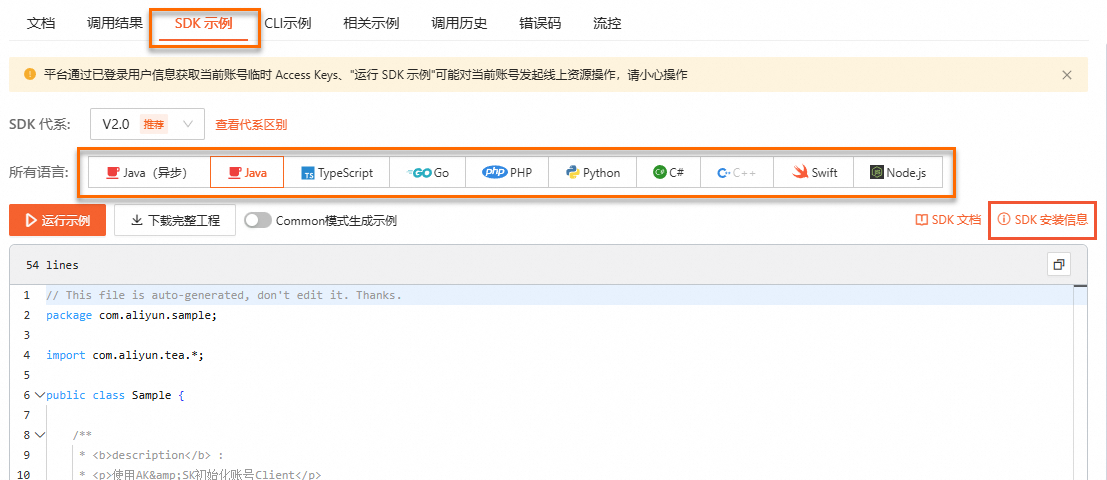
Find SDK code examples on the right side of the page in OpenAPI Explorer. To view installation details, click SDK Installation Information in the upper-right corner of the code examples.
NoteSelect your preferred programming language.
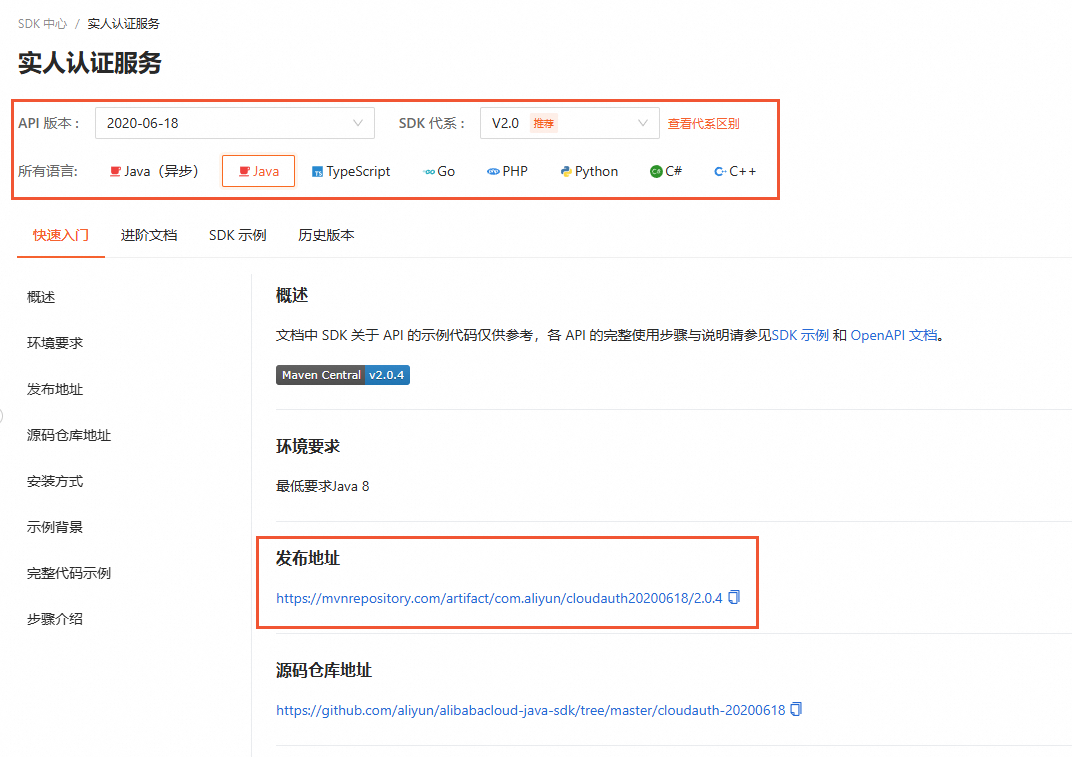
For an offline installation, go to the SDK Installation Page, select the SDK for your desired Language, and download the package from the release address.