Credential Detection Service
The Credential Detection Service provides an API operation that uses a Large Language Model (LLM) to detect tampering and forgery in credential images. It can identify various forgery risks, such as Photoshop tampering, screen recaptures, screenshots, printed copies, and watermarks.
API information
Before calling this API, read the integration process and activate the service.
API name: CredentialVerifyV2
Description: Submits a credential image for tampering, forgery, and returns the risk detection results.
NoteThe Credential Detection Service is an AI-powered predictive product that achieves 90% accuracy on our internal test datasets. Actual accuracy may vary depending on the specific use case and sample images.
Detecting Photoshop alterations in digitally synthesized images is more challenging. The service performs better on images from a native camera than on digitally synthesized images.
Do not use the detection result as the sole basis for determining a credential's authenticity. Use it as a supplementary tool for manual review or to improve review efficiency.
Credential detection only identifies tampering and forgery in images and does not verify whether the type of the submitted image matches the expected type. For optimal detection results, submit images of the correct type.
QPS limits: This API is subject to dedicated QPS limits. For more information, see QPS Limits for Identity Verification APIs.
Service endpoint:
Region
IPv4
IPv6
common
cloudauth.aliyuncs.com
cloudauth-dualstack.aliyuncs.com
China (Beijing)
cloudauth.cn-beijing.aliyuncs.com
cloudauth-dualstack.cn-beijing.aliyuncs.com
China (Shanghai)
cloudauth.cn-shanghai.aliyuncs.com
cloudauth-dualstack.cn-shanghai.aliyuncs.com
NoteTo reduce latency, select an endpoint that is geographically close to your servers.
You can also create a list of endpoints and poll them in rotation to improve availability.
ImportantThe Information Verification Service does not support a hard cap or automatic deactivation based on the number of calls. To control costs and prevent high bills, we recommend configuring spending alert rules:
Configure spending alerts: Set High-Spending Alert thresholds to monitor your expenses in real time.
Monitor your resource package balance: If you have purchased a resource package, also Set Resource Package Balance Alert. This lets you promptly replenish the package or adjust your call strategy.
Configure business monitoring: See security management to monitor business requests for anomalies and fluctuations.
Request parameters
The image specified in the ImageUrl, ImageFileObject, or ImageContext parameter must meet the following requirements:
Image format: Supports PNG, JPG, JPEG, BMP, and WebP.
Image dimensions: Image width and height must be greater than 15 pixels and less than 8,192 pixels. The aspect ratio must be less than 50.
NoteFor optimal recognition results, we recommend that both the width and height of the image are greater than 500 pixels.
Image size: The image size limit is 10 MB for URLs and 5 MB for Base64-encoded content.
NoteLarge images can increase API response time. For best performance, use images smaller than 3 MB.
Parameter | Type | Required | Description | Example |
CredType | String | Yes | The credential type. Valid values:
| 01 |
CredName | String | Yes | The credential name, specified by a numeric code. Valid values:
Note Credential types not listed here are not supported. | 0101 |
ProductCode | String | Yes | The invocation mode. Valid values: ANTI_FAKE_CHECK: Performs anti-forgery detection to verify image authenticity. | ANTI_FAKE_CHECK |
imageUrl | String | Yes |
Important You must specify one of imageUrl, ImageFileObject, or ImageContext. | https://aliyundoc.com/picture*****.jpeg |
ImageFileObject | InputStream | Yes | For more information about how to use this parameter, see Configure advanced file uploads. | |
ImageContext | String | Yes | iVBORw0KGgoAAAANSUhEUgAAAAEAAAABCAYAAAAfFcSJAAAADUlEQVR42mP8z8BQDwAEhQGA... | |
MerchantId | String | No | The merchant ID. Important This parameter is required if the CredName value starts with | N/A |
UserName | String | No | The name on the credential. | John Smith |
IdentifyNum | String | No | The ID card number. | 142702****** |
CertNum | String | No | The number of the certificate being verified. | N/A |
Response parameters
Parameter | Type | Description | Example | |
RequestId | String | The ID of the request. | 130A2C10-B9EE-4D84-88E3-5384******** | |
Message | String | The returned message. | success | |
Code | String | The response code. A value of Important
| 200 | |
ResultObject | Result | String |
| 1 |
RiskTag | String | The risk tags. Multiple tags are separated by commas. Valid values include:
| PS | |
RiskScore | Map<String,String> | The risk scores. | | |
MaterialInfo | String | Additional information in JSON format. | | |
SDK call examples
Before you integrate, read the integration process, activate the service, and get an AccessKey and configure the environment variables.
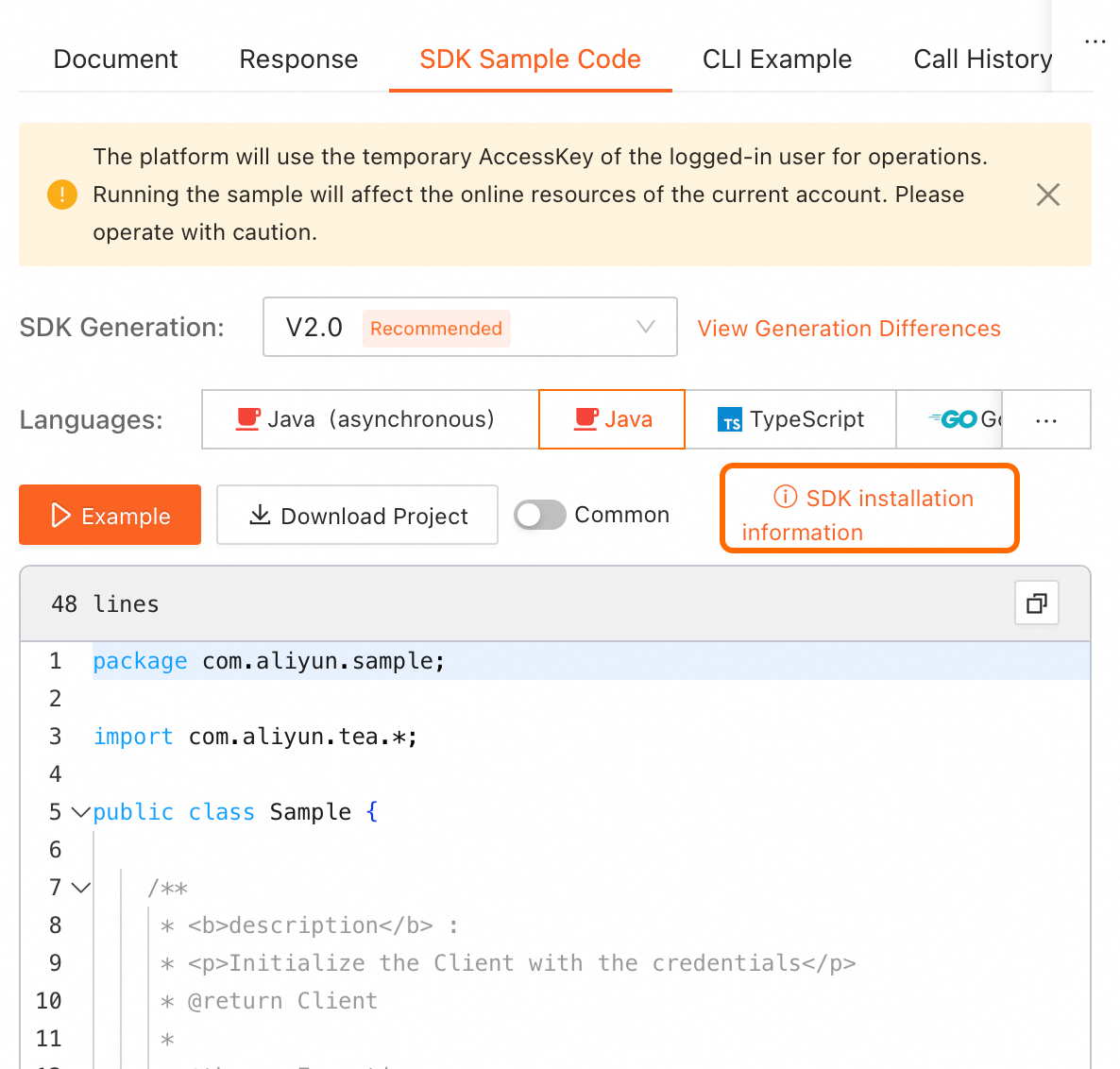
On the online API debugging page in OpenAPI, find the SDK sample code on the right. Click SDK installation information in the upper-right corner of the code sample to view installation details.
NoteSelect the required programming language.
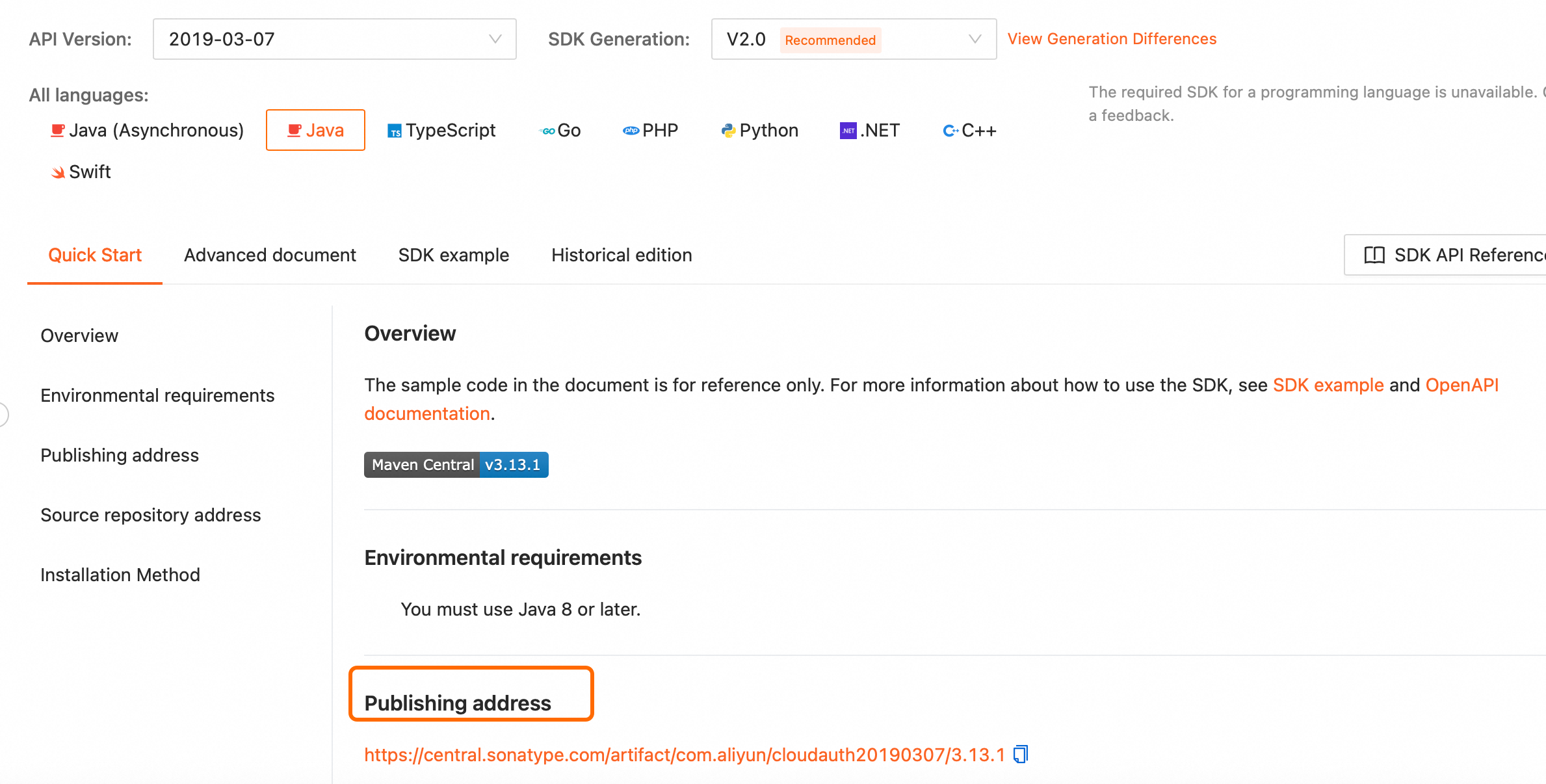
For offline installation, go to the SDK installation page, select the SDK for your programming language, and download it from the publishing address.
OpenAPI Explorer: Debug APIs online and obtain SDK examples.
Code Sample Projects: Find sample projects for calling the SDK in various programming languages.