This topic describes the Two-element identity verification (OCR supported) API. This API uses Optical Character Recognition (OCR) to extract the name and ID number from images of a second-generation Chinese national ID card (both the portrait side and the national emblem side). It then verifies the authenticity and consistency of the information against an authoritative source.
API
Before calling this API, read the integration process and activate the service.
API name: Id2MetaVerifyWithOCR
Description: Extracts the name and ID number from images of a second-generation Chinese national ID card (both the portrait side and the national emblem side) and verifies the information against an authoritative source.
QPS limit: This API is subject to a dedicated QPS limit. For more information, see QPS Limit Description for Information Verification APIs.
Endpoint:
Region
IPv4
IPv6
common
cloudauth.aliyuncs.com
cloudauth-dualstack.aliyuncs.com
China (Beijing)
cloudauth.cn-beijing.aliyuncs.com
cloudauth-dualstack.cn-beijing.aliyuncs.com
China (Shanghai)
cloudauth.cn-shanghai.aliyuncs.com
cloudauth-dualstack.cn-shanghai.aliyuncs.com
NoteTo reduce latency, select an endpoint that is geographically close to your servers.
You can also create a list of endpoints and poll them in rotation to improve availability.
ImportantThe Information Verification Service does not support a hard cap on call volume or automatic deactivation. To control costs and prevent high bills, configure spending alert rules after you integrate the service:
Configure spending alerts: Set a spending alert rule (Set high-spending alerts) to monitor your bills in real time.
Monitor data transfer plan balance: If you purchased a data transfer plan, also monitor its balance (Configure remaining quota alerts) to add resources or adjust your call policy promptly.
Image requirements
Image size: The image file cannot exceed 2 MB. Large images may increase API response times or cause a timeout error.
Image format: PNG, JPG, or JPEG.
Image resolution: Both the width and height must be greater than 64 pixels and less than 8192 pixels.
Image quality: Blurry images, obscured content, poor lighting, or skewed angles can negatively affect recognition. When recognizing the portrait side of an ID card, ensure the face is oriented forward.
Request parameters
Parameter | Type | Required | Description | Example |
CertUrl | String | Yes Important Specify either CertUrl or CertFileObject. | https://www.aliyun.com/cert.jpeg | Image of the portrait side of the ID card. Publicly accessible HTTP and HTTPS links. |
CertFileObject | InputStream | None | The image input stream for the portrait side of the ID card. For more information, see File Upload Advance API Configuration. | |
CertNationalUrl | String | No Important You can specify either CertNationalUrl or CertNationalFileObject, or omit both. | https://www.alibabacloud.com/cert.jpeg | Image URL of the national emblem side of the ID card. National emblem side Publicly accessible HTTP and HTTPS links. |
CertNationalFileObject | InputStream | None | The image URL of the national emblem side of the ID card. For more information, see File Upload Advance API Configuration. |
Response parameters
Parameter | Type | Description | Example | |
RequestId | String | The request ID. | 130A2C10-B9EE-4D84-88E3-5384FF03**** | |
Message | String | The response message. Important This parameter only indicates whether the API call encountered an exception. | success | |
Code | String | The status code for the API call. A value of 200 indicates success. Other values indicate a failure. Important
| 200 | |
ResultObject | BizCode | String | The result of the identity verification:
| 1 |
CardInfo | String | | The ID card information that is read by OCR. For more information, see the ResultObject.CardInfo field description. | |
ResultObject.CardInfo
Parameter | Type | Example | Description |
address | String | No. 969, XX Street, XX District, XX City, XX Province | The address on the ID card. |
birthDate | String | 19901XXX | The date of birth on the ID card. |
certName | String | Zhang San | The name on the ID card. |
certNo | String | 1234561990122***** | The ID number. |
nationality | String | Han | The ethnicity. |
authority | String | xxx Public Security Bureau | The issuing authority. |
startDate | String | 20201130 | The start of the validity period. |
endDate | String | 20301130 | The end of the validity period. |
SDK code examples
Before you integrate, read the integration process, activate the service, and get an AccessKey and configure the environment variables.
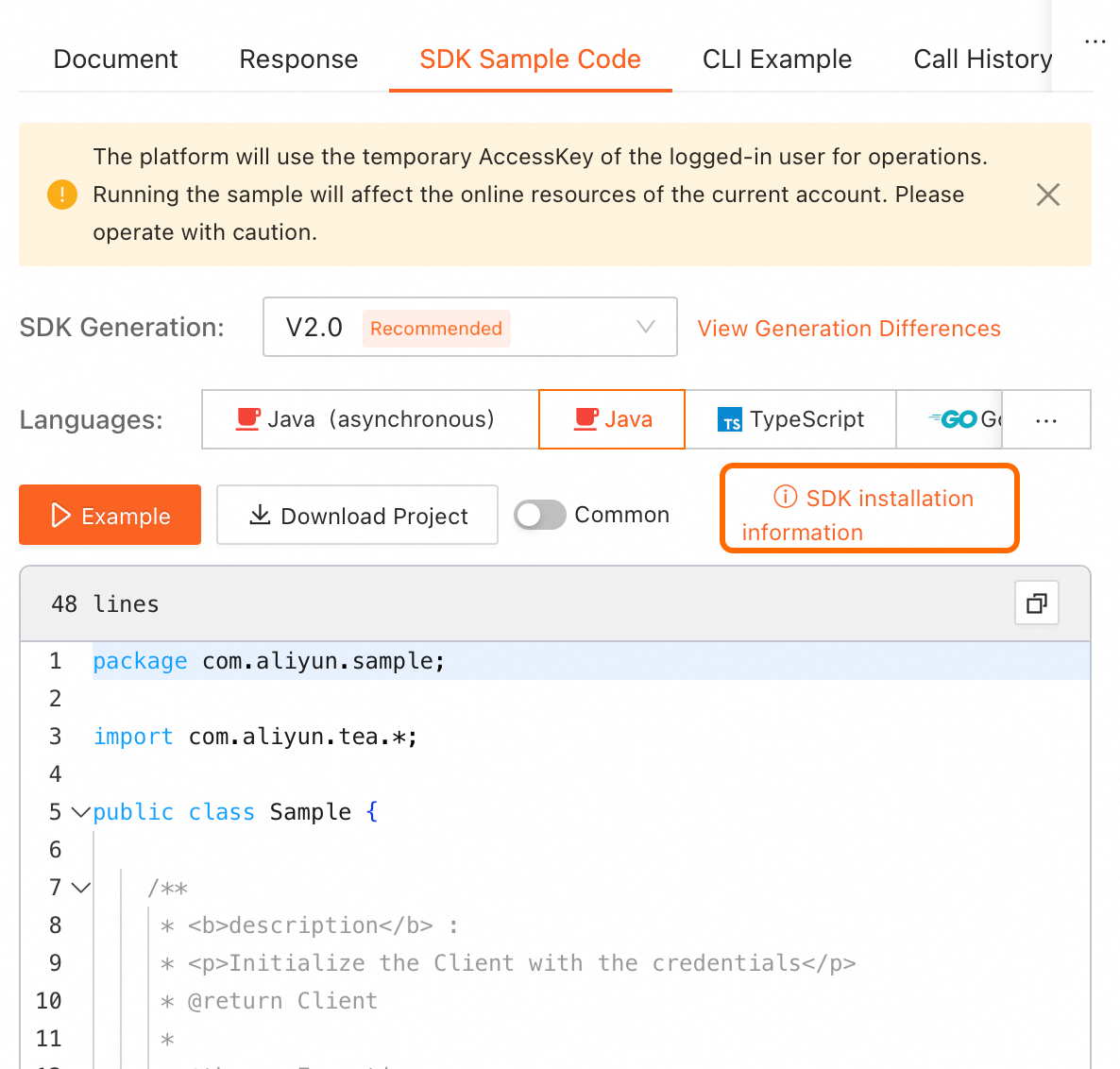
On the online API debugging page in OpenAPI, find the SDK sample code on the right. Click SDK installation information in the upper-right corner of the code sample to view installation details.
NoteSelect the required programming language.
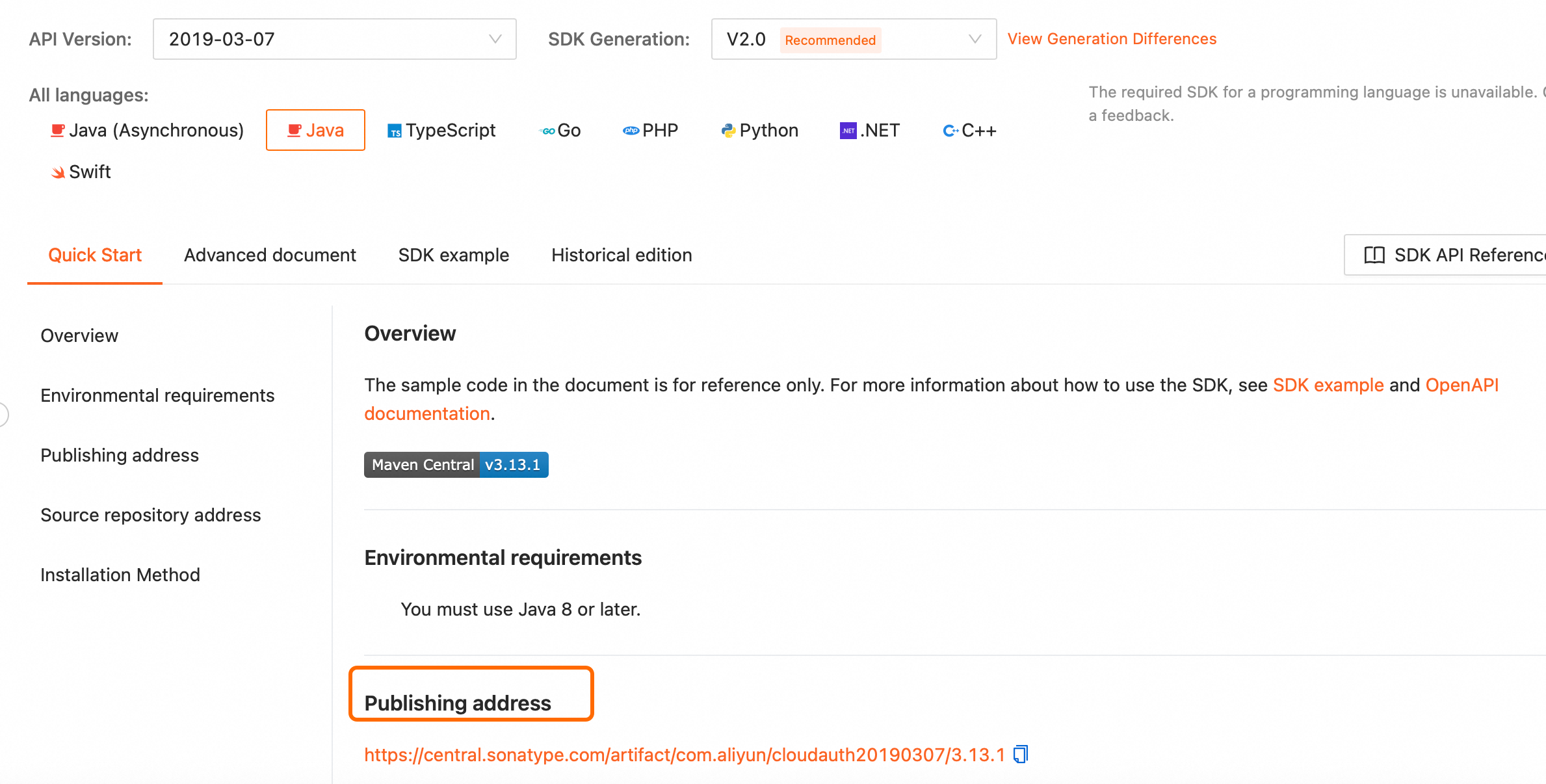
For offline installation, go to the SDK installation page, select the SDK for your programming language, and download it from the publishing address.
OpenAPI Explorer: Debug APIs online and get SDK code examples.
Code Sample Project: Sample projects demonstrating SDK calls in various programming languages.