Enhanced Vehicle Information Verification

Updated at:

This document describes the Enhanced Vehicle Information Verification API and its parameters.

API reference

Important

Before calling this API, read the integration process and activate the service.

  • API name: VehicleMetaVerifyV2

  • Description: Verifies the consistency of a name, ID number, license plate number, and vehicle type. This API also returns detailed vehicle information.

  • QPS limit: This API has a dedicated QPS limit. For more information, see QPS limits for information verification APIs.

  • Endpoints:

    Region

    IPv4

    IPv6

    common

    cloudauth.aliyuncs.com

    cloudauth-dualstack.aliyuncs.com

    China (Beijing)

    cloudauth.cn-beijing.aliyuncs.com

    cloudauth-dualstack.cn-beijing.aliyuncs.com

    China (Shanghai)

    cloudauth.cn-shanghai.aliyuncs.com

    cloudauth-dualstack.cn-shanghai.aliyuncs.com

    Note
    • To reduce latency, select an endpoint that is geographically close to your servers.

    • You can also create a list of endpoints and poll them in rotation to improve availability.

    Important

    The Information Verification Service does not support a hard cap or automatic deactivation based on the number of calls. To control costs and prevent high bills, we recommend configuring spending alert rules:

    1. Configure spending alerts: Set High-Spending Alert thresholds to monitor your expenses in real time.

    2. Monitor your resource package balance: If you have purchased a resource package, also Set Resource Package Balance Alert. This lets you promptly replenish the package or adjust your call strategy.

    3. Configure business monitoring: See security management to monitor business requests for anomalies and fluctuations.

Request parameters

Parameter

Type

Required

Description

Example

ParamType

String

Yes

The encryption method.

normal

VerifyMetaType

String

Yes

The verification type.

  • VEHICLE_2_META: Verifies the name and license plate number.

  • VEHICLE_3_META: Verifies the name, license plate number, and ID number.

VEHICLE_3_META

UserName

String

Yes

The name.

  • If ParamType is normal, pass the name in plaintext.

  • If ParamType is sm2, pass the encrypted name.

  • Plaintext: Zhang San

  • Ciphertext:

    MG8CIQCxI0wNYbc0c2BRL+7+tSethTXfQC391ZFnszRRcvRZ9AIgekQYhgDtxaDuoRD4bde/5fnFdlUp4YoxlEnIFLLm2mQEILkctuy6Rw6lfAUxBtkpPoPVCJAeD5al/RX8JFUvTACEBAYAgLJjBe0=

VehicleNum

String

Yes

The license plate number.

  • If ParamType is normal, pass the license plate number in plaintext.

  • If ParamType is sm2, pass the encrypted license plate number.

  • Plaintext: ZheAF89

  • Ciphertext:

    MHMCIQD01OTXYNshCTNbZubTt9rTJfoL6I9HMF0j5i0g8K8tUAIhAJWSnKmNKycoqM+Rg9T10CPwc+SllE4lpcJnAH+UyxSxBCCPgmj+0sgZzsqOR67/96IuIOTNjqB7092Q+fNHycb5pQQJKExoVUT4bGpL

IdentifyNum

String

No

The ID number.

  • If ParamType is normal, pass the ID number in plaintext.

  • If ParamType is sm2, pass the encrypted ID number.

Important

This parameter is required if VerifyMetaType is VEHICLE_3_META.

  • Plaintext: 429001****8211

  • Ciphertext:

    MHsCIEPDt1ycBNSVgA2yKsMnvWGheiI+STWqJLmYWlZnklhnAiEAwq1bk5YVepHwqfMsd9ErlK71OrdXx8E+wfqbzyFCwoMEIM1QdrFeekvQh6fwK7sVXAsNePiNm7Eulqm/zahRosbKBBKgtyhm3SopJ3tO/wALKXQQW+g=

VehicleType

String

No

Vehicle type:

  • 01: Large vehicle

  • 02: Standard passenger vehicle

  • 51: Large new energy vehicle

  • 52: New energy passenger vehicle

02

Response

Parameter

Type

Description

Example

RequestId

String

The unique ID of the request.

130A2C10-B9EE-4D84-88E3-5384FF03****

Message

String

The message returned.

success

Code

String

The return code. A value of 200 indicates that the request succeeded. Other values indicate that the request failed.

Important
  • This parameter indicates whether the API call was successful. For detailed descriptions of the return codes, refer to server-side error codes.

  • To see the business verification result, check the fields in ResultObject.

200

ResultObject

BizCode

String

The verification result.

  • 1: Consistent (billed)

  • 2: Inconsistent (billed)

  • 3: Not found (not billed)

1

VehicleInfo

String

Vehicle details.

For a detailed description of the fields, see VehicleInfo field details.

Important

Please handle edge cases gracefully: some fields might be missing due to data source issues, and the vehicleState value could be delayed.

{
    "approvedCount": "5",
    "approvedLoad": "0",
    "axleCount": "2",
    "backWheelDistance": "1480",
    "brand": "BMW",
    "color": "White",
    "displacement": "1598",
    "engineNum": "JC9AQ09***",
    "engineType": "JL478QE***",
    "frontWheelDistance": "1490",
    "fuelType": "Gasoline",
    "inspectionDate": "2026-08-31 00:00:00",
    "modelNum": "SC7168FA***",
    "power": "92",
    "registrationDate": "2018-08-06 00:00:00",
    "releaseDate": "2018-07-10 00:00:00",
    "retirementDate": "2099-12-31 00:00:00",
    "totalMass": "1595",
    "type": "Small passenger car",
    "unladenMass": "1220",
    "useProperty": "Non-commercial",
    "vehicleState": "Normal",
    "vin": "LS5A2ABE3JD013***",
    "wheelBase": "2610"
}

VehicleInfo fields

Parameter

Description

brand

The vehicle brand.

vin

The Vehicle Identification Number (VIN).

modelNum

The model number of the vehicle.

engineNum

The engine number.

type

The vehicle type.

color

The vehicle body color.

useProperty

The usage type, such as "Commercial" or "Non-commercial".

registrationDate

The initial registration date.

inspectionDate

The expiration date of the vehicle's inspection certificate.

retirementDate

The mandatory scrappage date.

vehicleState

The status of the vehicle.

engineType

The engine model.

fuelType

The fuel type.

displacement

The displacement (ml).

power

The power (kW).

axleCount

The number of axles.

wheelBase

The wheelbase (mm).

frontWheelDistance

The front wheel track (mm).

backWheelDistance

The rear wheel track (mm).

totalMass

The total mass (kg).

unladenMass

The curb weight (kg).

approvedLoad

The approved load (kg).

approvedCount

The approved passenger capacity.

releaseDate

The manufacturing date.

SDK call examples

Important

Before you integrate, read the integration process, activate the service, and get an AccessKey and configure the environment variables.

Get SDK samples and installation packages:

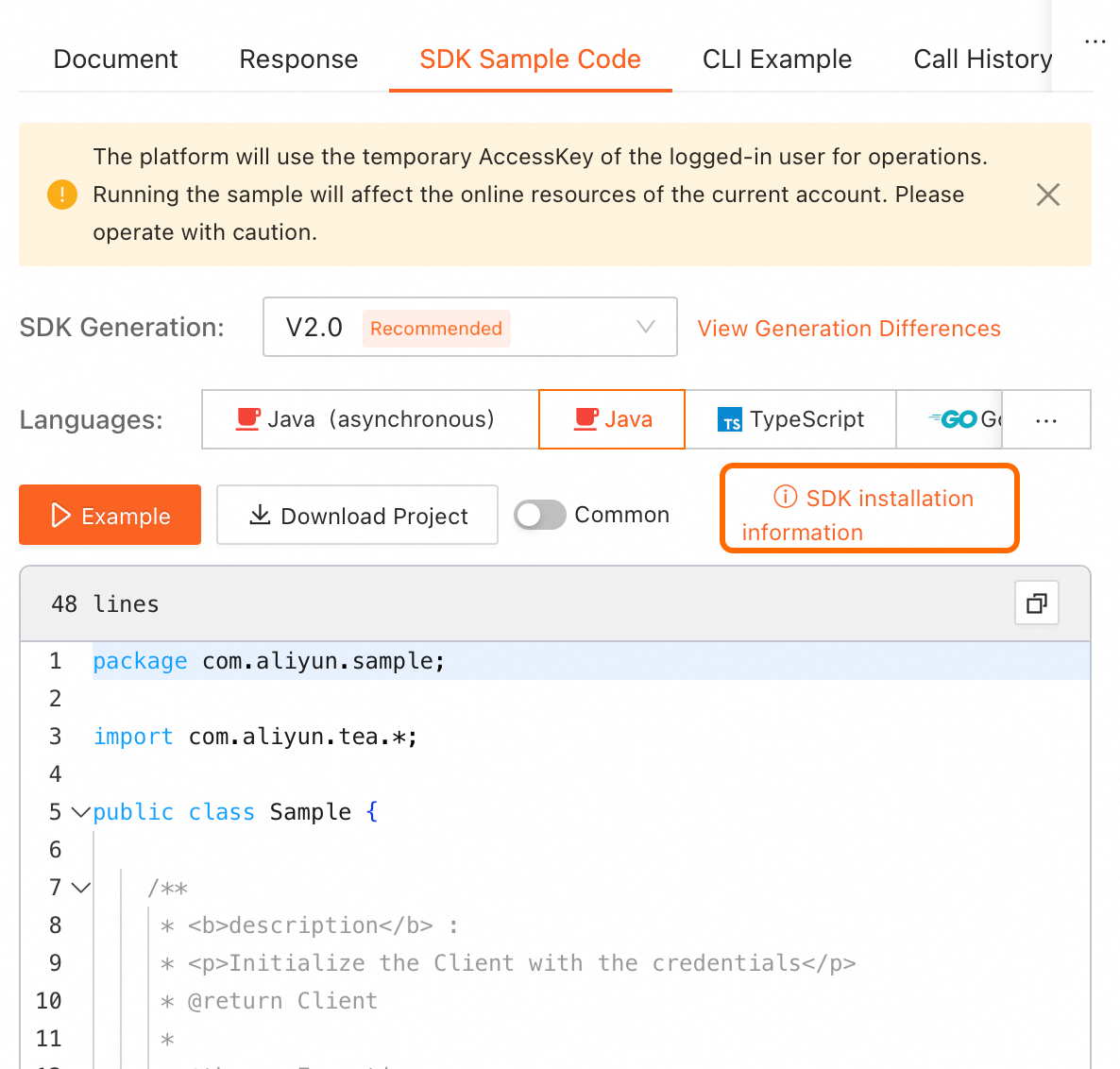
  • On the online API debugging page in OpenAPI, find the SDK sample code on the right. Click SDK installation information in the upper-right corner of the code sample to view installation details.

    Note

    Select the required programming language.
    image

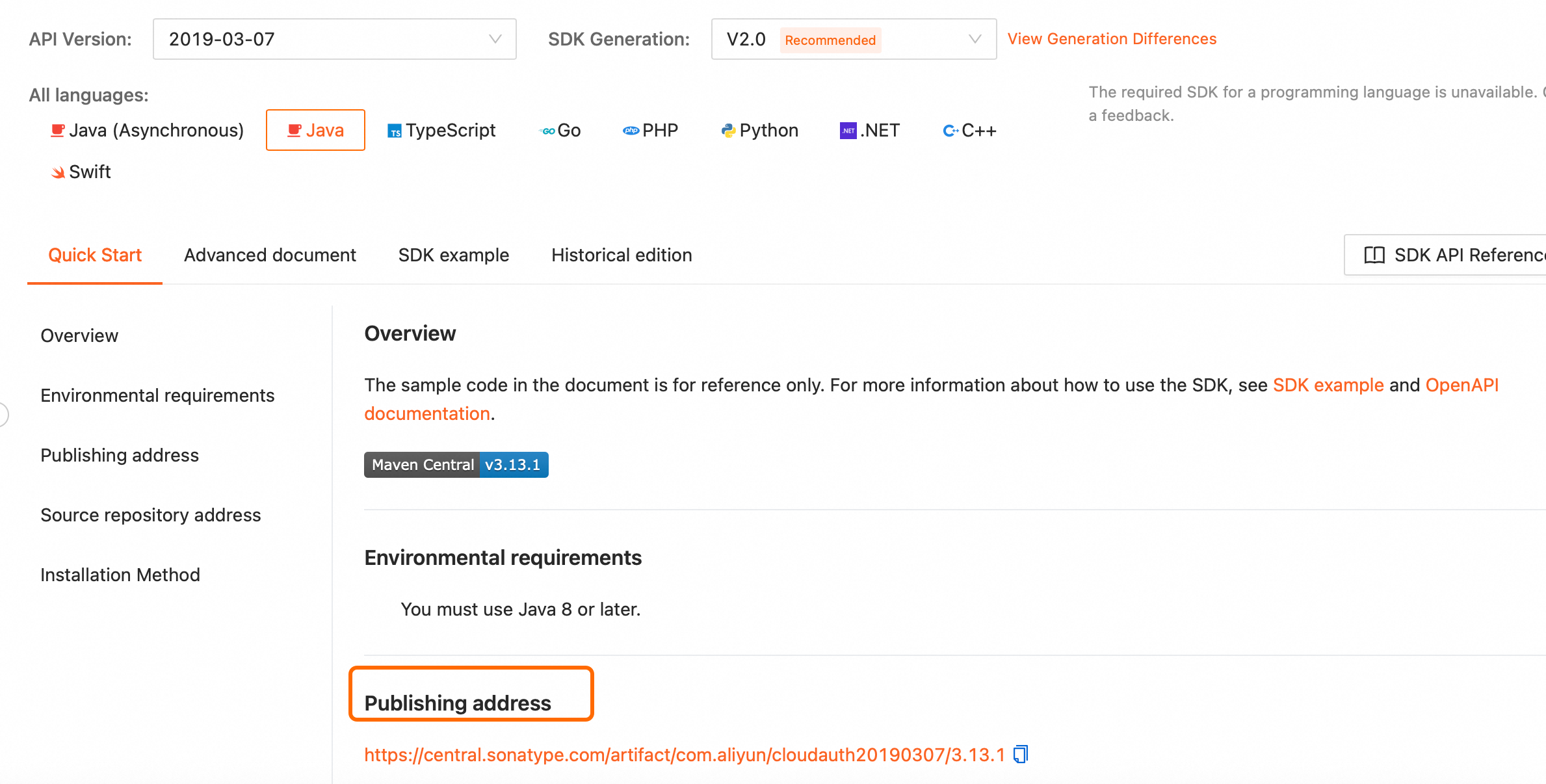
  • For offline installation, go to the SDK installation page, select the SDK for your programming language, and download it from the publishing address.
    image