Query vehicle insurance dates
This topic describes the Vehicle Insurance Date Query API and its parameters.
API details
Before calling this API, read the integration process and activate the service.
Operation name: VehicleInsureQuery
Description: Queries vehicle insurance information based on the license plate number, vehicle type, and vehicle identification number (VIN).
QPS limit: This API operation has a dedicated QPS limit. For more information, see QPS limits for ID-verification API operations.
Service address (endpoint for API calls):
Region
IPv4
IPv6
common
cloudauth.aliyuncs.com
cloudauth-dualstack.aliyuncs.com
China (Beijing)
cloudauth.cn-beijing.aliyuncs.com
cloudauth-dualstack.cn-beijing.aliyuncs.com
China (Shanghai)
cloudauth.cn-shanghai.aliyuncs.com
cloudauth-dualstack.cn-shanghai.aliyuncs.com
NoteTo reduce latency, select an endpoint that is geographically close to your servers.
You can also create a list of endpoints and poll them in rotation to improve availability.
ImportantThe Information Verification Service does not support a hard cap or automatic deactivation based on the number of calls. To control costs and prevent high bills, we recommend configuring spending alert rules:
Configure spending alerts: Set High-Spending Alert thresholds to monitor your expenses in real time.
Monitor your resource package balance: If you have purchased a resource package, also Set Resource Package Balance Alert. This lets you promptly replenish the package or adjust your call strategy.
Configure business monitoring: See security management to monitor business requests for anomalies and fluctuations.
Request parameters
Parameter | Type | Required | Description | Example |
ParamType | String | Yes | The encryption method. Valid values:
| normal |
VIN | String | Yes | The vehicle identification number (VIN). The format depends on the value of
|
|
VehicleType | String | No | Vehicle type:
| 02 |
VehicleNum | String | No | The license plate number. The format depends on the value of
|
|
Response
Parameter | Type | Description | Example | |
RequestId | String | The request ID. | 130A2C10-B9EE-4D84-88E3-5384FF03**** | |
Message | String | The response message. | success | |
Code | String | The response code. A value of Important
| 200 | |
ResultObject | BizCode | String | The verification result. Valid values:
| 1 |
VehicleInfo | String | A JSON string that contains the vehicle's insurance date information.
Important Some fields may be absent due to data source limitations. Your code must gracefully handle missing fields. | | |
SDK call example
Before you integrate, read the integration process, activate the service, and get an AccessKey and configure the environment variables.
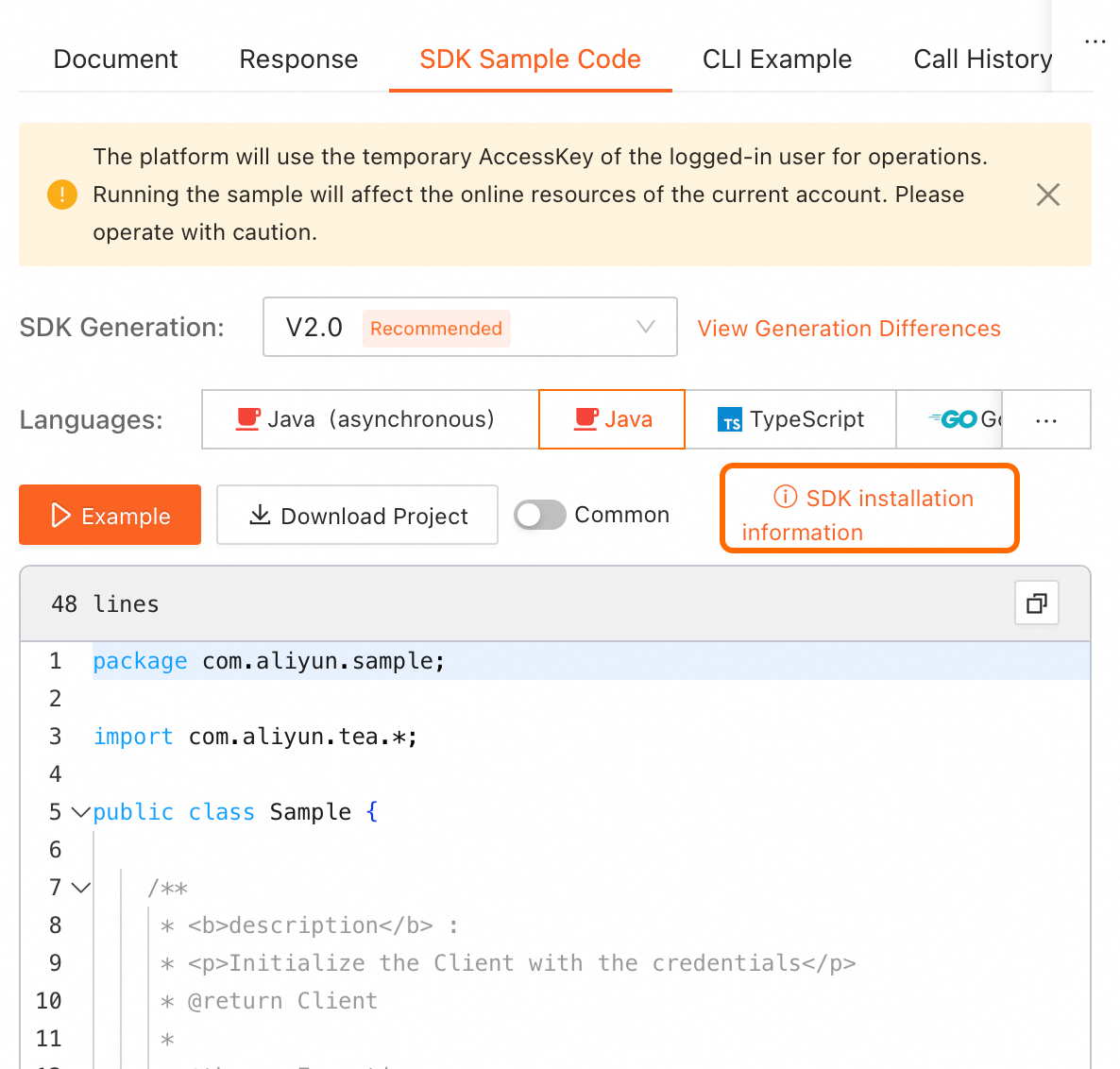
On the online API debugging page in OpenAPI, find the SDK sample code on the right. Click SDK installation information in the upper-right corner of the code sample to view installation details.
NoteSelect the required programming language.
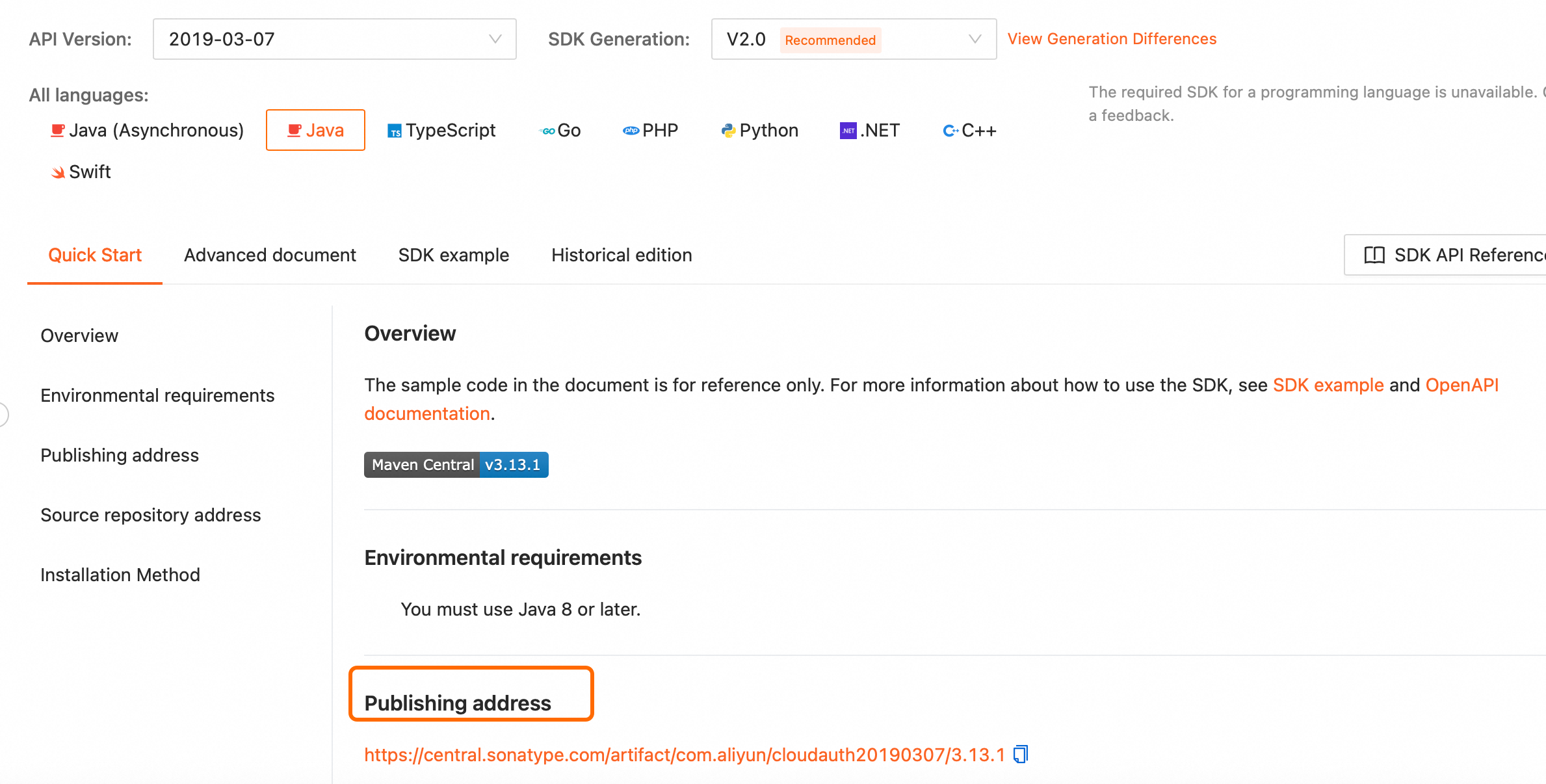
For offline installation, go to the SDK installation page, select the SDK for your programming language, and download it from the publishing address.
OpenAPI Explorer: Debug API operations online and generate SDK examples.
Sample code projects: Provides sample projects for calling the SDK in various programming languages.