Blind image watermarks
You can add image or text blind watermarks to your images. After a blind watermark is added, it is not visible on the image. To recover the watermark information, you can use the blind watermark parsing feature. This feature is commonly used for scenarios such as copyright tracking.
This document is no longer maintained. Use the new version of Intelligent Media Management.
For a comparison between the new and legacy versions of Intelligent Media Management, see New and legacy version guide.
For more information about the image processing features in the new version of Intelligent Media Management, see Image processing.
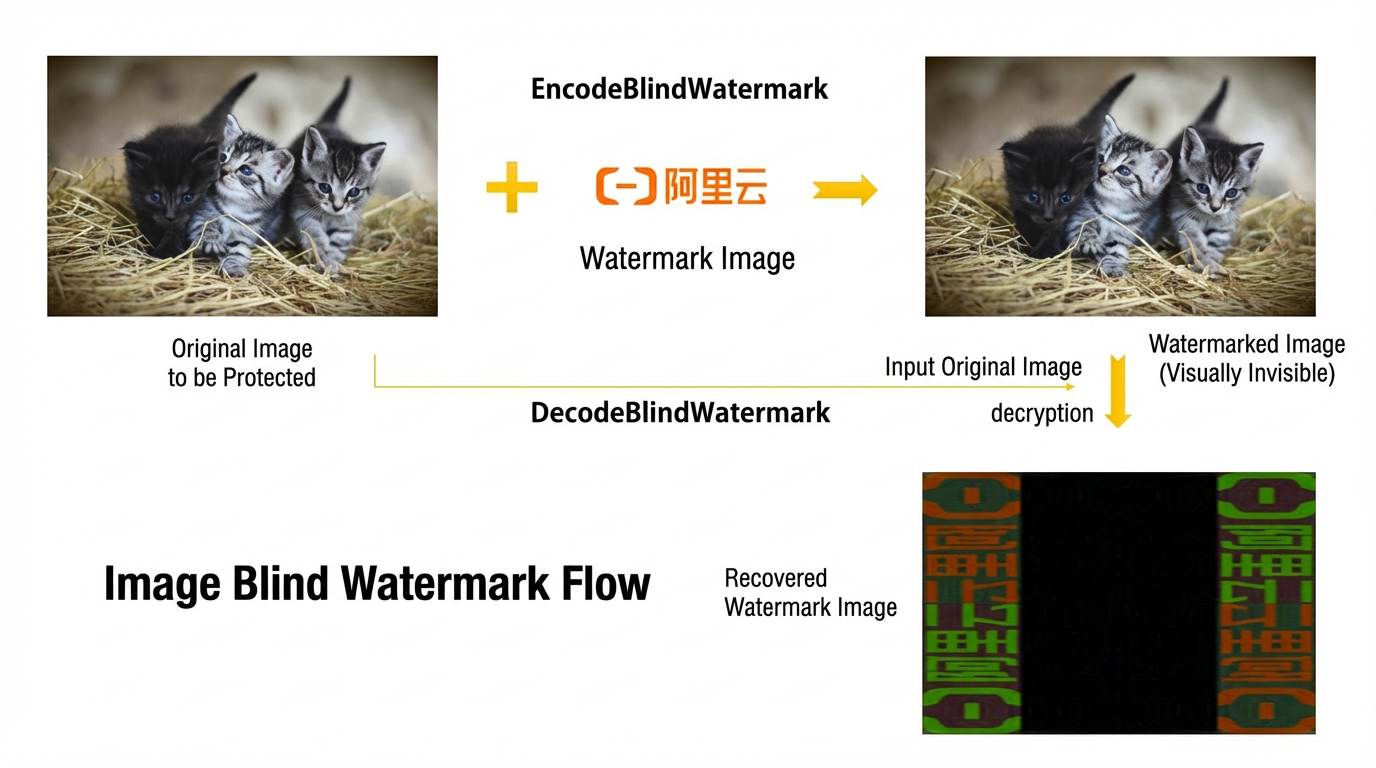
The following figure shows the workflow for adding an image blind watermark.
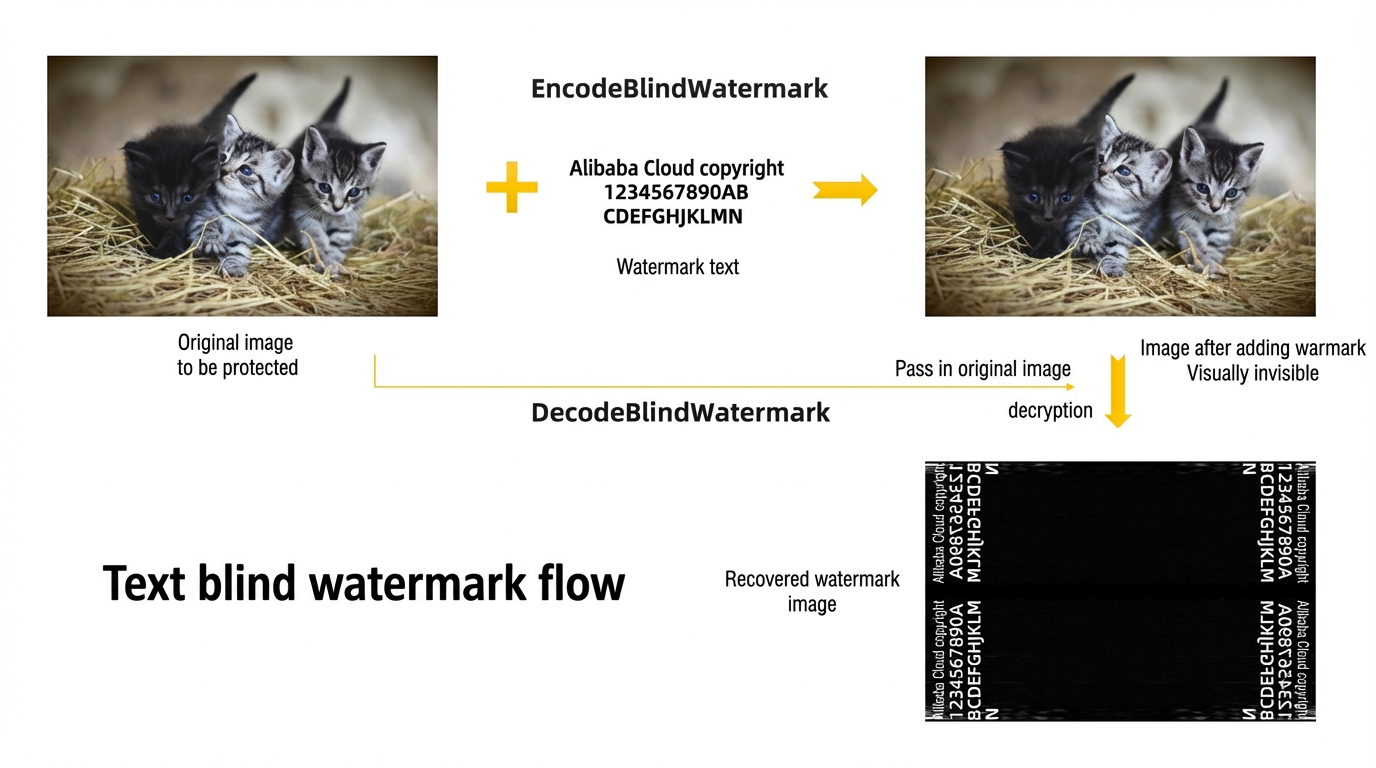
The following figure shows the workflow for adding a text blind watermark.
To use blind image watermarks, follow these steps:
Upload the image that you want to watermark to an OSS bucket. For more information, see Upload files using the console.
Prepare the watermark information based on the blind watermark type.
Image type: Prepare the watermark image and upload it to an OSS bucket.
Text type: Prepare the watermark text.
Call the PutProject operation to create a project.
If you have already created a project, skip this step. To list all projects in a specific region, call the ListProjects operation.
NoteYou can also create a project in the Intelligent Media Management console. For more information, see Create a project.
Call the EncodeBlindWatermark operation to add a blind watermark to the image.
Call the DecodeBlindWatermark operation to parse the blind image watermark.