Lingjing Digital Human selection and customization process
This topic describes the public models and the customization process for Lingjing Digital Humans.
Activation requirements
This feature is in invitational preview. To apply, submit a ticket with the following information. Alibaba Cloud will then notify you if you are eligible for access:
Alibaba Cloud enterprise-certified customers.
Provide the following information in the ticket:
Alibaba Cloud account UID: 1XXXXXXXXXXXX
Business scenario: For example, using a digital human as an interviewer in an AI interview scenario.
Business scale: For example, 10 concurrent streams.
Service region: The Chinese mainland or outside the Chinese mainland
Avatar customization: Yes or No. If you select No, a public model is used.
Pricing
Product | Description | Unit | Price |
Cloud Rendering_2D Digital Human Real-time Rendering and Stream Ingest | Renders a 2D digital human in the cloud and ingests the stream in real time. This offers good generalization for responses, but has higher cloud costs and latency. | CNY/stream/month | 2,900.00 |
Avatar customization | Customize a digital human avatar. After customization, provide text to generate 2D digital human segments. These segments can be streamed for playback when a user's question is matched. | CNY per item | 10,000.00 |
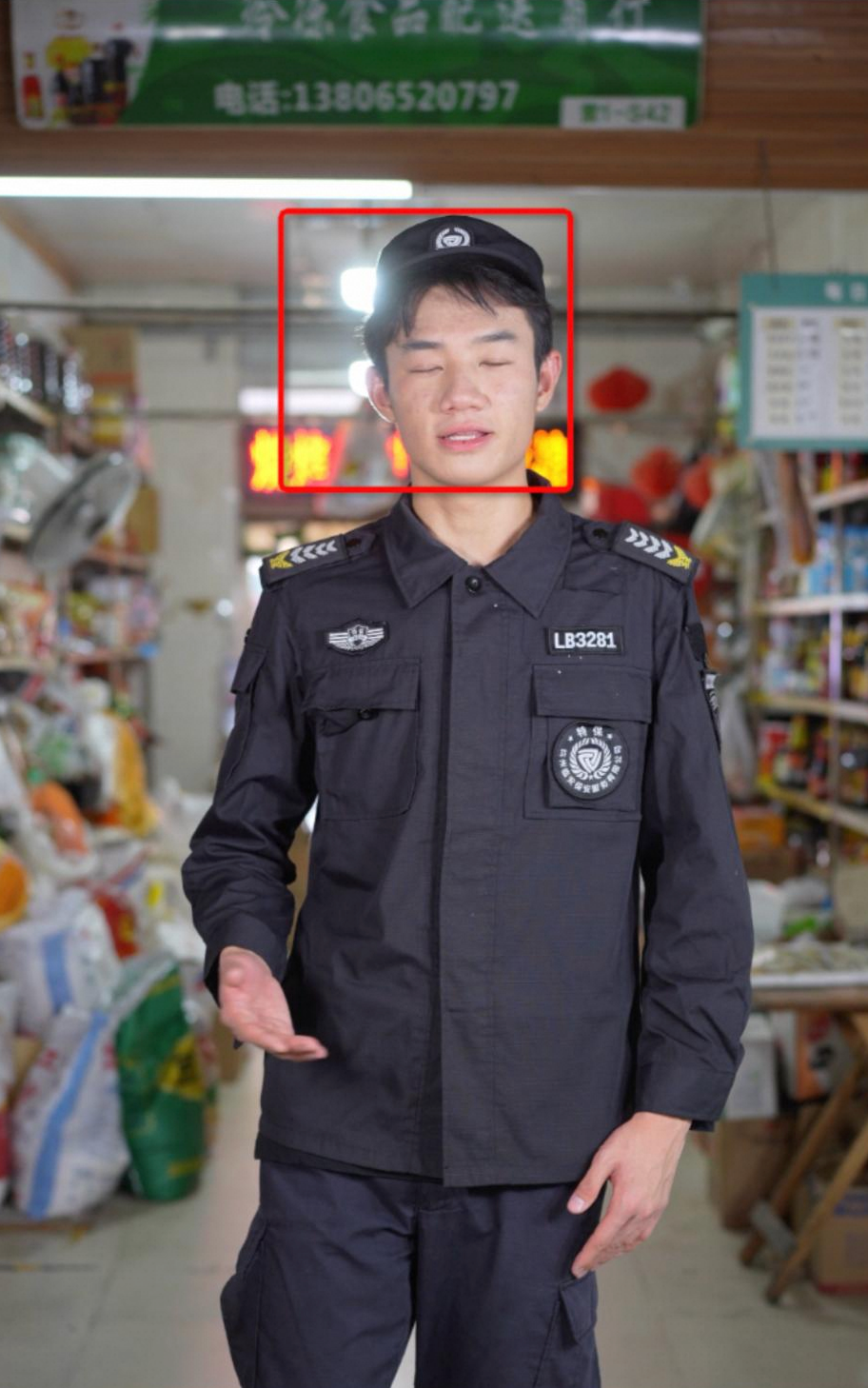
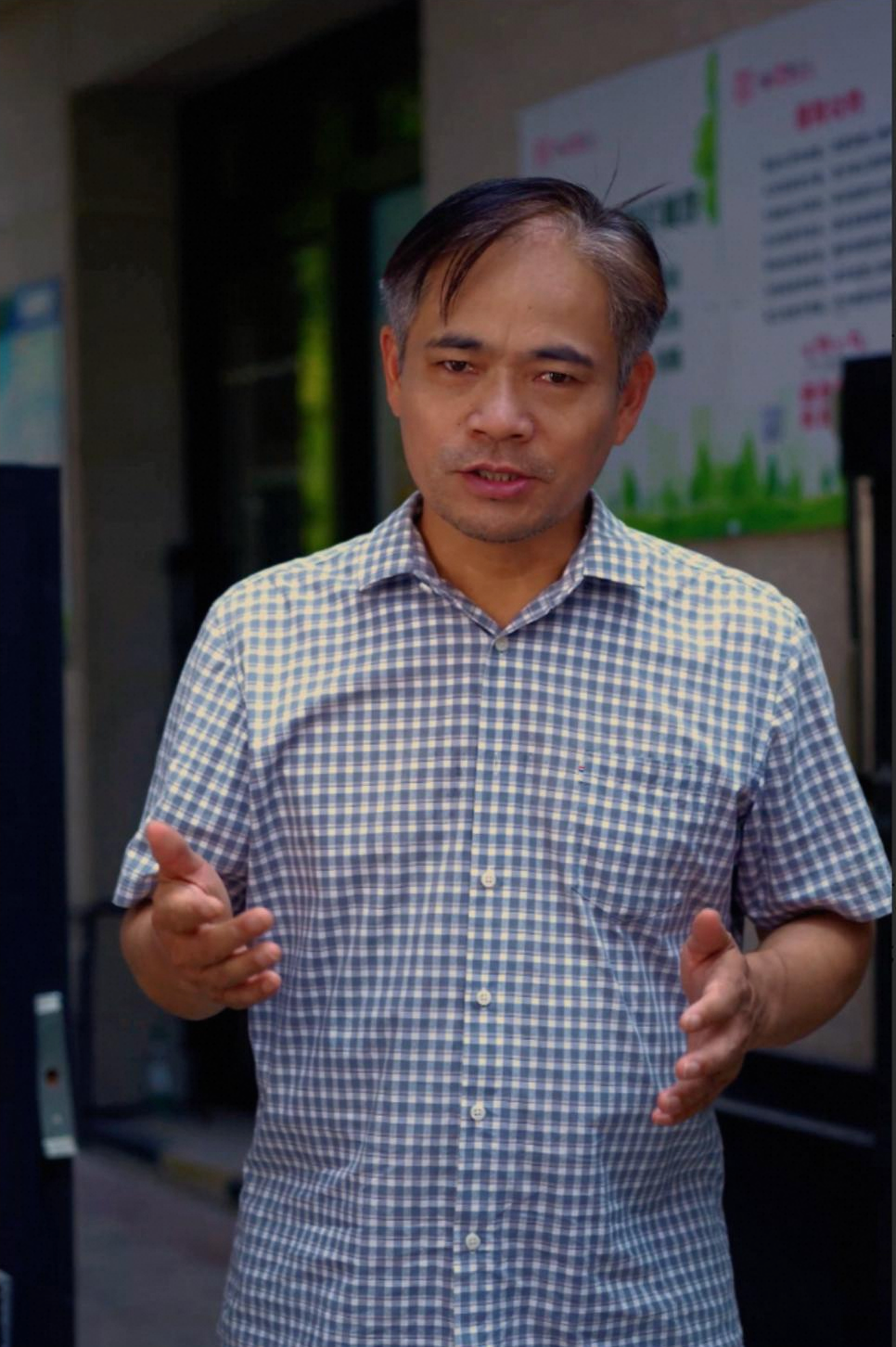
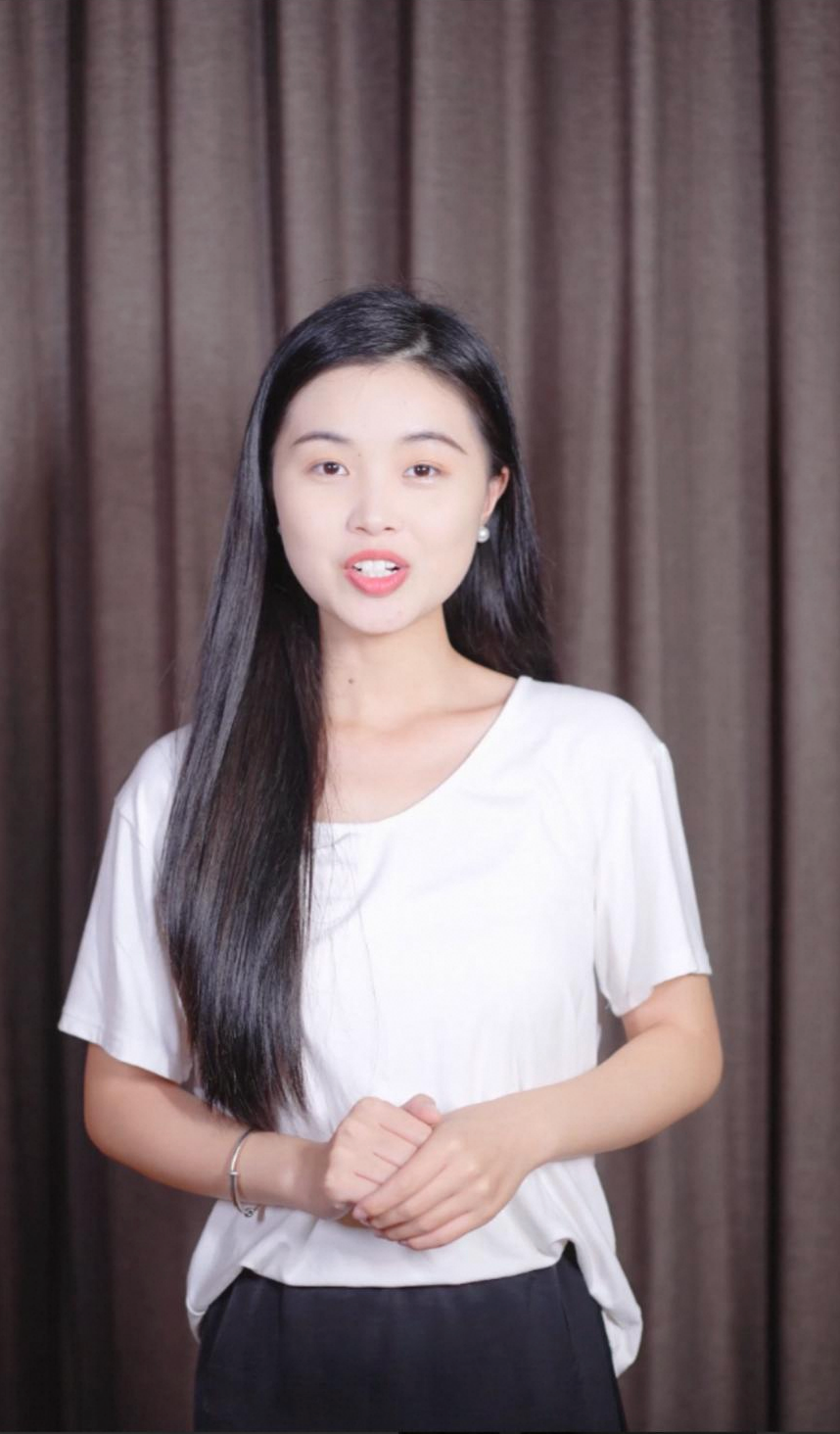
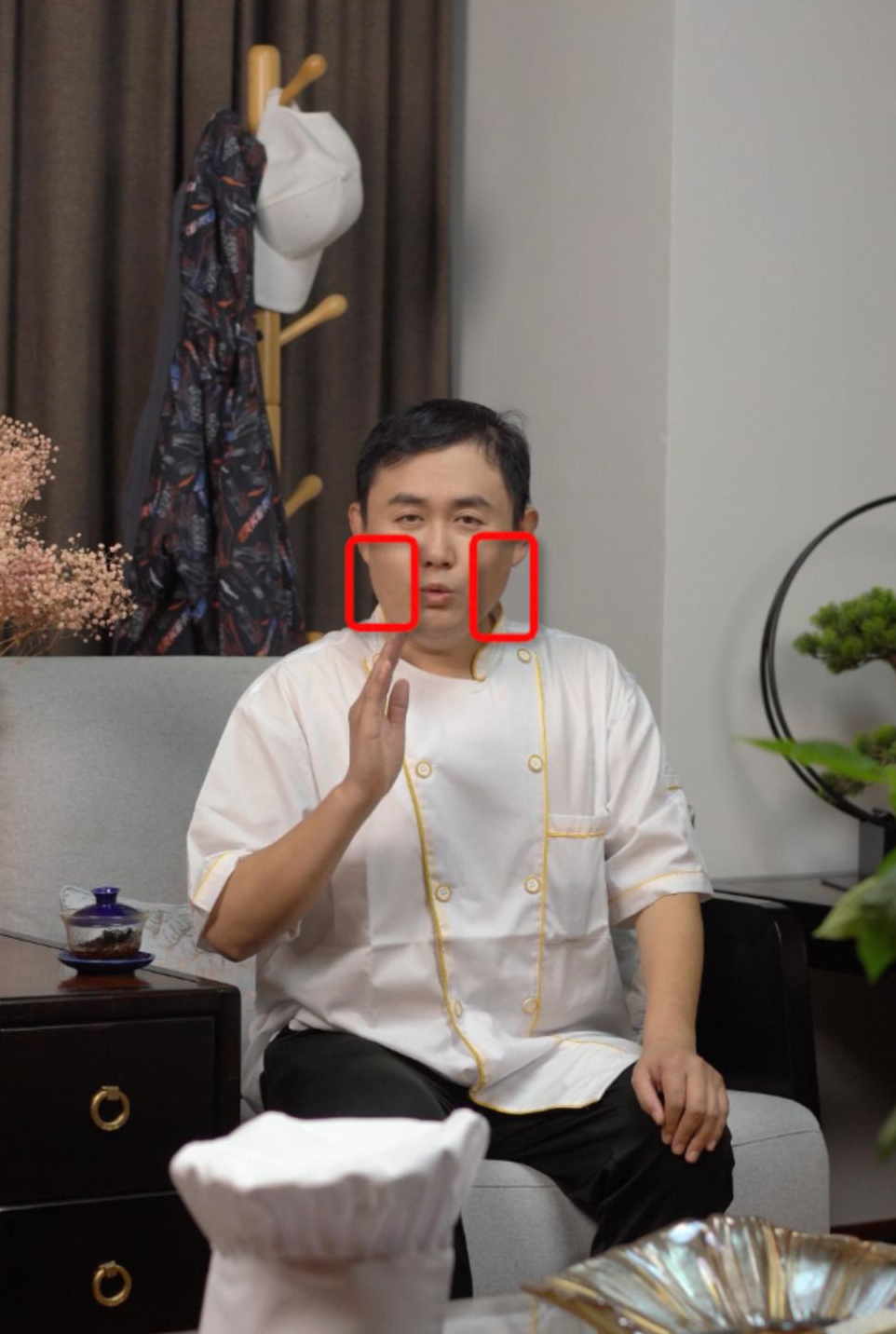
Public digital human models
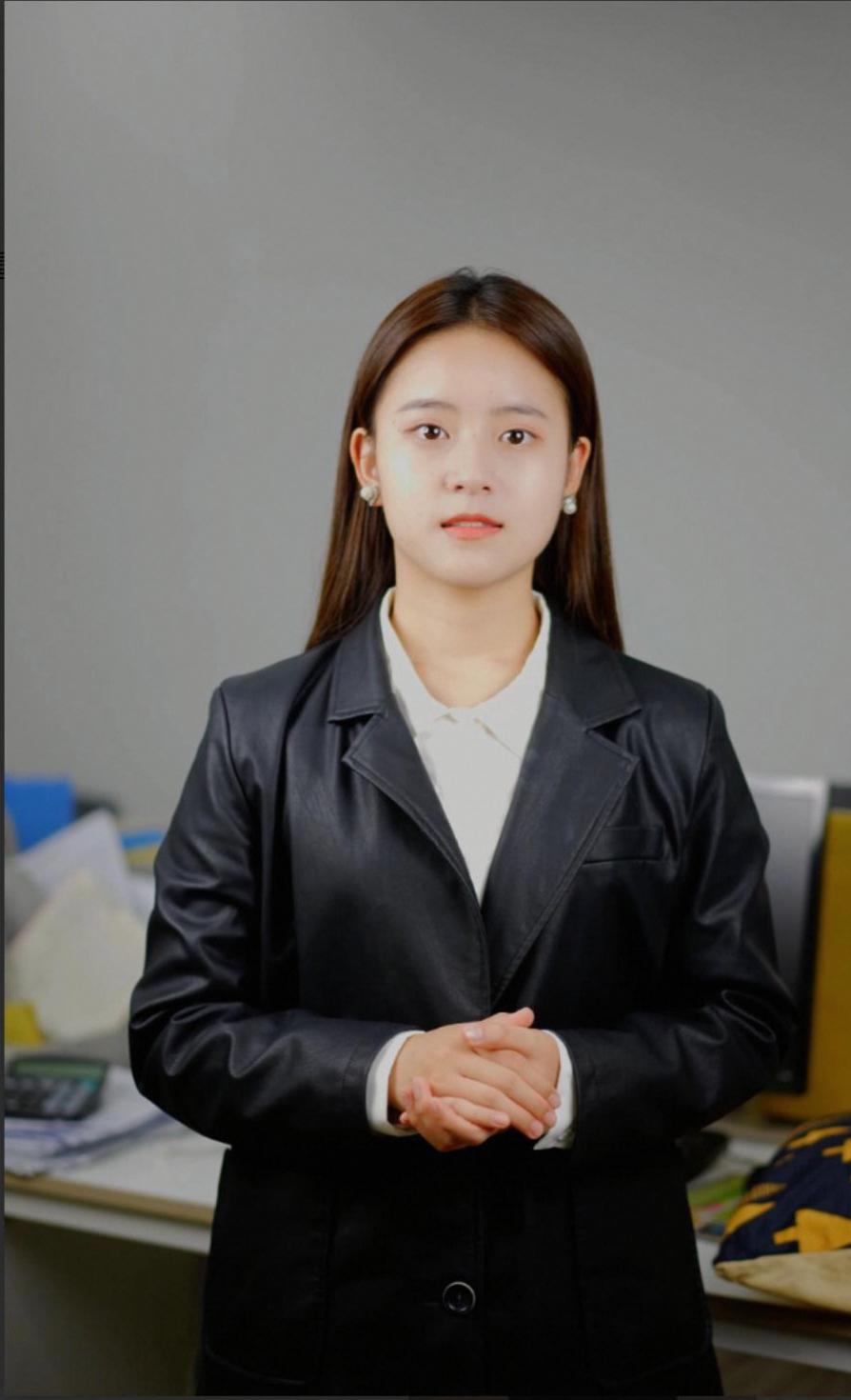
You can select and use the following avatars directly. Contact your account manager for specific parameters.
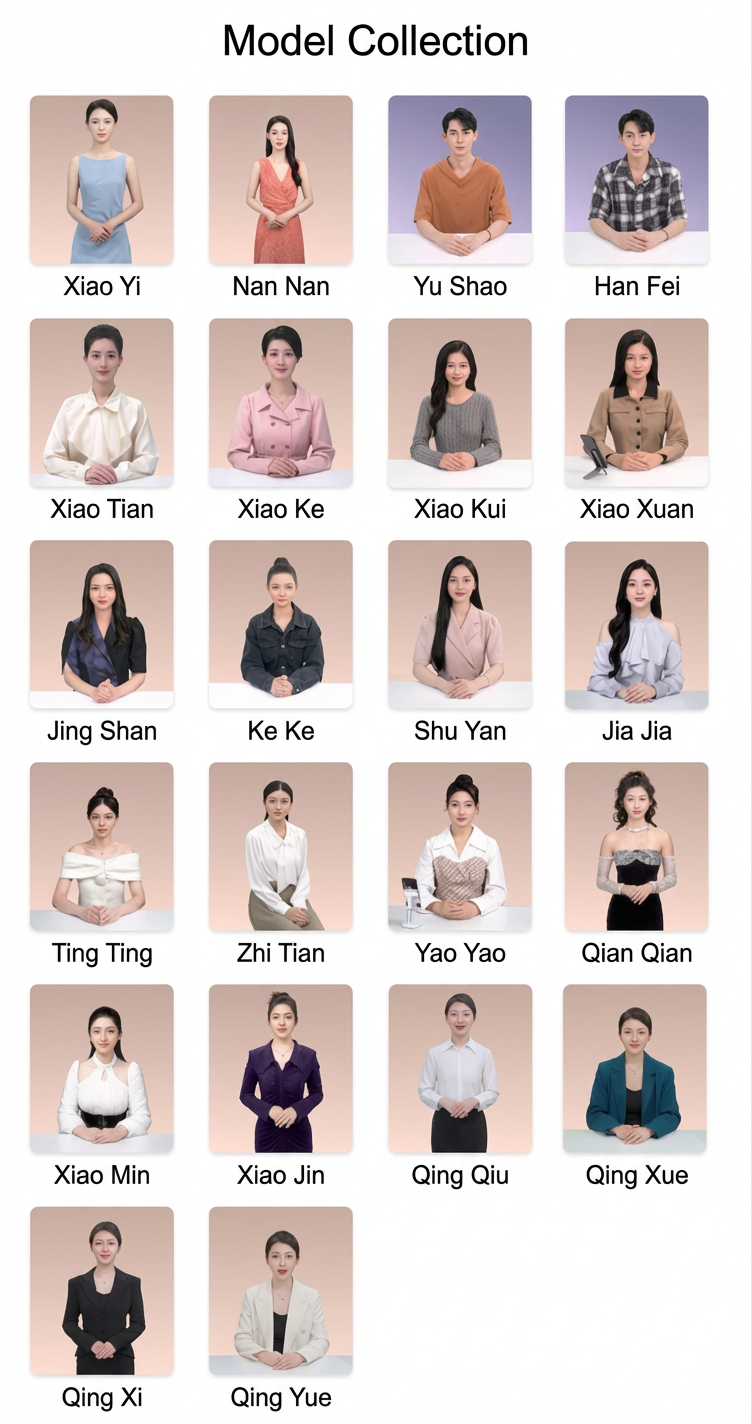 For information about customization, see the following sections.
Customization requirements
Digital human effect and quality:
The digital human is a one-to-one replication of a real person. Therefore, you must ensure the quality of the model and the recording materials. Strictly control the model's quality and have the model practice in advance by referring to the sample videos. During the shoot, professionals must manage the on-site lighting, set design, and equipment to ensure the best results.
If your model is an amateur, such as someone who is not a professional announcer, host, or actor, they must train thoroughly with the sample videos beforehand to ensure a good performance.
Recording with a green screen: To change the video background, you must record in a green screen environment. If you do not need to change the background and only need to modify the lip movements, you can record in a real-world scene.
Cloning the voice: If you also need to clone the real person's voice, communicate with your account manager in advance and collect the audio according to the voice cloning standards.
Process:
Before the official shoot, send the makeup and costume photos and test videos to your account manager for review to avoid affecting the final result.
After shooting, check the materials and effects carefully before delivery. The platform does not perform any post-production work.
Sample delivery materials
Studio-shot digital human
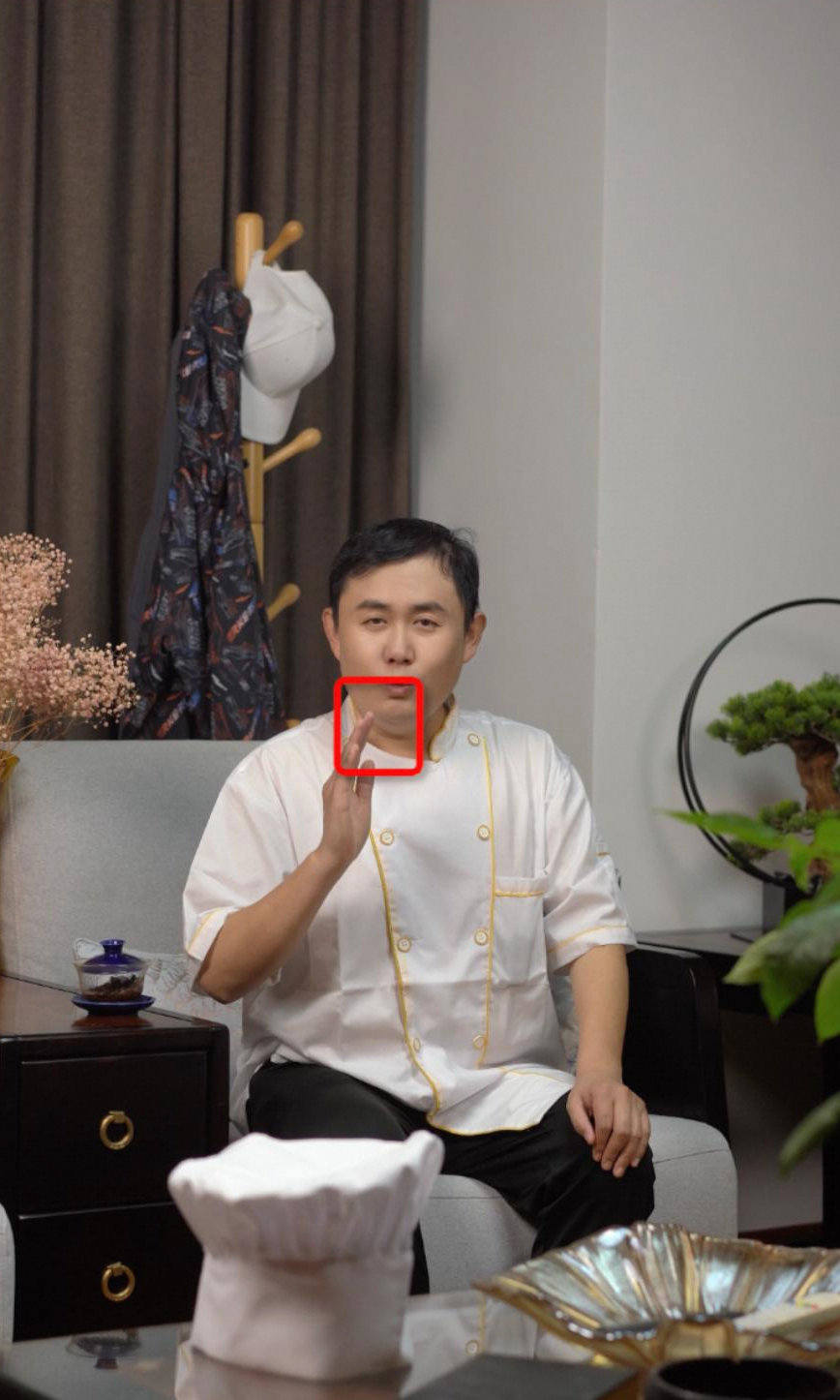
Real-world scene digital human
1. Preparation
1. Environment
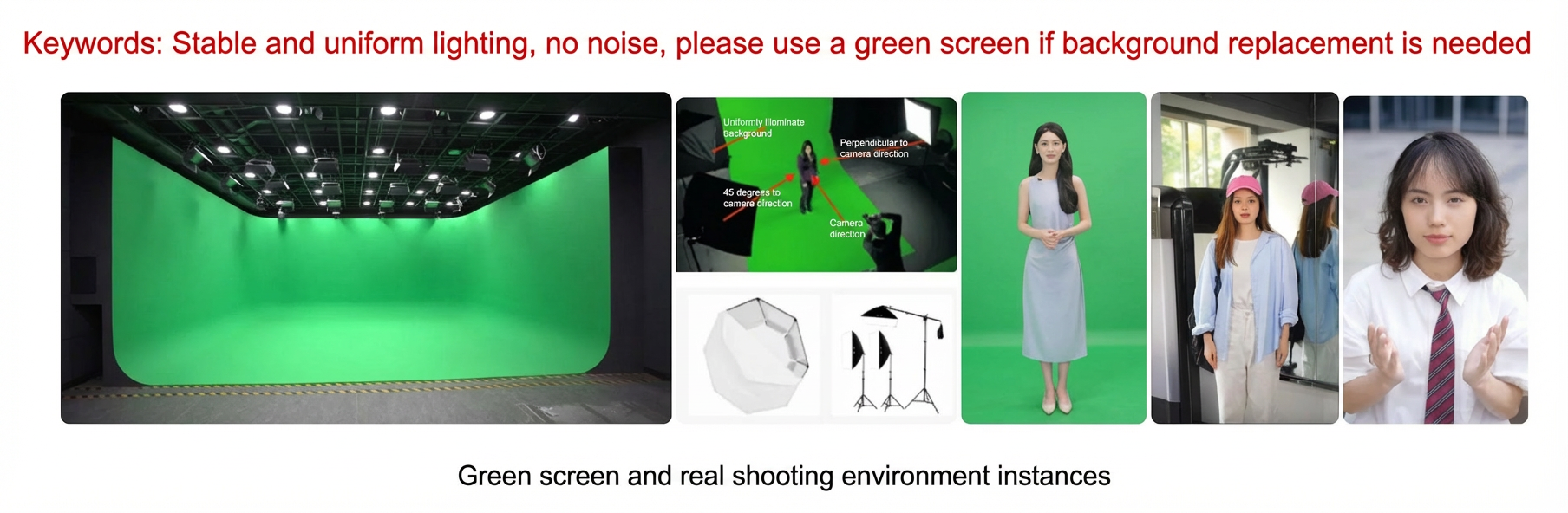
Lighting: Ensure the lighting is stable and even. The model's face must be clear, without distracting shades, and must not be overexposed or underexposed.
Noise: The environment must be free of noise, echo, and mixed sounds. There must be no construction noise, car horns, other voices, or strong, regular background noise. Ensure the model's voice is louder than any other noise.
Environment: The requirements depend on whether you need to change the video background. If not, the preceding conditions are sufficient. If you do, the following conditions must also be met:
Space: The space must be at least 8 square meters. The model must be more than 1.8 m away from the green screen.
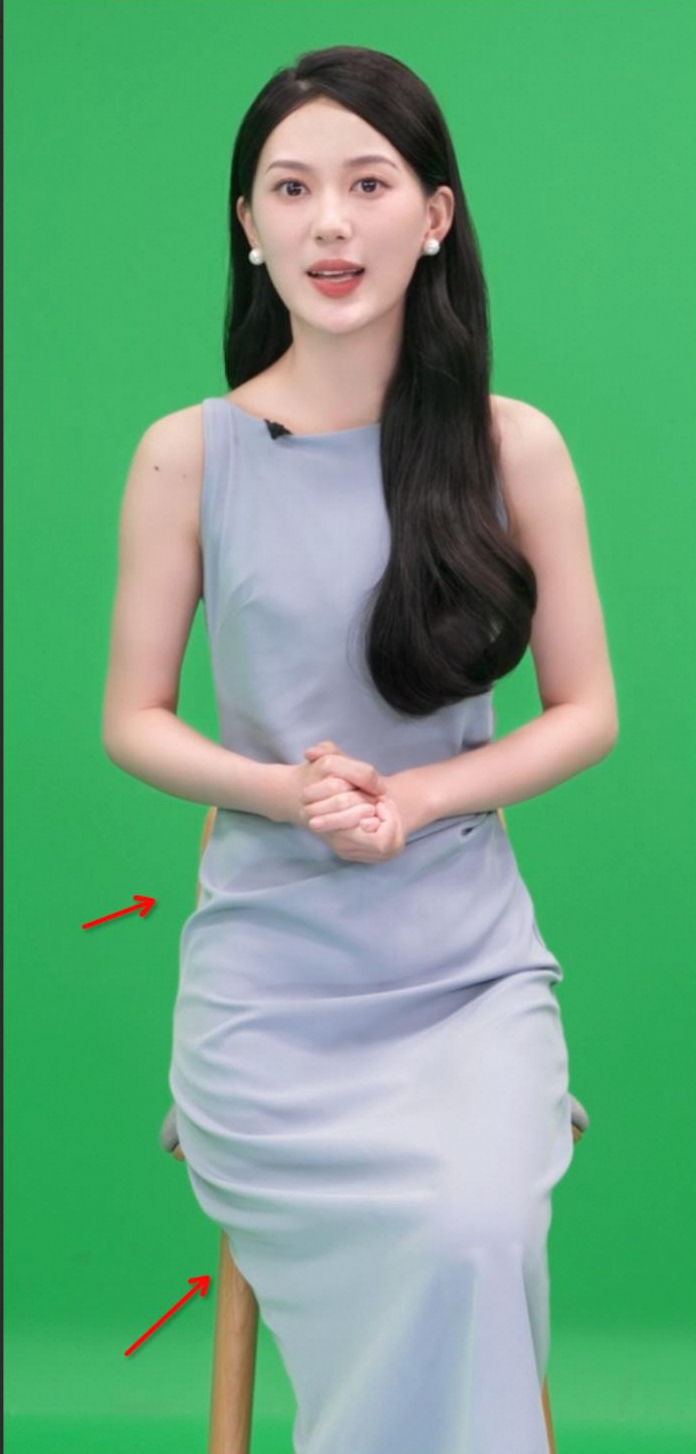
Green screen: The screen must be flat, wrinkle-free, and have a uniform color. A cyclorama wall in a professional studio is recommended. If you are shooting a full-body view, the floor must also be covered with a green screen. If you build your own set, purchase a solid green cloth and ensure its surface is uniform in color and free of wrinkles. The recommended size is 4 m × 6 m or larger.
Black cloth: Prepare a black cloth to place on the floor during the shoot to prevent green spill on the model.
Green screen stand: If you build your own set, purchase a green screen stand or attach the green cloth to a wall. If you purchase a stand, ensure it is over 2 m wide and 2 m high.
2. Equipment
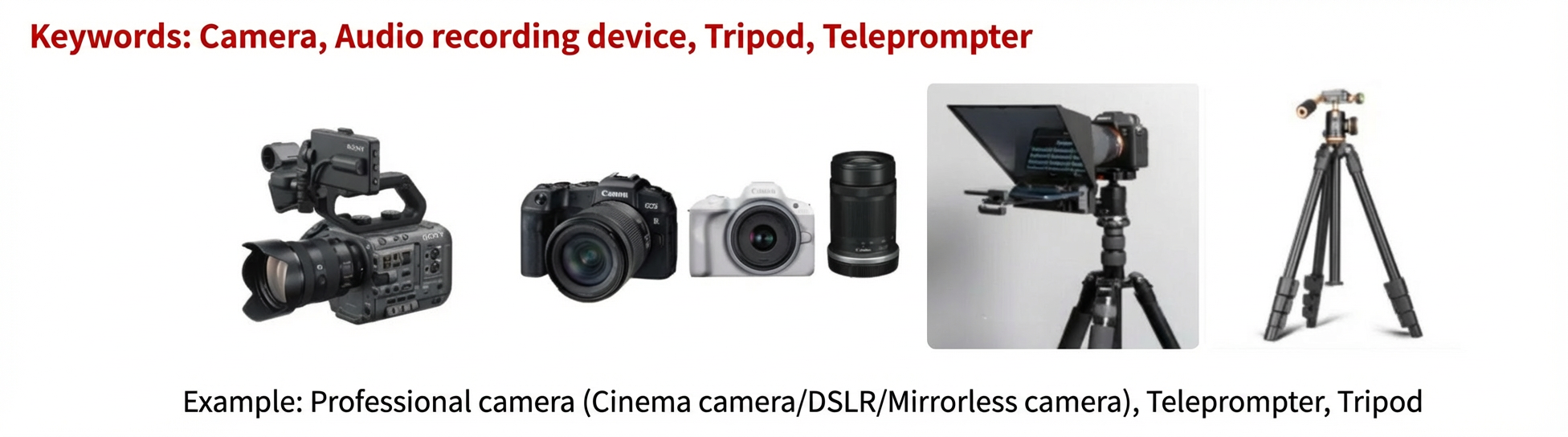
Camera: Use a professional camera, such as a cinema camera, DSLR, or mirrorless camera. The camera must be able to shoot video at 4K resolution and 25 fps or higher. A 55 mm focal length and an f/5.6 aperture are recommended.
Audio recording equipment: Use directional recording equipment, such as a lavalier microphone from brands such as Sony or RØDE. You can add a windscreen or pop filter.
Tripod: Use a tripod to keep the camera steady. During recording, ensure the camera does not move and the image remains stable and in focus without jitter.
Teleprompter: Use a professional teleprompter or a teleprompter app on a mobile phone. Ensure the model looks directly at the camera lens at all times.
3. Model
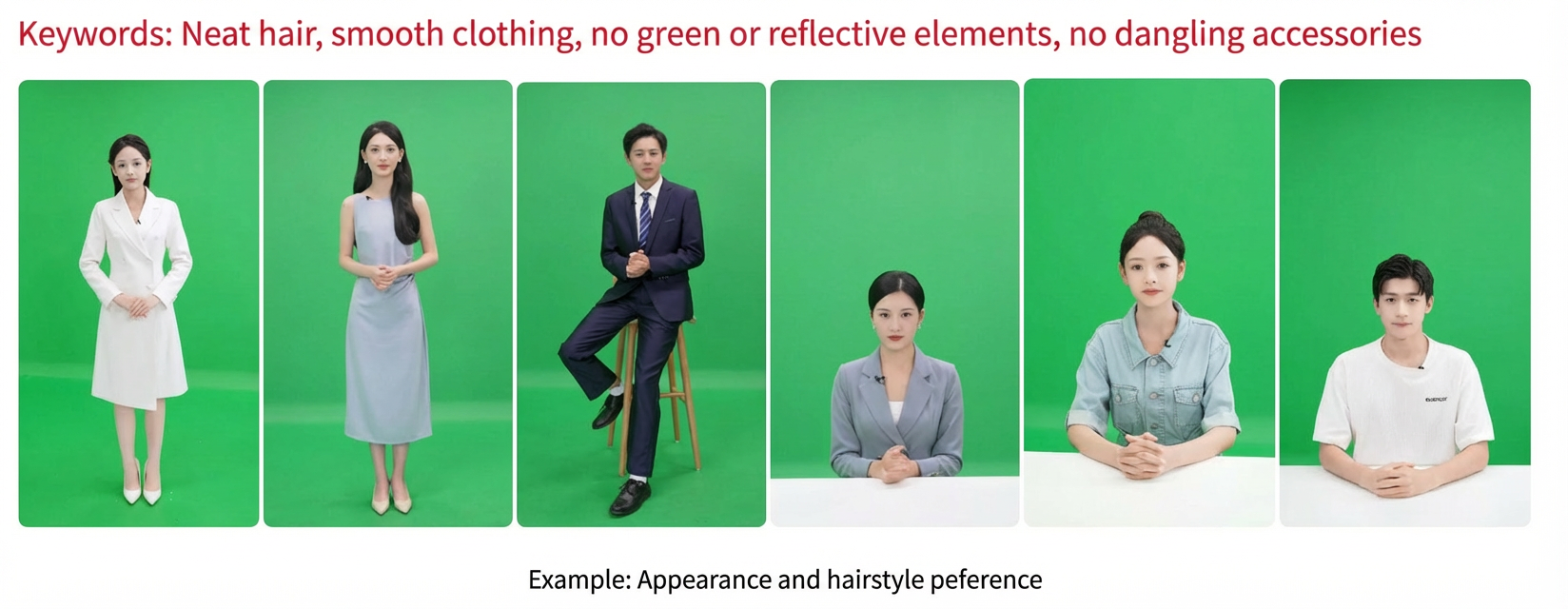
Model's appearance: The digital human is a one-to-one replication of a real person. The final effect depends on the quality of the model and the recording. To ensure the best results, you must strictly control the model's quality during the selection phase. We strongly recommend choosing a model with well-proportioned features and good posture. Based on our past customization experience, carefully check and screen models for the following issues:
Mouth shape: Check for a crooked mouth or tilted corners of the mouth when speaking.
Teeth: Check if the teeth are neat when speaking, or if there are issues such as buck teeth or missing teeth.
Eyes: Check for uneven eye sizes or an abnormal blinking frequency.
Shoulders: Check for uneven shoulders.
Posture: Check if the posture is poised, or if there are issues that affect the result, such as shrugged shoulders, a slumped waist, or forward head posture.
Leg shape: Check for unaesthetic leg shapes, such as X-shaped or O-shaped legs.
Body shape: Check if the body is well-proportioned and looks good on camera.
Face shape: Check for significant asymmetry.
Eyebrows: Check for abnormal eyebrow raising or significant eyebrow asymmetry when speaking.
4. Makeup and styling
Makeup: The face must be clean and not oily. Light makeup is acceptable. Bring touch-up tools on the day of the shoot, such as oil-control powder, lipstick, and foundation.
Hairstyle: The hairline must be neat with no stray hairs. Use hairspray to fix flyaways. Avoid hairstyles that swing, such as ponytails or bangs. Hair must not cover the face or neck. If the model has long hair that is worn down, we recommend that you drape and secure it behind the shoulders. Avoid highly saturated hair colors, such as red, light yellow, or green. Do not let hair fall on the sides of the face or cover the face.
Clothing: Clothes must be flat, wrinkle-free, and have clean edges. Do not wear clothes that are close to the color of the green screen, high-necked, or have patterns such as dense thin stripes, checks, or polka dots. Do not wear clothes made of materials that are reflective, semi-transparent, or lace.
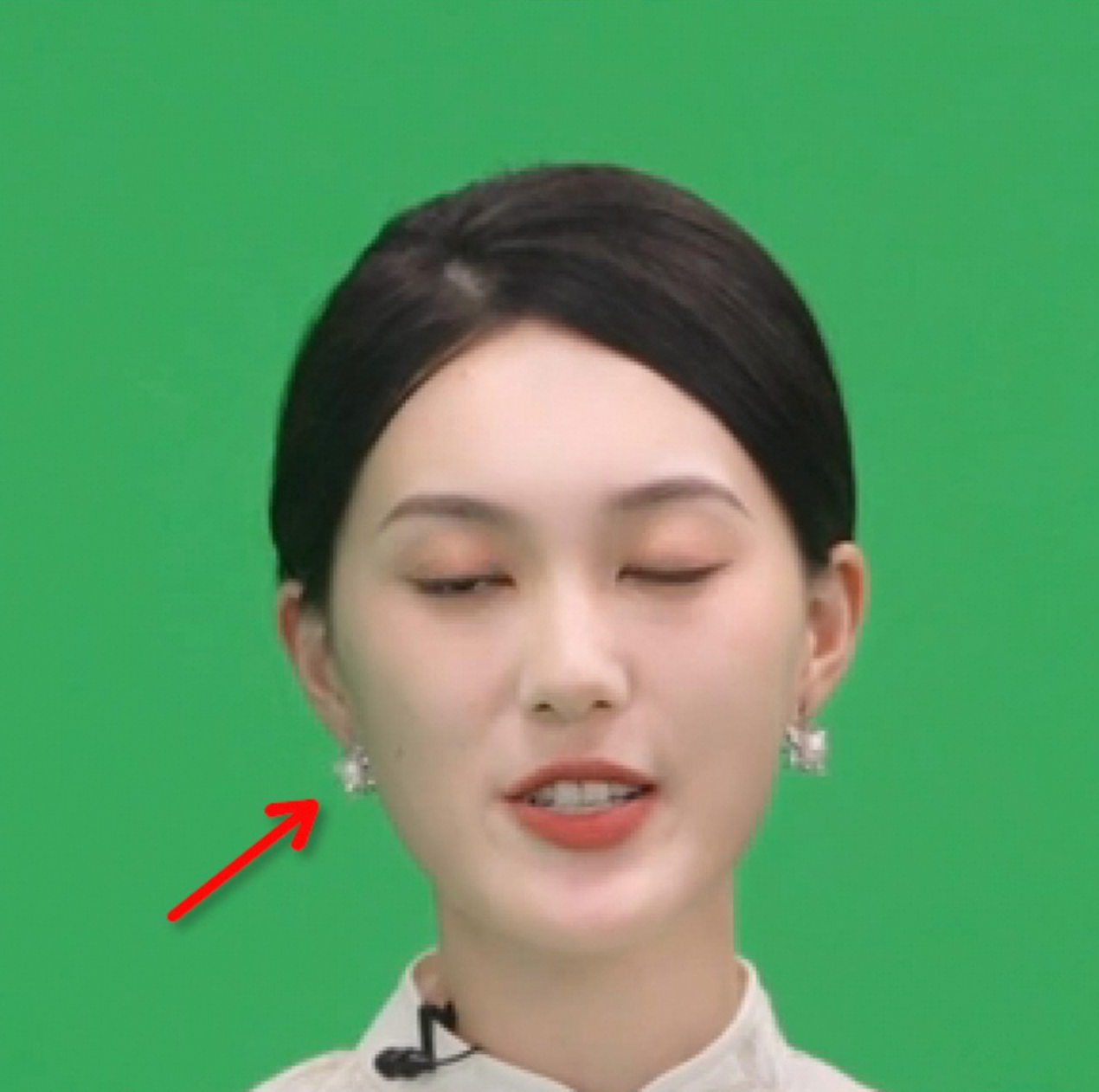
Accessories: Do not wear earrings, hair accessories, or similar items. We recommend that the model wears contact lenses. If the model must wear glasses, ensure there is no reflection in the lenses and the eyes are clearly visible. Do not wear large-framed glasses. Avoid highly reflective or mirrored accessories, such as bracelets, necklaces, sunglasses, or patent leather shoes.
Performance: The performance must match the state of the actual application scenario. We recommend that you find experienced models with a professional background, such as streamers or professional announcers.
Other: Try to avoid beards, especially full beards.
5. Corpus
Prepare a script of about 3,000 Chinese characters. We recommend that you use a script that is relevant to the application scenario, such as sales copy for a live streaming scenario or a course lecture for a training scenario. Ensure the script content is not repetitive and can support continuous speaking at a normal pace for more than 10 minutes.
If you do not have specific script requirements, you can use the platform's sample scripts:
2. Recording content
1. Natural speaking (5 minutes)
Keywords: single take, generic gestures, silence after starting
Aspect ratio: 9:16 (vertical) or 16:9 (horizontal).
Background: To change the background of the digital human video, you must record with a green screen. If you do not need to change the background, you can shoot in a real-world scene.
Posture: Standing or sitting is acceptable, depending on your business needs.
Gestures: Use generic gestures. Do not use rhythmic actions that are unrelated to the content, such as counting with fingers (1, 2, 3), or gestures with strong semantics, such as waving hello or goodbye. Pause for 8 to 10 seconds between gestures and return to an idle state in between. Do not perform gestures continuously.
Recording content: Follow the teleprompter to record a 5-minute natural speaking video. Maintain a natural expression that is consistent with the actual application scenario, and use generic gestures. Speak at a moderate pace with full lip movements and clear pronunciation. After you start the recording, remain silent with your mouth closed for 5 seconds before you start speaking. This must be a single take. Post-production splicing or editing is not allowed. The video must not contain off-screen voice prompts, model errors, or appearances by other people. Example:
2. Static speaking (optional, 20 minutes)
This is used to collect avatar lip movement data to improve the lip-sync effect of the digital human. We recommend that you record this.
Aspect ratio: 9:16 (vertical) or 16:9 (horizontal).
Background: To change the background of the digital human video, you must record with a green screen. If you do not need to change the background, you can shoot in a real-world scene. For the same digital human avatar, keep the settings consistent between the "Natural speaking" and "Static speaking" parts.
Posture: Standing or sitting is acceptable, depending on your business needs. For the same digital human avatar, keep the settings consistent between the "Natural speaking" and "Static speaking" parts.
Recording content: Read the script from the teleprompter. Ensure full lip movements, clear pronunciation, and a moderate pace. Pause for about 3 seconds between sentences. Focus on pronunciation and lip movements. You do not need to show expressions or use hand gestures. This must be a single take. Post-production splicing or editing is not allowed. The video must not contain off-screen voice prompts, model errors, or appearances by other people.
3. Recording process
1. Test recording
Keywords: proper position, moderate frame and speech rate, normal audio recording, appearance meets requirements
Before the official recording, we recommend that you shoot a test segment to ensure the following:
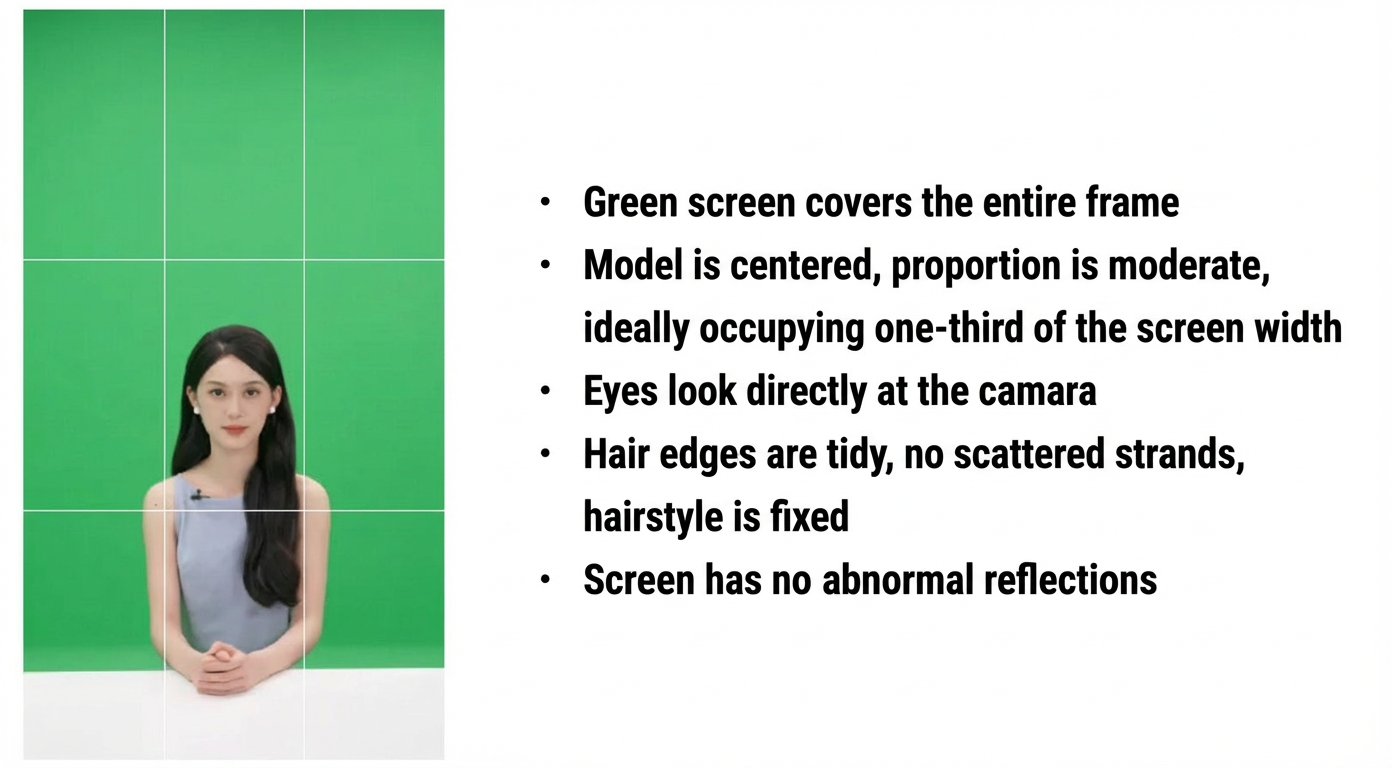
Position: The model is in the center of the frame, is well-proportioned, and ideally occupies one-third of the frame's width. The model must not go out of the frame, even when making gestures.
Teleprompter: The speed matches the model's speaking rate. The teleprompter is placed directly below the lens. The model looks directly at the lens and does not look away, up, down, or around while reading.
Audio: The audio is recorded correctly. The environment is free of noise and off-screen sounds. The video and audio are in sync.
Appearance: There are no green elements. If possible, perform a test keying in advance to confirm this. The hairline is neat with no stray hairs, and the hairstyle is fixed during speaking. The expression and movements are natural and not stiff. The performance and state meet the scenario's requirements.
Other: There is no abnormal reflection in the frame, such as from eyeglass lenses, accessories, or mirrored surfaces.
Before the official shoot, send the makeup and costume photos and the test video to your account manager for review to avoid affecting the customization result.
2. Official shoot
Keywords: single take, silence at the beginning and end, generic gestures, keep mouth closed when not speaking
2.1 Natural speaking (5 minutes)
Step 1: Remain silent for 5 seconds. After you start the recording, keep your mouth closed and remain silent for 5 seconds. Place your hands naturally in front of you and look directly at the lens.
Step 2: Speak naturally for 5 minutes. Start scrolling the teleprompter. The model looks directly at the lens and begins to record the speaking video. Note:
Maintain full lip movements and clear pronunciation.
Keep your head and body relatively stable. Avoid large movements.
You can use generic hand gestures, but you must avoid actions with specific meanings, such as a thumbs-up or counting with fingers.
Gestures must not be too large. Do not raise your hands above your shoulders, cover your face, or go out of the frame.
Avoid exaggerated actions such as licking your lips, sticking out your tongue, or pouting.
It is okay to occasionally misspeak. Just continue reading.
Remain silent between segments. Keep your mouth closed.
The recording must be a single take. Do not use post-production splicing or editing. Avoid errors such as off-screen sounds, incorrect model actions, or appearances by other people. If such errors occur, you must re-record the segment.
2.2 Static broadcast (20 minutes)
This is used to collect avatar lip movement data to improve the lip-sync effect of the digital human. We recommend that you record this.
Step 1: Place your hands naturally in front of you and look directly at the lens.
Step 2: Start scrolling the teleprompter. Look directly at the lens and begin to record the static speaking material. Note:
Maintain full lip movements and clear pronunciation.
Keep your head and body relatively stable. Avoid large movements.
Keep your mouth closed between sentences. Pause for about 3 seconds before reading the next sentence.
You do not need to use hand gestures or expressions.
It is okay to occasionally misspeak. Just continue reading.
Avoid exaggerated actions such as licking your lips, sticking out your tongue, or pouting.
The recording must be a single take. Do not use post-production splicing or editing. Avoid errors such as off-screen sounds, incorrect model actions, or appearances by other people. If such errors occur, you must re-record the segment.
4. Post-production
Keywords: clean delivery content, moderate retouching, material check
Editing: If the beginning or end of the video contains off-screen sounds, camera shake, an open mouth, or appearances by other people, you must edit out the unwanted parts.
Retouching: To ensure a good result, you can apply moderate retouching to the avatar. We recommend that you use software such as CapCut or DaVinci Resolve. However, do not excessively slim the face, enlarge the eyes, or alter facial features. When you export the video, pay attention to its definition and resolution.
Keying: To change the background of the digital human video, you must perform the keying yourself and deliver a video file with a transparent alpha channel.
[IMPORTANT] Material check: Check your materials against the following list. Ensure all requirements are met before delivery.
- Content structure meets requirements.
--- Natural speaking: 5 min.
--- Static speaking: 20 min.
- Content.
--- The natural speaking video meets the requirements in the recording content and process sections.
--- The static speaking video meets the requirements in the recording content and process sections.
- The green screen fills the entire frame. The background is free of stains or abnormal color patches.
- The model and their gestures stay within the frame at all times.
- The model's face is evenly lit. The facial features, face, and neck contours are clear.
- The model always looks at the lens, without looking around, sideways, up, or down.
- Gestures have no specific meaning.
- The mouth must be closed during silent segments. It cannot be open or half-open.
- The hairline is neat with no stray hairs. The hairstyle is fixed.
- The frame is free of abnormal reflections, such as from eyeglass lenses.
- No post-production splicing or editing. No obvious frame skips.
- The frame is stable, with no abnormal jitter or loss of focus.
- No effects that significantly alter facial features, such as face slimming or eye enlargement.
- Audio recording is normal, with no reverb or background noise.
- Aspect ratio is 16:9 (horizontal) or 9:16 (vertical).
5. Delivery standards
Keywords: format and size, naming, Alibaba Cloud Drive
Deliverable | Content | Delivery method |
Video file |
Note Make sure to check the file against the checklist in "4. Post-production - Material check" before delivery. | Alibaba Cloud Drive or direct transfer via DingTalk. |
6. Delivery cycle
After the avatar and voice are customized, we will confirm acceptance with you in a DingTalk group. After you confirm that there are no issues, the avatar will be published to the platform for your use.
Basic customization: 1 to 2 days for delivery.
High-precision customization: 3 to 5 days for delivery.
7. FAQ and solutions
Issue | Example | Solution | |
Lighting | Backlit, and the light source is too strong, which causes unclear avatar edges. |
| Use a frontal light source. Do not let the light source appear in the shot. |
Underexposed. The face and the entire person are too dark. |
| Increase the light brightness. | |
Overexposed, and the light source is too harsh, which causes a loss of facial detail. |
| Reduce the light brightness and use a soft light to reduce the harshness. | |
Insufficient side light, which causes severe facial shades. |
| Adjust the side light. | |
Post-production | Excessive skin smoothing, which causes a loss of facial detail. |
| Apply less skin smoothing to retain facial details. |
Expressiveness | Gestures go above the shoulders and block the face. |
| Ensure gestures do not go above the shoulders or block the face. |
Green spill | The face reflects the green screen color. |
|
|
The clothing has a green stain. |
|
| |