Real-time captions
Use the AICallKit SDK to retrieve real-time captions for user speech and agent responses.
Usage notes
-
This example uses the API to implement this feature without UI integration.
-
You must first integrate the AICallKit SDK. For integration instructions, see Android Integration Overview, iOS Integration Overview, Web Integration Overview, and Harmony Integration Overview.
Real-time caption preview
|
Real-time user captions User input recognized by the agent is displayed in real time on the UI.
|
Real-time agent captions Content generated by the large language model (LLM) is displayed in real time on the UI.
|
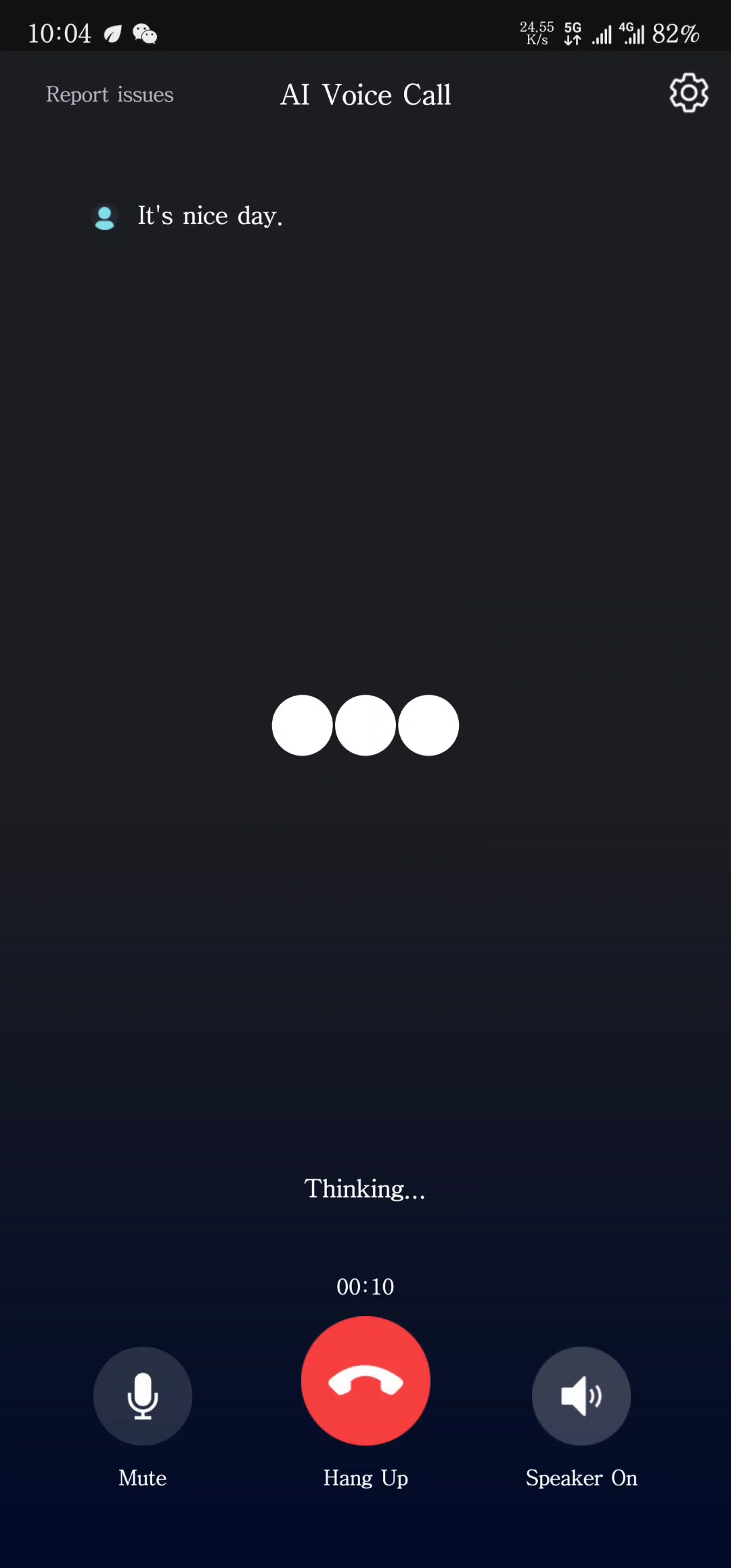
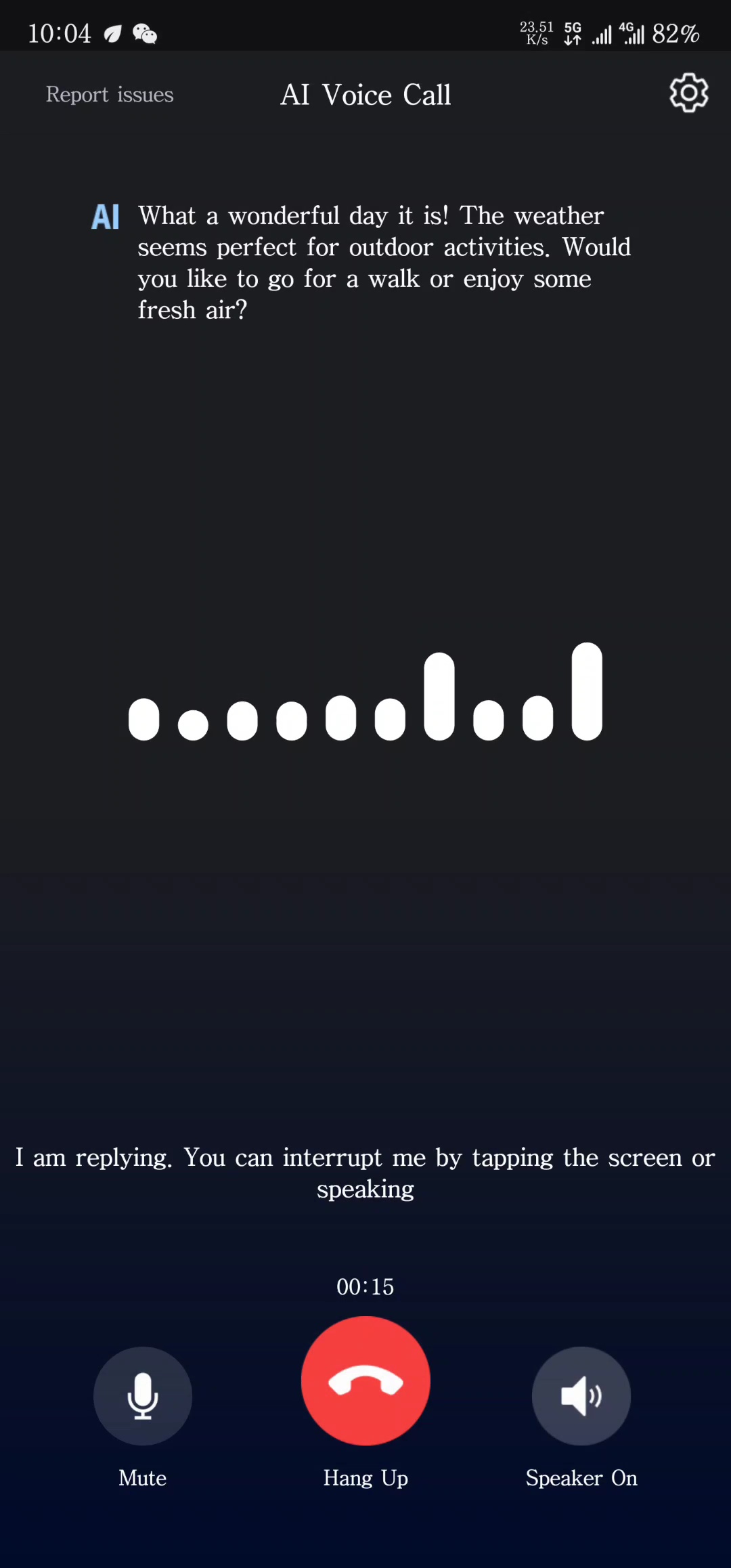
This feature and the user interface (UI) are built into the UI-integrated solution. For more information about the UI-integrated solution, see the UI-integrated solution.
Implement the real-time caption feature
After a call starts, user speech captions are returned through the onUserSubtitleNotify callback, and agent responses are returned through the onVoiceAgentSubtitleNotify callback.
onUserSubtitleNotify details
While a user is speaking, the agent returns multiple notifications with recognition results. For real-time captions, render the text directly on the UI. For non-real-time conversational chat, render the final text on the UI only when isSentenceEnd=true.
|
Status values |
Description |
|
text |
The speech text recognized by the agent. Each notification contains the complete result for the current sentence. |
|
isSentenceEnd |
Whether the current text is the final result for the sentence. If true, the sentence has ended and the agent will respond. |
|
sentenceId |
The ID of the sentence that the current text belongs to. Increments with each question. |
|
voiceprintResult |
The Voice Activity Detection (VAD) feedback result. If voiceprint denoising (EnableVoicePrint) or AI VAD (VadLevel is greater than 0) is enabled, the possible values are: 0: VAD for voiceprint denoising and AI VAD are disabled. 1: VAD for voiceprint denoising is enabled, but voiceprint registration is not complete. 2: VAD for voiceprint denoising is enabled, and the main speaker is detected. 3: VAD for voiceprint denoising is enabled, but the main speaker is not detected. In this state, the agent does not respond. 4: AI VAD is enabled, and the main speaker is detected. 5: AI VAD is enabled, but the main speaker is not detected. In this state, the agent does not respond. Note
Voiceprint denoising is not supported on the web client. |
For example, if a user says "How is the weather today?", the following callbacks might be received:
text="today" isSentenceEnd=false sentenceId=1
text="Today's weather" isSentenceEnd=false sentenceId=1
text="How is the weather today?" isSentenceEnd=true sentenceId=1
onVoiceAgentSubtitleNotify details
When the agent responds, the response is split into multiple notifications. The client must merge the text from these notifications and render the merged text character by character on the UI.
|
Status |
Description |
|
text |
The agent response text. |
|
isSentenceEnd |
Whether the current text is the last part of the response. If true, the response is complete and the agent switches to listening. |
|
userAsrSentenceId |
The sentence ID of the user's question. |
For example, in response to the user's previous question, the agent might reply, "The weather today is sunny and bright, with a moderate temperature, perfect for outdoor activities." The following callbacks might be received:
text="The weather today is sunny and bright, " isSentenceEnd=false userAsrSentenceId=1
text="with a moderate temperature, perfect for outdoor activities." isSentenceEnd=false userAsrSentenceId=1
text="" isSentenceEnd=true userAsrSentenceId=1
Sample code
Android
// Add a callback to the engine.
mARTCAICallEngine.setEngineCallback(mCallEngineCallbackWrapper);

// Callback processing (only operations relevant to the example are shown).
ARTCAICallEngine.IARTCAICallEngineCallback mCallEngineCallbackWrapper = new ARTCAICallEngine.IARTCAICallEngineCallback() {
    @Override
    public void onUserAsrSubtitleNotify(String text, boolean isSentenceEnd, int sentenceId, VoicePrintStatusCode voicePrintStatusCode) {
        // Sync user speech recognized by ASR.
    }

    @Override
    public void onAIAgentSubtitleNotify(String text, boolean end, int userAsrSentenceId) {
        // Sync the agent's response.
    }
}
iOS
// Set the delegate for the engine.
self.engine.delegate = self

func onUserSubtitleNotify(text: String, isSentenceEnd: Bool, sentenceId: Int, voiceprintResult: ARTCAICallVoiceprintResult) {
    // Notification for the result of the agent recognizing the user's question.
}

func onVoiceAgentSubtitleNotify(text: String, isSentenceEnd: Bool, userAsrSentenceId: Int) {
    // Notification for the agent's response result.
}
Web
// Add callbacks to the engine.
engine.on('userSubtitleNotify', (subtitle, voiceprintResult) => {
  // Notification for the result of the agent recognizing the user's question.
  console.log('AICallUserSubtitleNotify', subtitle.text, subtitle.end, subtitle.sentenceId, voiceprintResult);
});
engine.on('agentSubtitleNotify', (subtitle) => {
  // Notification for the agent's response result.
  console.log('AICallAgentSubtitleNotify', subtitle.text, subtitle.end, subtitle.sentenceId);
});
Harmony
const listener = new ARTCAICallEngineListener();

listener.onUserSubtitleNotifyCallback = (data: ARTCAICallUserSubtitleResult) => {
  // Notification for the result of the agent recognizing the user's question.
};
listener.onVoiceAgentSubtitleNotifyCallback = (data: ARTCAICallAgentSubtitleResult) => {
  // Notification for the agent's response result.
};

...

this.aiCallSDK.listener = listener;