Device connection
This topic describes how to authorize devices for on-chain operations. A product is a collection of devices of the same type that you can manage as a single unit. Device authorization is managed at the product level. When you grant a product access to a business blockchain, all devices that belong to the product are also granted access.
Product: A collection of devices of the same type. Products are used to manage the state of a group of devices.
On-chain device authorization
1. Log on to the IoT Security Center console.
2. In the navigation pane on the left, choose IoT Blockchain Hub > On-chain Devices.
Product list
The product list displays information about all your products.
Add a product
You can add a new product to manage a group of devices.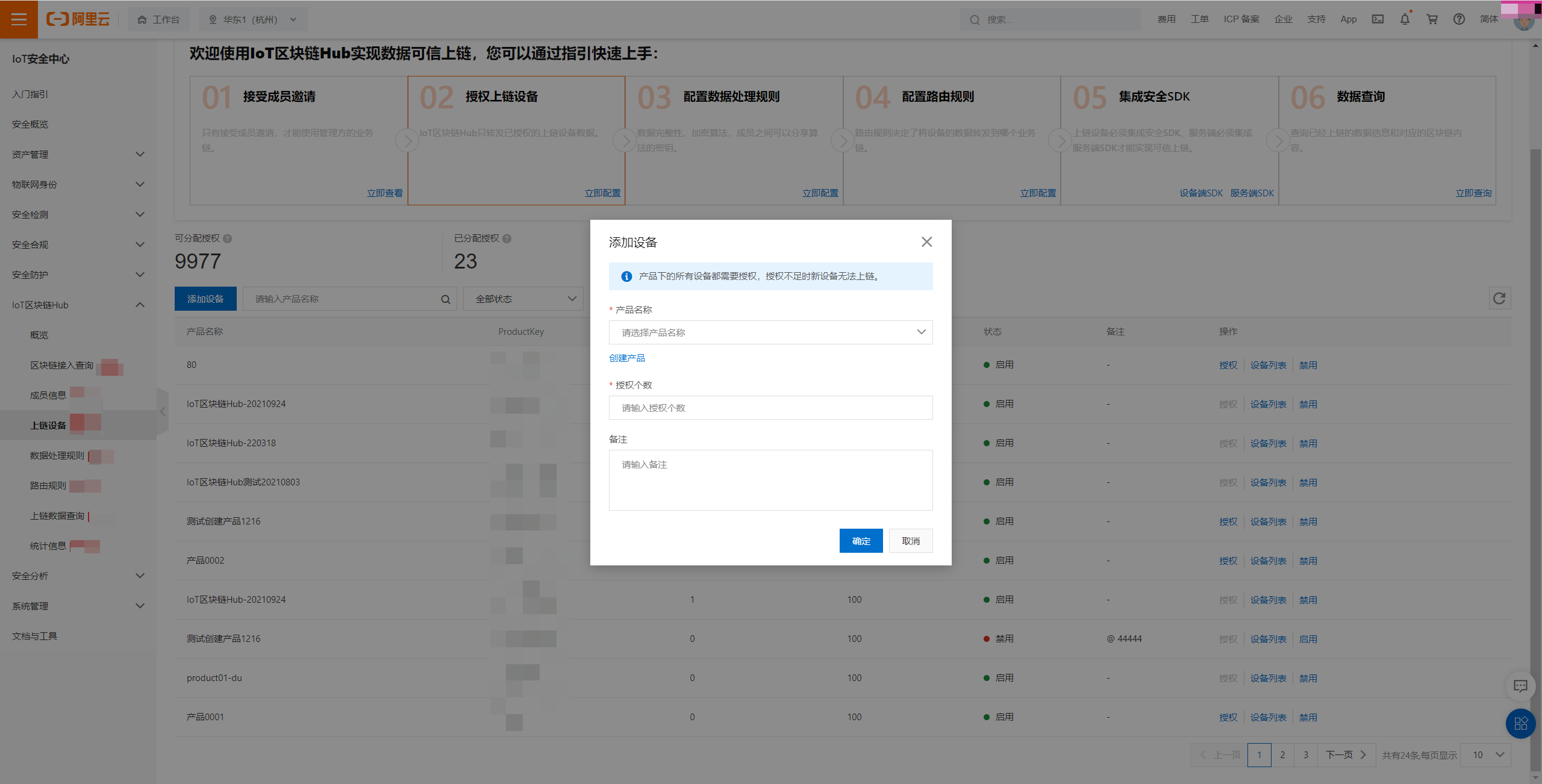
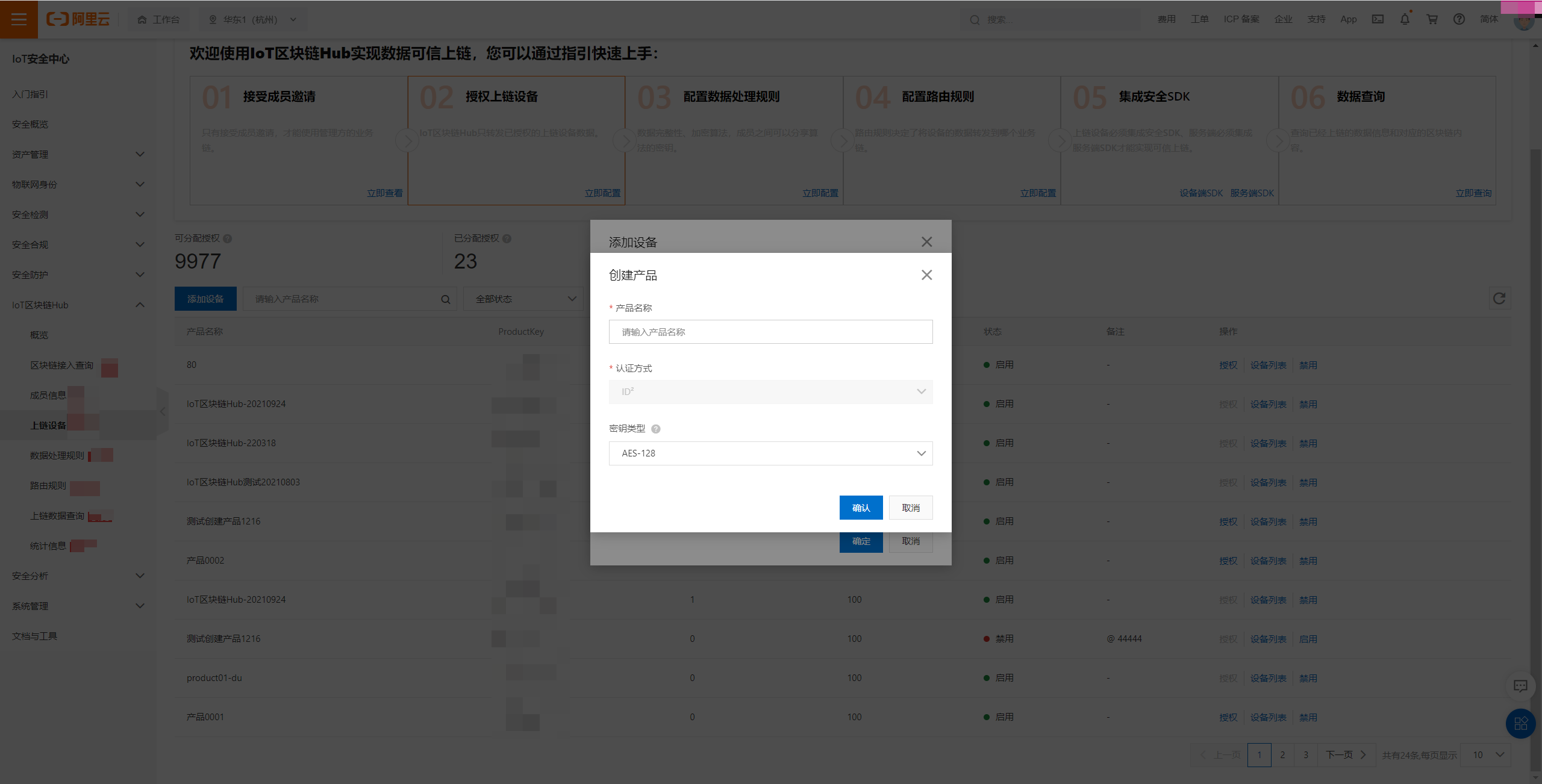
Parameter |
Description |
Product name |
The product name must be unique. |
Authentication method |
Select the authentication method for the device, such as ID2. |
Key type |
The algorithm type of the key. |
Product authorization
You can grant a product access to the blockchain. After you grant access, all devices in the product can upload data to the blockchain.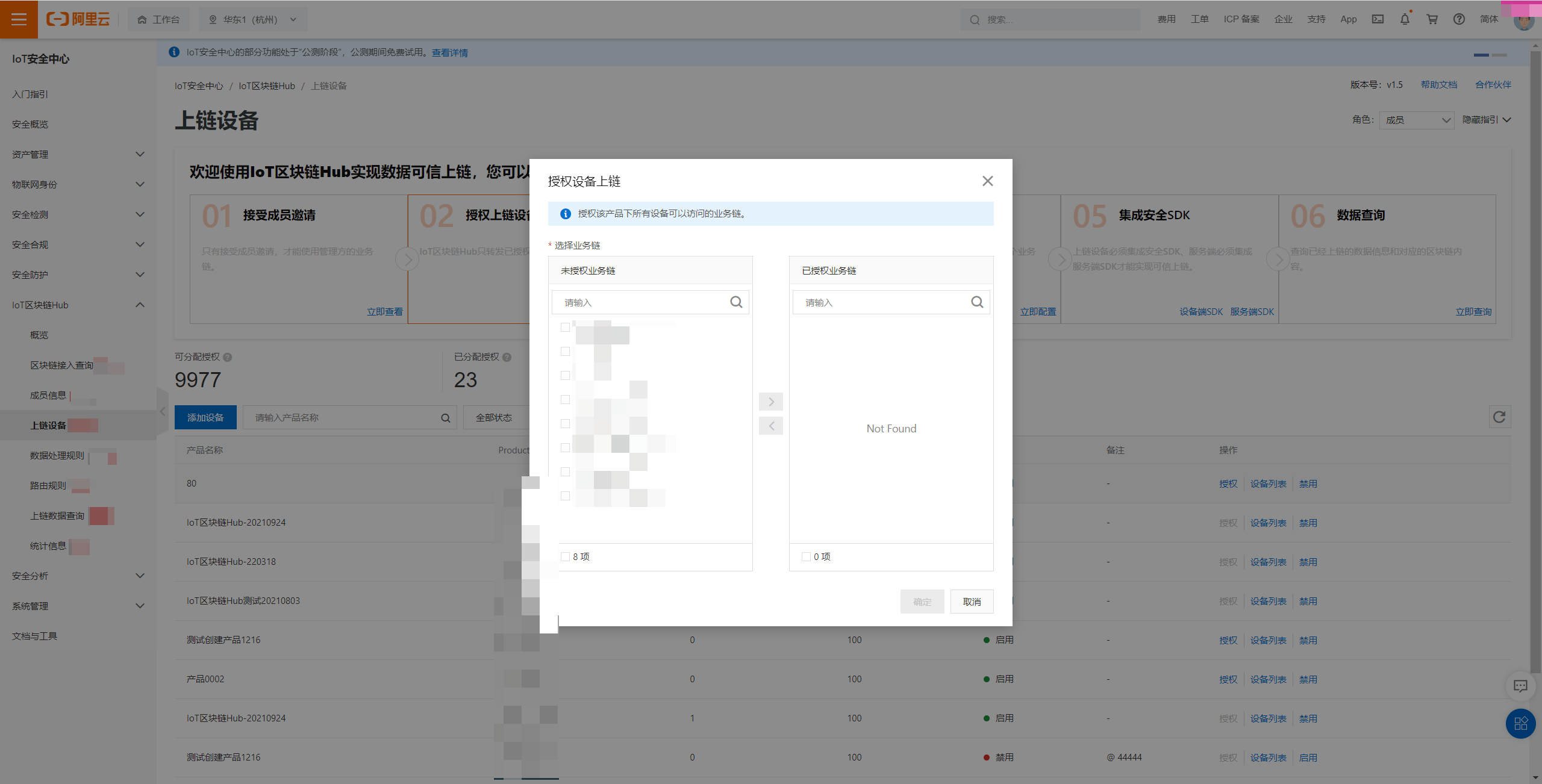
You can grant a product access only to business blockchains that you are authorized to access.
Device list
The device list displays information about the devices in the current product.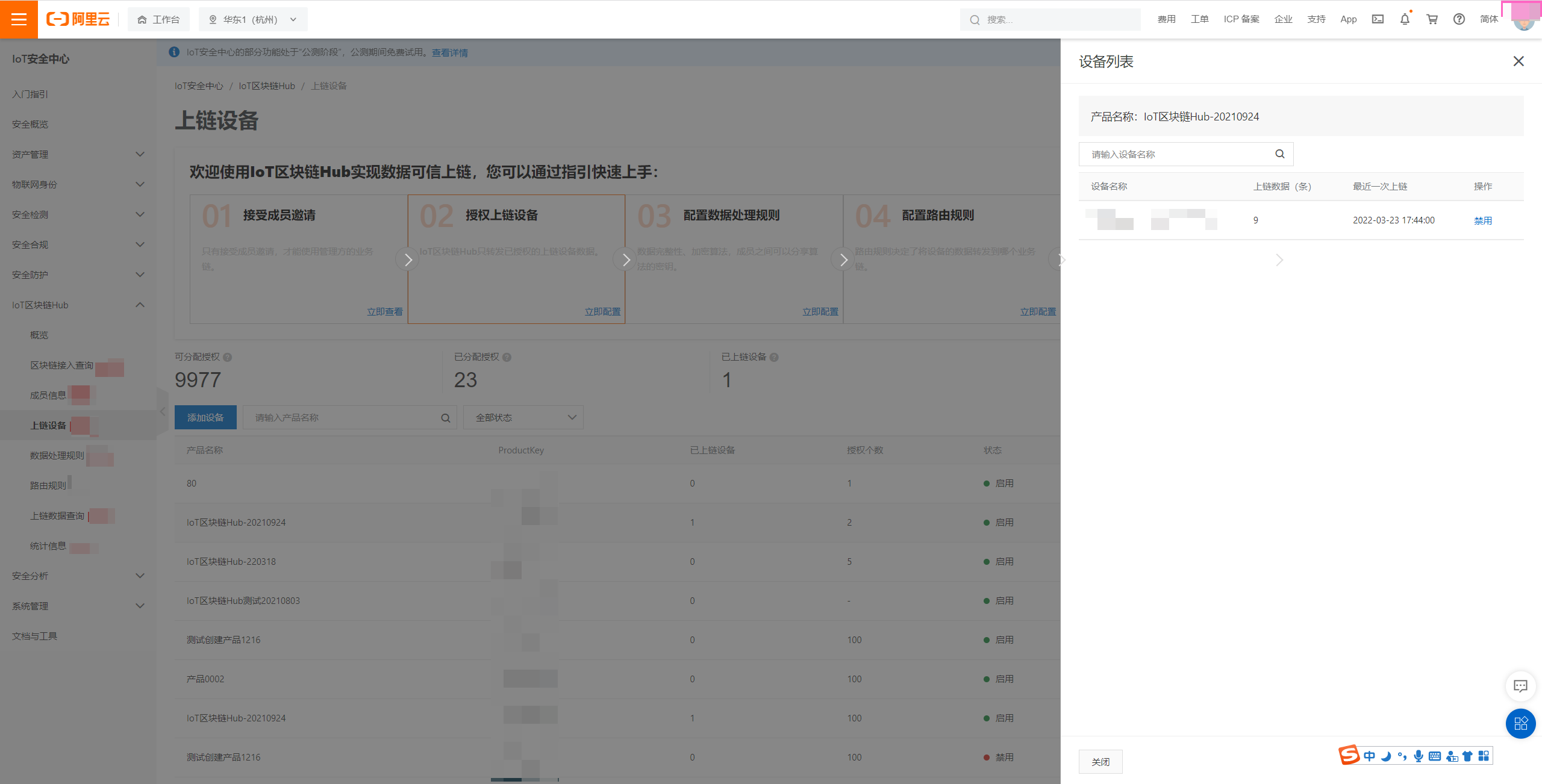
This list displays information only about devices that have successfully connected to the blockchain.
Enable or disable a product
You can disable or enable a product's access to the blockchain. If a product is disabled, none of its devices can upload data to the blockchain. If the product is enabled, its devices can resume uploading data to the blockchain.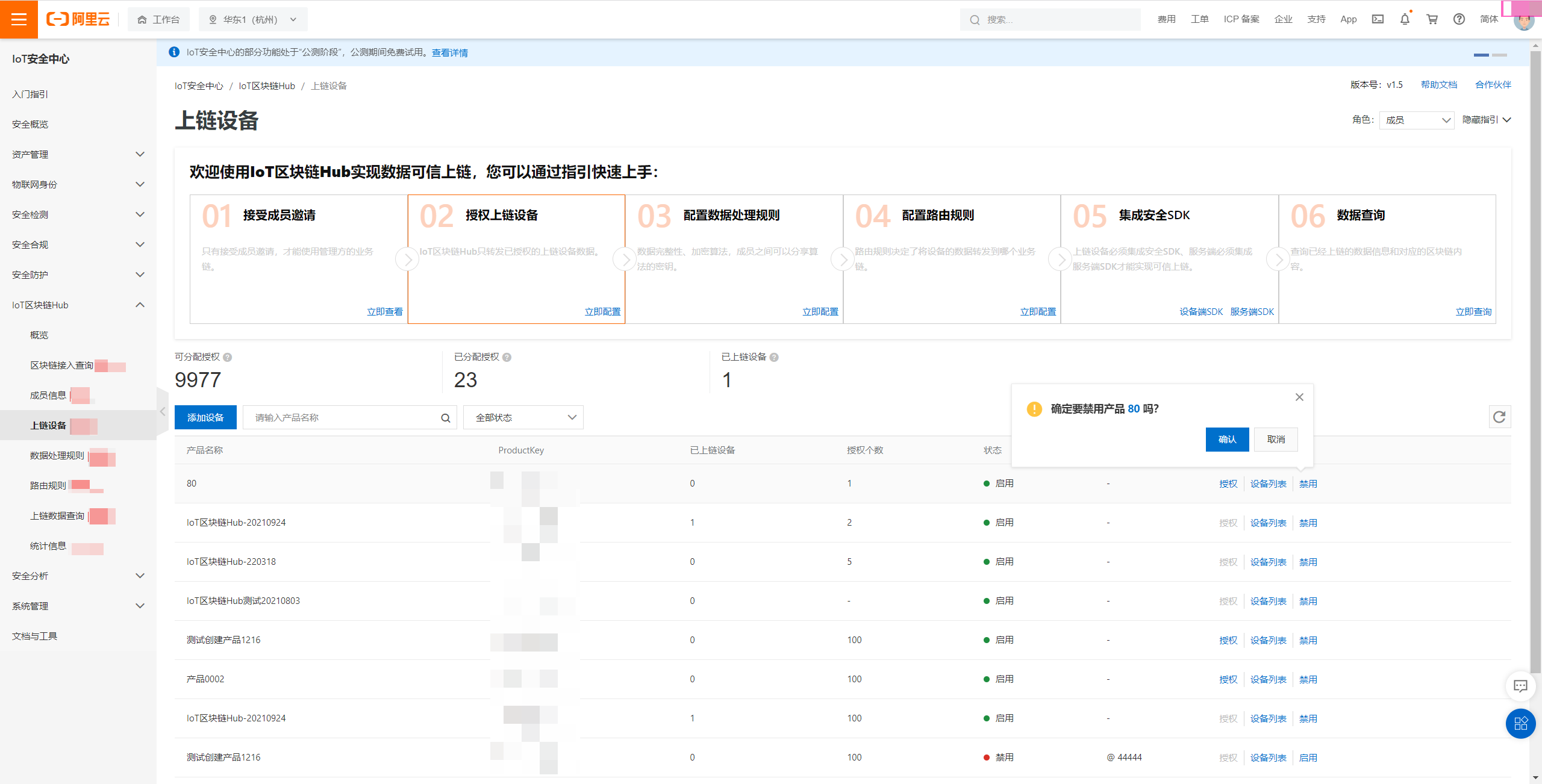
If a product is disabled, data reported by its devices is not stored on the blockchain.
Enable or disable a device
You can disable or enable a specific device's access to the blockchain. If a device is disabled, it cannot upload data to the blockchain. If the device is enabled, it can resume uploading data to the blockchain.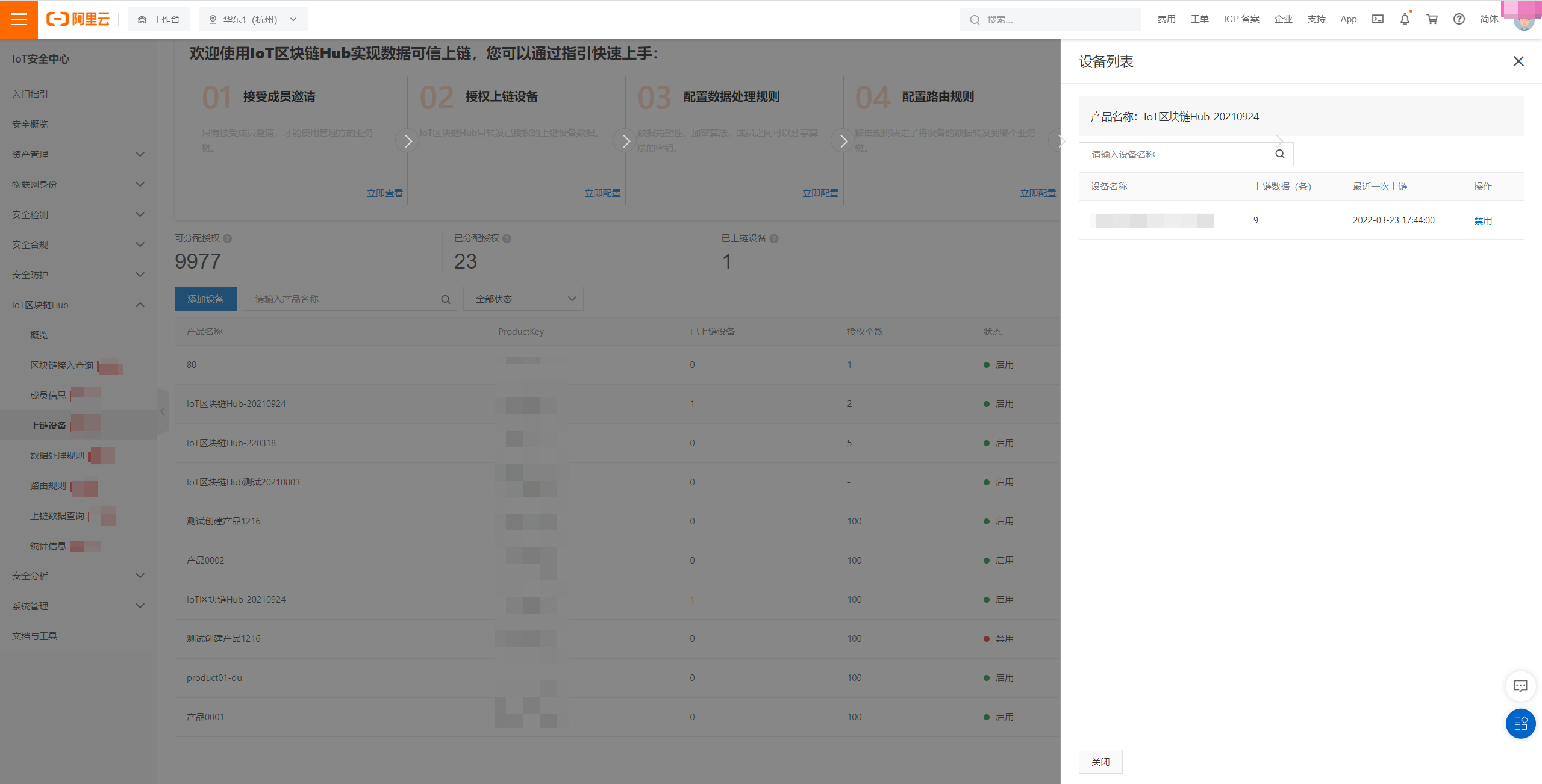
If a device is disabled, data it reports is not stored on the blockchain.