Legacy TSL integration and dynamic retrieval
A Thing Specification Language (TSL) model digitizes a physical entity and creates its data model in the cloud. In the IoT Platform, defining a TSL model is equivalent to defining product features. After you define the features, the system automatically generates the product's TSL model.
A TSL model describes what a product is, what it can do, and what services it can provide.
A TSL model is expressed in JSON format, which is known as the Thing Specification Language (TSL). On the product's Feature Definition page, you can click View TSL Model to view the TSL in JSON format:
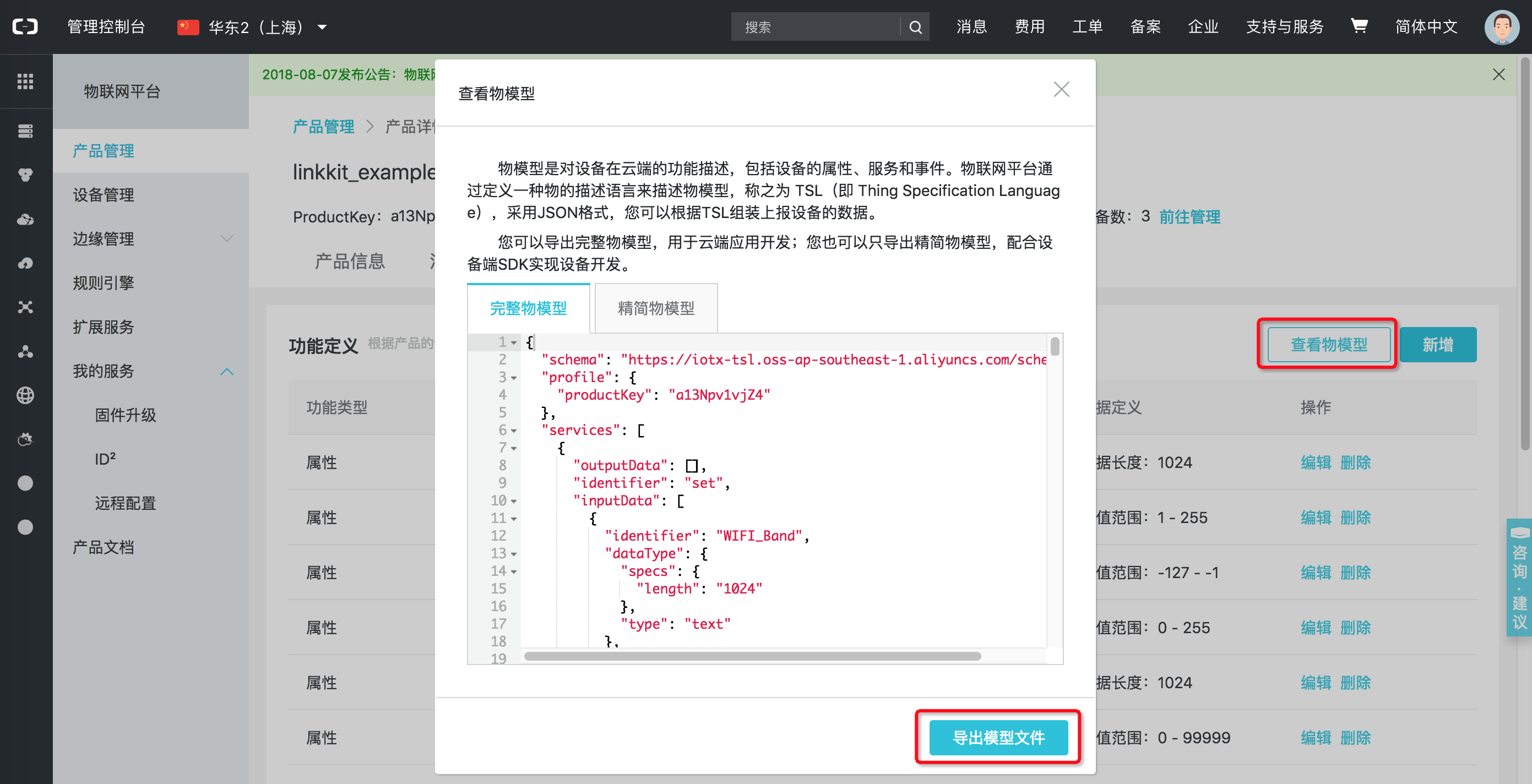
There are two ways to use a TSL in the IoT Platform:
- Static integration: The TSL is written directly into the code. To do this, you can select Export TSL Model to export the device's TSL to a JSON file. Then, you can manually integrate the file into your code.
- Dynamic retrieval: The TSL is pulled from the cloud at runtime.
Static TSL integration
After you export the device's TSL to a JSON file (the default filename is model.json), you must escape the characters in the file. This is because the C language requires that double quotation marks " in strings are escaped.
Many online tools are available for escaping characters. The IoT Platform also provides a tool to escape JSON.
After you compile the SDK, you can use the linkkit_tsl_convert tool in the iotx-sdk-c/output/release/bin directory to escape the file. The usage is as follows:
$./linkkit_tsl_convert -i model.json
After the command is executed, a conv.txt file is generated in the current directory. This file contains the escaped JSON string. Currently, only Premium Edition standalone products support static TSL integration.
Use static TSL integration for a Premium Edition standalone device
By default, the sample program for a standalone device is compiled. The source code is named linkkit_example_solo.c and is located in the iotx-sdk-c/examples/linkkit directory.
The example_tsl_solo.data file in the same directory contains the TSL for static integration.
Copy the content of conv.txt, replace the TSL_STRING variable in the example_tsl_solo.data file, and then recompile.
Ensure that you replace the device certificate (ProductKey, DeviceName, and DeviceSecret) in linkkit_example_solo.c with the certificate of the device that corresponds to this TSL.
Dynamic TSL retrieval
If you use dynamic TSL retrieval, you do not need to replace the static TSL in the code.
When you use dynamic TSL retrieval, you may need to increase the default MQTT receive buffer length if the TSL is large. The size of a TSL increases with the number of services, properties, and events that it defines.
You can change the configuration in one of the following two ways:
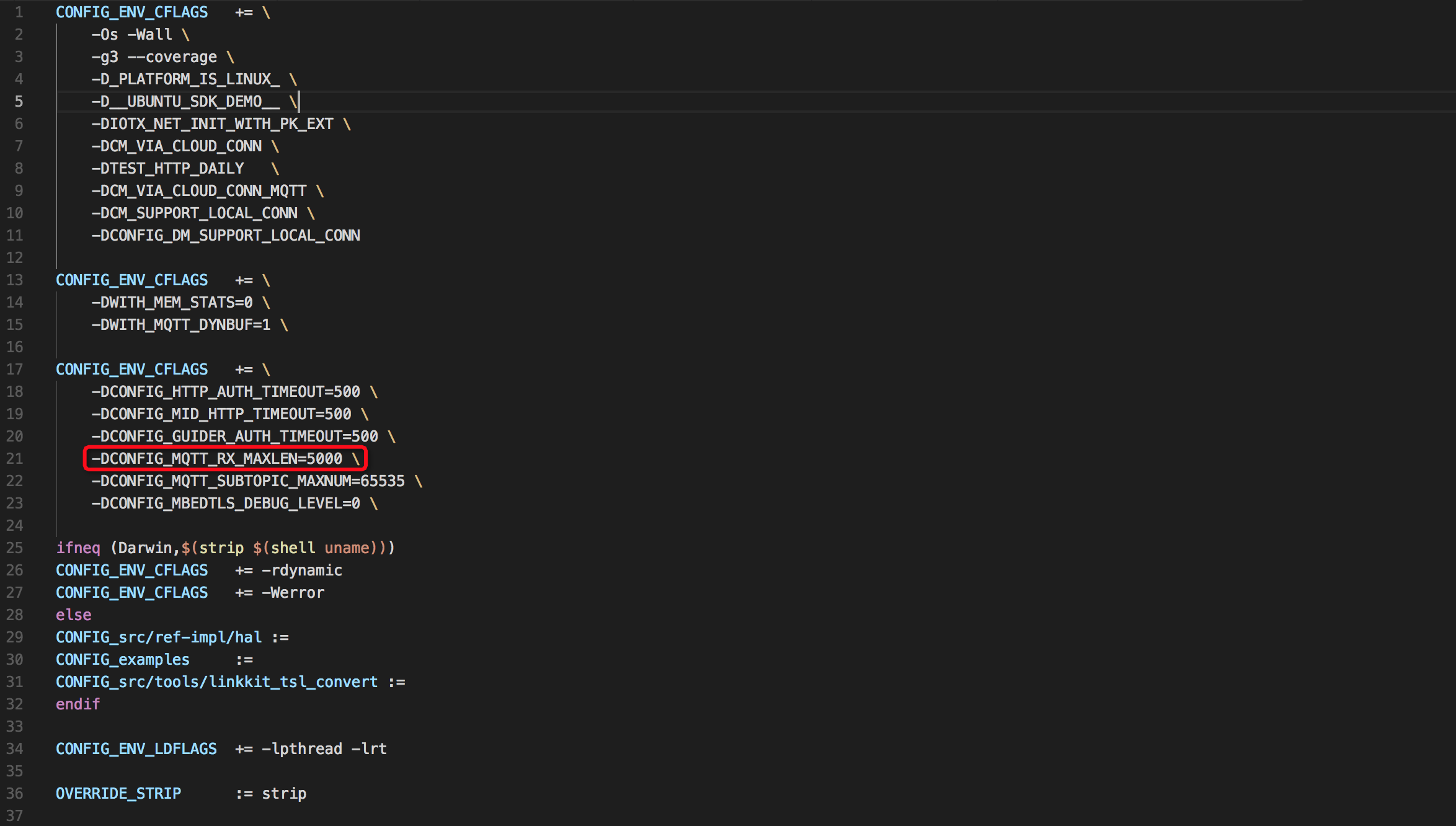
- Modify the platform configuration file. In the `config.xxx.xxx` file for your platform, located in the `iotx-sdk-c/src/board` directory, modify the
CONFIG_MQTT_RX_MAXLENcompilation option inCONFIG_ENV_CFLAGS.
For example, on Ubuntu:
- Modify the default value in the code. In the
iotx-sdk-c/include/imports/iot_import_config.hfile, modifyCONFIG_MQTT_RX_MAXLENas shown in the following figure:
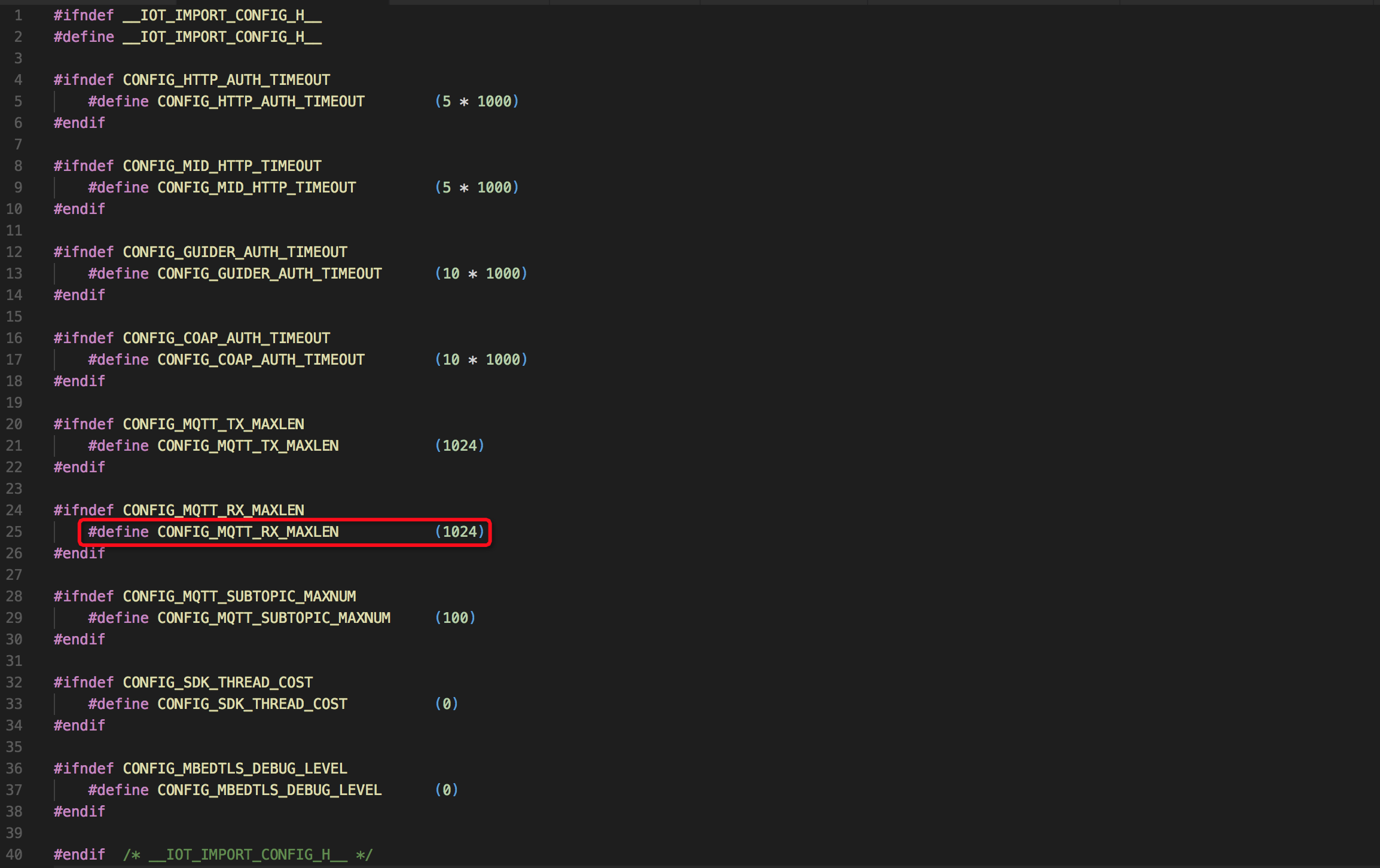
Note: The CONFIG_MQTT_RX_MAXLEN value set in the Makefile overwrites the value in the iot_import_config.h file.
Use dynamic TSL retrieval for a Premium Edition standalone device
By default, the sample for the Premium Edition standalone product uses static TSL integration. The source code is deprecated/solo.c, which is located in the iotx-sdk-c/examples/linkkit directory.
To dynamically pull the TSL, set the second input parameter of linkkit_start, which is get_tsl_from_cloud, to 1.
Use dynamic TSL retrieval for a Premium Edition gateway
By default, the sample for the Pro gateway always uses dynamic TSL pulling. The source code is deprecated/gateway.c in the iotx-sdk-c/examples/linkkit directory.