Will Message
MQTT will messages notify other devices when a device goes offline unexpectedly. If a device disconnects abnormally and does not reconnect within a specified period, IoT Platform sends the will message on behalf of the device. Will messages are defined in the MQTT 3.1.1 standard. Alibaba Cloud IoT Platform supports will messages for devices that connect over MQTT 5.0.
Background information
Will messages
-
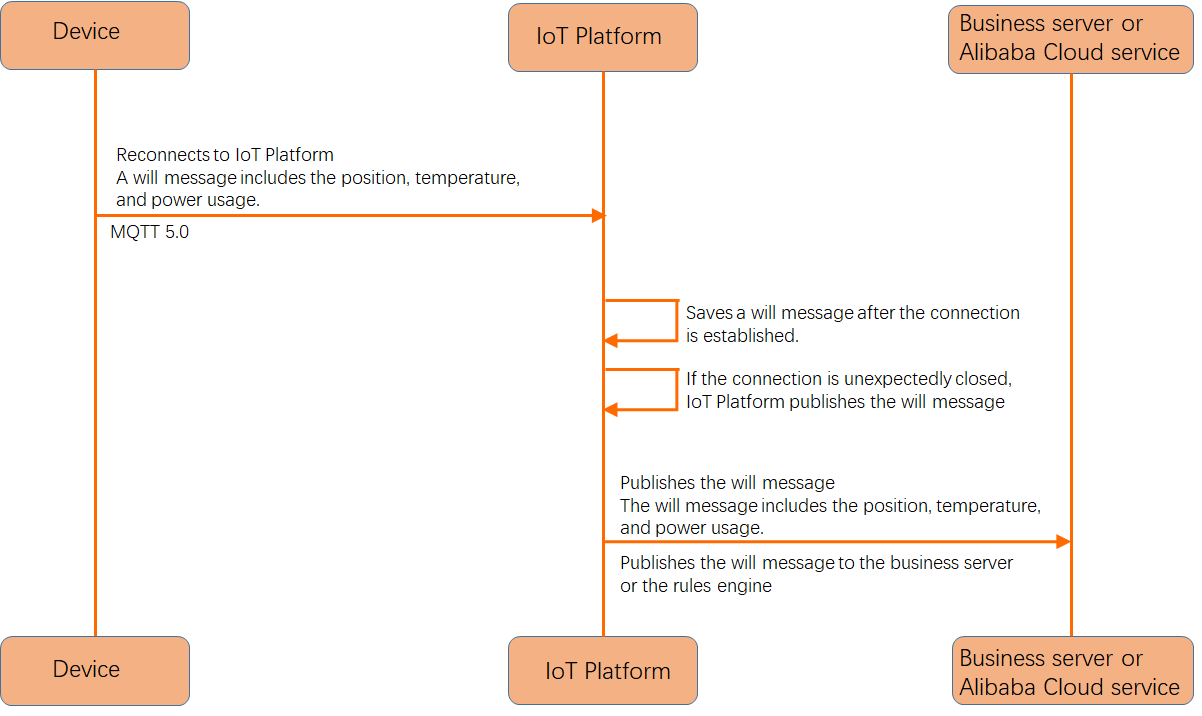
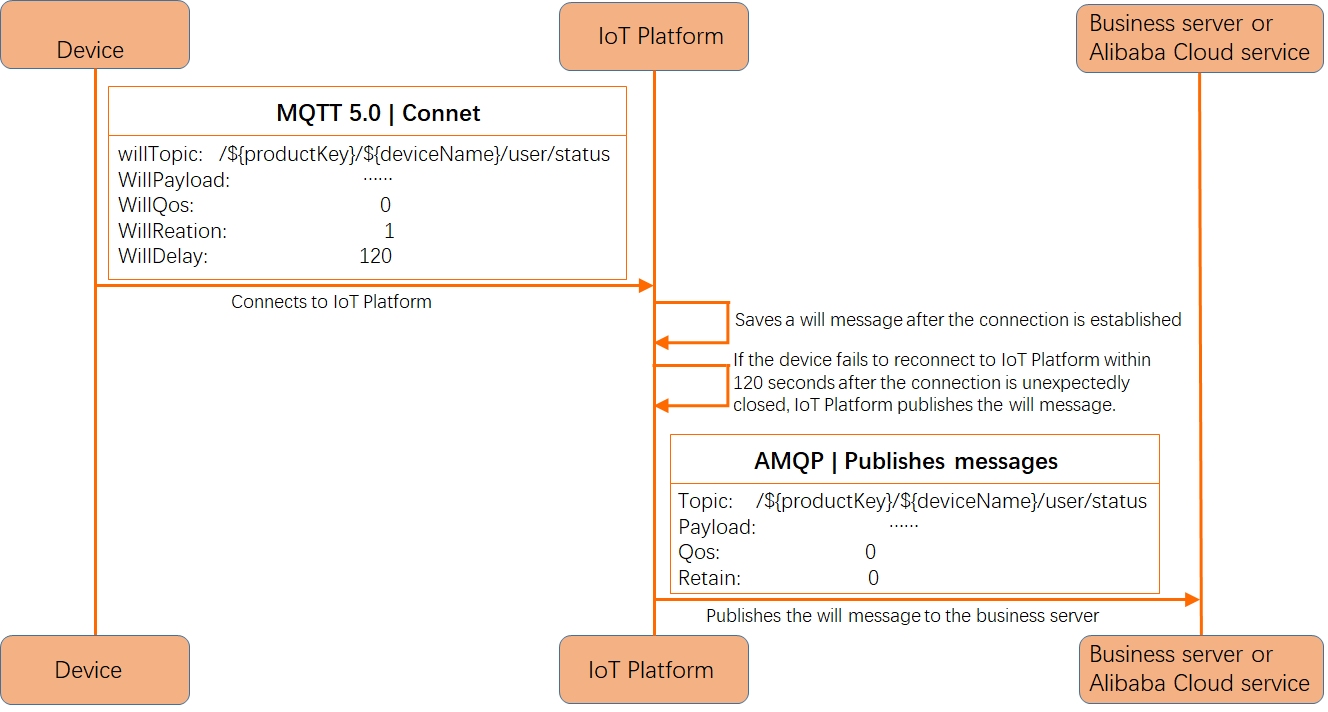
When a device establishes a connection with IoT Platform, it can specify a will message. If the device disconnects abnormally and does not reconnect within the will delay interval (the default value is 0), IoT Platform publishes the will message to subscribers and then deletes the message. If the device disconnects normally, IoT Platform deletes the will message without publishing it.
-
A will message contains the same fields as a standard published message: topic, message content, Quality of Service (QoS) level, retain flag, user properties, and message expiration.
-
Management of will messages:
-
A will message cannot be modified while the device is connected to IoT Platform. To modify it, disconnect the device and provide a new will message upon reconnection.
-
Will messages support message expiration. If the message content becomes invalid after a period, such as in temperature control scenarios, you can set message expiration.
-
Will messages are independent of session expiration. An expired session does not affect the will message.
-
If the network is weak or unstable, set the will delay interval
WillDelayIntervalto prevent frequent publishing of will messages when the device repeatedly goes online and offline.
-
-
Scenarios for abnormal disconnection:
-
The server closes the MQTT connection because the device fails to communicate within the keep-alive interval due to a network failure or fluctuation.
-
A power outage occurs on the device, and the server detects that the connection is closed.
-
The server closes the MQTT connection because the device attempts to perform a disallowed operation, such as subscribing to a topic for which it does not have permission.
-
Scenarios
Device exception analysis
When the status of a device connected to IoT Platform changes, such as going online or offline, IoT Platform pushes a status message to business servers or the rules engine on the following topic: /as/mqtt/status/${productKey}/${deviceName}. This message includes only connection status information. To obtain richer data for device exception analysis, use will messages, which can carry additional device information such as environment details.