Qoder CN lets you choose the inference model used in intelligent sessions.
-
This feature is available only in the Visual Studio Code extension, not in JetBrains IDE plug-ins or Qoder CN IDE.
-
To use model selection, refer to Download and install to update Qoder CN to v2.1.0 or later.
Select a model
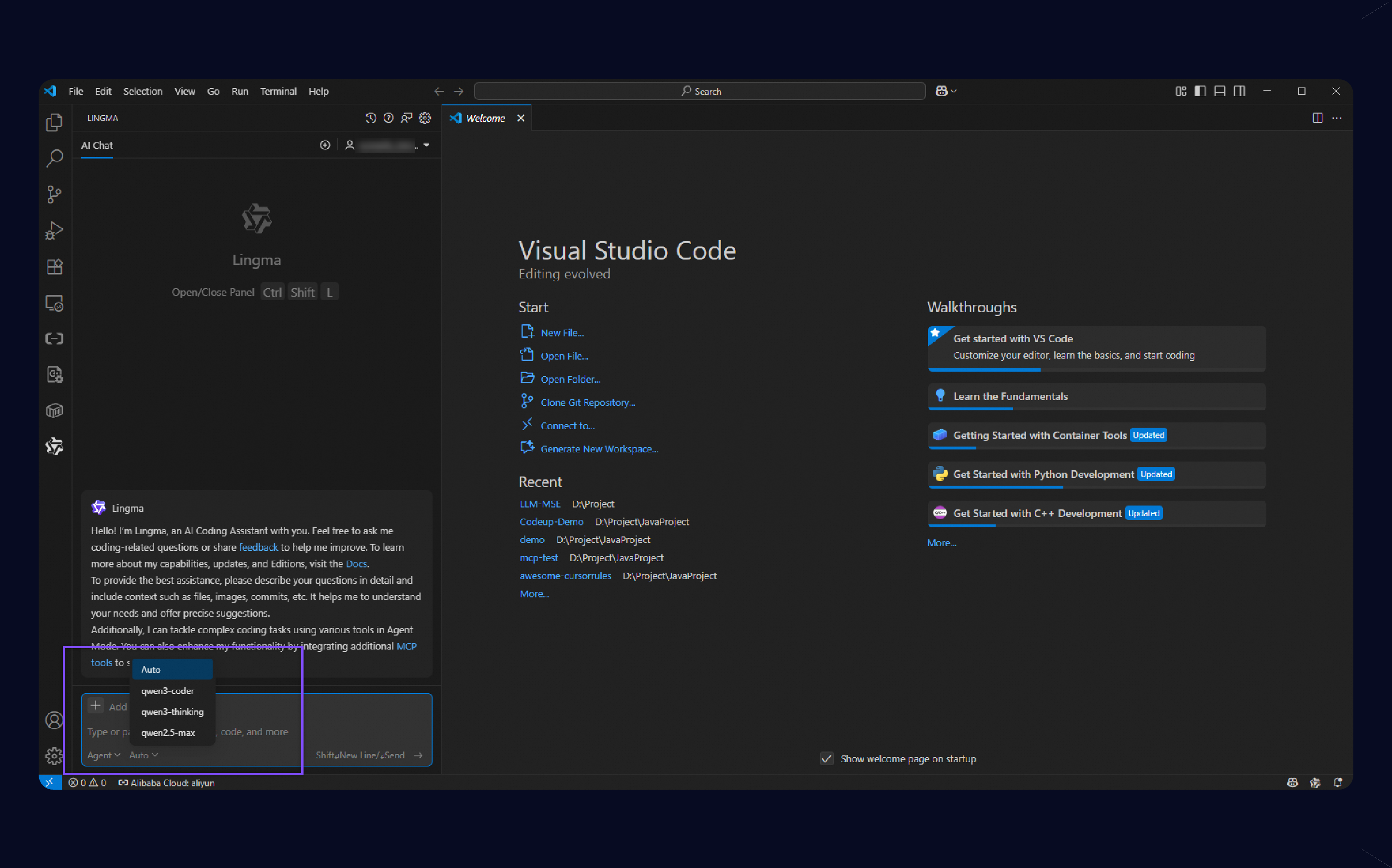
In the intelligent session window, click the model drop-down menu in the input field to select a model.
Qoder CN lets you use Auto mode or manually select a model such as qwen3-coder, qwen3-thinking, or qwen2.5-max. With the Enterprise Dedicated Edition, you can configure the official DeepSeek API. For more information, see Enterprise inference service configuration.
Note:
-
The DeepSeek models provided by Qoder CN are full-featured services hosted on Alibaba Cloud Model Studio.
-
If the selected model does not support a specific scenario, Qoder CN automatically falls back to its default model. For example, because deepseek-v3 does not support multimodal input, Qoder CN uses its default model when you ask questions about an image.