Notifications
Updated at:
The platform sends system notifications and gateway alerts to keep you informed.
System notifications
System notifications are primarily for credential authorizations. When another user grants you a credential authorization, you receive a notification and can decide whether to accept or reject it.
- Log on to the Alibaba Cloud Link WAN console.
- In the navigation pane on the left, click Notifications.
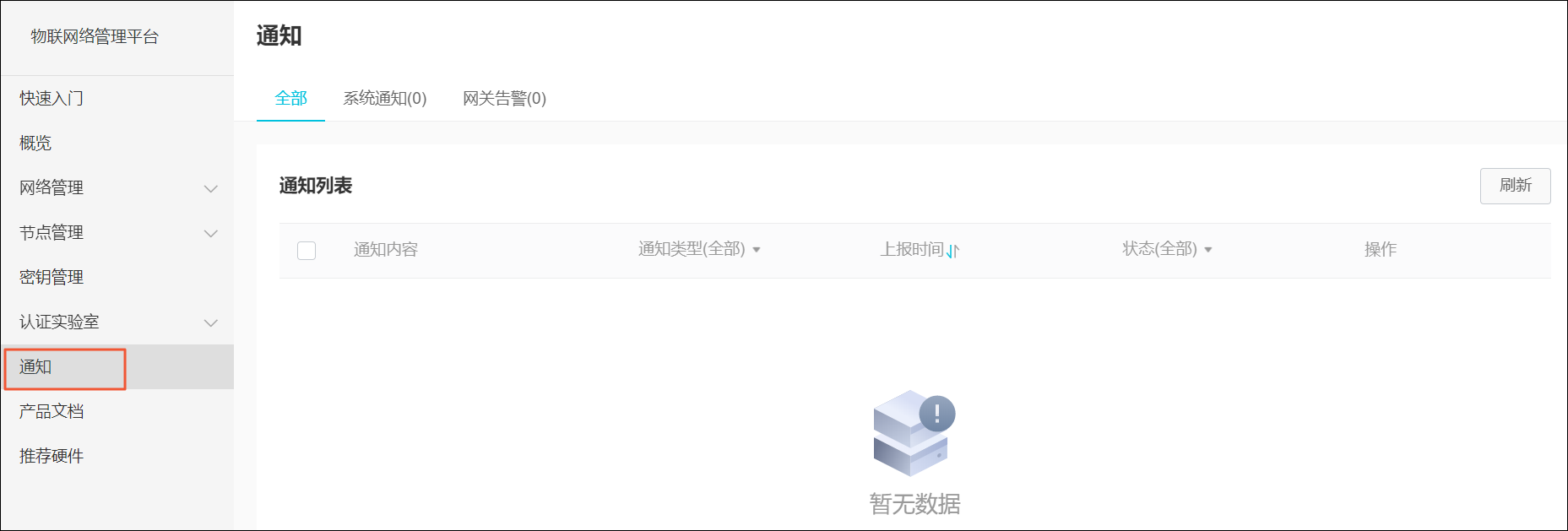
- On the Notifications page, click the System Notifications tab to manage credential authorization messages.
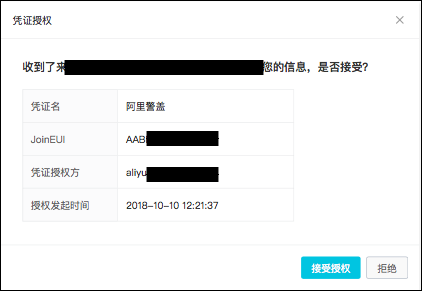
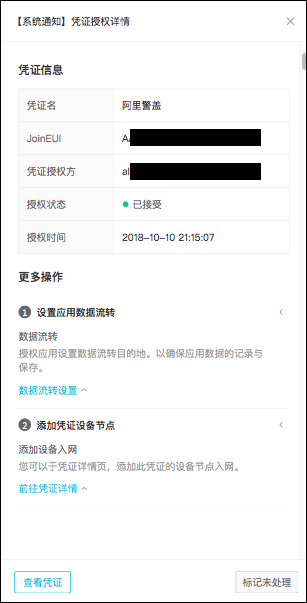
- Click Accept Authorization. A dialog box appears, prompting you to configure the credential's data destination and other settings.
- Click Reject. A confirmation dialog box appears.
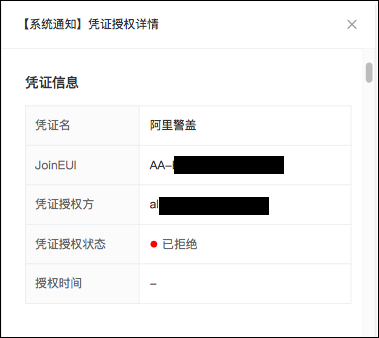
Whether you accept or reject the authorization, the Status (All) of the notification in the Notification List changes to Processed.
- Click Accept Authorization. A dialog box appears, prompting you to configure the credential's data destination and other settings.
Gateway alerts
On the Notifications page, click Gateway Alerts to view alerts for your customer gateways.
Is this page helpful?