Account Login Issues
Resolve account login issues by submitting a support ticket or requesting an email address change.
-
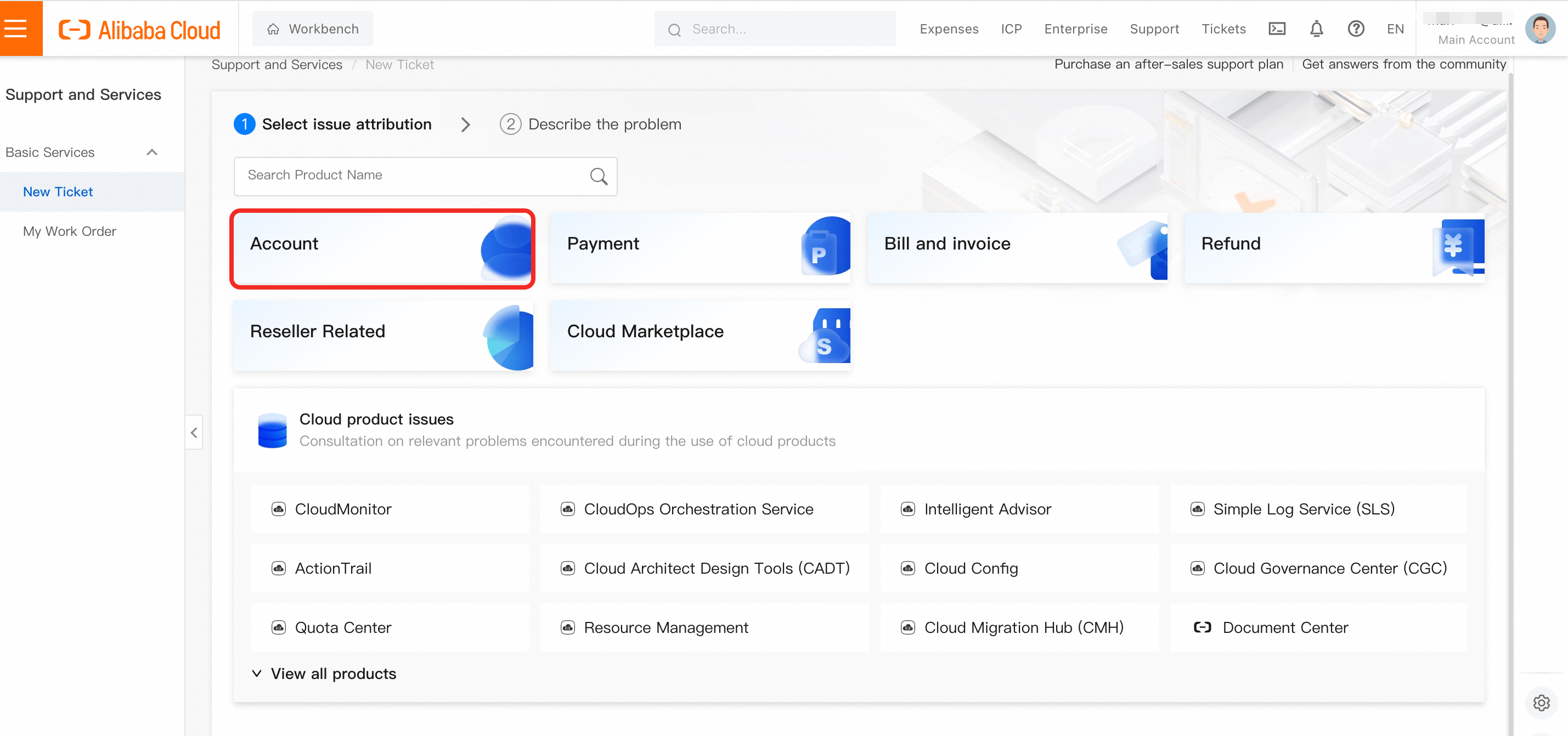
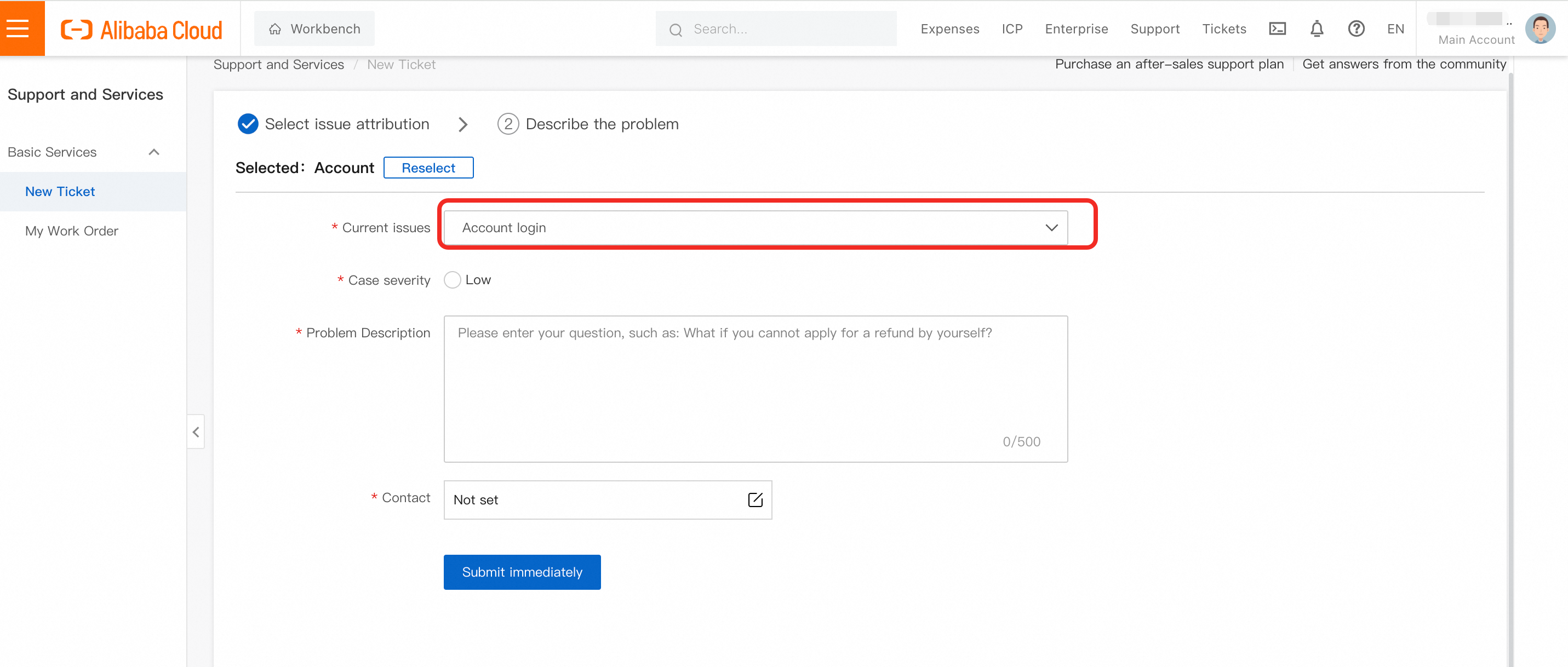
Step 1: If you are experiencing account login issues, submit a ticket at https://smartservice.console.aliyun.com/service/create-ticket-intl. Choose Account - Account login.
-
If you need to change email address for the account, provide the following information:
-
Original Account Login Email Address: *****
-
User ID (Optional): *****
-
Name displayed in the account: *****
-
New Email Address: *****
-
A scanned copy of a top-up record under the account. Provide a full-screen screenshot that includes the Alibaba Cloud account, top-up time, and top-up amount. If the payment method is a credit card, provide the first 6 digits and the last 4 digits of the credit card number.
-
By the end of the message, please add the following statement: "I hereby authorize Alibaba Cloud to log in to [Old Email Address] and update to [New Email Address]."
-