Policy Configuration
Updated at:
Copy as MD
Create custom RAM policies and assign them to RAM users to control access to Alibaba Cloud Marketplace resources.
-
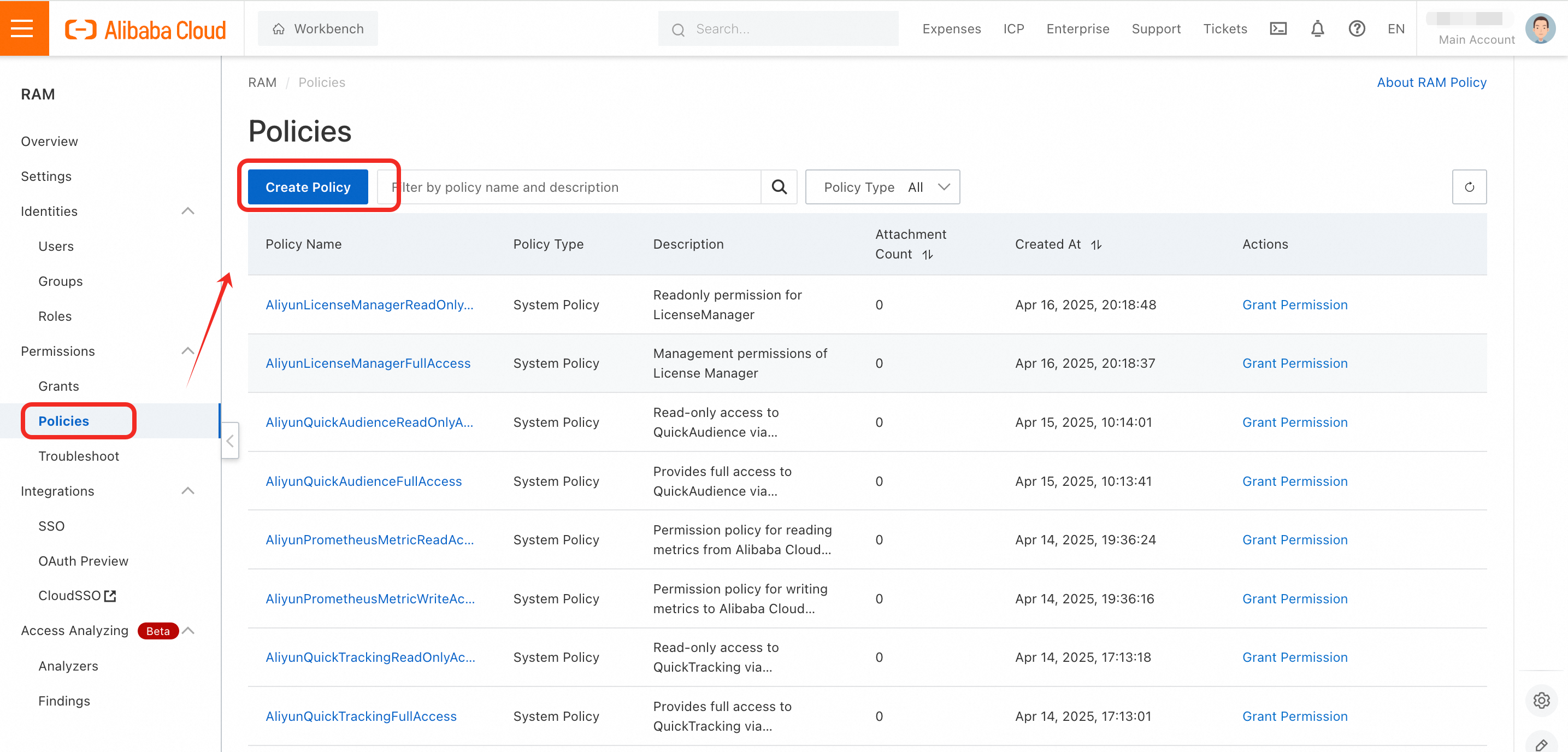
Step 1: Go to https://ram.console.aliyun.com/policies and click Create Policy.
-
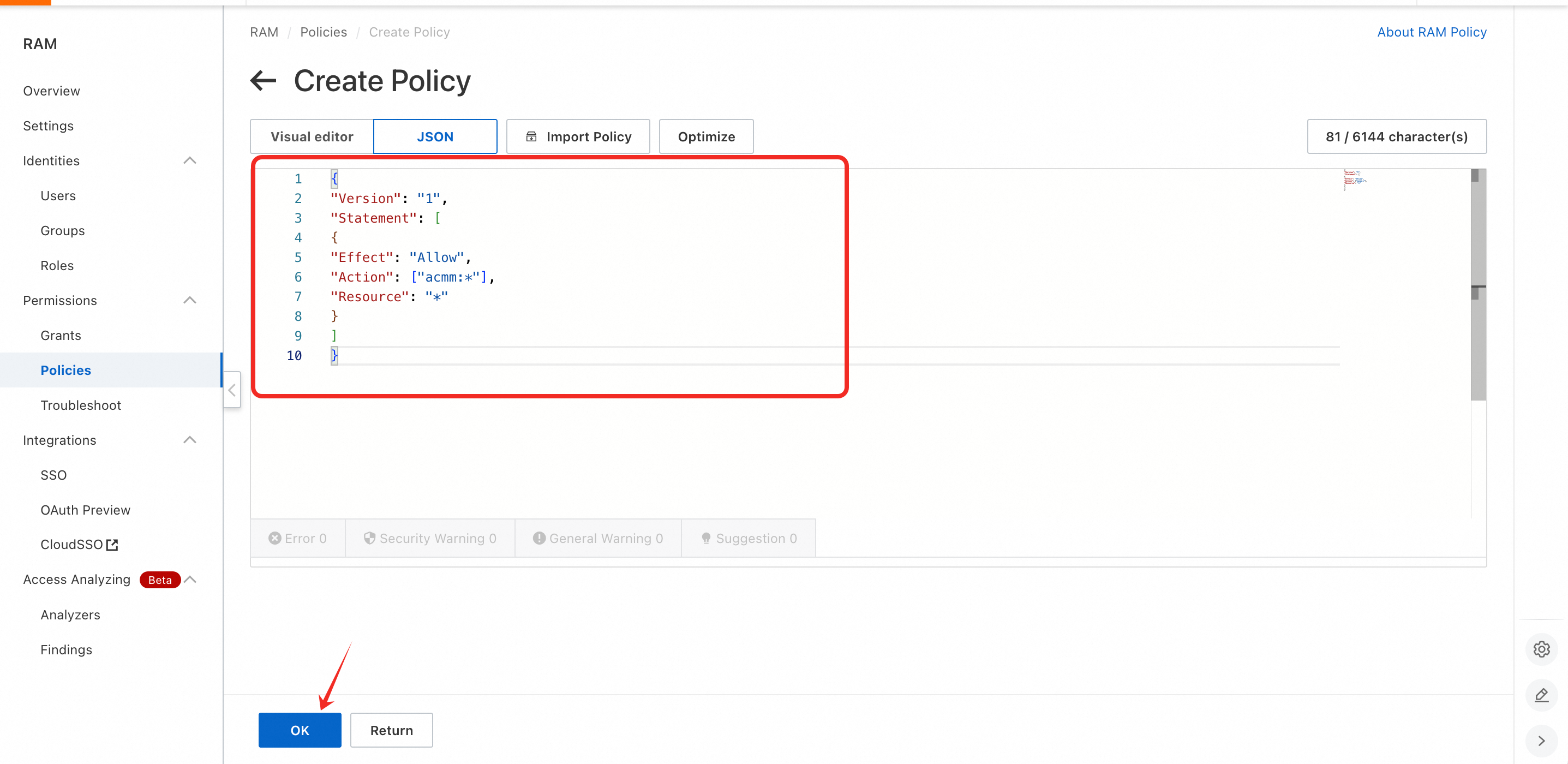
Step 2: Click JSON, enter the scripts into the field, and then click OK. For more information, see Policy Script Templates.
-
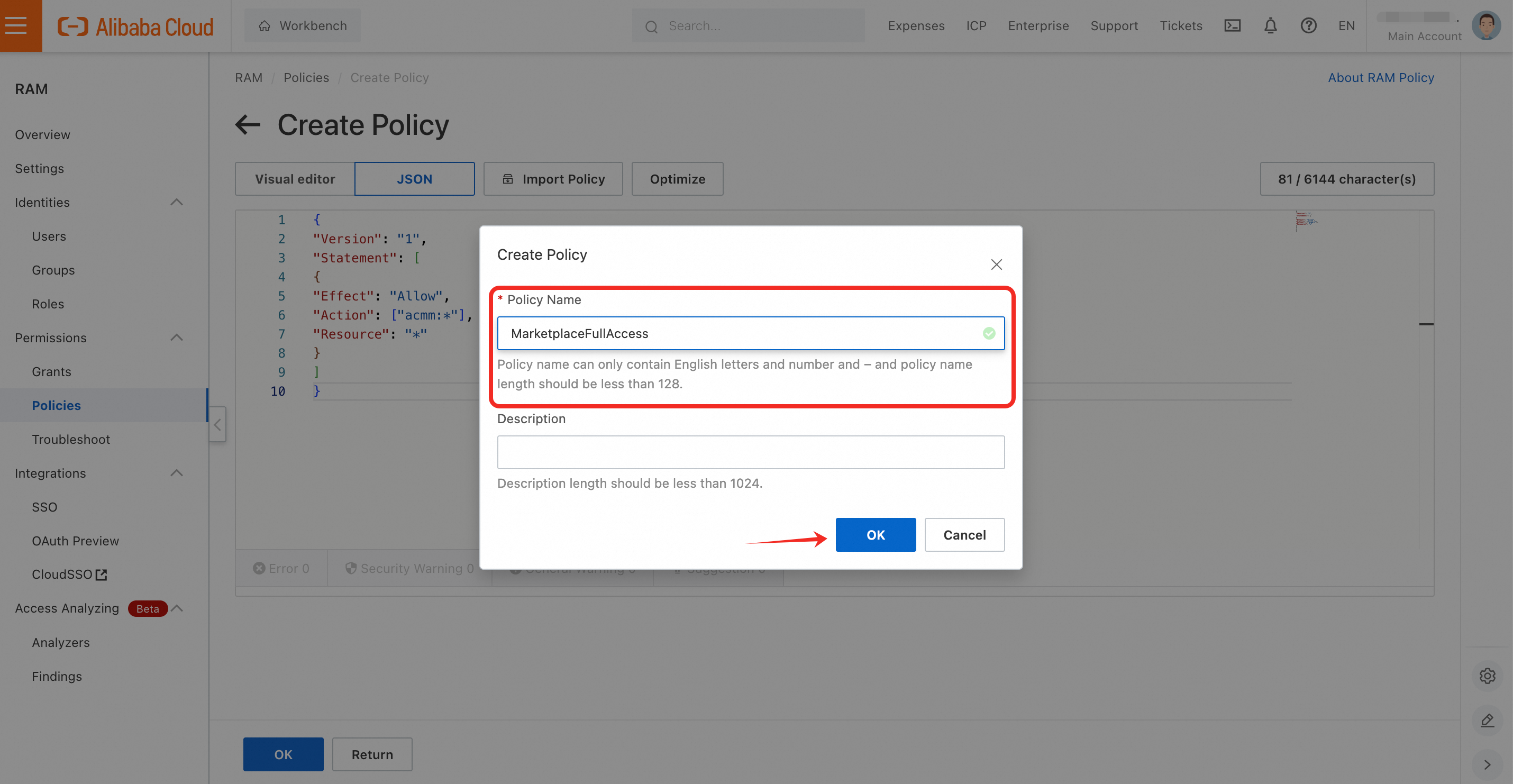
Step 3: Enter the Policy Name and confirm. The name can contain only English letters, digits, and hyphens (-). Spaces are not allowed.
-
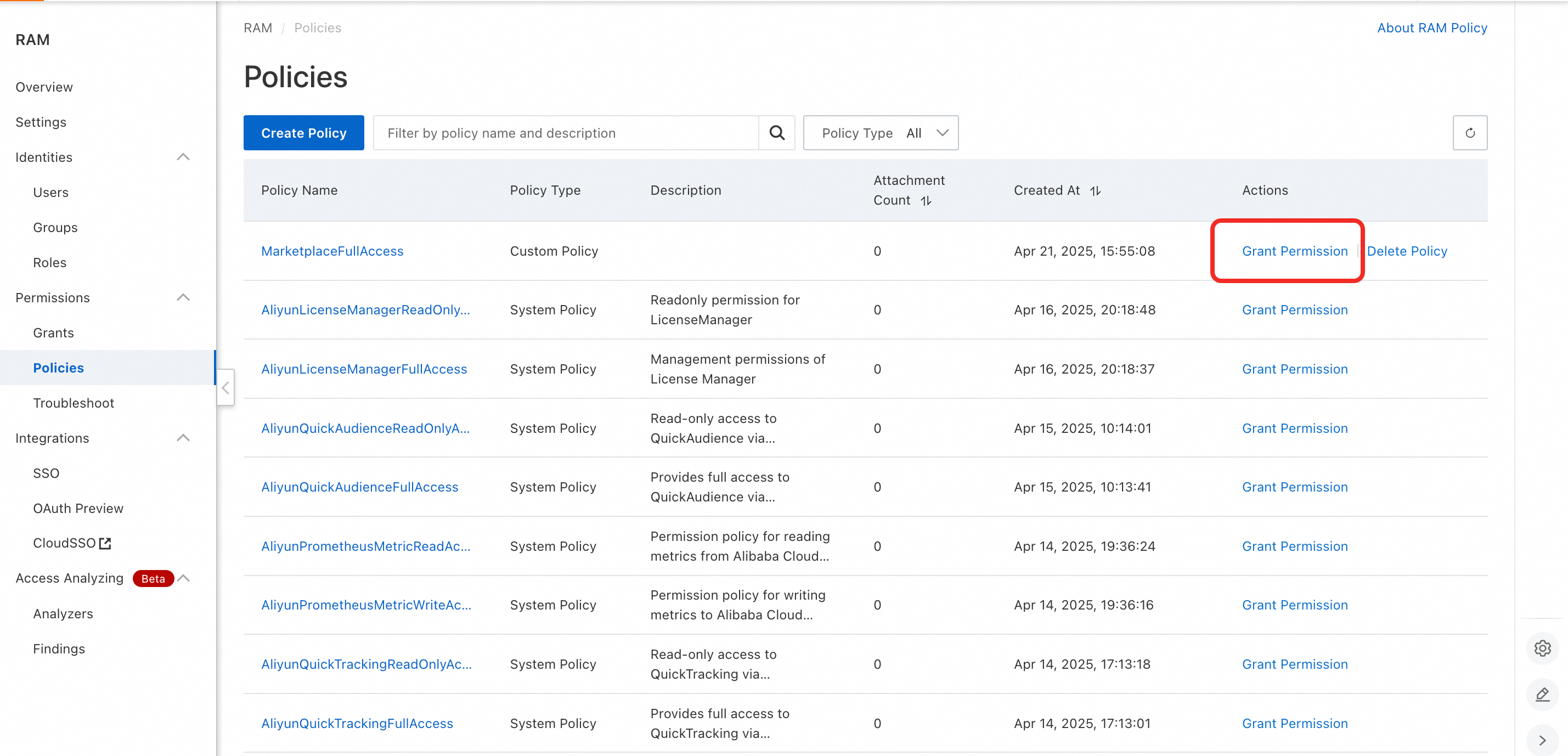
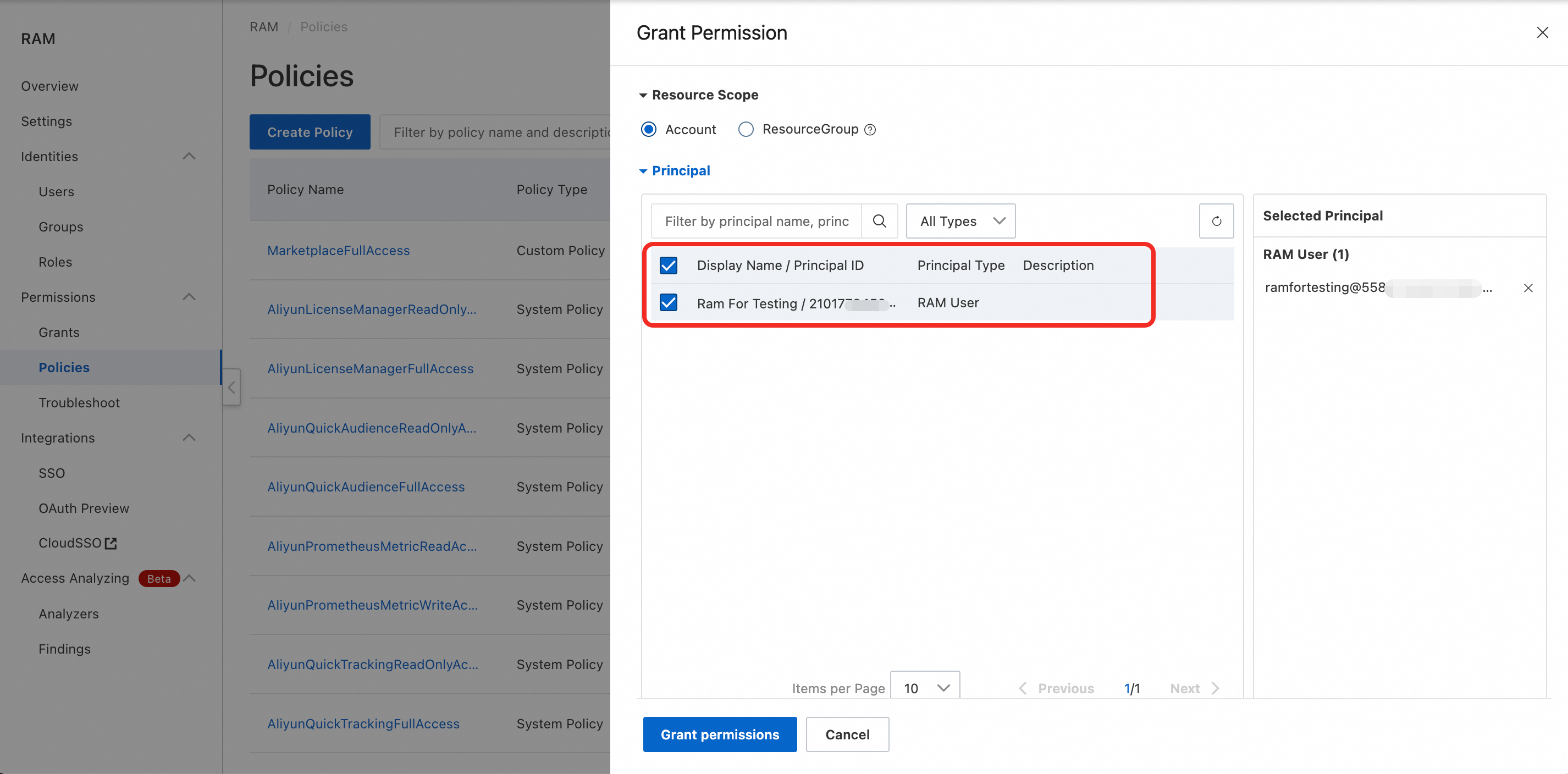
Step 4: Return to Policies and click Grant Permission to assign the new policy to specific RAM users.
Is this page helpful?