Sub-Account Authorization
Grant a RAM sub-account access to Alibaba Cloud Marketplace so team members can manage subscriptions, orders, private offers, and delivery center operations without sharing master account credentials.
Step 1: Log in with the master account and go to Resource Access Management (RAM) at https://ram.console.aliyun.com/overview. Create a new RAM user. For step-by-step instructions, see Create a RAM User.
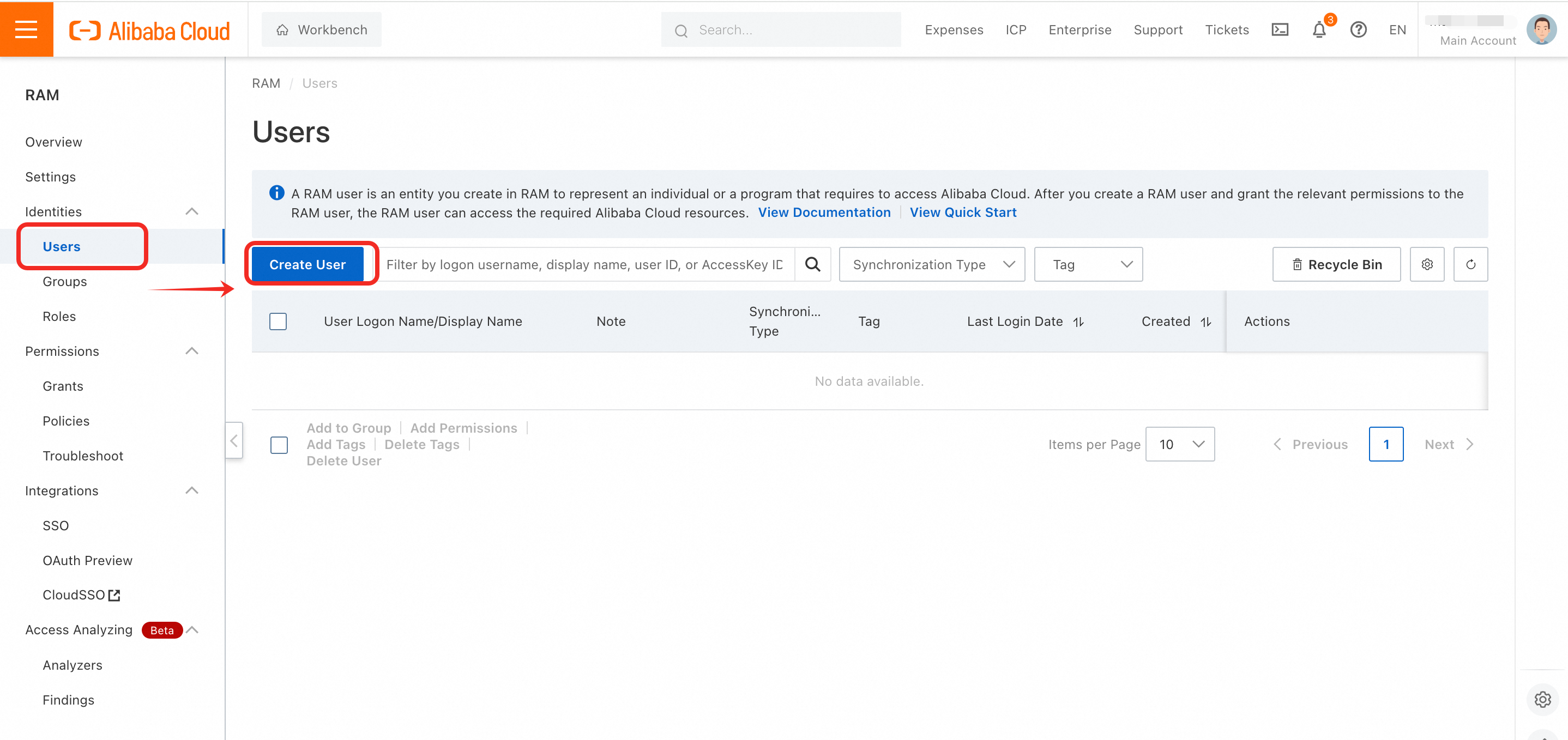
Step 2: Go to the Permissions tab at https://ram.console.aliyun.com/permissions and click Grant Permission.

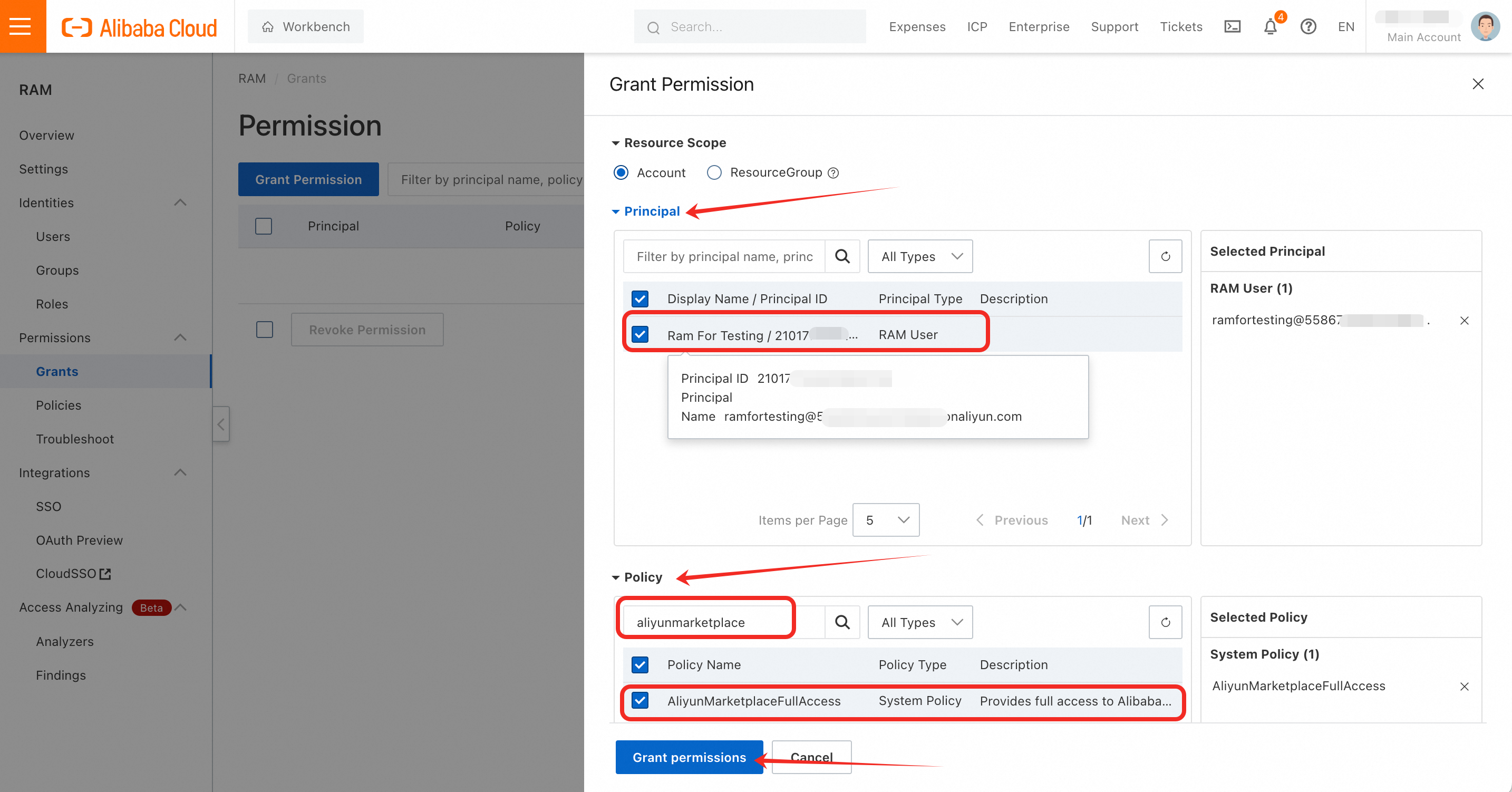
Step 3: In the Principal field, select the RAM user to authorize by name or ID. Under System Policy, select AliyunMarketplaceFullAccess. Click Grant Permissions to finish.
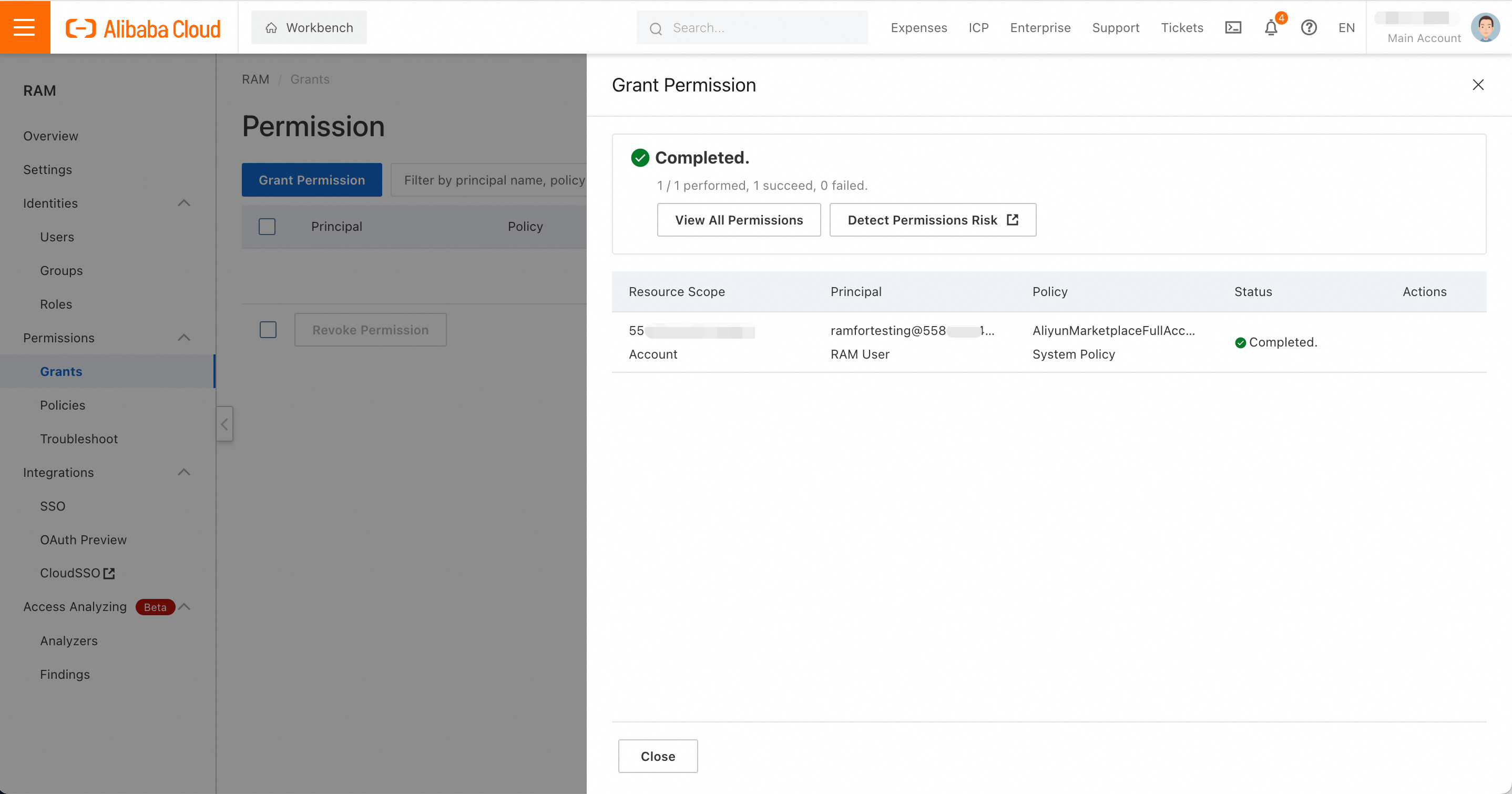
Step 4: The RAM user can now view Subscription, Orders, Private Offer, and Delivery Center details in the Marketplace console at https://market-intl.console.aliyun.com. To grant access to the Seller Portal for seller operations, complete Policy Configuration as well.