Data migration between Alibaba Cloud Milvus instances
You can use the Alibaba Cloud Milvus data migration service to move data from self-managed Milvus databases—located on-premises, on other cloud platforms, or on Alibaba Cloud ECS instances—to a managed Alibaba Cloud Milvus service. The service also supports data migration between two Alibaba Cloud Milvus instances, including both same-account and cross-account scenarios. It uses a full migration mechanism to ensure complete data synchronization. This topic uses an instance-to-instance migration to show how to use the data migration service to securely and efficiently move data to Alibaba Cloud Milvus.
Limitations and requirements
Pre-migration preparations (required)
-
Operational state control
Cluster type
Requirement
Description
Source cluster
Stop all data modification operations.
Halt all write, delete, and update operations to ensure the cluster is in a read-only state. This prevents data inconsistencies during migration.
Target cluster
Pause all data operations.
Halt all query, write, delete, and update operations. Keep the instance unavailable to prevent conflicts with incoming data.
-
Version compatibility
Requirement
Specification
Source cluster version
Must be v2.3.7 or later (≥ v2.3.7).
Target cluster version
Must be equal to or later than the source cluster version.
Migration task limits
-
Task management
-
Concurrency limit: Only one migration task can run at a time.
-
-
Data scope
-
Database limit: Each migration task can migrate collections from only one database.
-
Collection limit: Each migration task supports a maximum of five collections.
-
Total data size: The total number of entities across all collections cannot exceed 500 million.
-
-
Data state
-
Source instance requirement: The collections to be migrated must be in the loaded state.
-
Destination instance requirement: The destination instance must be empty with no existing entity data.
-
Network requirements
-
Two Milvus instances in the same region: Connect through the internal endpoint. No allowlist or security group configuration is required, and data transfer is faster.
-
Two Milvus instances in different regions: Connect through the public endpoint. You must add the public IP CIDR block of the region where the target instance resides to the public access whitelist of the source instance.
Region of the target instance
IP CIDR block
China (Beijing)
39.105.32.0/24China (Shenzhen)
120.77.174.0/24China (Shanghai)
47.117.185.0/24China (Hong Kong)
8.217.170.0/24China (Hangzhou)
115.29.196.0/24China (Ulanqab)
121.89.83.0/24Singapore
45.113.192.0/24Germany (Frankfurt)
47.245.133.0/24 -
Two Milvus instances under different accounts (cross-account migration): The EndPoint field of the source cluster accepts the connection address of any Milvus instance, including instances under other Alibaba Cloud accounts. For cross-account migration, make sure the target instance can access the source instance EndPoint over the network. If the two instances are in different VPCs, establish network connectivity through Cloud Enterprise Network (CEN) or a similar solution first. If you use a public endpoint, add the public IP CIDR block of the region where the target instance resides to the public access whitelist of the source instance.
Migration procedure
-
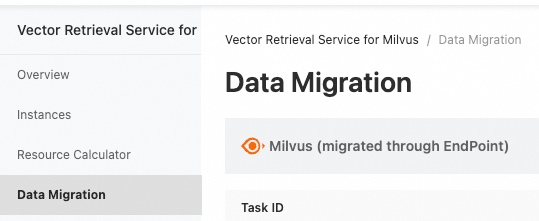
Log on to the Alibaba Cloud Milvus console, click Data Migration, and then click Milvus (via Endpoint).
-
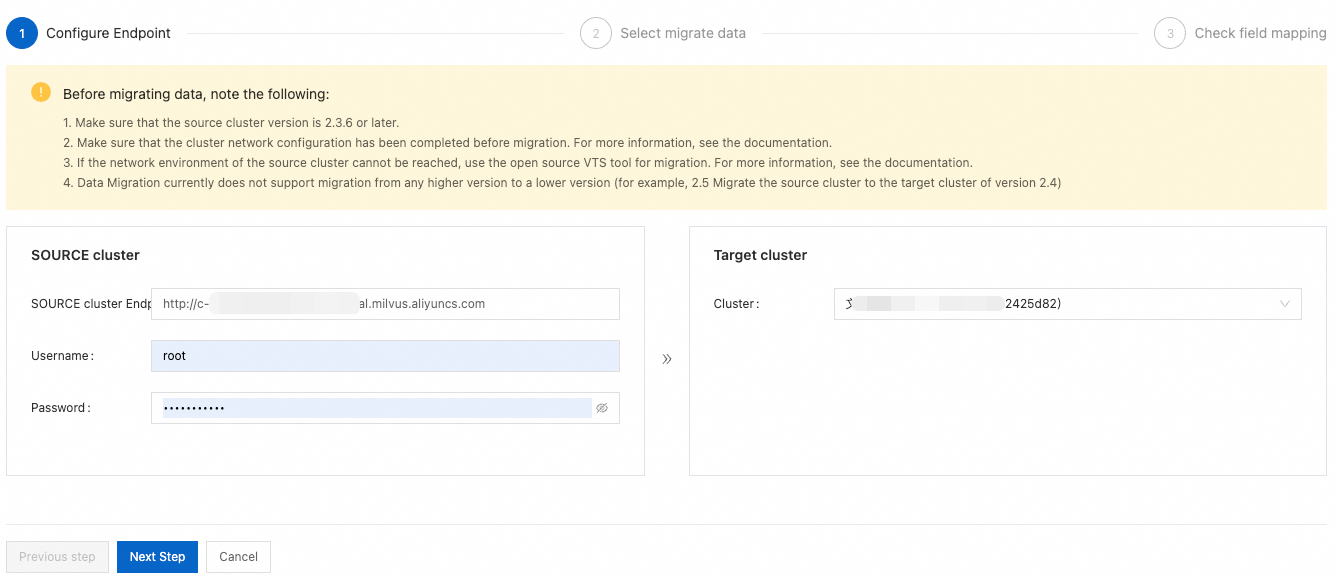
Configure the Source Cluster connection information and select the Target Cluster, and then click Next.
-
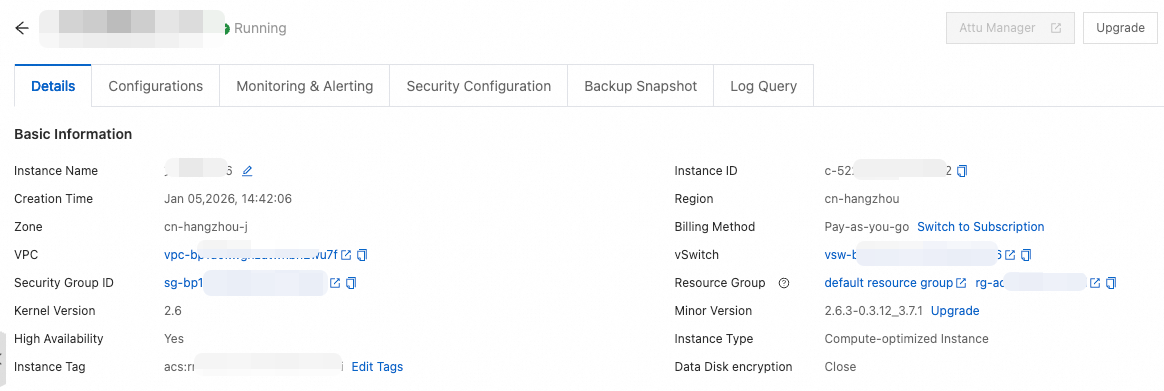
Source Cluster Endpoint: The connection address of the source Milvus cluster. For same-account and same-region scenarios, enter the internal endpoint. For cross-account or cross-region scenarios, enter the public endpoint or an internal endpoint with established network connectivity.
-
Username and Password: The username and password of the source Milvus instance. For cross-account migration, enter the authentication credentials of the Milvus instance under the source account.
-
-
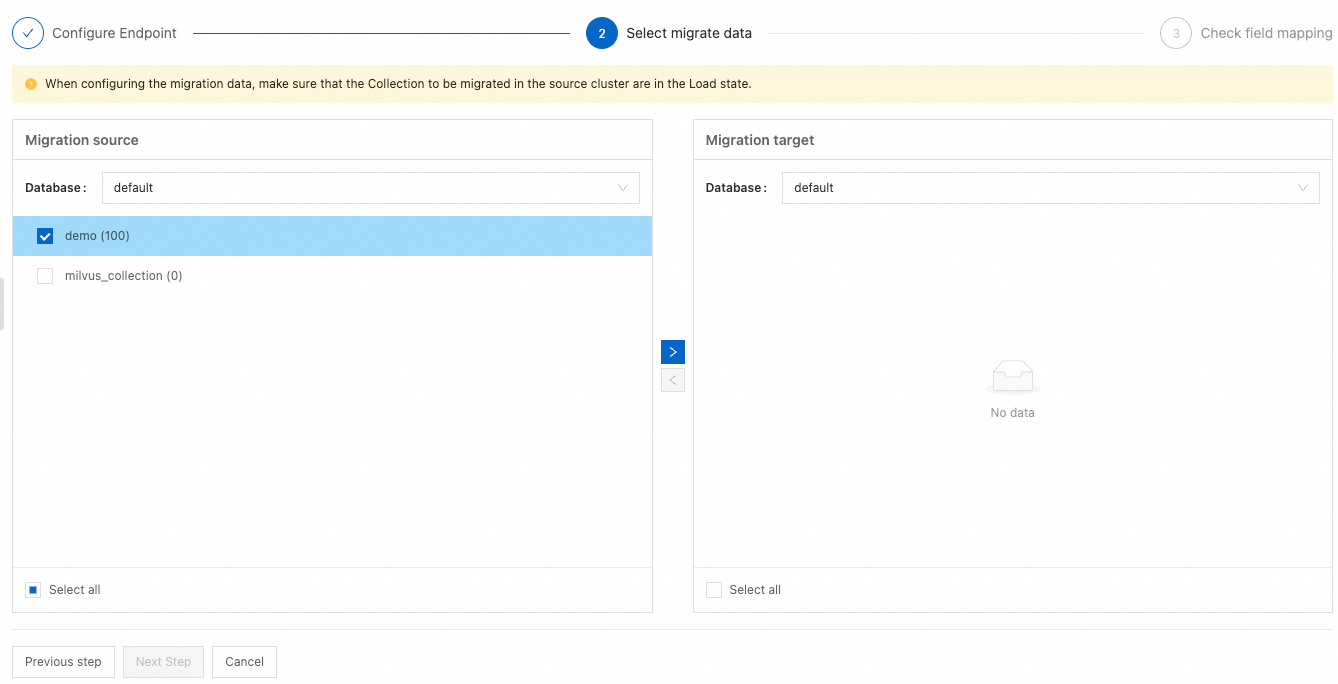
Select the Database to migrate and add it to the target Database, and then click Next.
-
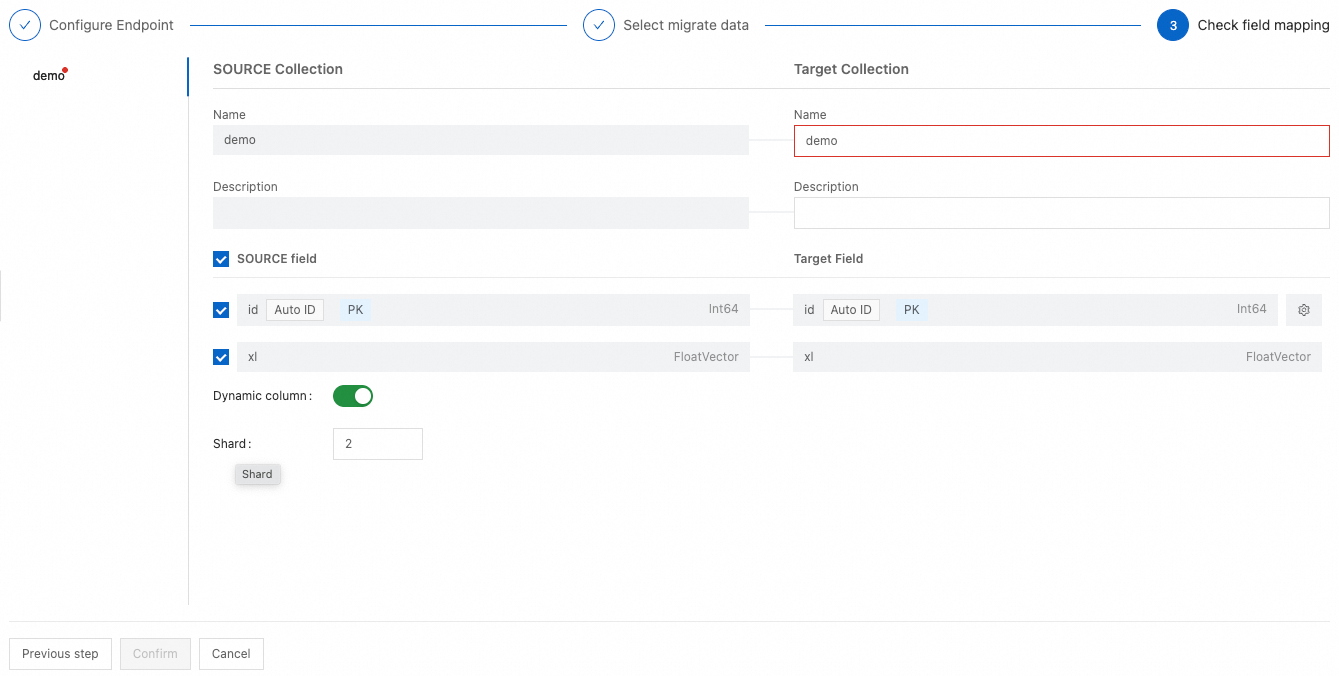
Review and configure the field mapping, and then click OK to start the migration task.
Monitoring and verification
-
View the migration progress and error logs in the console.

-
After the migration is complete, we recommend that you verify the data volume and recall consistency of the target collections.
