Create an Alibaba Cloud Model Studio plugin using an integration stream
Use an integration flow to create a Model Studio plugin
References
Mobi: Integration stream
Alibaba Cloud Model Studio: Custom plugin
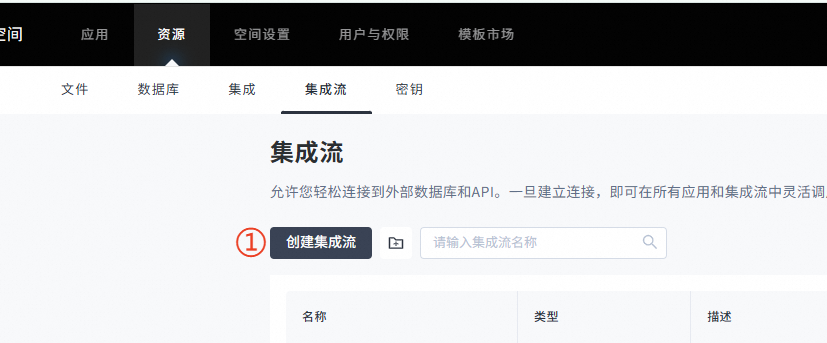
Create an integration stream
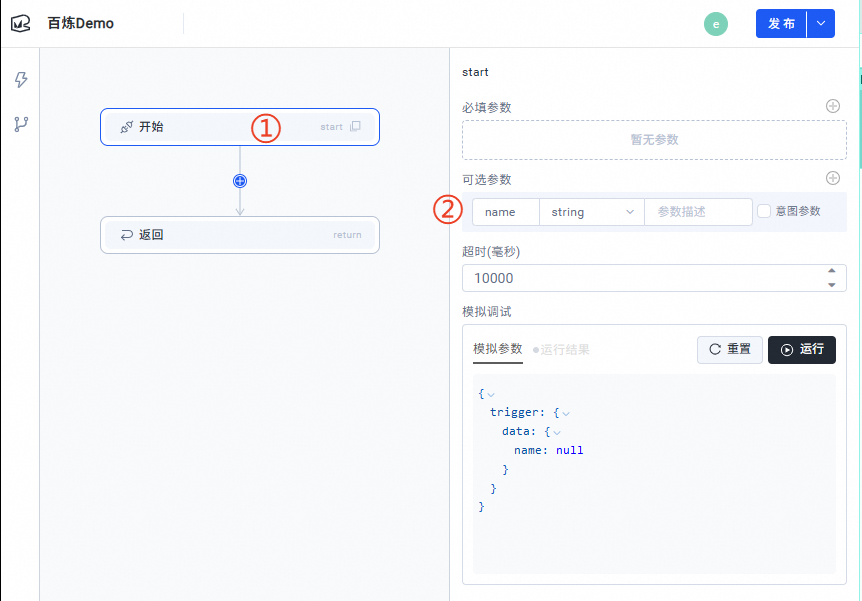
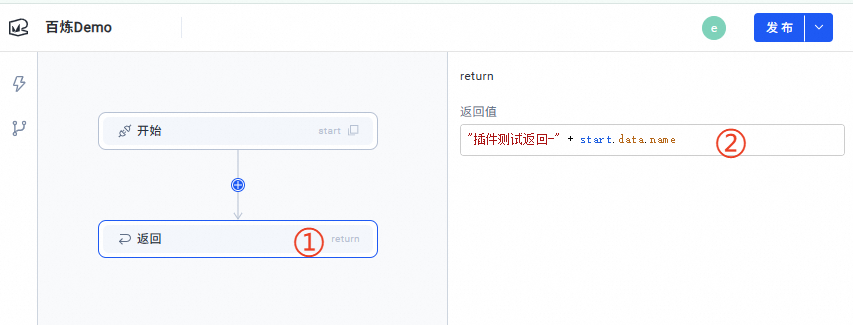
Create a simple integration stream
Publish the integration stream
Create a webhook call
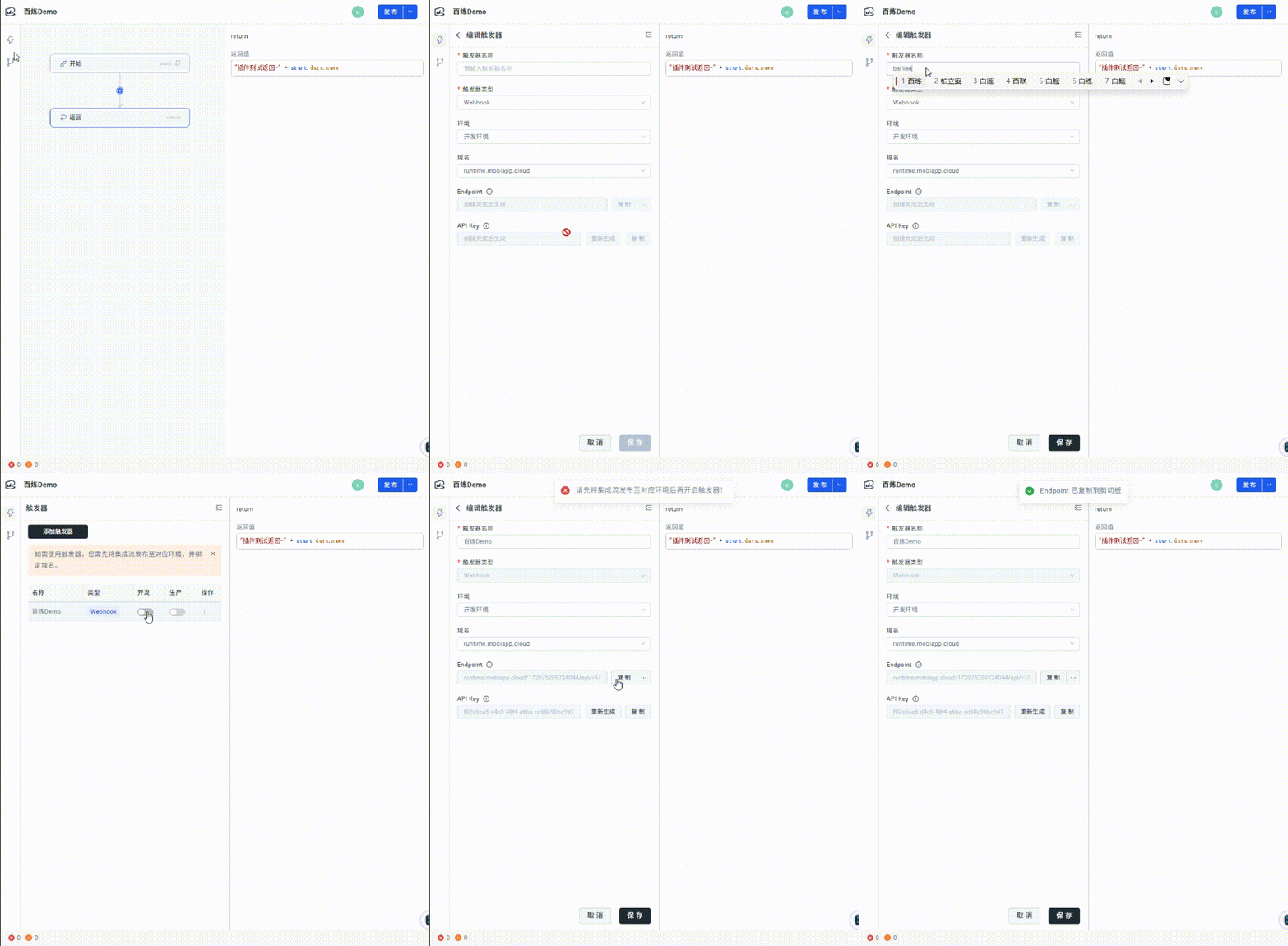
Example cURL call:
curl -vvv -XPOST "https://runtime.mobiapp.cloud/172****4044/api/v1/webhooks/1749****922/startFlow?envId=****-****-****-****-****&triggerId=****-****-****-****-****" -H 'X-Mobi-Api-Key: f****-****-****-****-****' -H 'Content-Type: application/json' -d '{}'
Create a custom plugin in Model Studio
Plugin Management page: https://bailian.console.aliyun.com/?tab=app#/component-manage/plugin
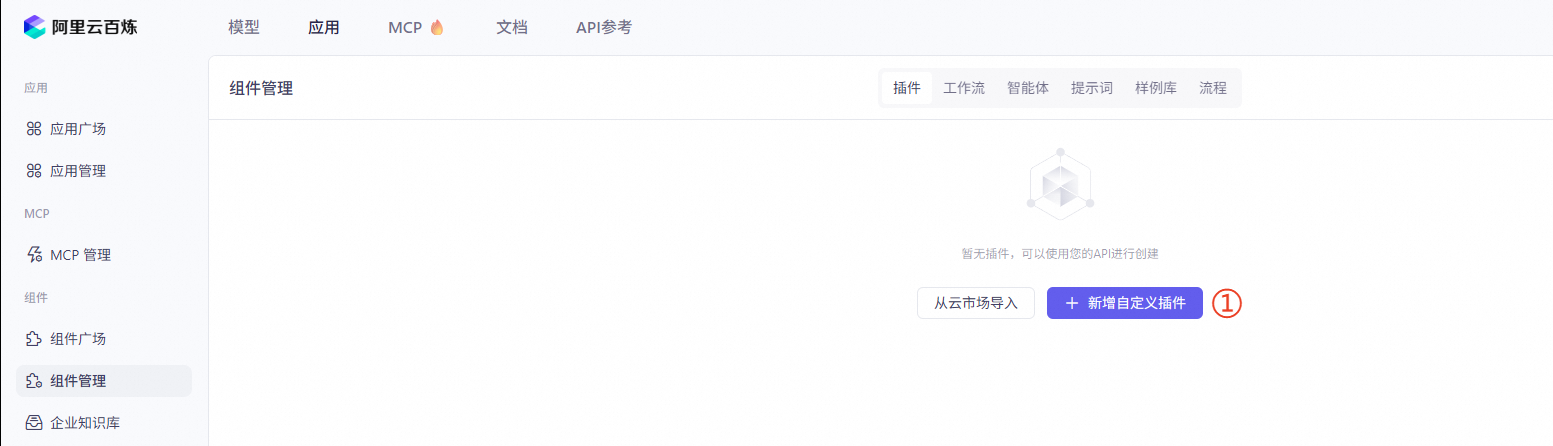
Create a plugin
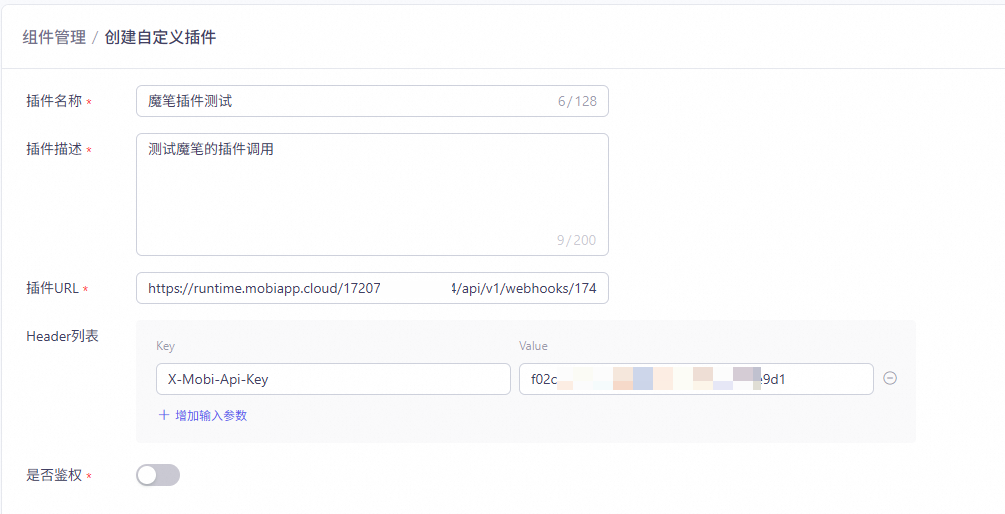
Example plugin URL: https://runtime.mobiapp.cloud/172****4044/api/v1/webhooks/1749****922
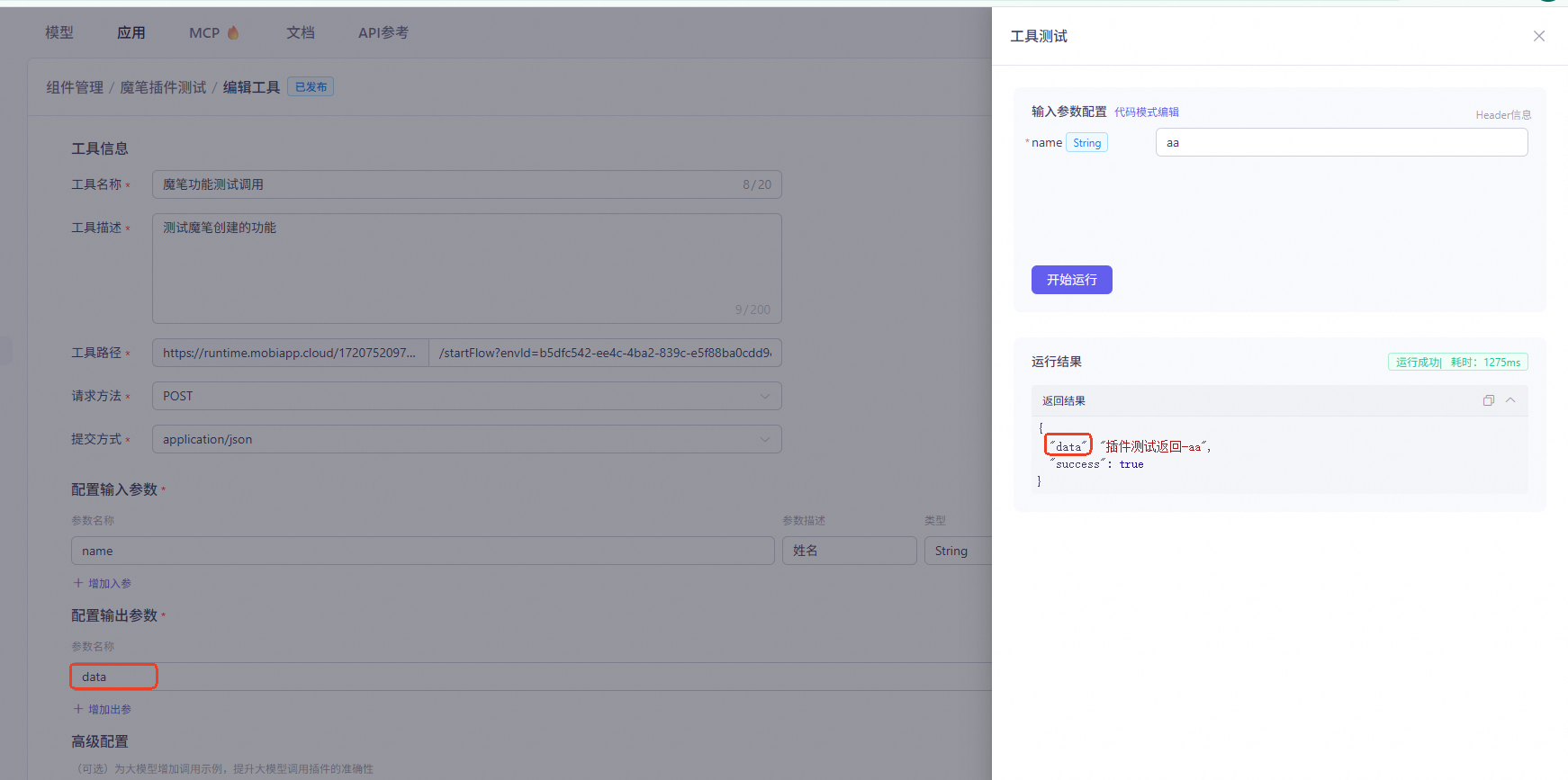
Create a tool
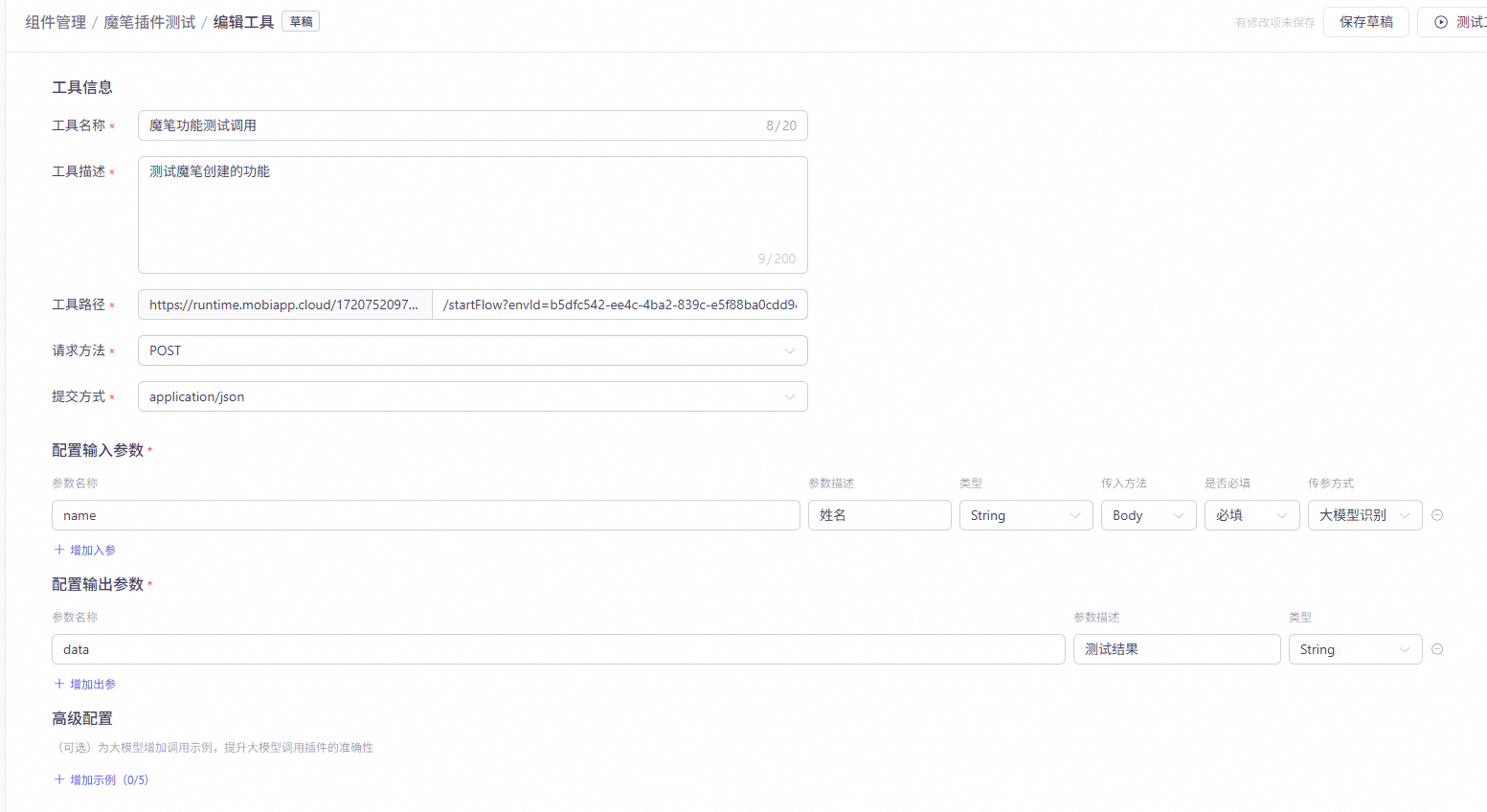
Example tool path:
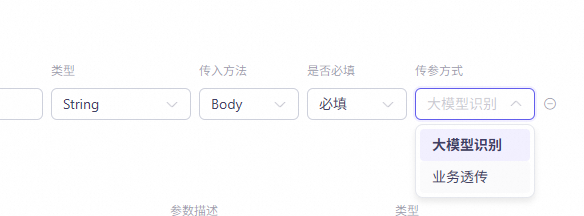
/startFlow?envId=****-****-****-****-****&triggerId=****-****-****-****-****If you select detection by the Large Language Model (LLM) for this input parameter, the agent automatically obtains the name from your input.
If you select business pass-through for an input parameter, you must pass the parameter using custom parameters in the subsequent Mobi call.
Because the execution result contains the `data` key, the plugin's result can be matched using this key.
Use the plugin in an LLM
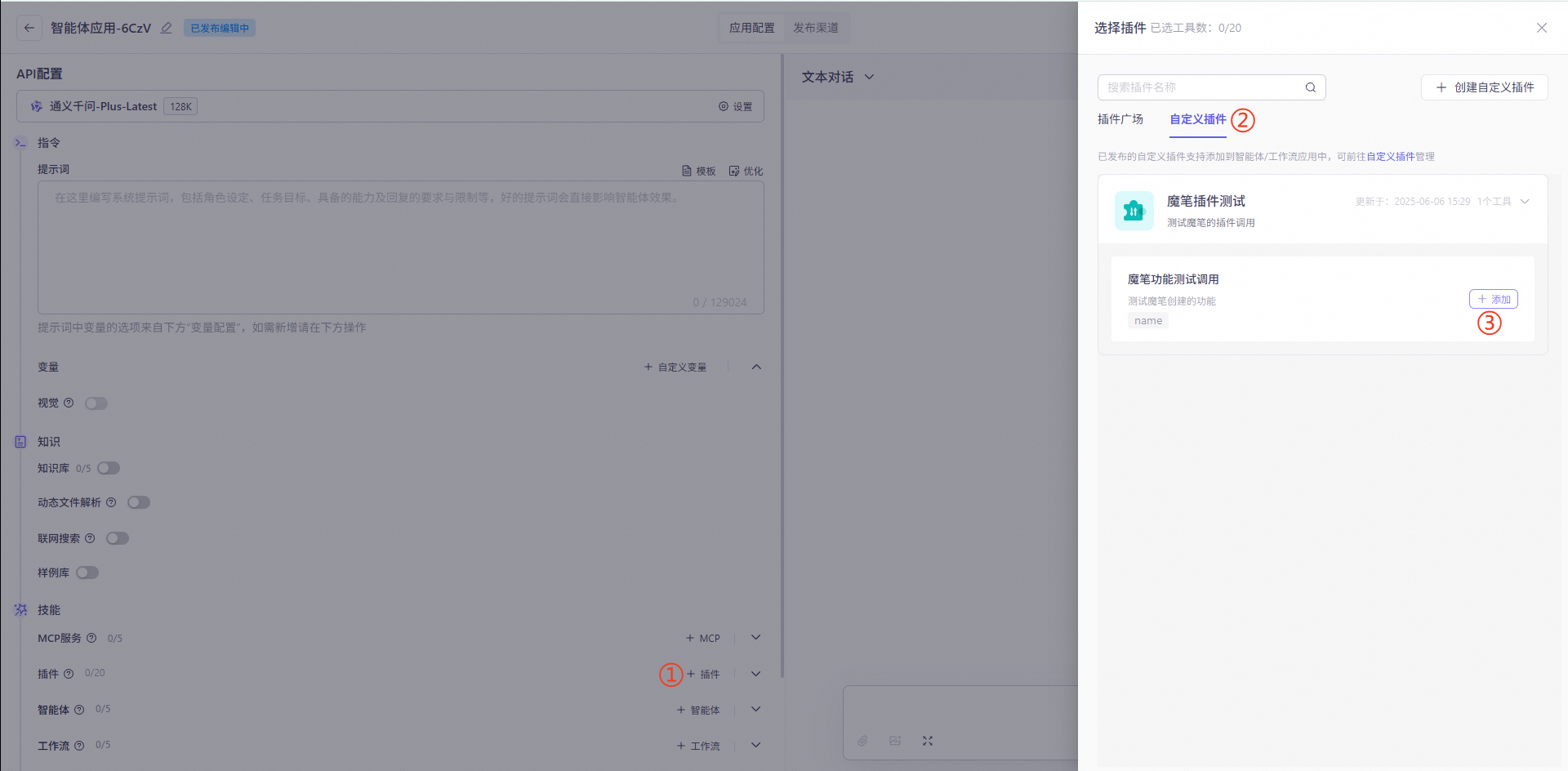
Test the call
Call an agent with a plugin in Mobi
For more information about calls, see the DashScope API Reference.
Relevant keyword: user_defined_params
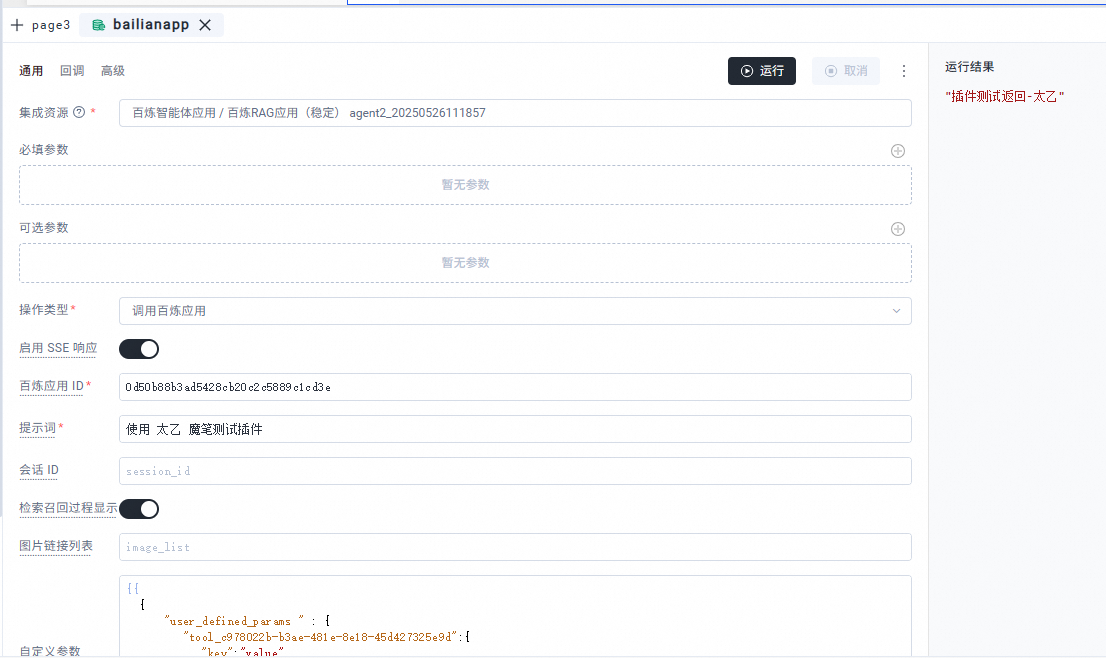
Pass custom plugin parameters (optional):
{{
  {
    "user_defined_params": {
      "tool_c978022b-b3ae-481e-8e18-45d427325e9d":{
        "key":"value"
      }
    }
  }
}}