Export Markdown content to a Word document
Updated at:
This topic describes how to export Markdown content to a Word document.
Add a third-party library
https://g.alicdn.com/code/lib/marked/15.0.4/marked.min.js
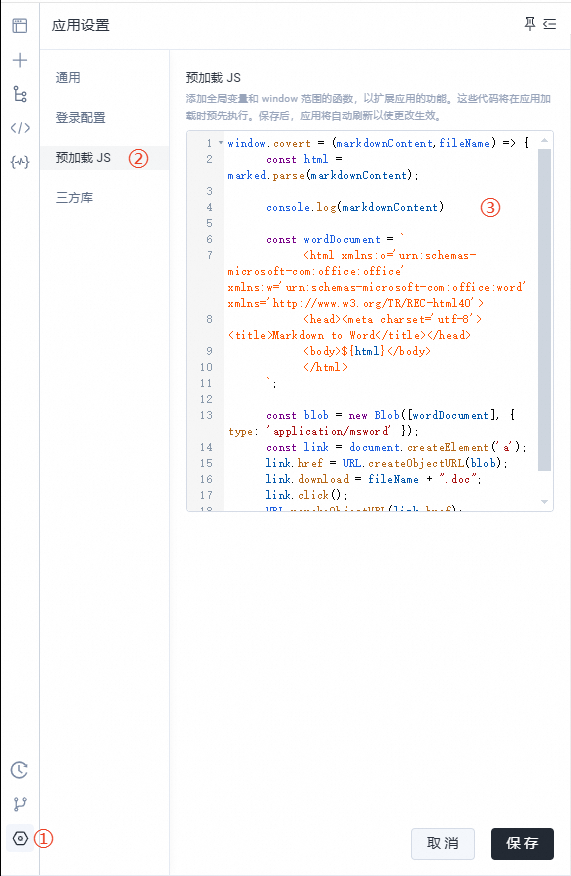
Add a preloaded JavaScript configuration
window.covert = (markdownContent,fileName) => {
    const html = marked.parse(markdownContent);

    const wordDocument = `
        <html xmlns:o='urn:schemas-microsoft-com:office:office' xmlns:w='urn:schemas-microsoft-com:office:word' xmlns='http://www.w3.org/TR/REC-html40'>
        <head><meta charset='utf-8'><title>Markdown to Word</title></head>
        <body>${html}</body>
        </html>
    `;

    const blob = new Blob([wordDocument], { type: 'application/msword' });
    const link = document.createElement('a');
    link.href = URL.createObjectURL(blob);
    link.download = fileName + ".doc";
    link.click();
    URL.revokeObjectURL(link.href);
}
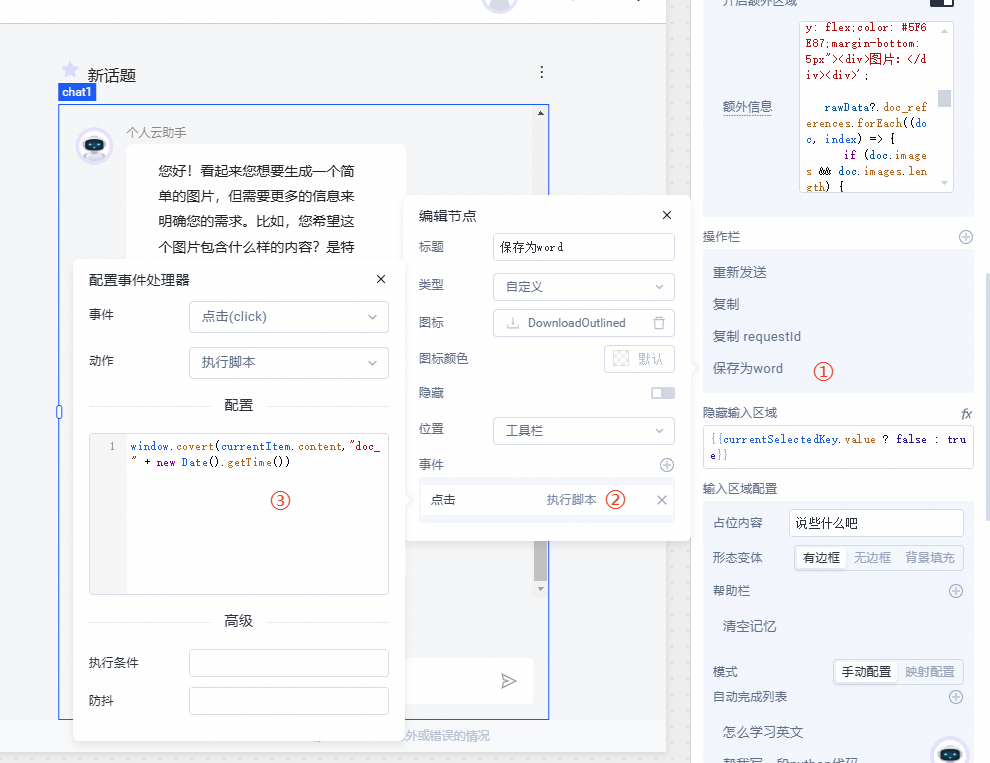
Call the function
Add a Word export feature to the chat widget.
window.covert(currentItem.content,"doc_" + new Date().getTime())
Is this page helpful?