Status panel
The Status panel shows the real-time status and reference dependencies of a selected component or code.
Status panel features
Overview
The Status panel is an important area on the left side of the editor. It shows the global or local status of your application. The panel displays the real-time status and reference dependencies for any selected component or code, which simplifies development.
Feature entry point
The Status panel is located in the designer.
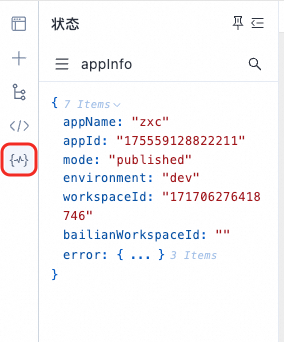
Switching the selected component or code
Open the component or code menu.
Select the component or code to view. (Note: To quickly locate a component, select it on the canvas.)
NoteTo switch to a component or code on a different page or layout, first switch to that page or layout.
Viewing reference dependencies
If a selected component or code has reference dependencies, the panel displays them at the bottom.
Hover over the code to view detailed reference and dependency information.
Deletion prompt for components or code
Before a component or code is deleted, the system checks for existing references. If references exist, a prompt is displayed.