Permission management
Alibaba Cloud Model Studio offers granular access control at the console and model level, helping organizations manage users across multiple regions.
Identity and permission management in Model Studio
A workspace is the smallest management unit for fine-grained permission control (for models and users) and Alibaba Cloud cost allocation.
Model Studio uses three roles for workspace permission management:
- Super administrator: Manages user permissions, available models, model rate limits, and API keys across multiple workspaces.
- Workspace administrator: Manages user permissions and resources within a specific workspace.
- Regular user: Uses authorized resources.
Workspace permissions | Super administrator (with the AliyunBailianFullAccess system policy) | Workspace administrator | Regular user |
|---|---|---|---|
Manage model calls and rate limiting | Supported | Not supported | Not supported |
Manage model fine-tuning | Supported | Not supported | Not supported |
Manage model deployment | Supported | Not supported | Not supported |
User management | Supported | Supported | Not supported |
Manage user-accessible pages | Supported | Supported | Not supported |
API key management | Supported | Supported | Not supported |
Use authorized resources | Supported | Supported | Supported |
Not supported | Not supported | Not supported |
Super administrator
A super administrator is one of the following account types:
-
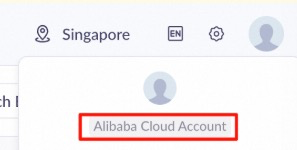
An Alibaba Cloud account. The upper-right corner of the Model Studio console displays the following:
-
A RAM user with the AliyunBailianFullAccess (Model Studio administrator) system policy. This RAM user can use the Model Studio global management menu (China (Beijing) | Singapore | US (Virginia)) to grant almost all permissions to any RAM user (including themselves) for any region and any workspace. (Only an Alibaba Cloud account can grant OpenAPI permissions | China (Hong Kong).)
A RAM user is a sub-account created by an Alibaba Cloud account to securely assign cloud resources and permissions to team members.
The upper-right corner displays the following:

A super administrator can use the Model Studio global management menu (China (Beijing) | Singapore | US (Virginia) | China (Hong Kong)) to manage multiple workspaces. These tasks include:
- Create and rename workspaces.
- Manage models and model rate limiting for all workspaces.
- Manage accounts (users) for all workspaces.
- Manage all API keys.
NoteTo enable features such as the AI Guardrails service, model monitoring, and application observability, use an Alibaba Cloud account to authorize and activate them once in the console.
Workspace administrator
A workspace administrator is a RAM user who manages a workspace from its Permissions page.
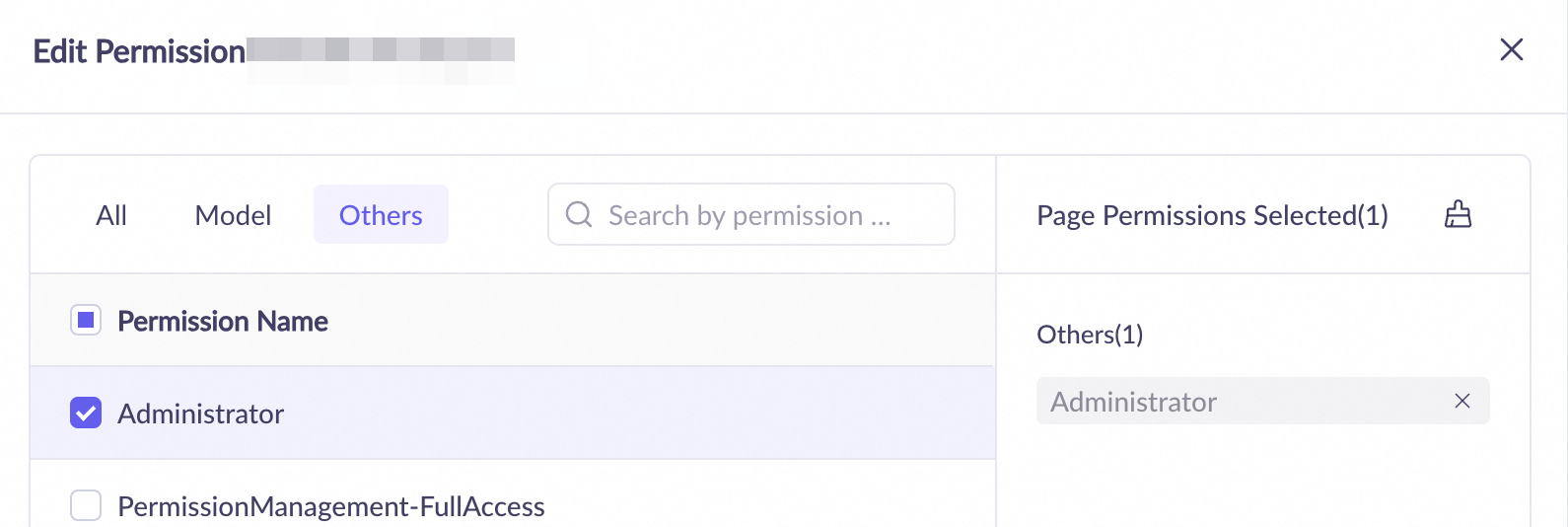
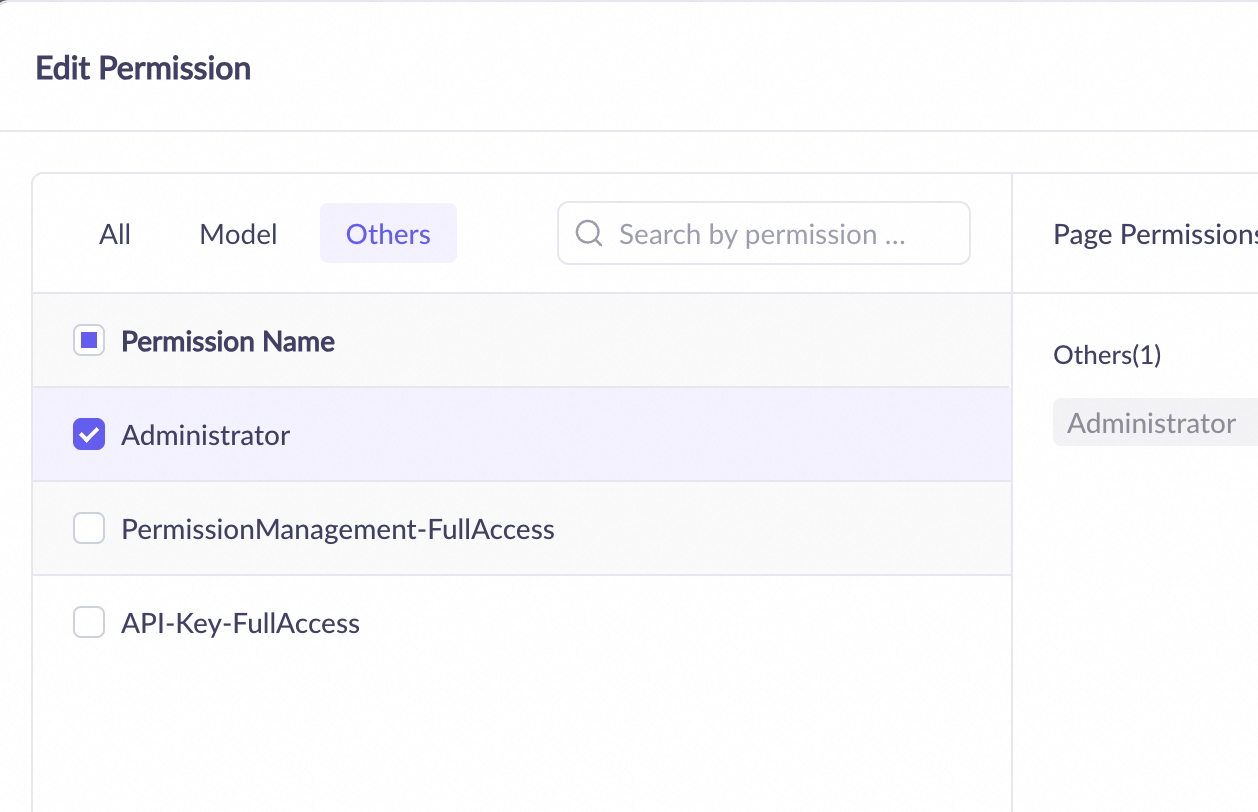
The Administrator permission includes access to all pages within the workspace.
Workspace permission management
Model Studio organizes resources and workspaces by region. A workspace cannot span multiple regions, and each region has a distinct default workspace. You can switch regions from the global management menu (Beijing | Singapore | Virginia | China (Hong Kong)).
In Model Studio, a workspace is the smallest unit for fine-grained permission management:
Workspace permissions | Super administrator (with the AliyunBailianFullAccess system policy) | Workspace administrator | Regular user |
|---|---|---|---|
Manage model calls and rate limiting | Supported | Not supported | Not supported |
Manage model fine-tuning | Supported | Not supported | Not supported |
Manage model deployment | Supported | Not supported | Not supported |
User management | Supported | Supported | Not supported |
Manage user-accessible pages | Supported | Supported | Not supported |
API key management | Supported | Supported | Not supported |
Use authorized resources | Supported | Supported | Supported |
Not supported | Not supported | Not supported |
-
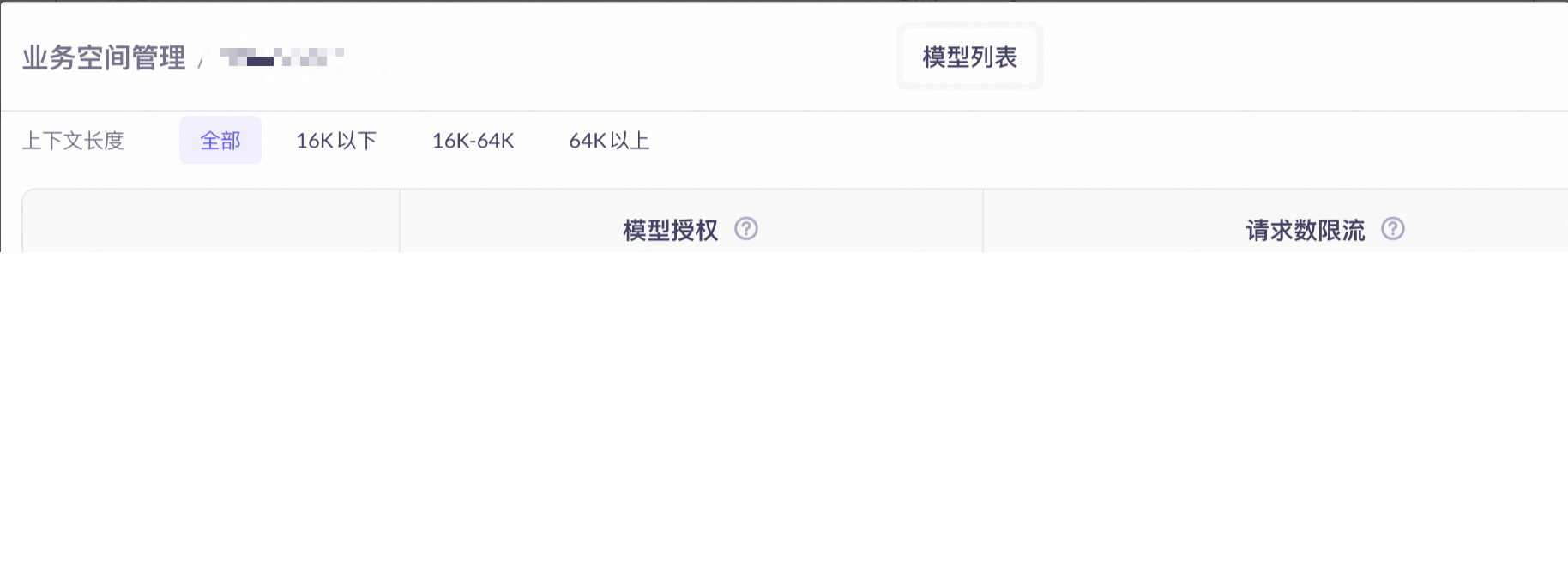
Control model calls: Set whether a model can be called (from the console or through an API) within the workspace, and set the model's Request Number Limit and Token Limit.
This restriction cannot be set for the default workspace. All models can be called without rate limiting.

-
Control model fine-tuning: Set whether a model can be fine-tuned (from the console or through an API) and deployed after fine-tuning within the workspace.
This restriction cannot be set for the default workspace. All models that support fine-tuning can be fine-tuned and deployed after completion.

-
Control model deployment: Set whether a model can be deployed directly in the workspace.
This restriction cannot be set for the default workspace. All models that support deployment can be deployed.

-
Manage console permissions for users: Control which console features a RAM user can access within a workspace. This setting does not affect API calls made with the user's API key.
An Alibaba Cloud account has access to all pages in all workspaces by default.
API key permissions
A single API key can belong to only one workspace and one user within a single region, and it cannot be transferred to other workspaces or users. The callable functions and model rate limiting for an API key are consistent with the permissions of its Workspace, and are not affected by console-level user permissions. You do not need to create different API keys for different models, such as text generation, text-to-image generation, or speech synthesis.
The following actions on an owner's account affect the API key's status:
NoteStarting March 25, 2026, all new API keys created in the China (Beijing) region belong to the Alibaba Cloud account.
| Triggering action | Alibaba Cloud account | RAM user |
|---|---|---|
| Manually delete an API key | Not supported Failures are unrecoverable. | Not supported Failures are unrecoverable. |
| Remove a user from a workspace | — | Not supported Failure.
|
Delete the user or role in theRAM console | — | Not supported Failure is unrecoverable. |
| Set an IP whitelist for an API key | Supported for API keys in the China (Beijing) region. | Supported for API keys in the China (Beijing) region. |
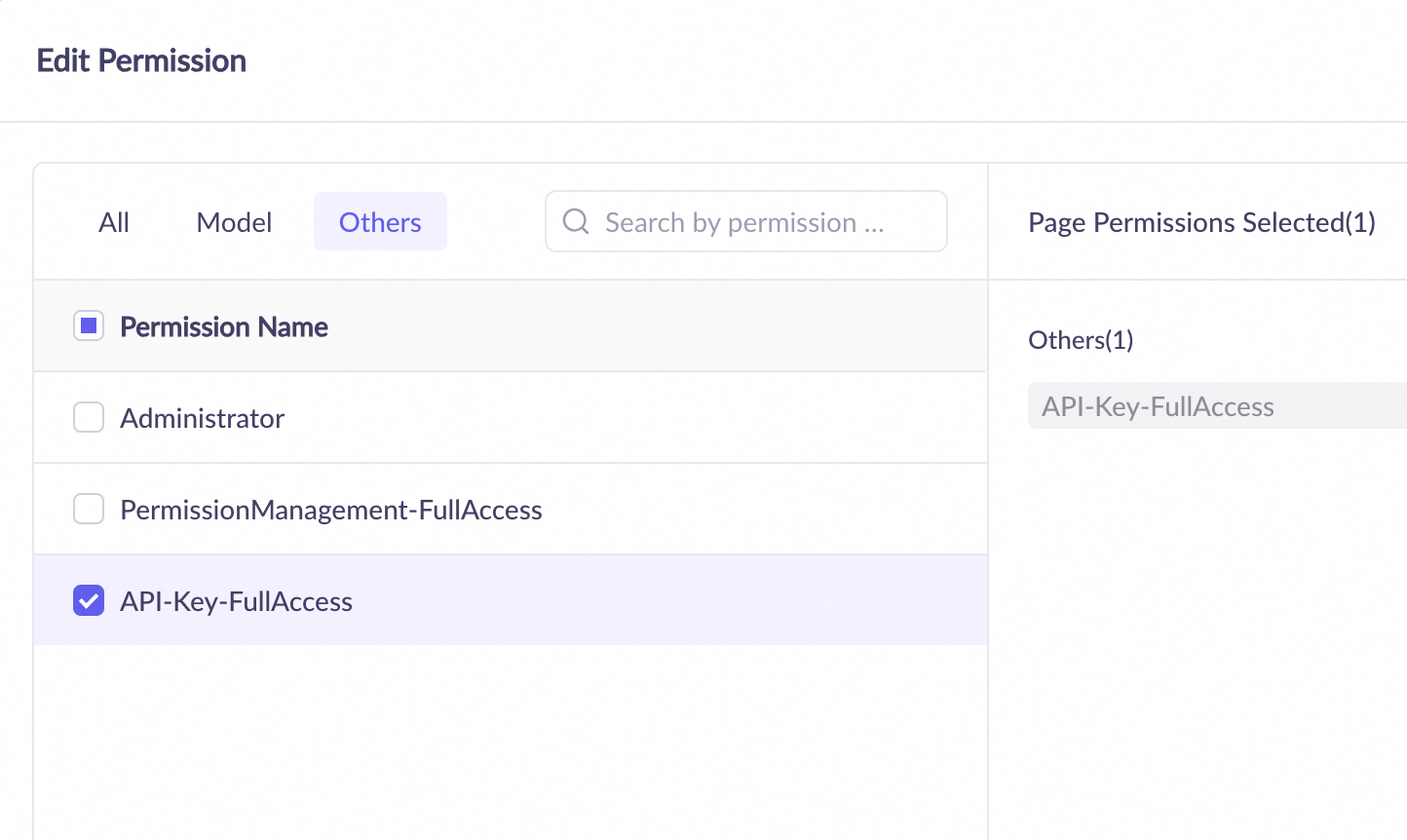
In the Model Studio console, on the Permissions tab in the left navigation pane, you can grant a RAM user permission to create, delete, and view all API keys in the workspace.
OpenAPI permissions
By default, RAM users do not have permission to call the OpenAPI for Model Studio application features such as data, knowledge base, prompt engineering, and long-term memory.
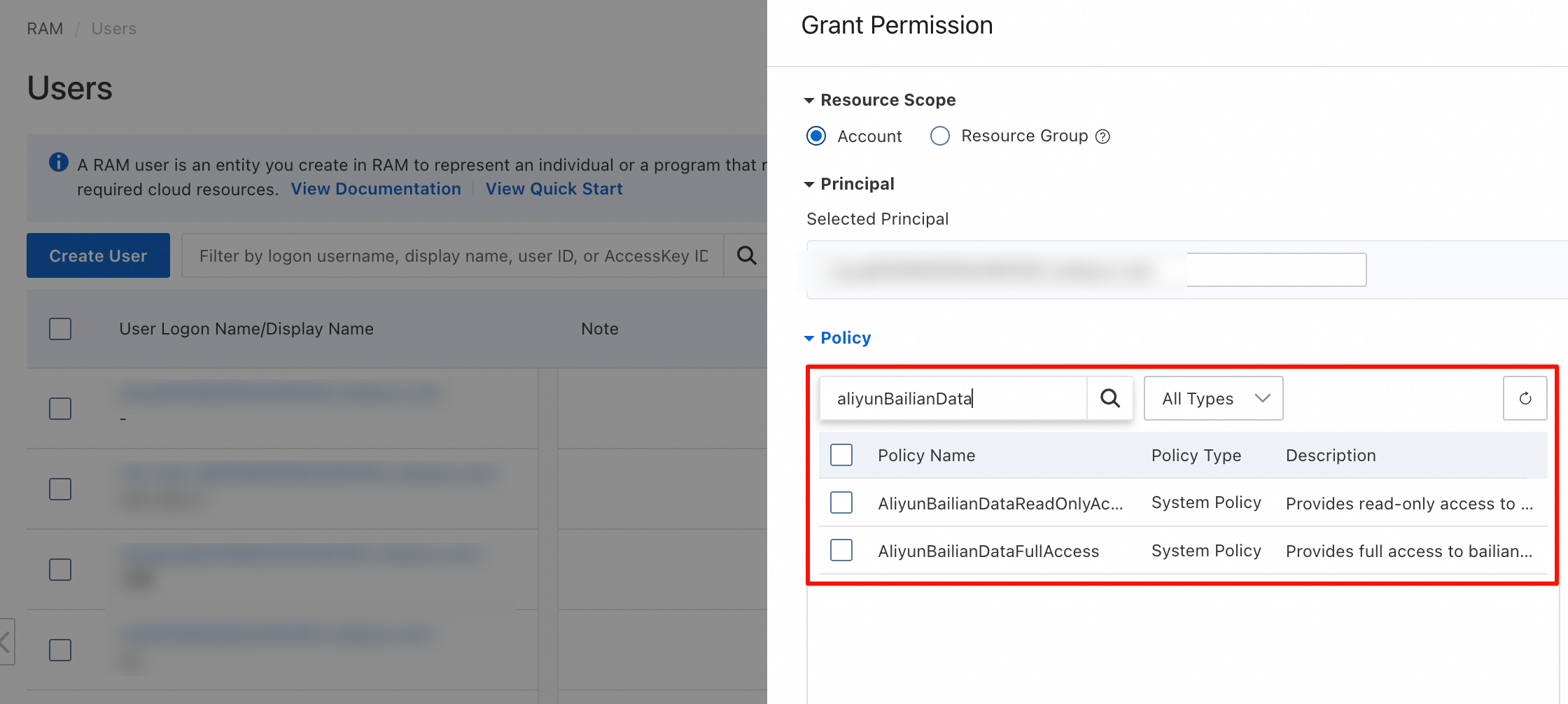
To grant this permission, an Alibaba Cloud account must assign one of the following policies to the RAM user in the RAM console:
- AliyunBailianDataFullAccess: Allows the user to call all APIs in the Model Studio application's API catalog.
- AliyunBailianDataReadOnlyAccess: Allows the user to call read-only APIs in the Model Studio application's API catalog, such as DescribeFile - Query file status and GetIndexJobStatus - Query the status of a knowledge base creation job.
Use in a production environment
-
Workspace planning strategy
-
Group by environment (Recommended): Create separate workspaces for development, testing, staging, and production environments to achieve strict environment isolation.
project-dev-workspaceproject-test-workspaceproject-prod-workspace
-
Group by business line: Create separate workspaces for different business units, such as marketing, after-sales, and design, to simplify permission and cost management.
marketing-team-workspacecustomer-team-workspace
-
-
Throttling policy
-
Allocate the total quota of your Alibaba Cloud account proportionally among workspaces. Reserve a portion as a buffer to handle traffic bursts.
Example: The total account quota is 1000 QPM. The allocation plan is as follows:
project-prod-workspace: 600 QPM (60%)project-test-workspace: 200 QPM (20%)project-dev-workspace: 100 QPM (10%)- Reserved buffer: 100 QPM (10%)
-
Manage billing and subscription permissions
By default, a RAM user does not have permission to view Alibaba Cloud bills or purchase subscription products. To grant these permissions, assign specific permissions to the RAM user in the RAM console.
NoteThe following permissions enable a RAM user to view bills for all Alibaba Cloud products or purchase all Alibaba Cloud subscription products. Grant these permissions with caution.
- To allow a RAM user to view Alibaba Cloud bills, grant them the AliyunBSSReadOnlyAccess permission.
- To allow a RAM user to purchase Alibaba Cloud subscription products, grant them the AliyunBSSOrderAccess permission .
Fine-grained page permissions
Menu | Submenu | AliyunBSSReadOnlyAccess | AliyunBSSOrderAccess |
|---|---|---|---|
Account Overview | View page. No operations allowed. | Page not visible. No operations allowed. | |
Account Overview | Recharge | View page. No operations allowed. | Page not visible. No operations allowed. |
Account Overview | Withdrawal | View page. Operations allowed. | Page not visible. No operations allowed. |
Account Overview | Refund | View page. No operations allowed. | Page not visible. No operations allowed. |
Account Overview | Apply for MYbank loan | View page. Operations allowed. | Page not visible. No operations allowed. |
Account Overview | Apply for Alipay down payment tool | View page. Operations allowed. | Page not visible. No operations allowed. |
Account Overview | View details | View page. No operations allowed. | Page not visible. No operations allowed. |
Account Overview | Voucher management | View page. No operations allowed. | Page not visible. No operations allowed. |
Account Overview | Resource plan management | View page. No operations allowed. | Page not visible. No operations allowed. |
Account Overview | Request invoice | View page. No operations allowed. | Page not visible. No operations allowed. |
Account Overview | Apply for contract | View page. No operations allowed. | Page not visible. No operations allowed. |
Transaction Details | View page. No operations allowed. | Page not visible. No operations allowed. | |
Usage Records | Usage Overview | View page. Operations allowed. | Page not visible. No operations allowed. |
Usage Records | Usage Details | View page. Operations allowed. | Page not visible. No operations allowed. |
Usage Records | Usage Records | View page. Operations allowed. | Page not visible. No operations allowed. |
Usage Records | Instance Usage Details | View page. Operations allowed. | Page not visible. No operations allowed. |
Usage Records | Monthly Cost Consumption | View page. Operations allowed. | Page not visible. No operations allowed. |
Usage Records | Export Records | View page. Operations allowed. | Page not visible. No operations allowed. |
Usage Records | Store to OSS | View page. Operations allowed. | Page not visible. No operations allowed. |
Bill Analysis | Product Bill Analysis | View page. Operations allowed. | Page not visible. No operations allowed. |
Deposit Management | View page. No operations allowed. | Page not visible. No operations allowed. | |
Order Management | View page. No operations allowed. | View page. Operations allowed. | |
Voucher Management | View page. No operations allowed. | Page not visible. No operations allowed. | |
Coupon Management | Page not visible. No operations allowed. | Page not visible. No operations allowed. | |
Stored-value Card Management | Page not visible. No operations allowed. | Page not visible. No operations allowed. | |
Redemption Voucher Management | Page not visible. No operations allowed. | Page not visible. No operations allowed. | |
Purchase Order | Page not visible. No operations allowed. | Page not visible. No operations allowed. | |
Resource Plan Management | Resource Plan Overview | View page. No operations allowed. | Page not visible. No operations allowed. |
Resource Plan Management | Usage Details | View page. No operations allowed. | Page not visible. No operations allowed. |
Invoice Management | Request Invoice | View page. No operations allowed. | Page not visible. No operations allowed. |
Invoice Management | Invoice List | View page. No operations allowed. | Page not visible. No operations allowed. |
Invoice Management | Invoice Information Management | View page. No operations allowed. | Page not visible. No operations allowed. |
Invoice Management | Invoice Shipping Address Management | View page. No operations allowed. | Page not visible. No operations allowed. |
Remittance Slip Management | View page. No operations allowed. | Page not visible. No operations allowed. | |
Subscription Management | No-questions-asked refund within five days | View page. No operations allowed. | Page not visible. No operations allowed. |
Subscription Management | Unsubscription Record | View page. No operations allowed. | Page not visible. No operations allowed. |
Contract Management | Contract Application | View page. No operations allowed. | Page not visible. No operations allowed. |
Contract Management | Contract Management | View page. No operations allowed. | Page not visible. No operations allowed. |
Availability Center | Page not visible. No operations allowed. | Page not visible. No operations allowed. | |
Renewal Management | Page not visible. No operations allowed. | Page not visible. No operations allowed. | |
Purchase Page | Product Purchase Pages | View page. No operations allowed. | View page. No operations allowed. |
Common settings
Set up a super administrator
Only an Alibaba Cloud account (root account) or a RAM user with the AliyunRAMFullAccess system policy can perform this operation.
- Go to the RAM console and grant the RAM user the AliyunBailianFullAccess (Model Studio administrator) and AliyunBSSOrderAccess (for purchasing Alibaba Cloud subscription products) permissions.
- After configuration, you can use Model Studio's global management menu (China (Beijing) | Singapore | US (Virginia) | China (Hong Kong)) to grant any permissions for any region and any workspace to any RAM user (including yourself), and purchase Model Studio subscription products.
Set up a workspace administrator
This operation requires a super administrator or a workspace administrator.
-
In the Model Studio console, go to the Permissions tab on the left-side navigation pane and grant the RAM user the Administrator permission.
Set model calling permissions
-
If you do not use the default workspace, ensure that the model calling permission is enabled for the specific model in the workspace. (This operation requires a super administrator.)
-
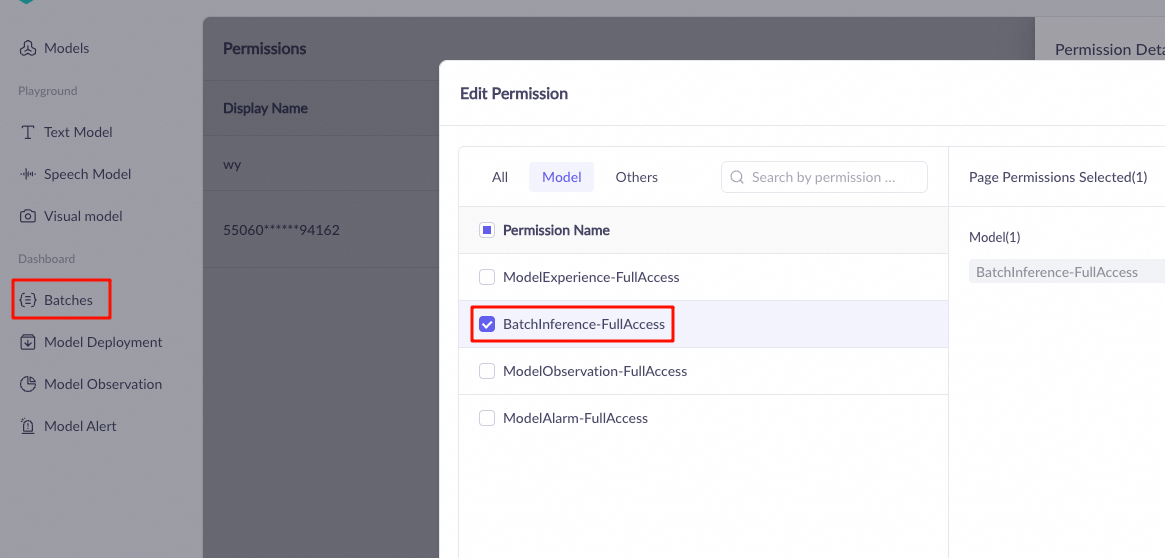
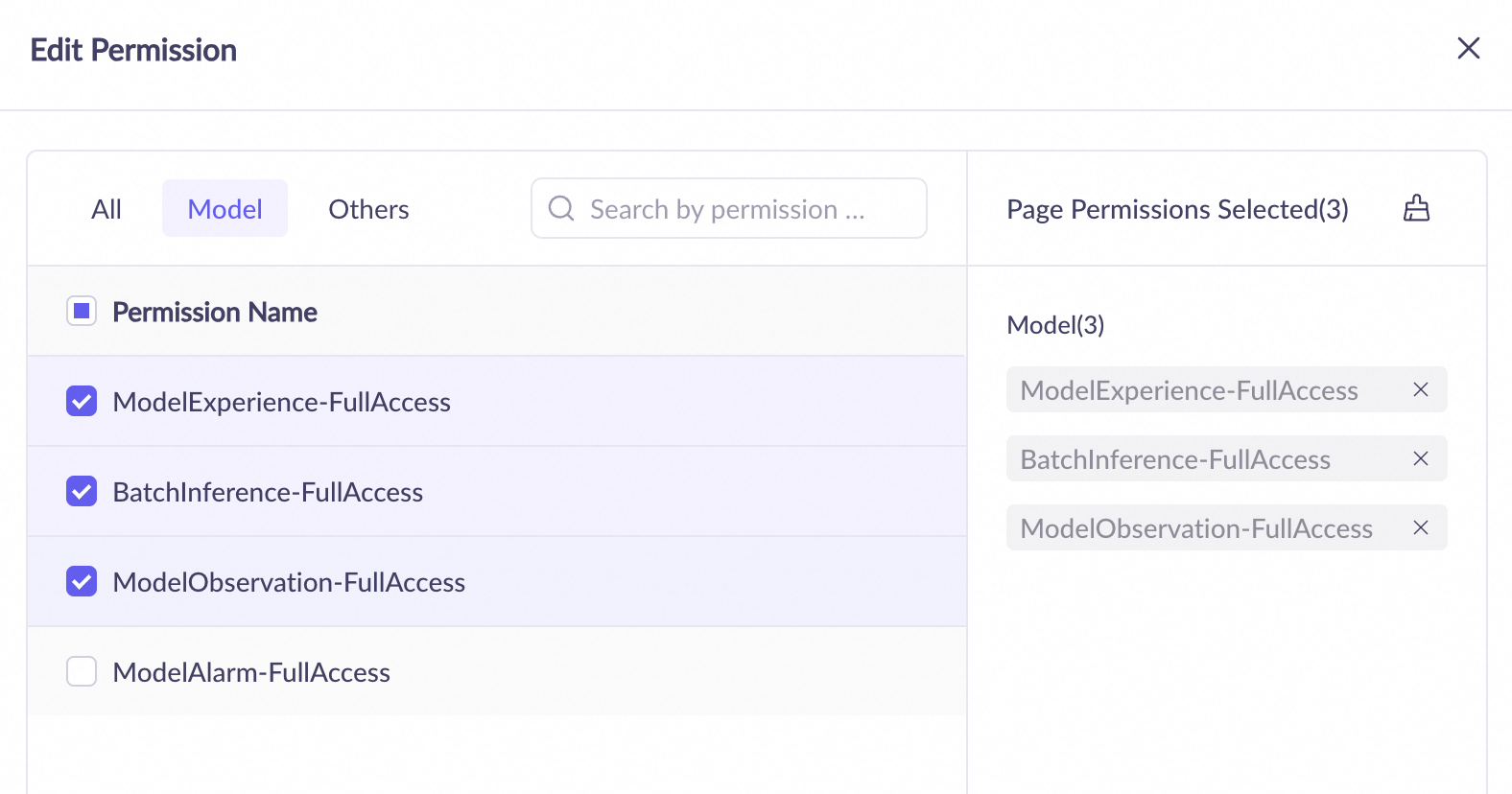
To call models from the Model Studio console, go to the Permissions tab on the left-side navigation pane and grant the RAM user the following permissions: (This operation requires a super administrator or a workspace administrator.)
- The ModelExperience-FullAccess permission to call models from the console.
- The BatchInference-FullAccess permission to use the batch inference feature.
- The ModelObservation-FullAccess permission to view the token consumption of model calls and evaluations.
-
To call models using the Model Studio API, create or assign an API key for the RAM user in the corresponding workspace. See API key permissions. (This operation requires a super administrator or a workspace administrator.)
Set console fine-tuning permissions
-
If you do not use the default workspace, ensure that the model fine-tuning (training) permission is enabled for the specific model in the workspace. (This operation requires a super administrator.)
-
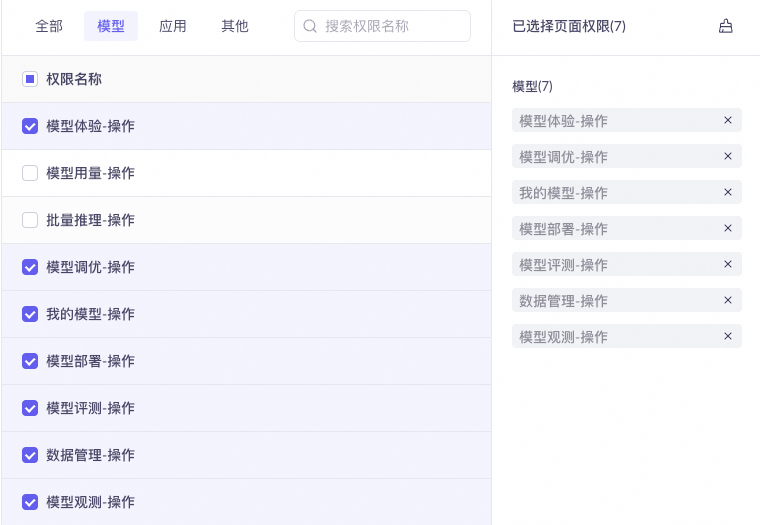
In the Model Studio console, go to the Permissions tab on the left-side navigation pane and grant the RAM user the following model permissions: (This operation requires a super administrator or a workspace administrator.)
- The Playground-FullAccess permission to call fine-tuned models from the console.
- The ModelFine-tuning-FullAccess permission.
- The MyModels-FullAccess permission to manage model snapshots after fine-tuning is complete.
- The ModelDeployment-FullAccess permission to deploy fine-tuned models. You can call and evaluate a model only after you deploy it.
- The ModelEvaluation-FullAccess permission.
- The DataManagement-FullAccess permission to manage fine-tuning datasets.
- The ModelObservation-FullAccess permission to view the token consumption of model calls and evaluations.
Set API fine-tuning permissions
- If you do not use the default workspace, ensure that the model fine-tuning (training) permission is enabled for the specific model in the workspace. (This operation requires a super administrator.)
- Create or assign an API key for the RAM user in the corresponding workspace. See API key permissions. (This operation requires a super administrator or a workspace administrator.)
FAQ
1. Get a workspace ID
See Get the Workspace ID.
2. Call a model in a sub-workspace
Use your sub-workspace's API key. No special configuration is required.
3. Use workspace applications
To manage or call applications in a workspace via the API, you must provide both the APP ID and Workspace ID.